The HighLevel Home Service Business Management Software
Manage dispatch, route plan, techs, quotes, invoices, and more in GHL, the only dedicated field service app for HighLevel home service businesses and contractors.
No image available
Learn how to bring customers into your FieldTask Organization by syncing from HighLevel or adding them manually.
There are two ways to add customers to your FieldTask Organization:
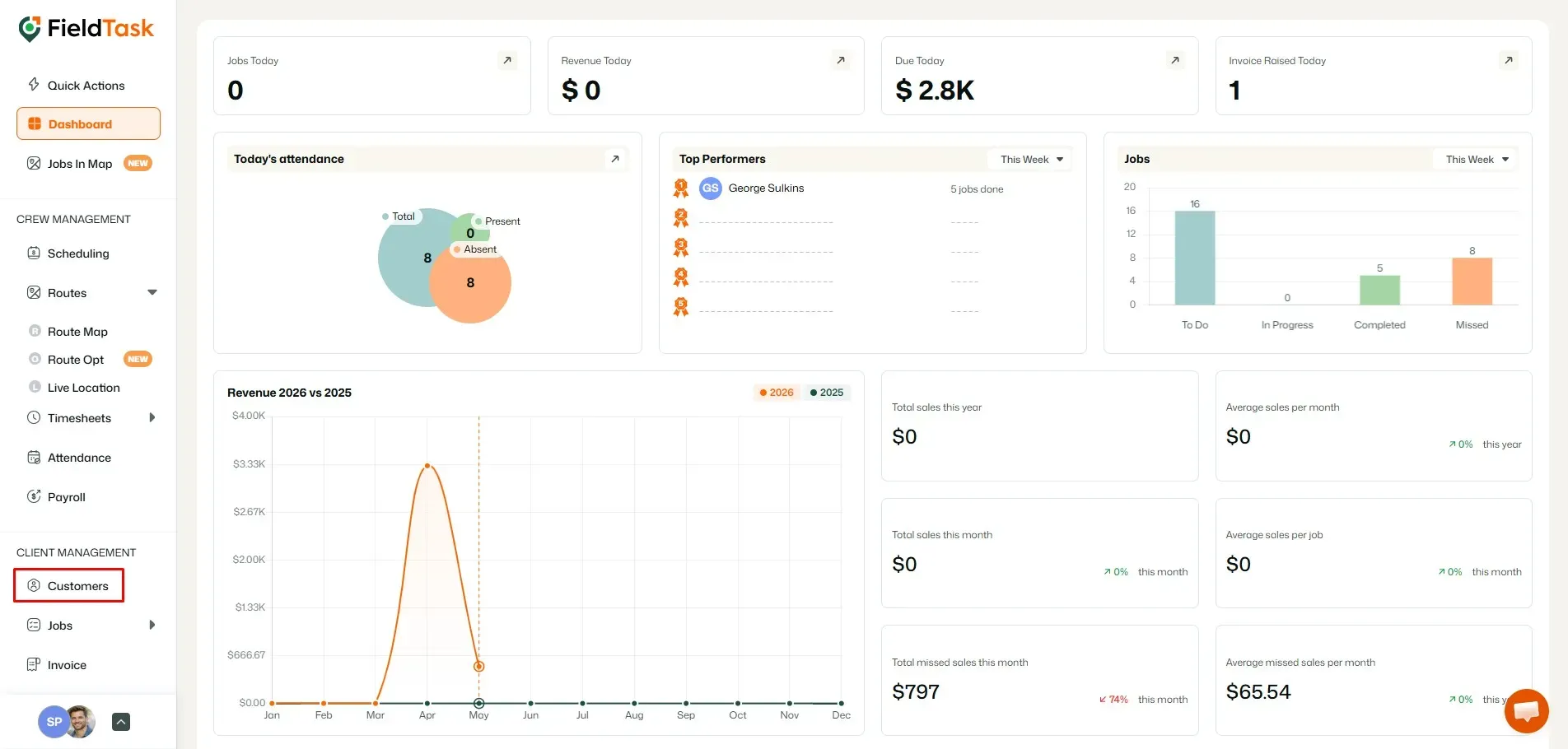
For both methods, you will first need to access Customers from the left sidebar.
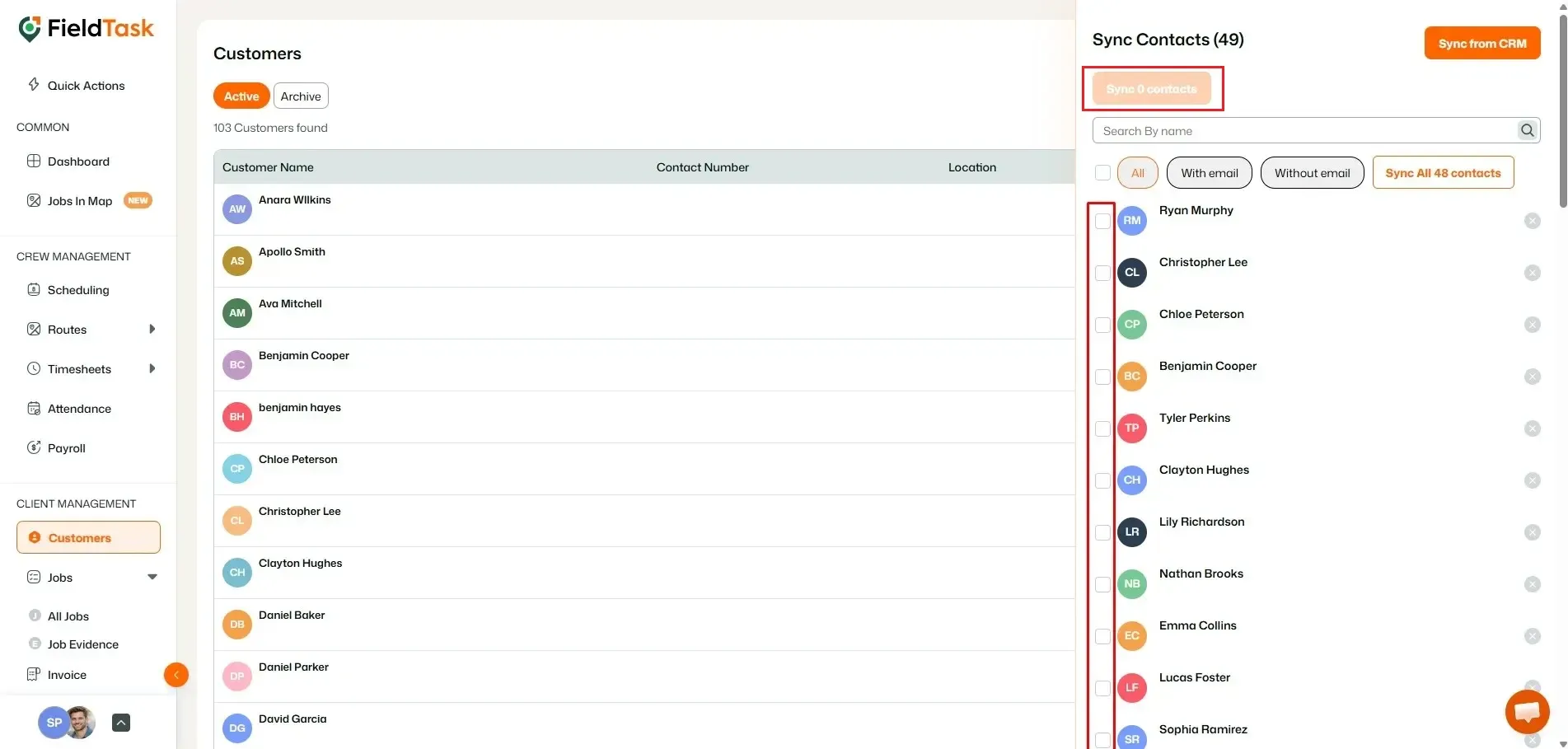
To sync customers from HighLevel:
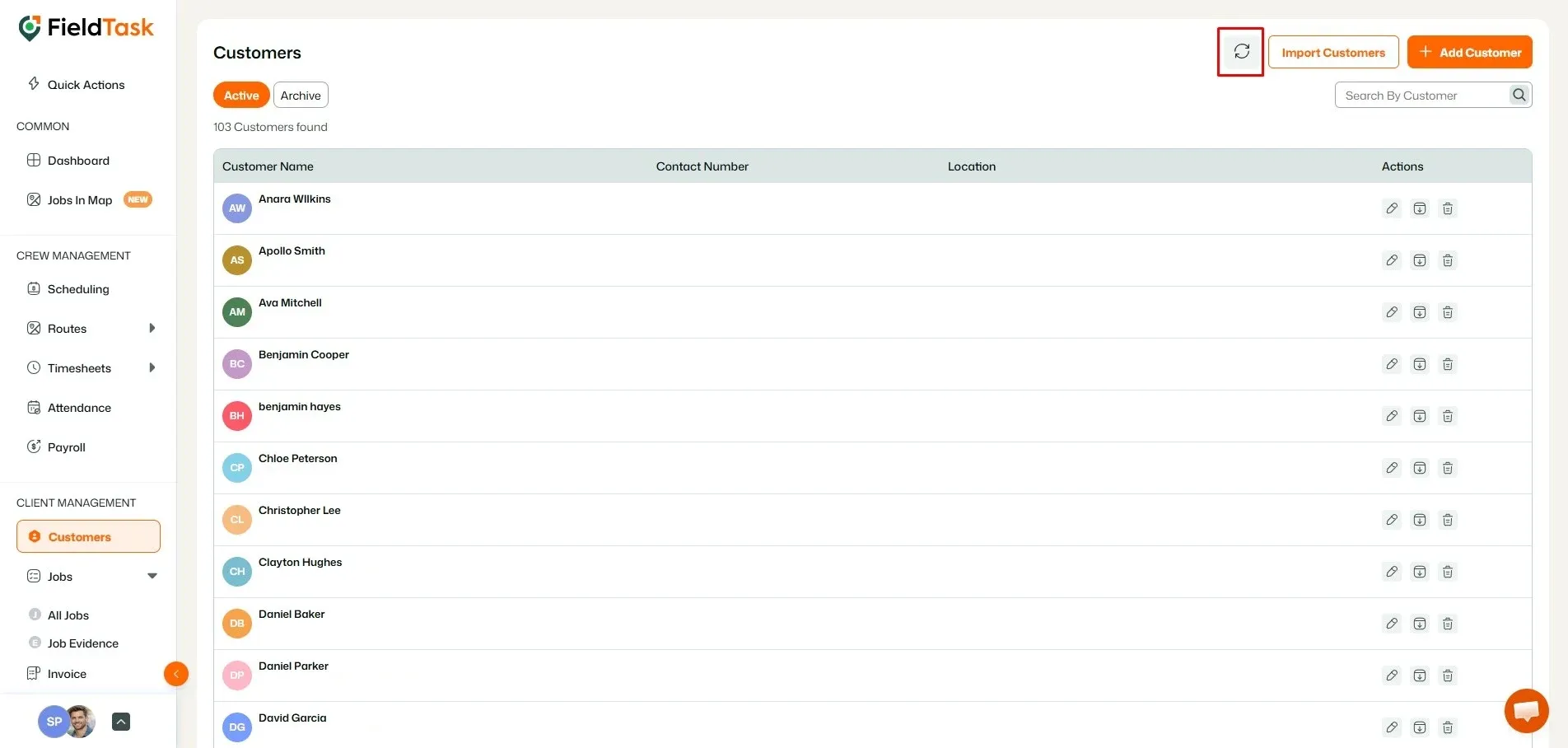
This section will display the available HighLevel Contacts that can be brought into your FieldTask Organization as Customers.
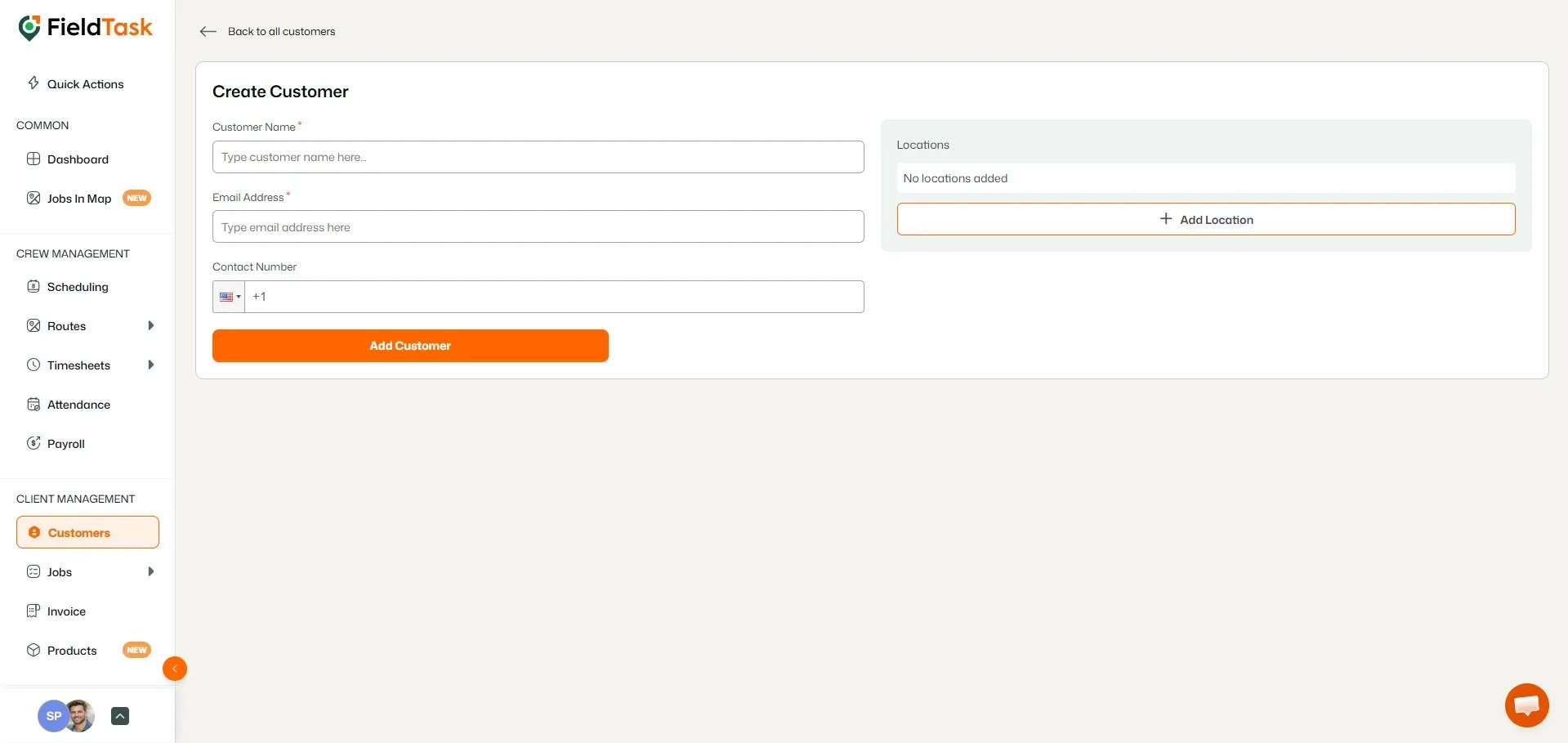
You can also add customers directly from FieldTask by creating them manually.
There are two ways to open the Customer Creation Form:
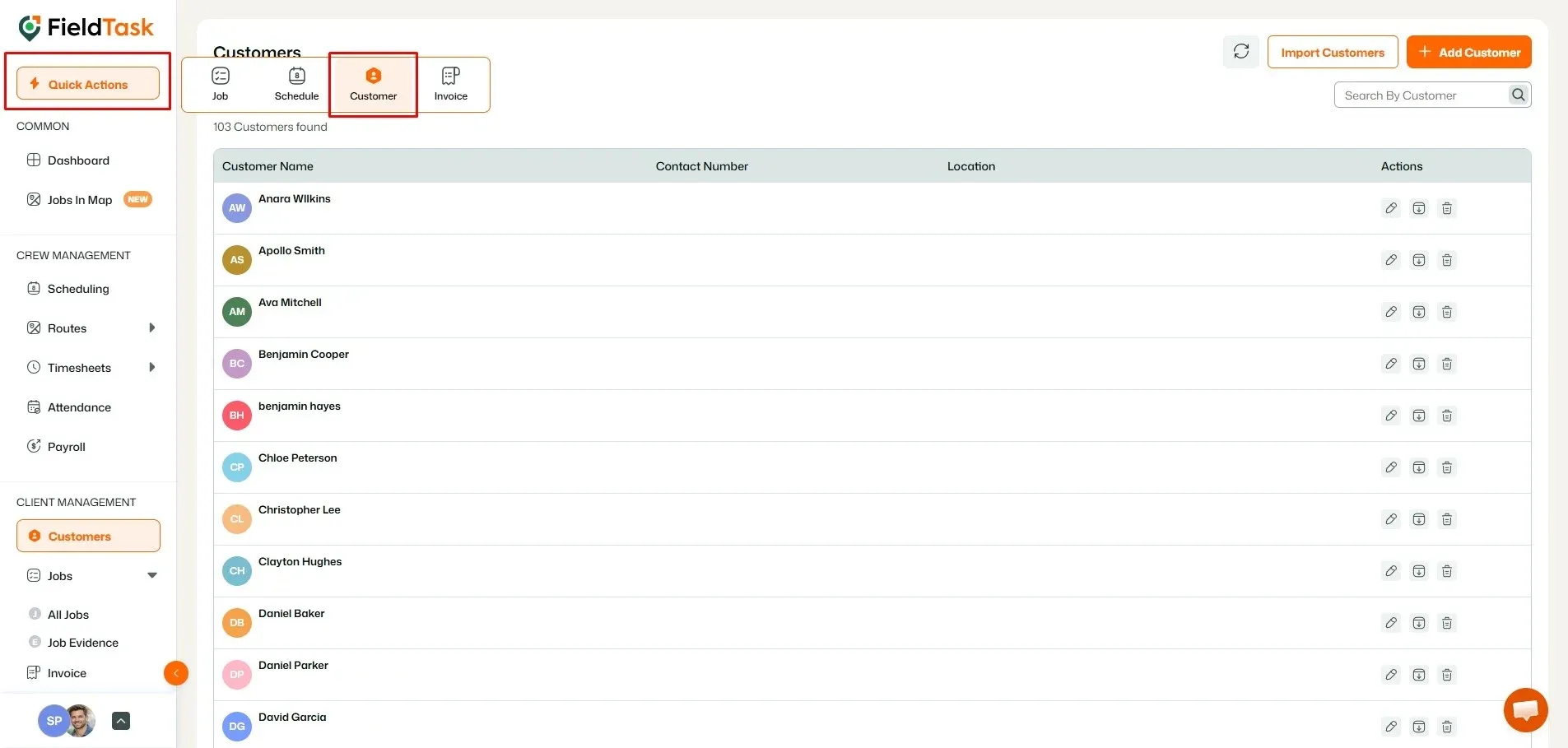
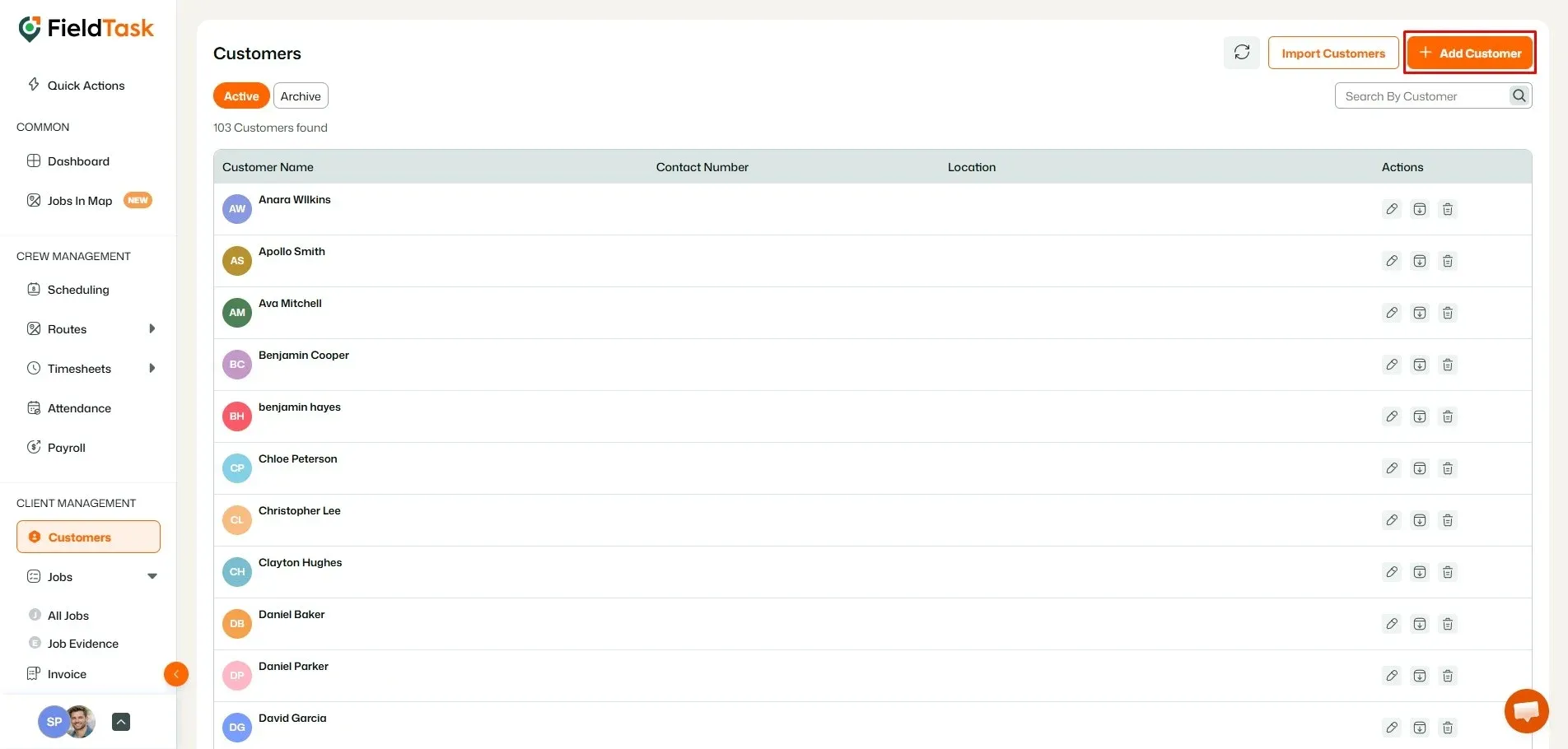
Both options will open the Customer Creation Form, where you can enter the customer details.
Manage dispatch, route plan, techs, quotes, invoices, and more in GHL, the only dedicated field service app for HighLevel home service businesses and contractors.
The complete FieldTask sitemap: quick links to all pages.
Learn how FieldTask supports HIPAA compliance for home health and field service teams—encryption, BAAs, access controls, and audit logging.