The HighLevel Home Service Business Management Software
Manage dispatch, route plan, techs, quotes, invoices, and more in GHL, the only dedicated field service app for HighLevel home service businesses and contractors.
No image available
Learn how to add an additional service location to an existing customer in FieldTask.
FieldTask allows you to add multiple service locations to a single customer. This is useful when a customer has more than one property or job site where your team provides services.
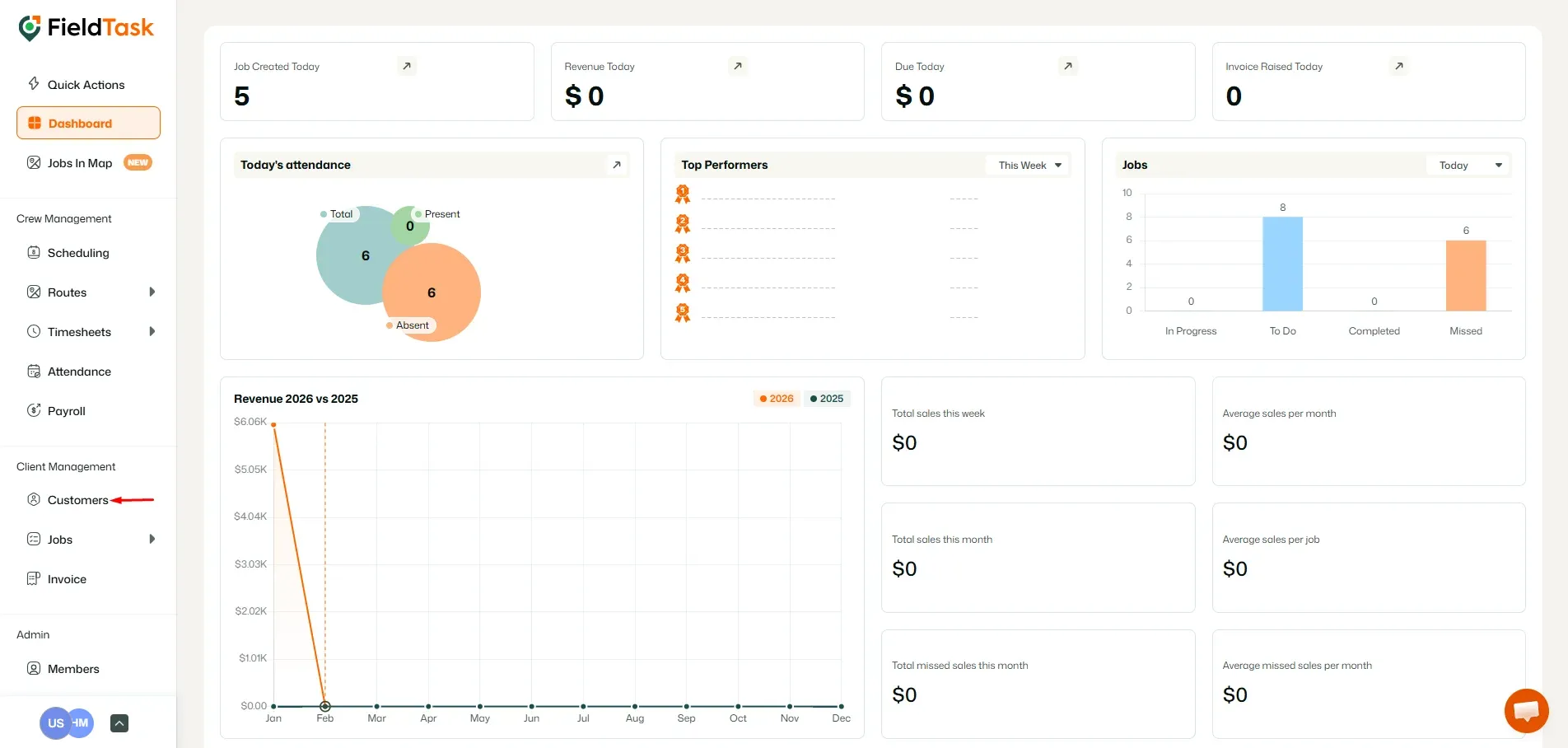
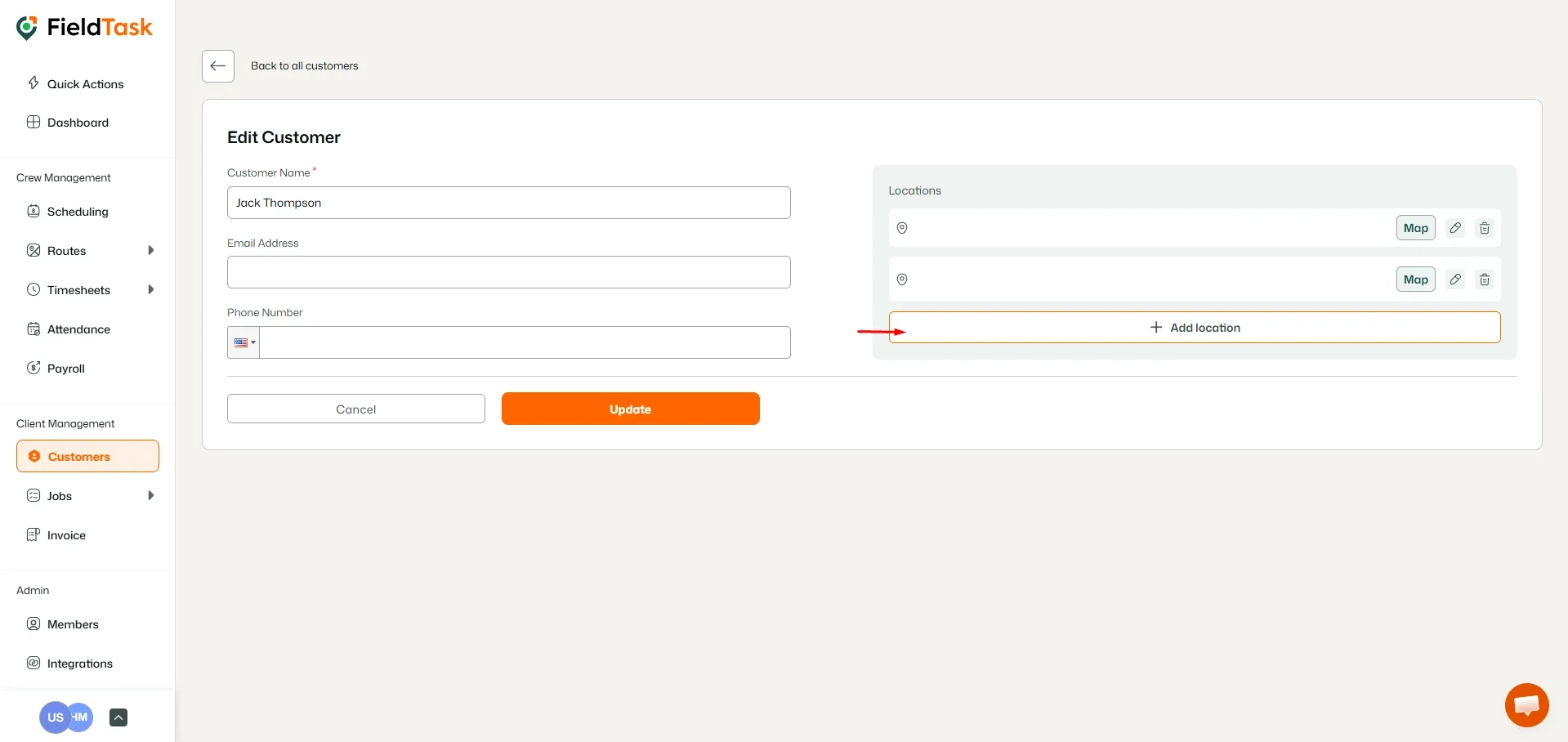
To add a new service location:
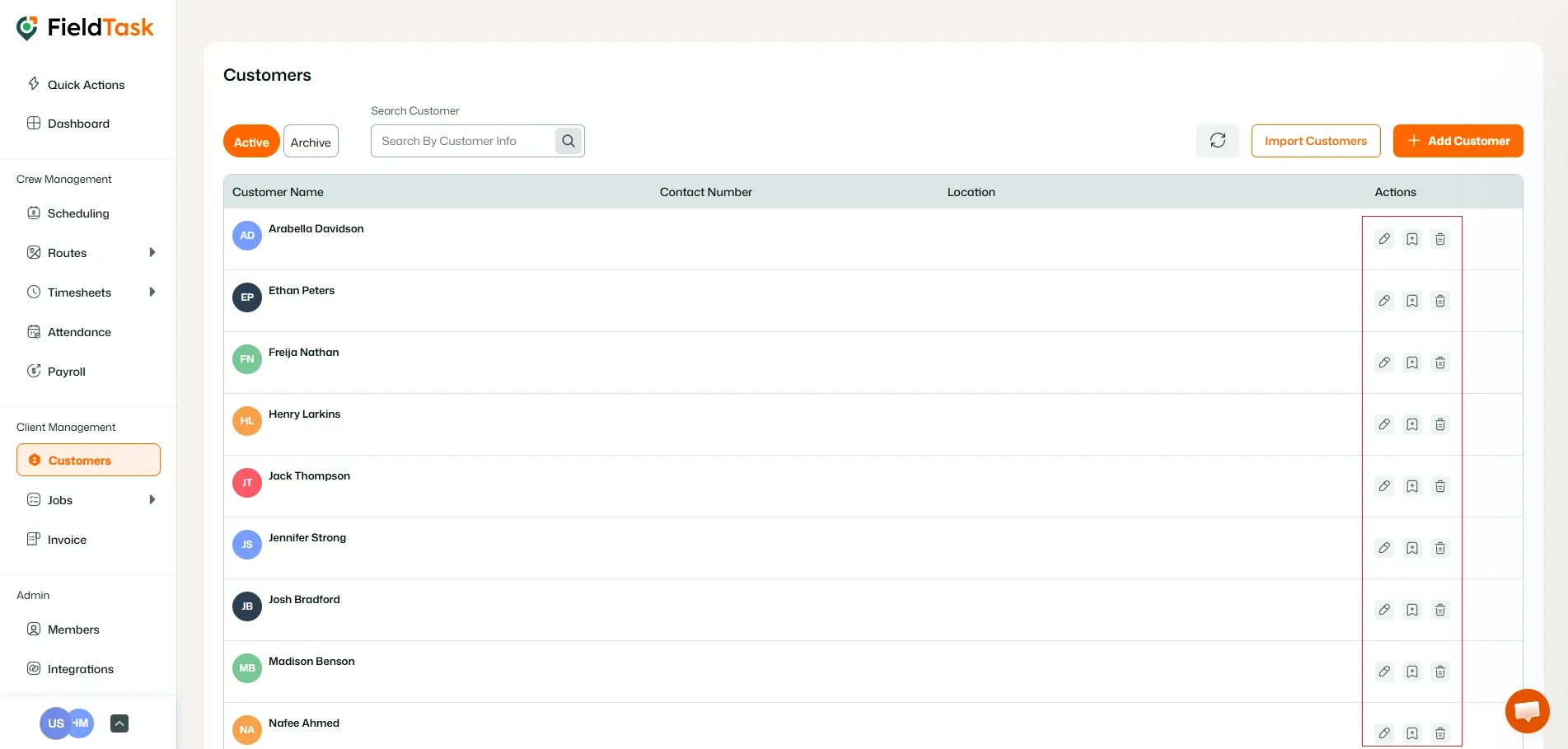
You will be taken to the customer's Details page.
Provide the following information:
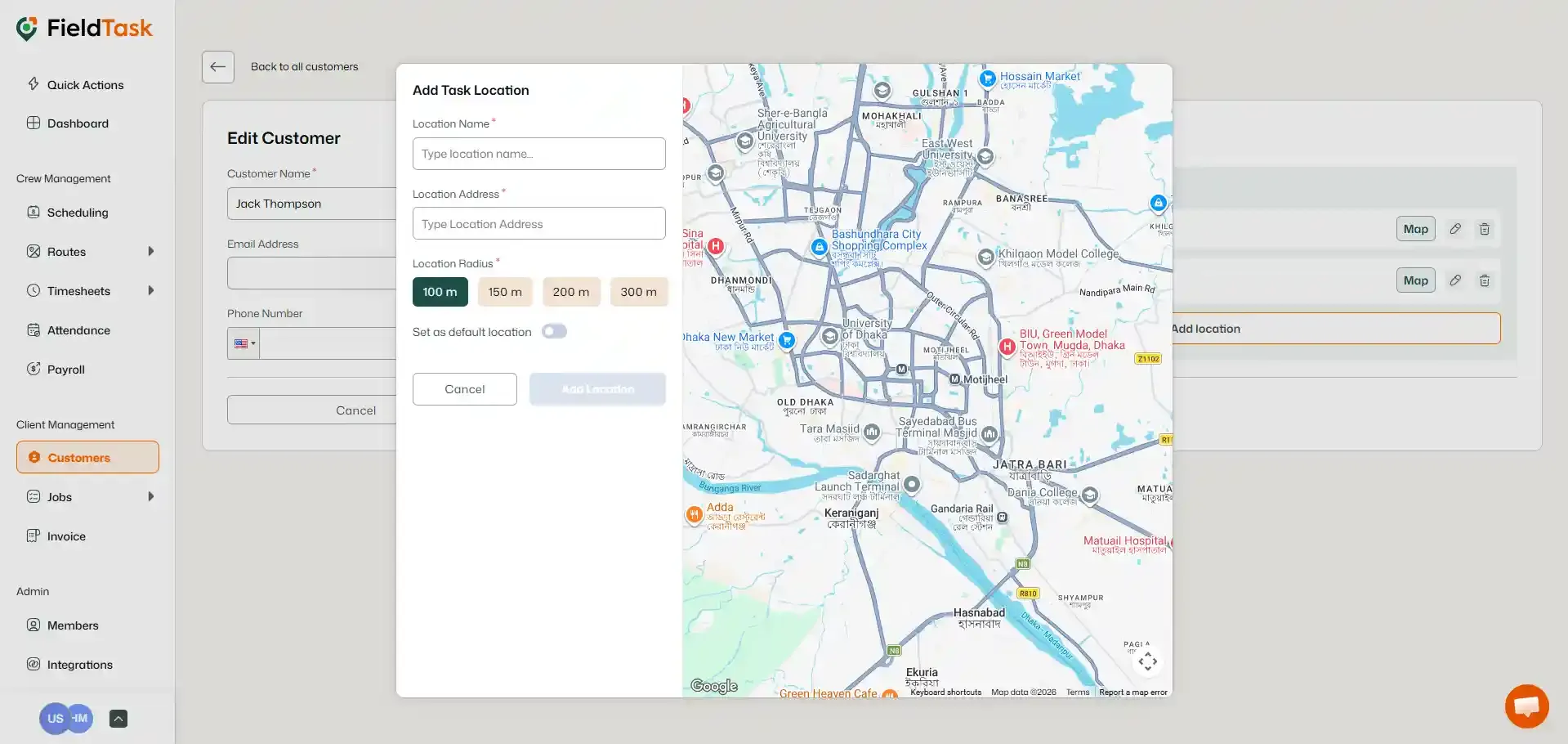
The new location will now be associated with the customer and can be selected when assigning jobs to them.
Manage dispatch, route plan, techs, quotes, invoices, and more in GHL, the only dedicated field service app for HighLevel home service businesses and contractors.
The complete FieldTask sitemap: quick links to all pages.
Learn how FieldTask supports HIPAA compliance for home health and field service teams—encryption, BAAs, access controls, and audit logging.