The HighLevel Home Service Business Management Software
Manage dispatch, route plan, techs, quotes, invoices, and more in GHL, the only dedicated field service app for HighLevel home service businesses and contractors.
No image available
Learn how to review and approve Timesheets submitted by your Members in FieldTask.
To approve Timesheets:
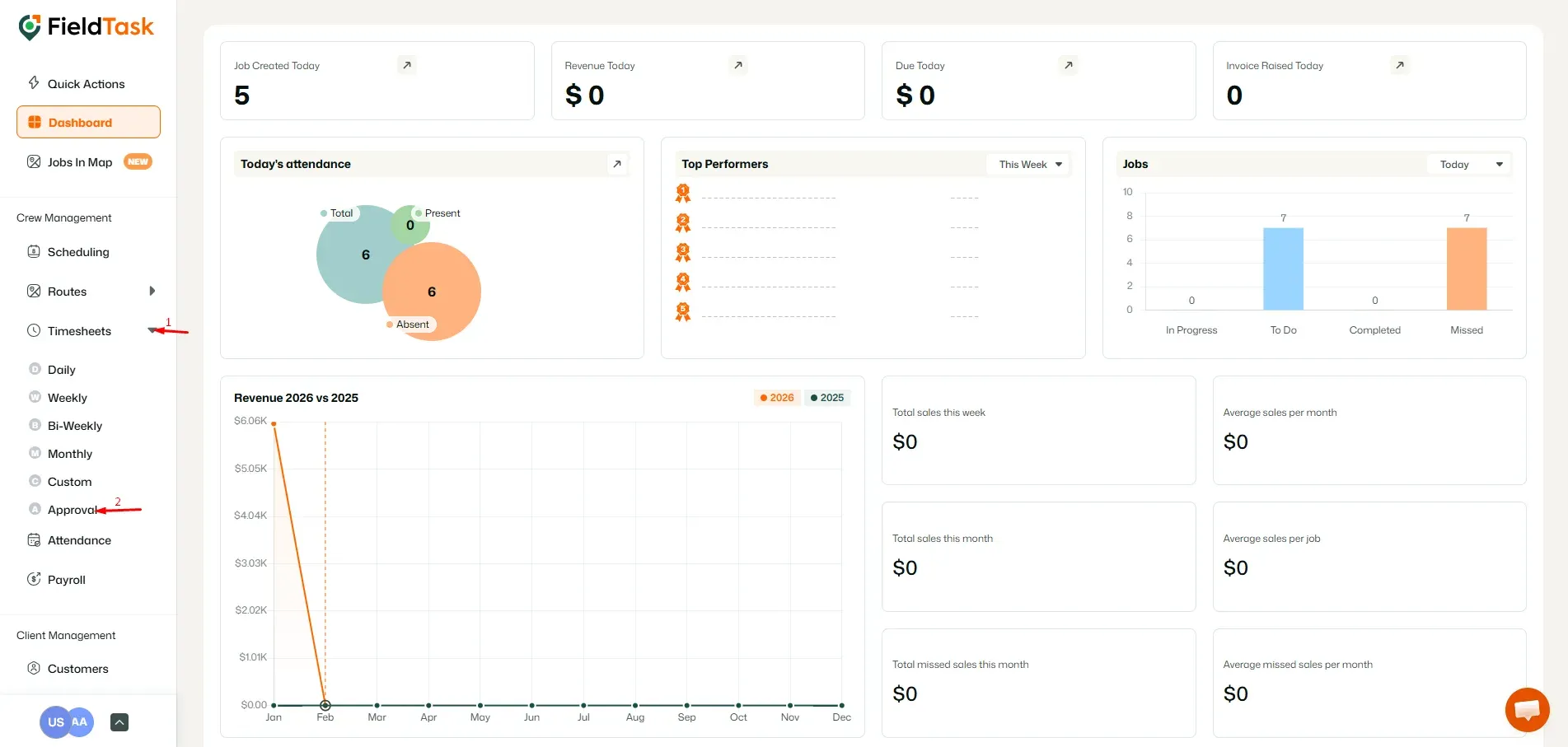
The Approval page will display Timesheets submitted by your Members.
You can use the available Filters to find the specific Timesheets you want to review.
Timesheets are displayed in different colors, with each color representing a different Job your Member has worked on. This makes it easier to distinguish Timesheets associated with different Jobs.
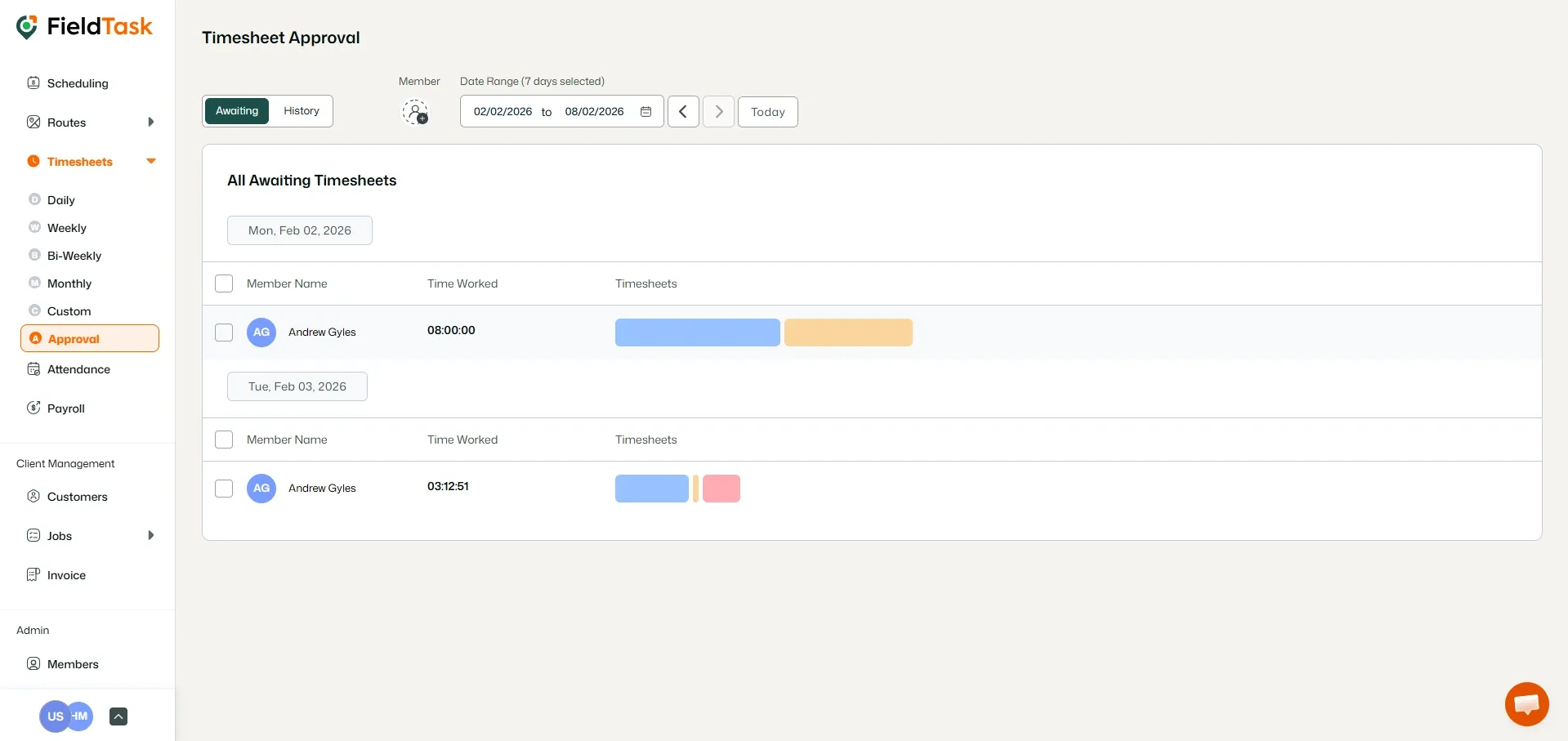
The selected Timesheet will then be approved.
You can also reject a submitted Timesheet using a similar process.
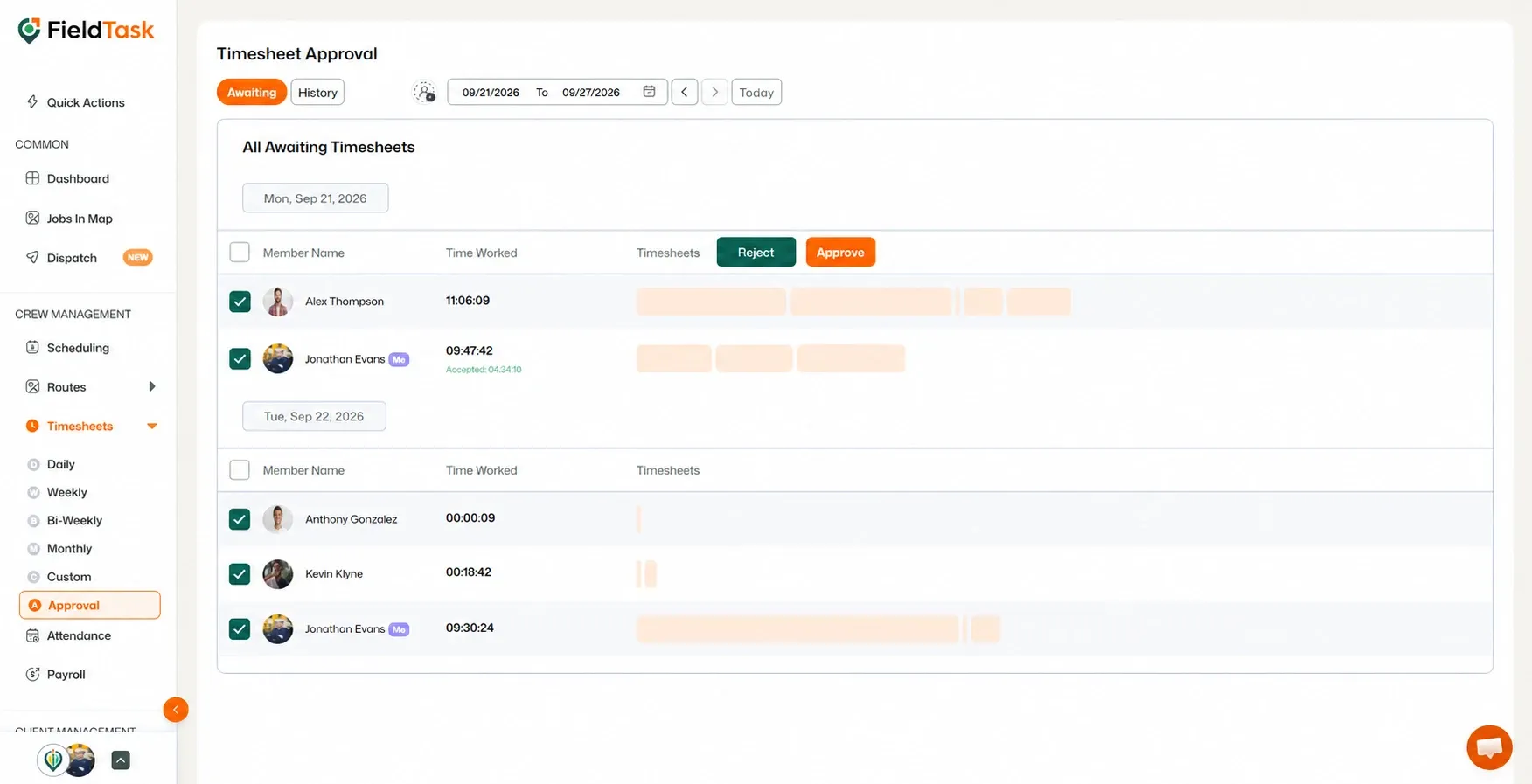
The selected Timesheet will then be rejected.
Manage dispatch, route plan, techs, quotes, invoices, and more in GHL, the only dedicated field service app for HighLevel home service businesses and contractors.
The complete FieldTask sitemap: quick links to all pages.
Learn how FieldTask supports HIPAA compliance for home health and field service teams—encryption, BAAs, access controls, and audit logging.