HIPAA Compliance & BAA | FieldTask
Learn how FieldTask supports HIPAA compliance for home health and field service teams—encryption, BAAs, access controls, and audit logging.
No image available
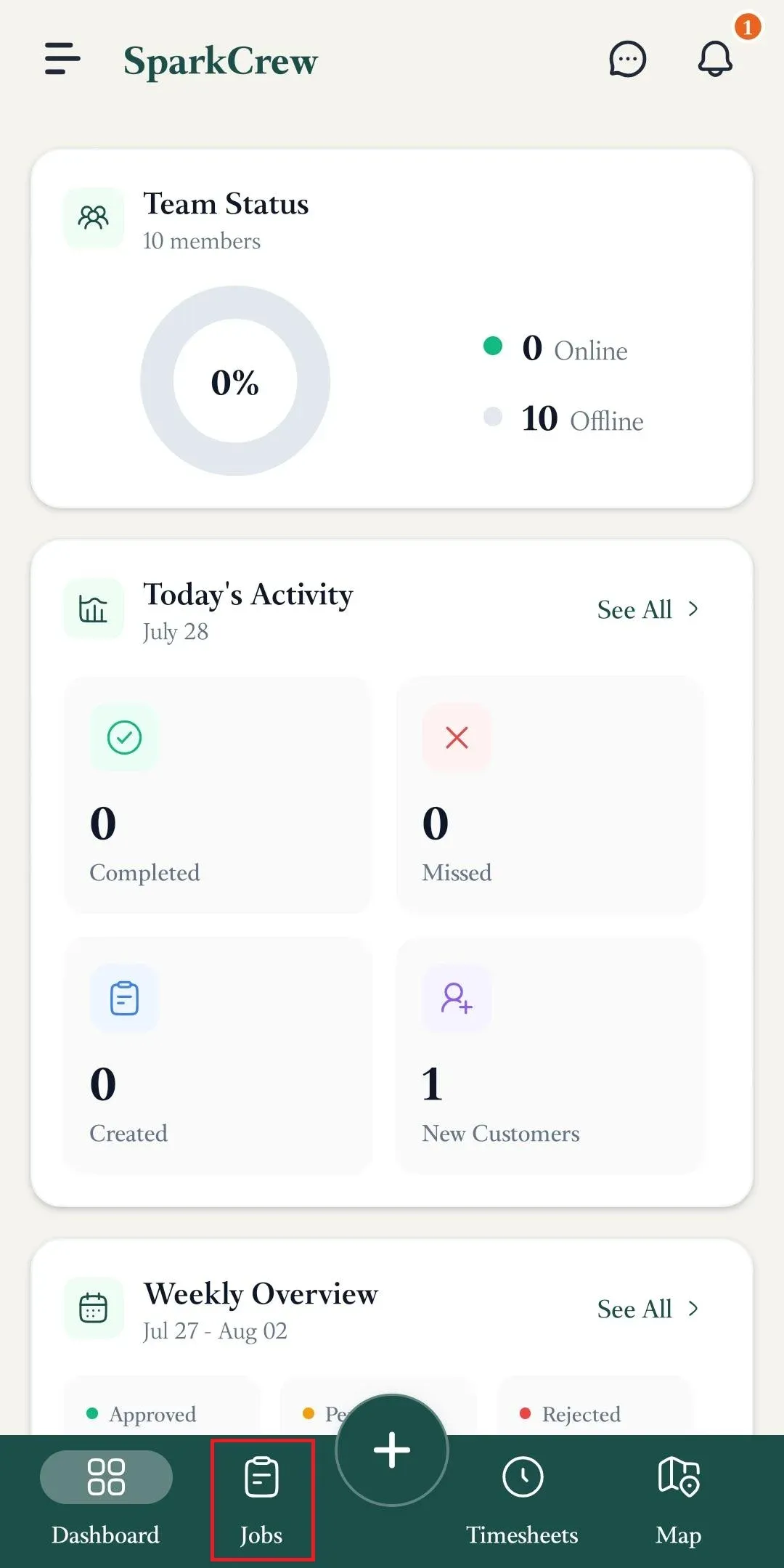
To check into a job from the FieldTask mobile app, navigate to the jobs page.
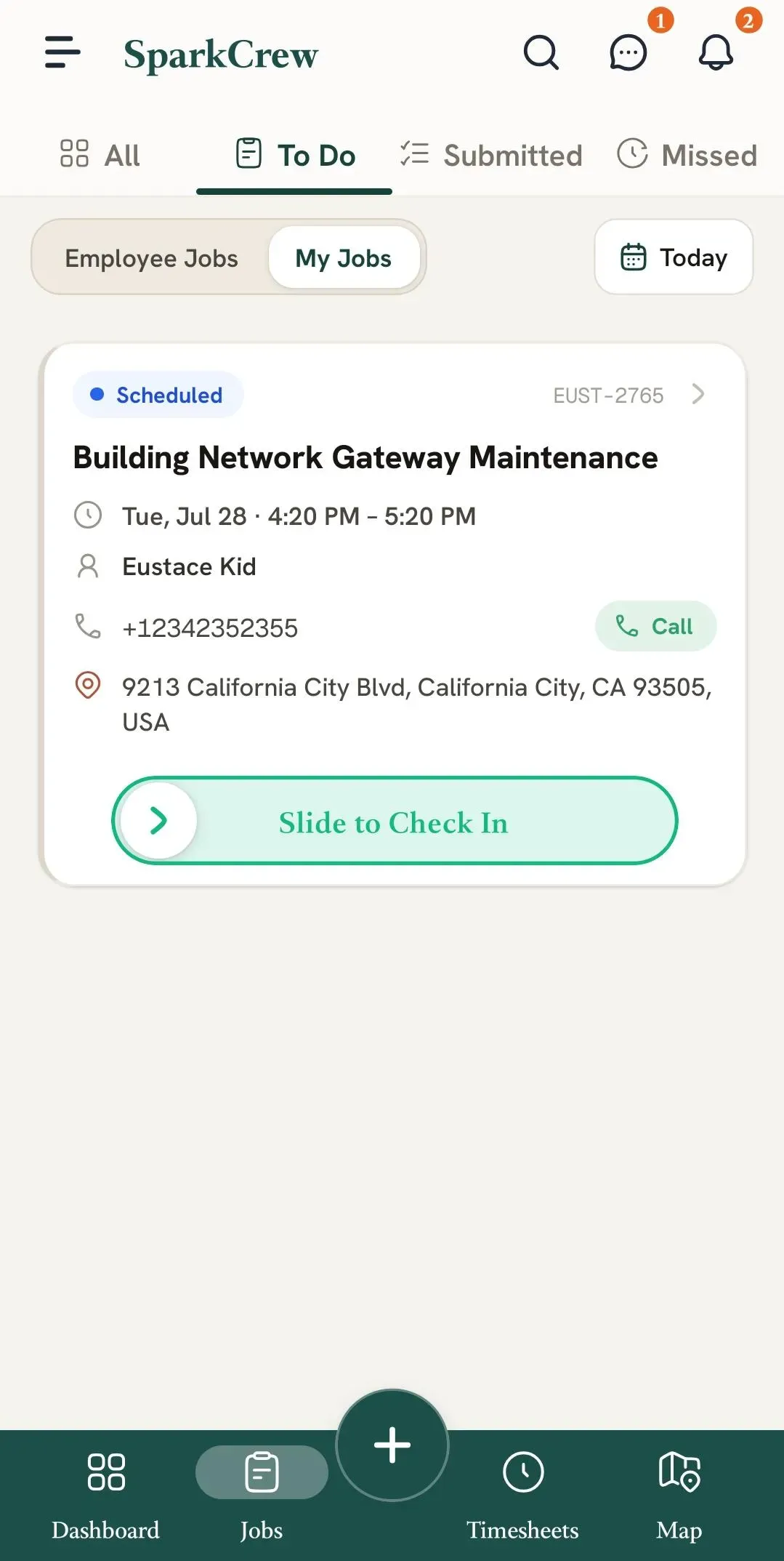
Under To Do, slide the slider to check in.
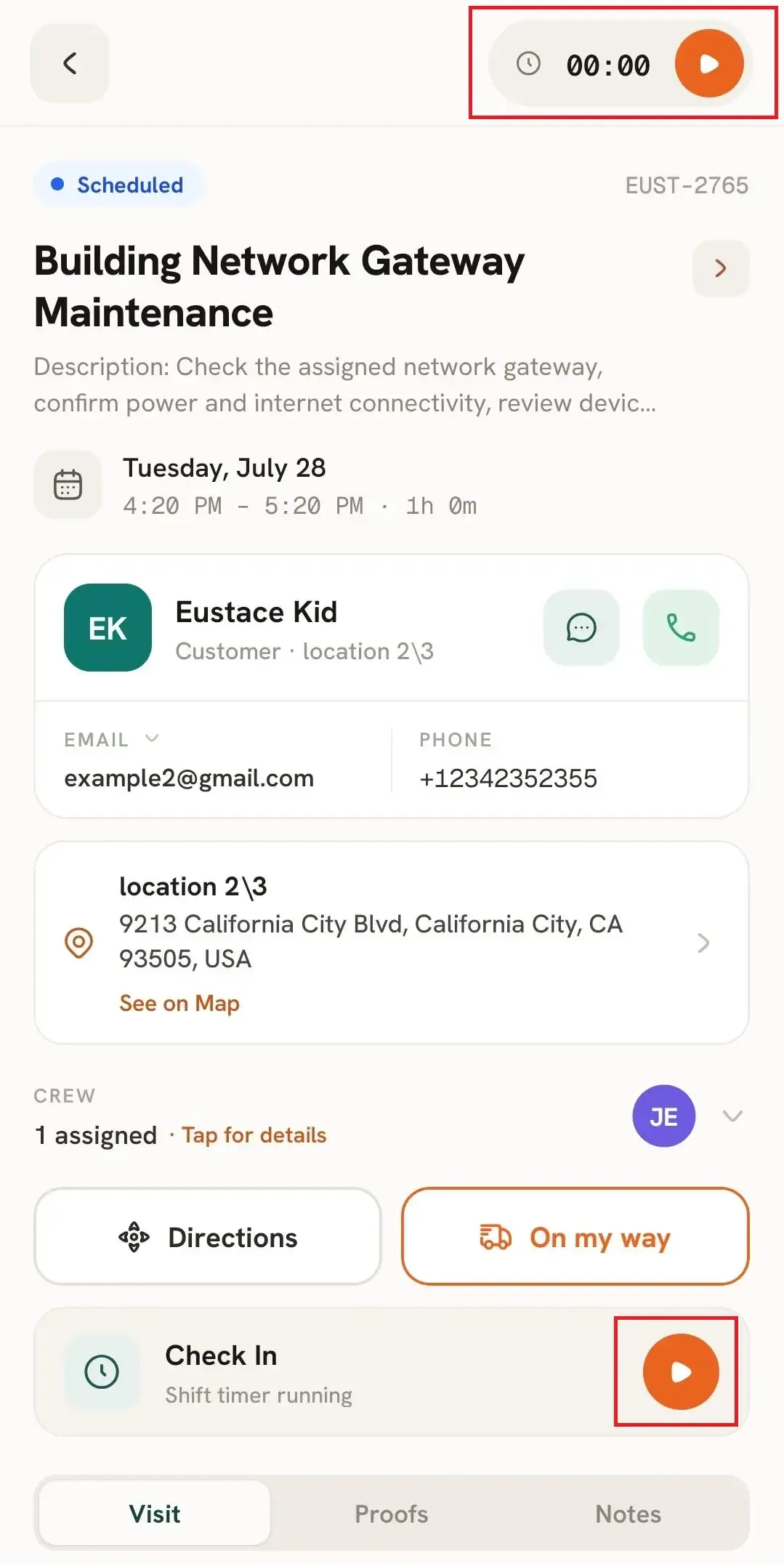
You can also enter the Job Details by tapping the job card, and if you tap on the play options on the top right or the bottom right, you will also be checked in.
Learn how FieldTask supports HIPAA compliance for home health and field service teams—encryption, BAAs, access controls, and audit logging.
Explore how FieldTask connects with HighLevel. Learn about two-way syncing, automation, and how to turn HighLevel into a complete field service management solution.