The HighLevel Home Service Business Management Software
Manage dispatch, route plan, techs, quotes, invoices, and more in GHL, the only dedicated field service app for HighLevel home service businesses and contractors.

Learn how to customize job tracking, assignee visibility, Job Proof requirements, missed jobs, and other employee-related settings in FieldTask.
FieldTask gives you several options for tracking jobs and keeping records. If you want to simplify tracking or control what your assignees can see and do, you can adjust these options from Employee Settings.
To configure your Job Tracking settings:
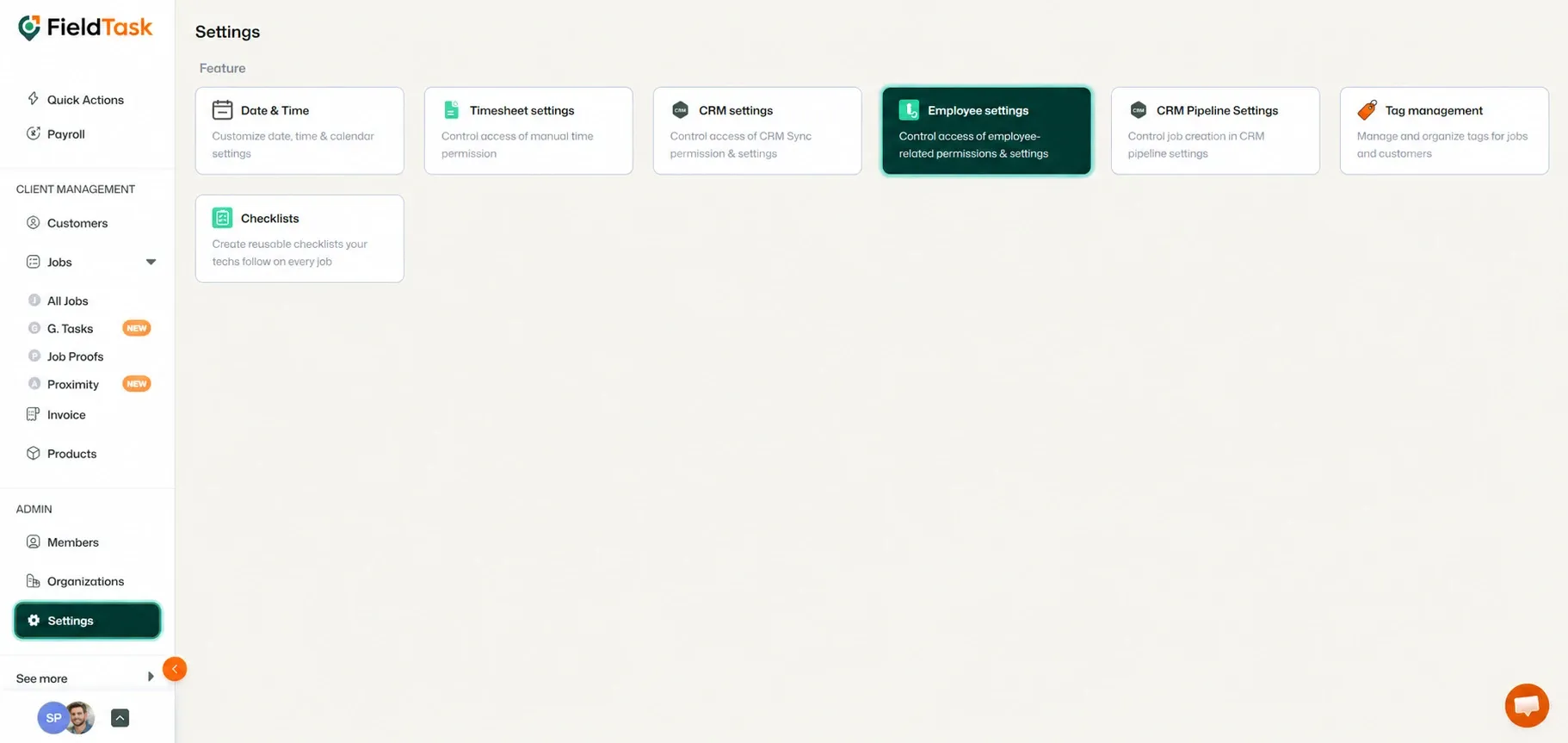
The Employee Settings page allows you to configure how jobs are tracked and what information or actions are available to your assignees.
You can choose whether assignees are allowed to view:
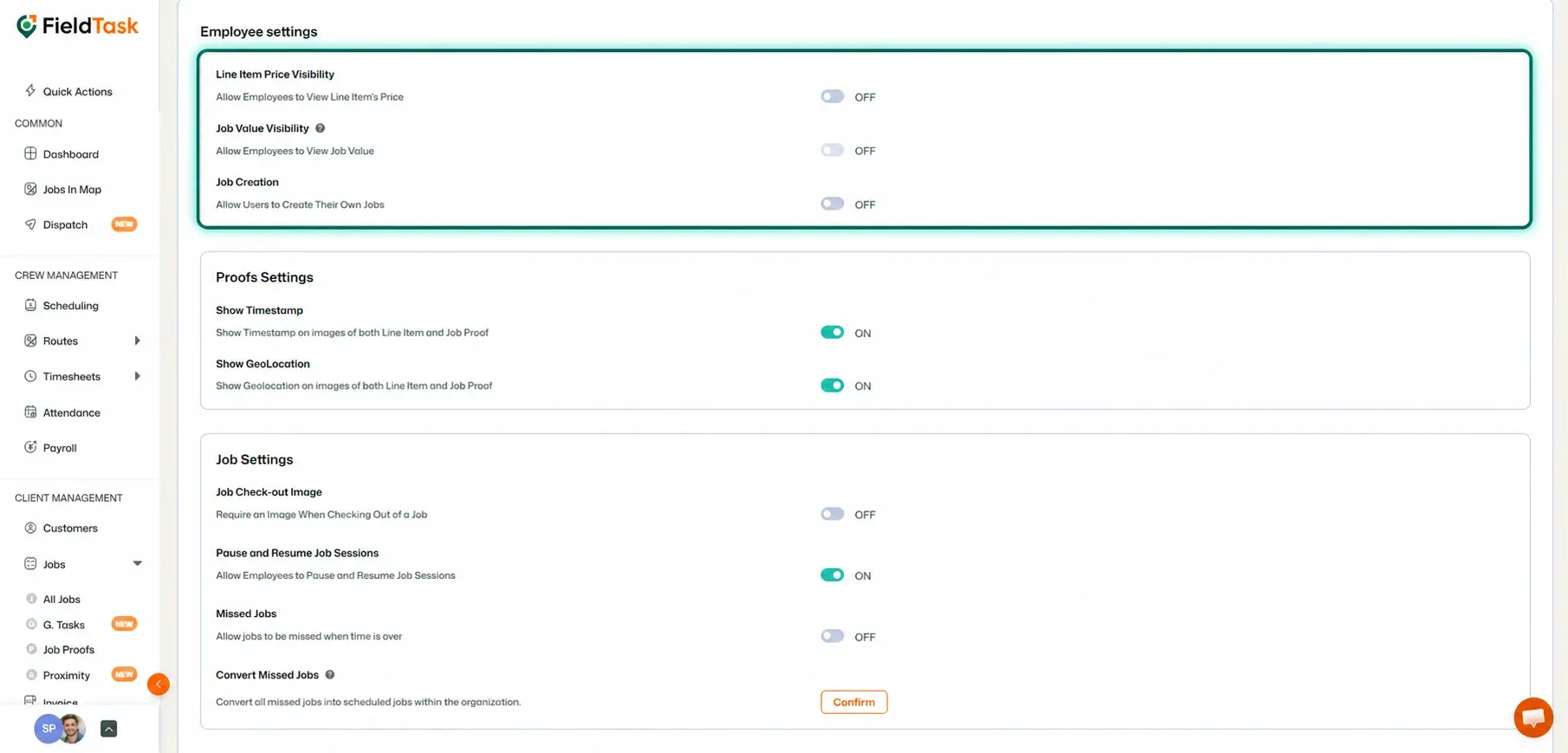
You can also choose whether assignees are allowed to create jobs for themselves from the FieldTask Mobile App.
For Job Proof and Line Item Proof, you can choose whether submitted proof should include:
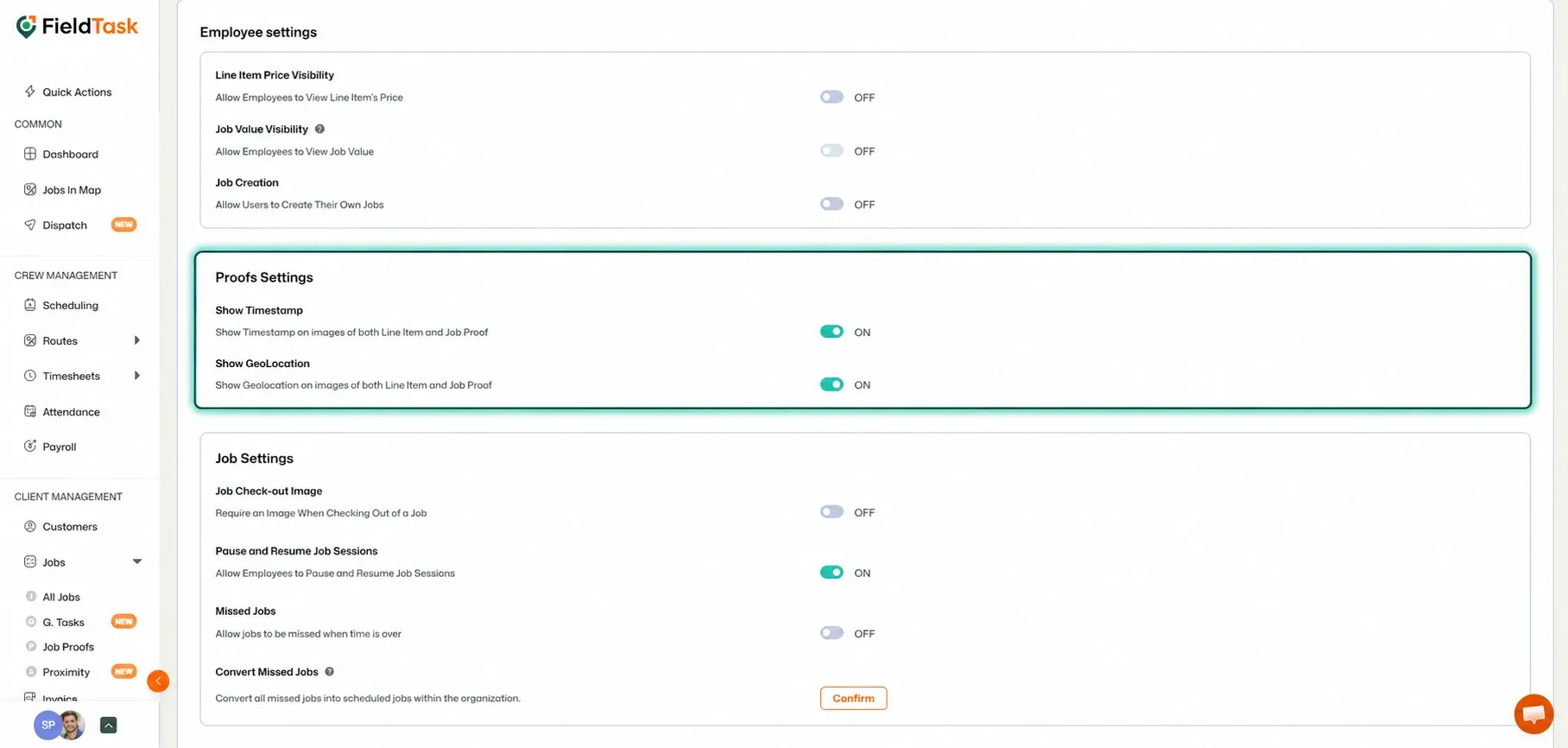
These options allow you to control what information is recorded alongside submitted Job Proof.
You can also configure how jobs themselves are tracked.
Available options include whether you want:
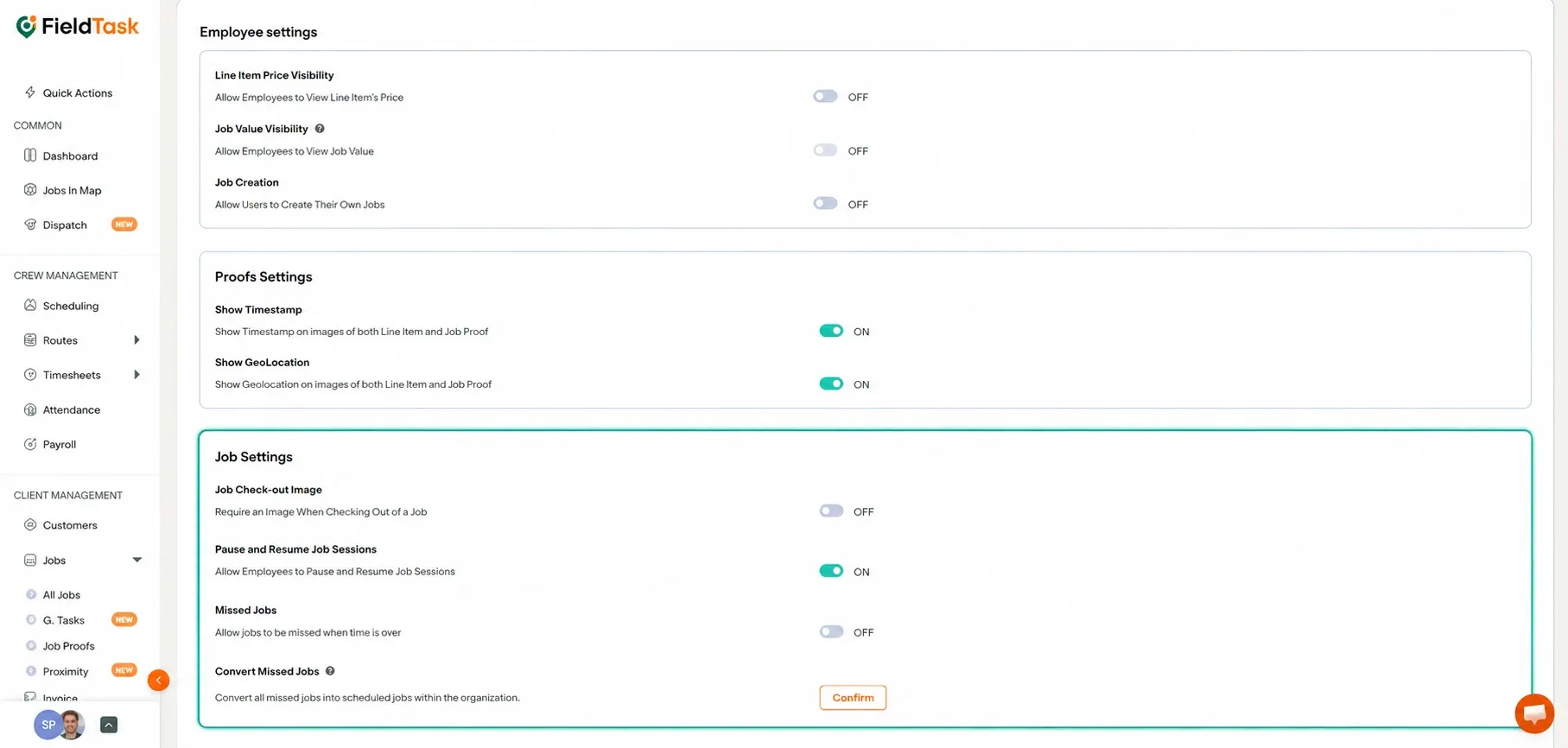
If you previously allowed jobs to be missed but decide to stop using the Missed Job option, FieldTask allows you to convert existing Missed Jobs back into Scheduled Jobs.
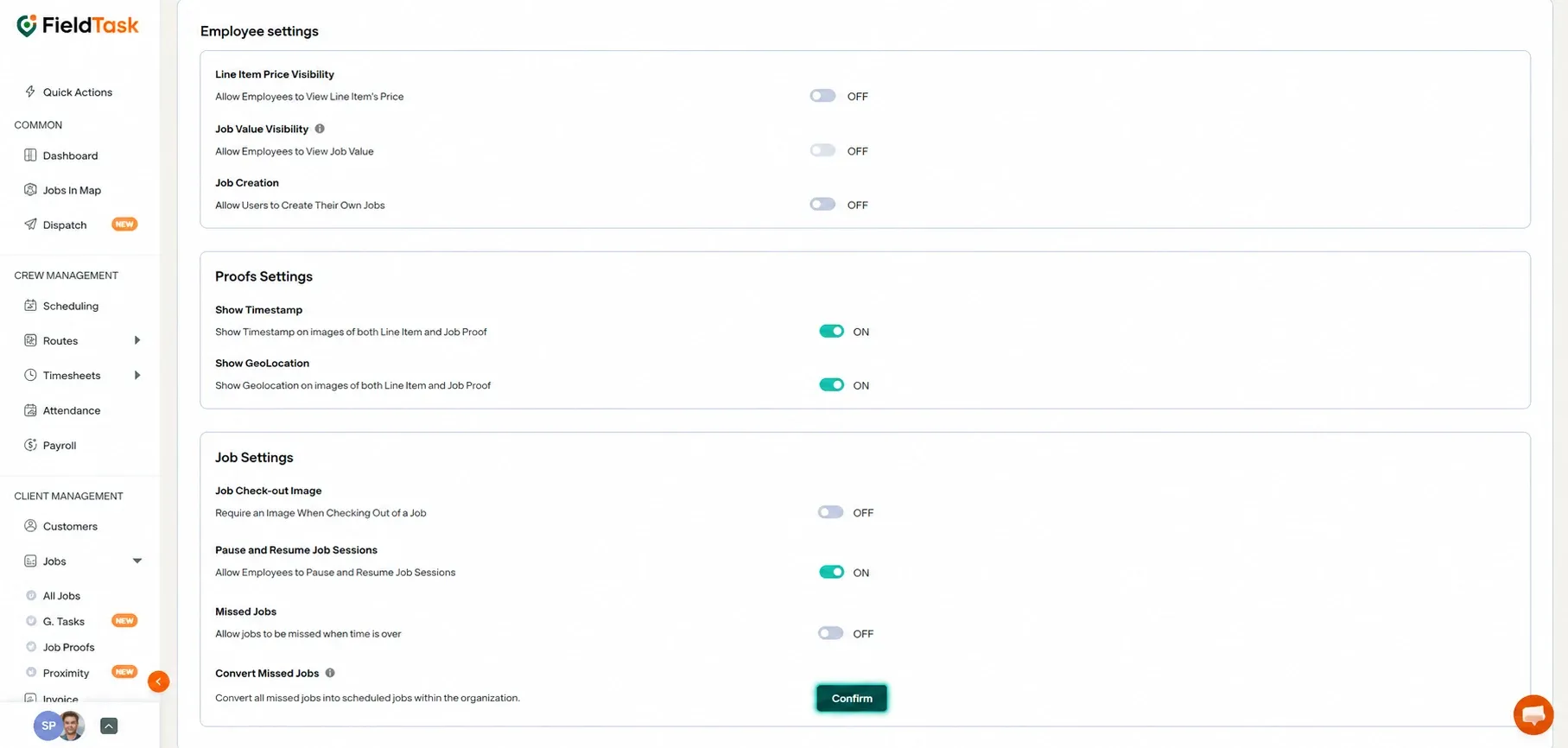
This helps you update your existing jobs when changing how missed jobs are handled.
You can also configure Calendar Sync for your Members from the Employee Settings page.
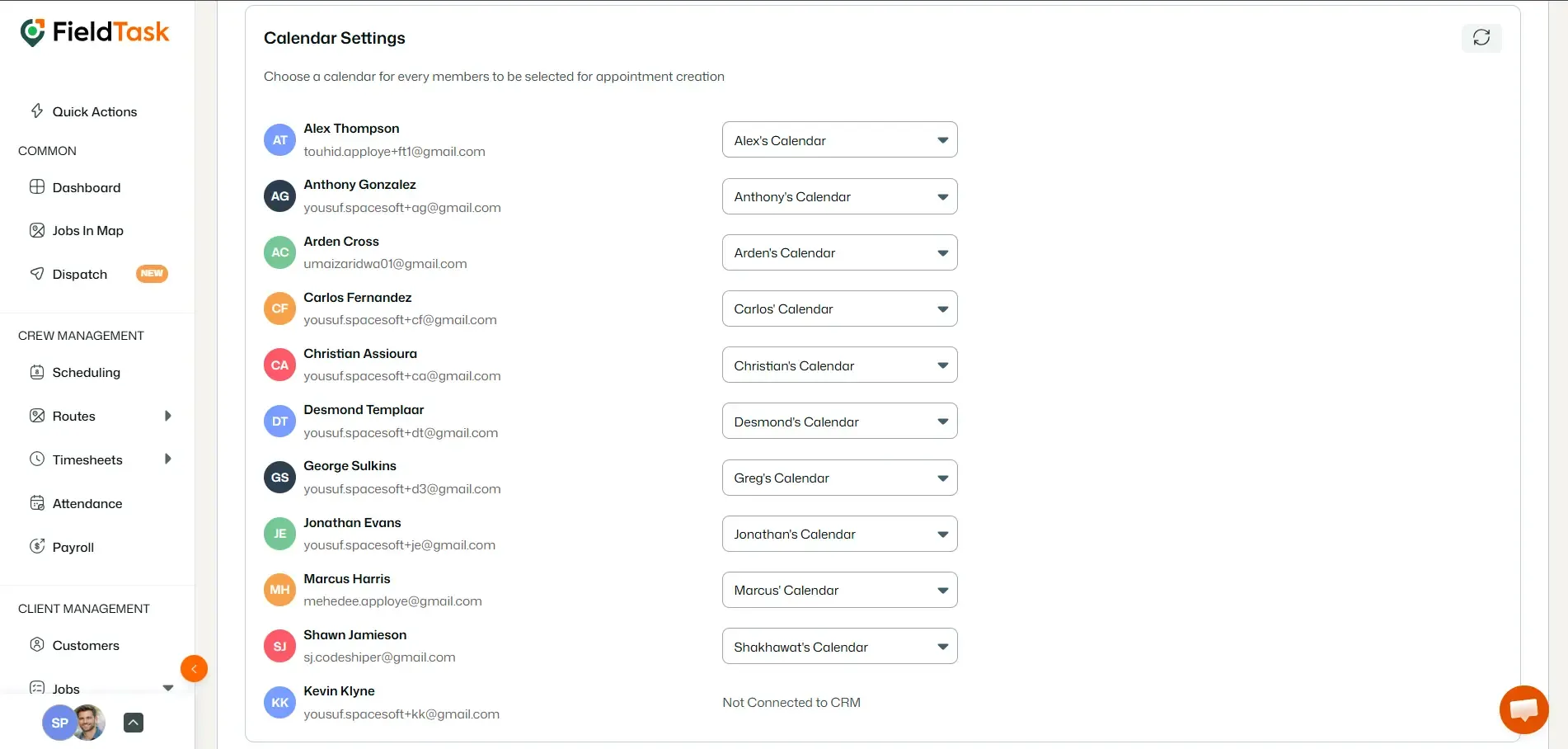
This allows you to manage which CRM calendars are used when bringing appointments into FieldTask as jobs.
Manage dispatch, route plan, techs, quotes, invoices, and more in GHL, the only dedicated field service app for HighLevel home service businesses and contractors.
The complete FieldTask sitemap: quick links to all pages.
Learn how FieldTask supports HIPAA compliance for home health and field service teams—encryption, BAAs, access controls, and audit logging.