The HighLevel Home Service Business Management Software
Manage dispatch, route plan, techs, quotes, invoices, and more in GHL, the only dedicated field service app for HighLevel home service businesses and contractors.

Learn how to create customized Checklists for your jobs and require specific tasks or information before a job can be completed.
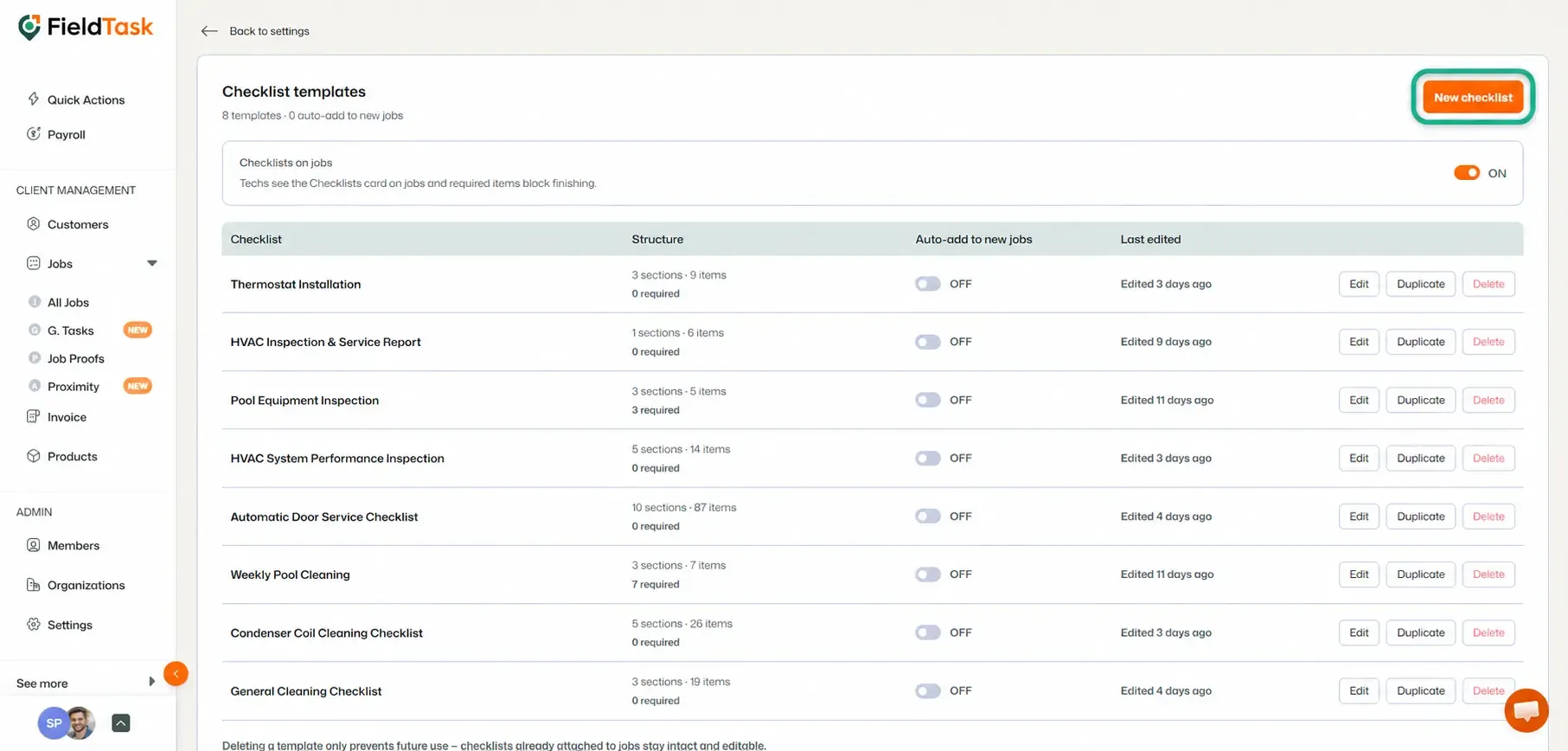
Checklists in FieldTask allow you to create customized forms that can be attached to jobs and completed by your assignees while they work.
You can use Checklists to collect information, verify work, capture proof, and make sure required tasks are completed before a job is checked out.
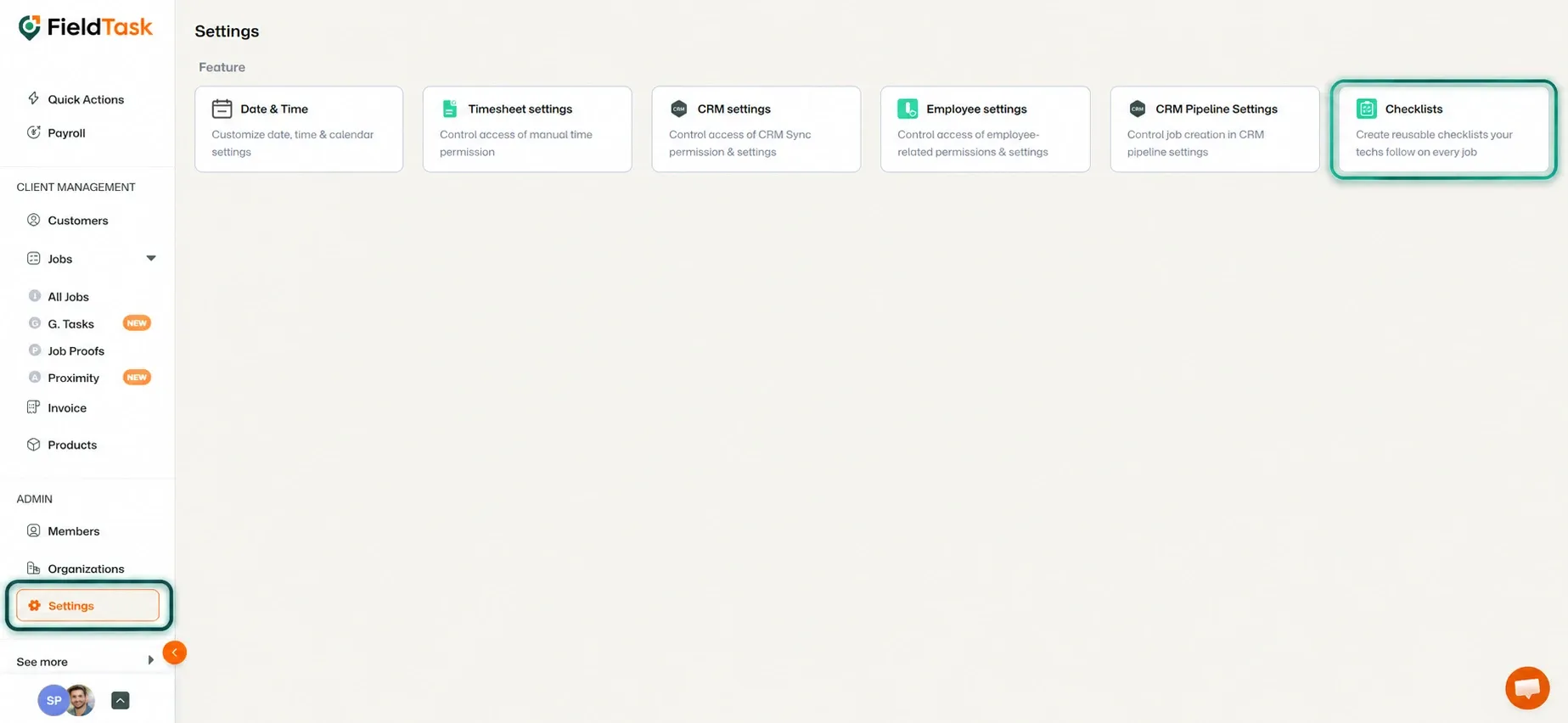
To create a Checklist:
A Checklist can contain different types of items, including:
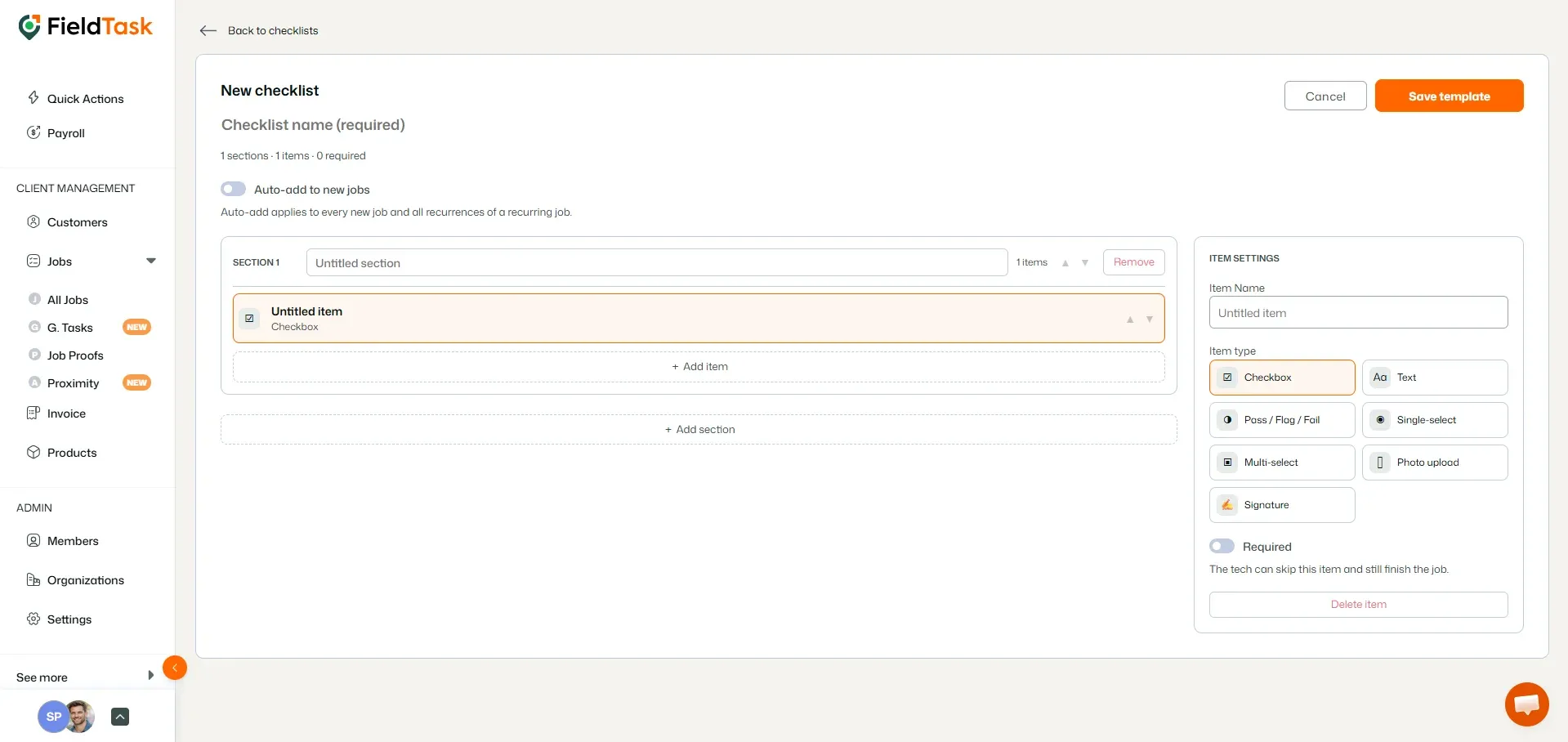
You can add multiple items depending on the information or actions you want your assignees to complete.
You can divide a single Checklist into multiple sections to keep related items organized.
For each section and Checklist item, you can:
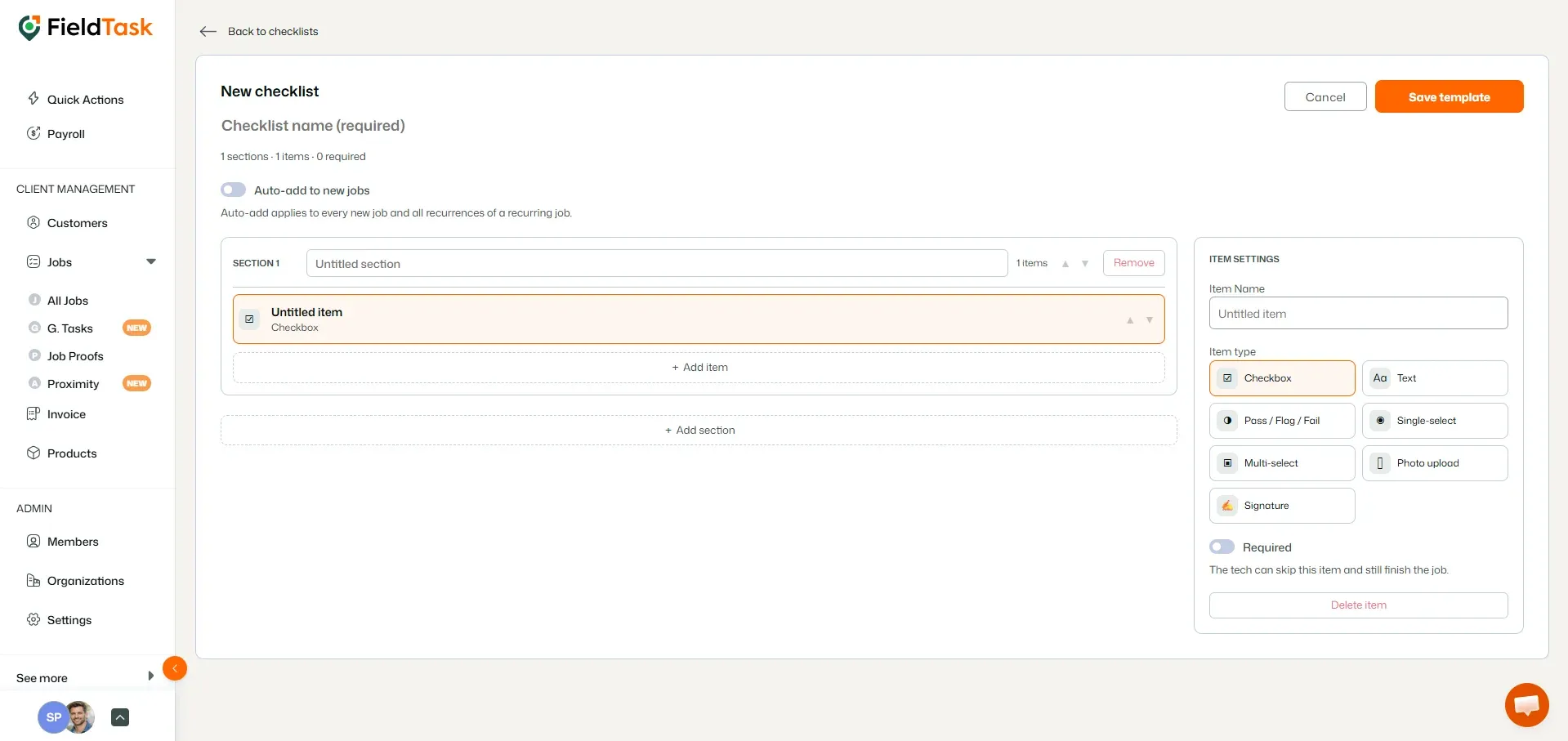
❗ Please Note: If a Checklist item is marked as Required, it must be completed or resolved before the assignee can check out of the job.
Once a Checklist has been created, you can attach it to a job:
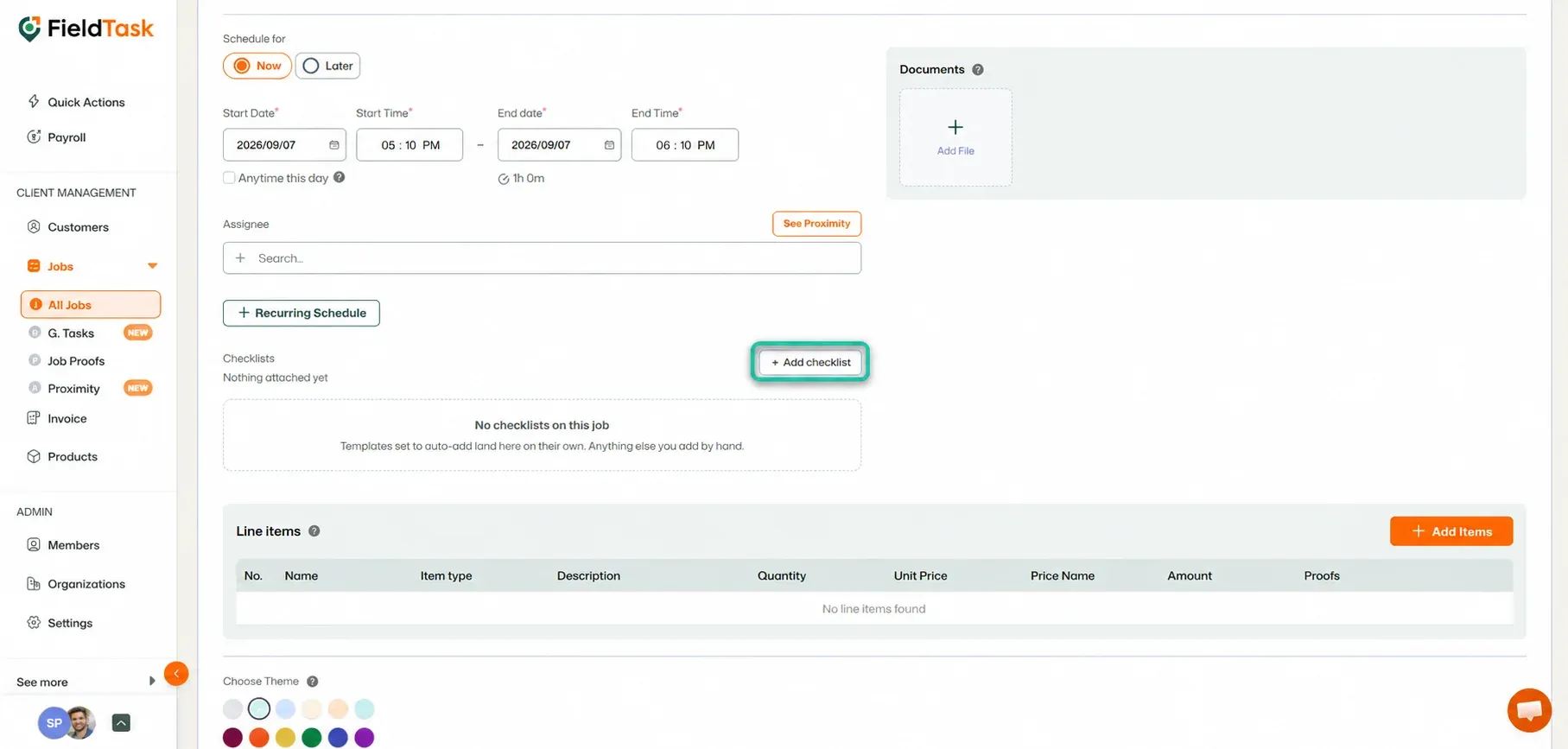
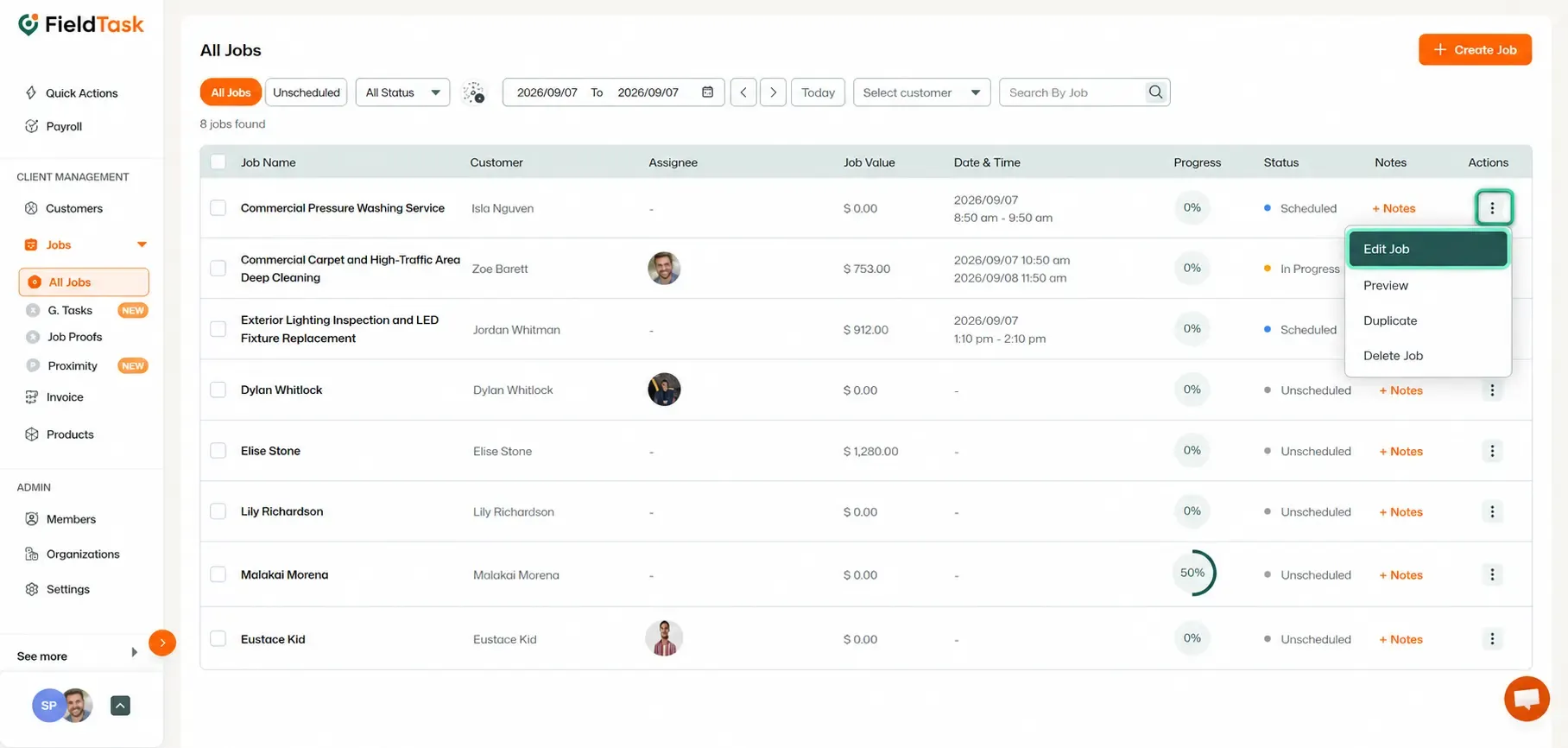
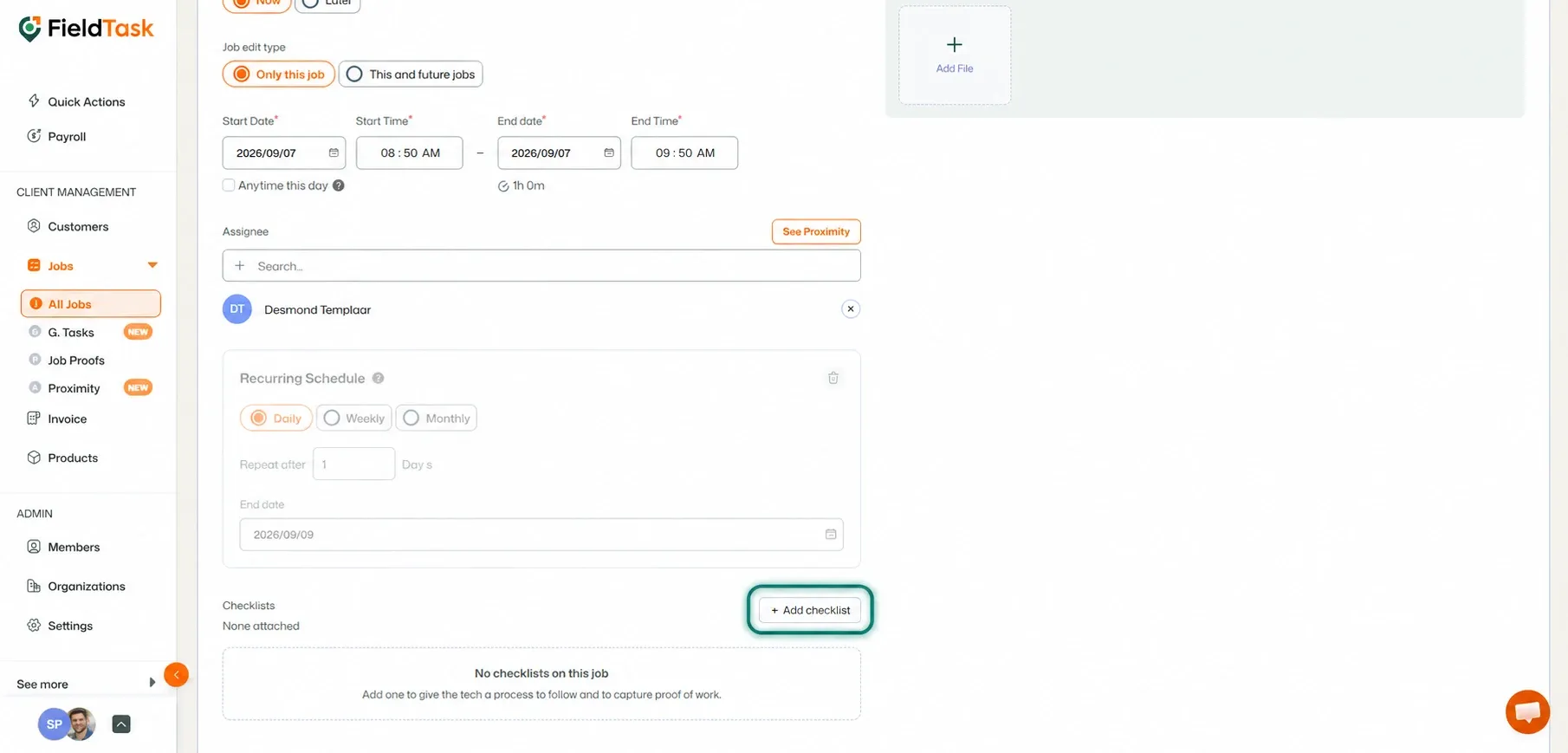
Once attached, the Checklist becomes part of the job and will be available to the assigned Field Technician when they work on it.
This helps ensure that important steps, checks, documentation, and customer requirements are completed consistently for every job.
Manage dispatch, route plan, techs, quotes, invoices, and more in GHL, the only dedicated field service app for HighLevel home service businesses and contractors.
The complete FieldTask sitemap: quick links to all pages.
Learn how FieldTask supports HIPAA compliance for home health and field service teams—encryption, BAAs, access controls, and audit logging.