The HighLevel Home Service Business Management Software
Manage dispatch, route plan, techs, quotes, invoices, and more in GHL, the only dedicated field service app for HighLevel home service businesses and contractors.

Learn how to create a new Quote directly from the FieldTask Mobile App.
FieldTask allows you to create Quotes directly from the Mobile App. The Quote creation process is divided into three sections:
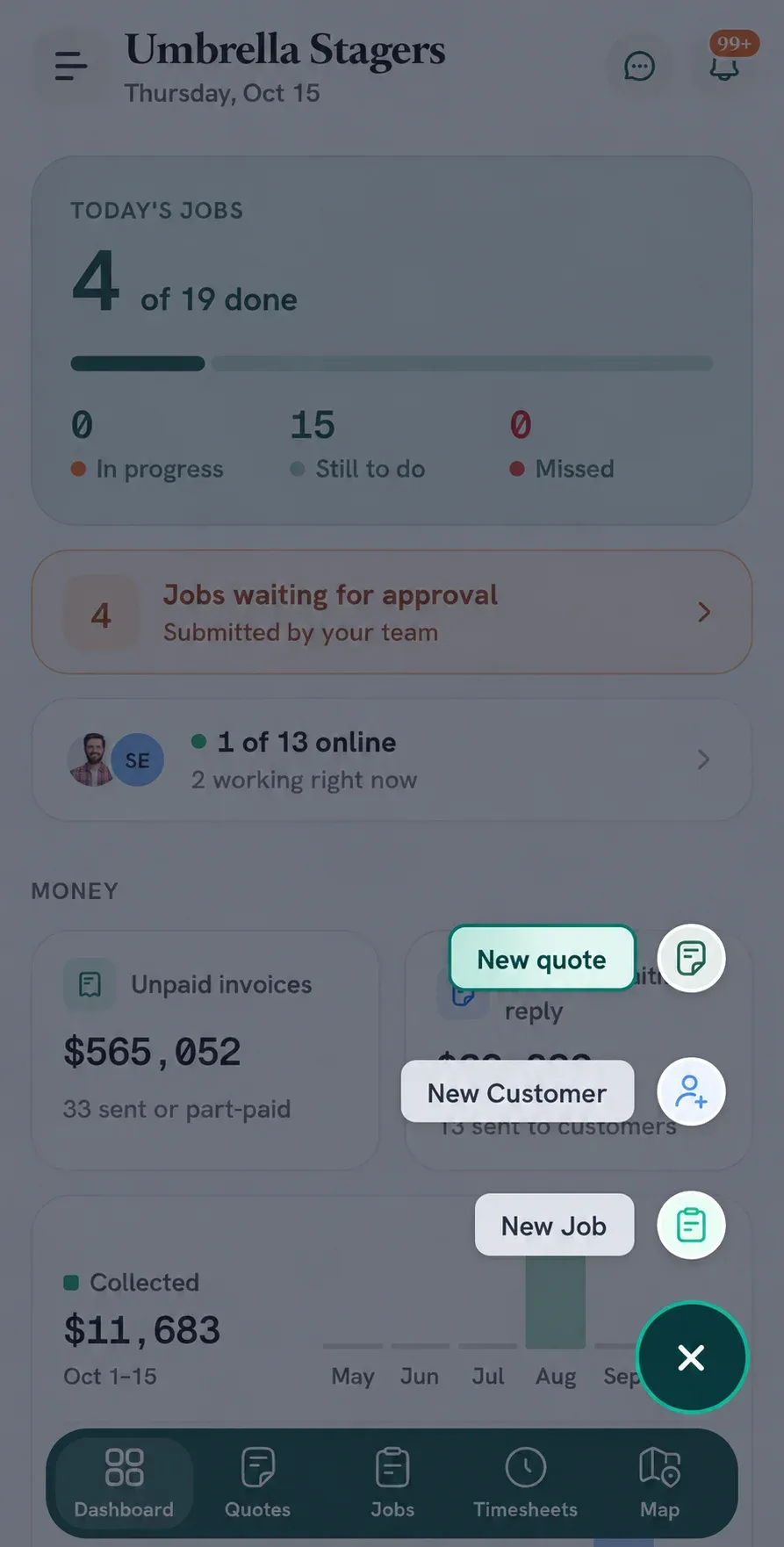
The New Quote page will open. You can Save the Quote at any point or Discard it if you no longer need it.
The first step is to provide the basic customer and Quote information.
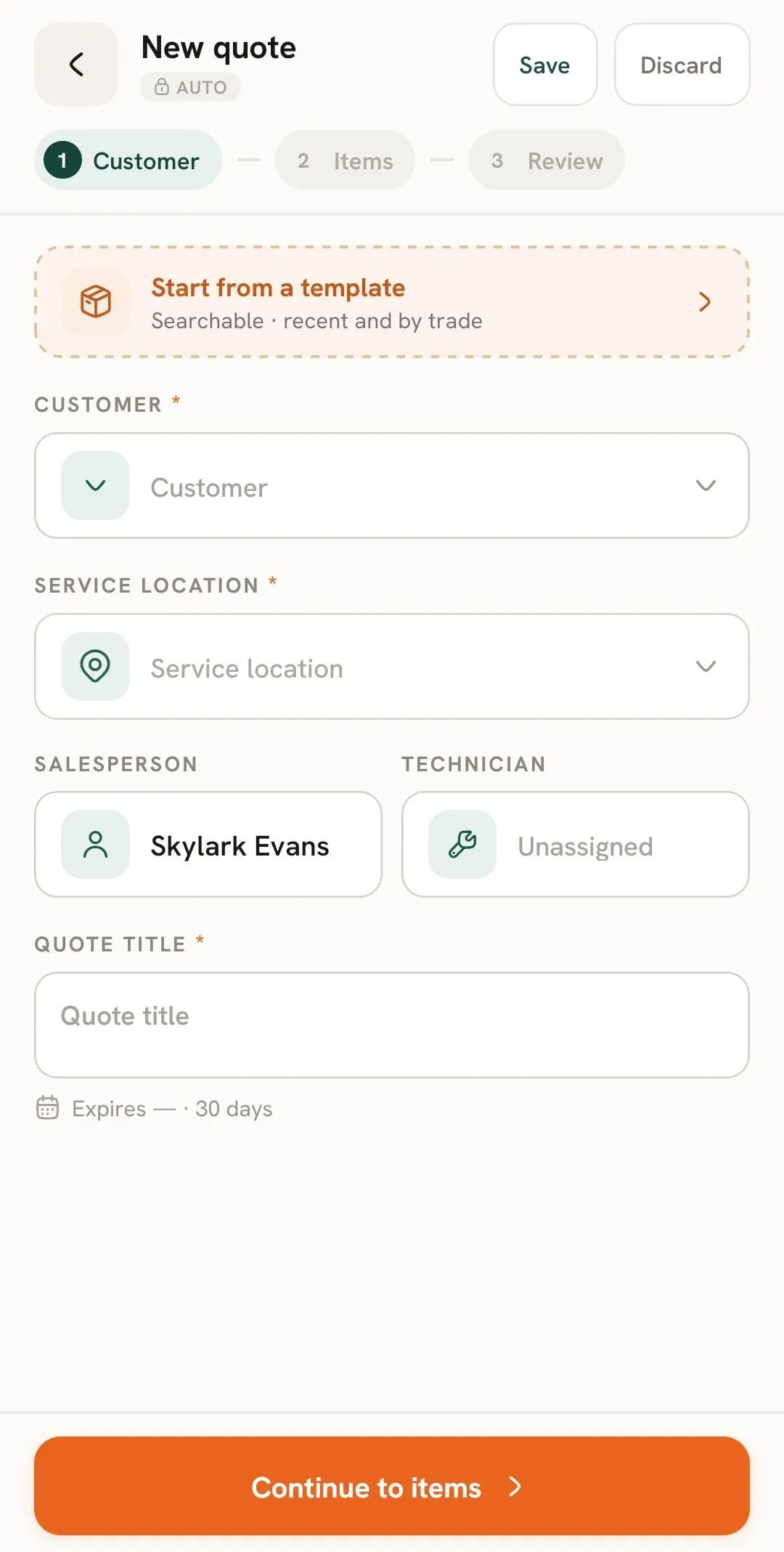
You can choose Start from a template to begin the Quote using an existing Quote Template.
Select:
The Service Location is associated with the selected customer. If the customer has multiple locations, you can select the appropriate one.
The Quote will also display its expiry information. In the example shown, the Quote is set to expire after 30 days.
Once the required information has been entered, tap Continue to items.
The Items section is where you add the Products, custom items, and documents associated with the Quote.
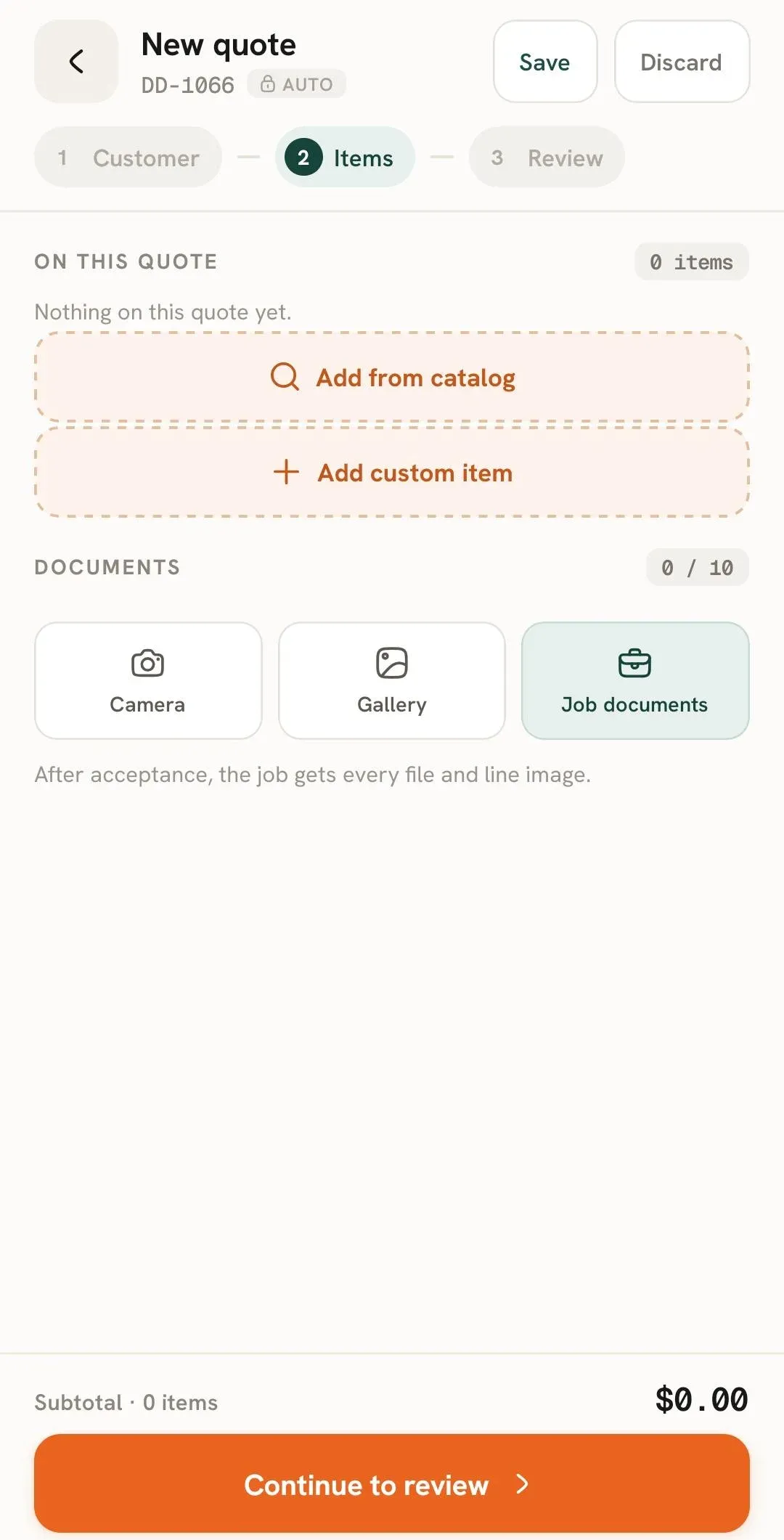
You can add items to the Quote in two ways:
You can also attach documents to the Quote using:
The screen shown allows up to 10 documents to be attached.
Once you have added the required items and documents, tap Continue to review.
The Review section lets you check the Quote before sending it.
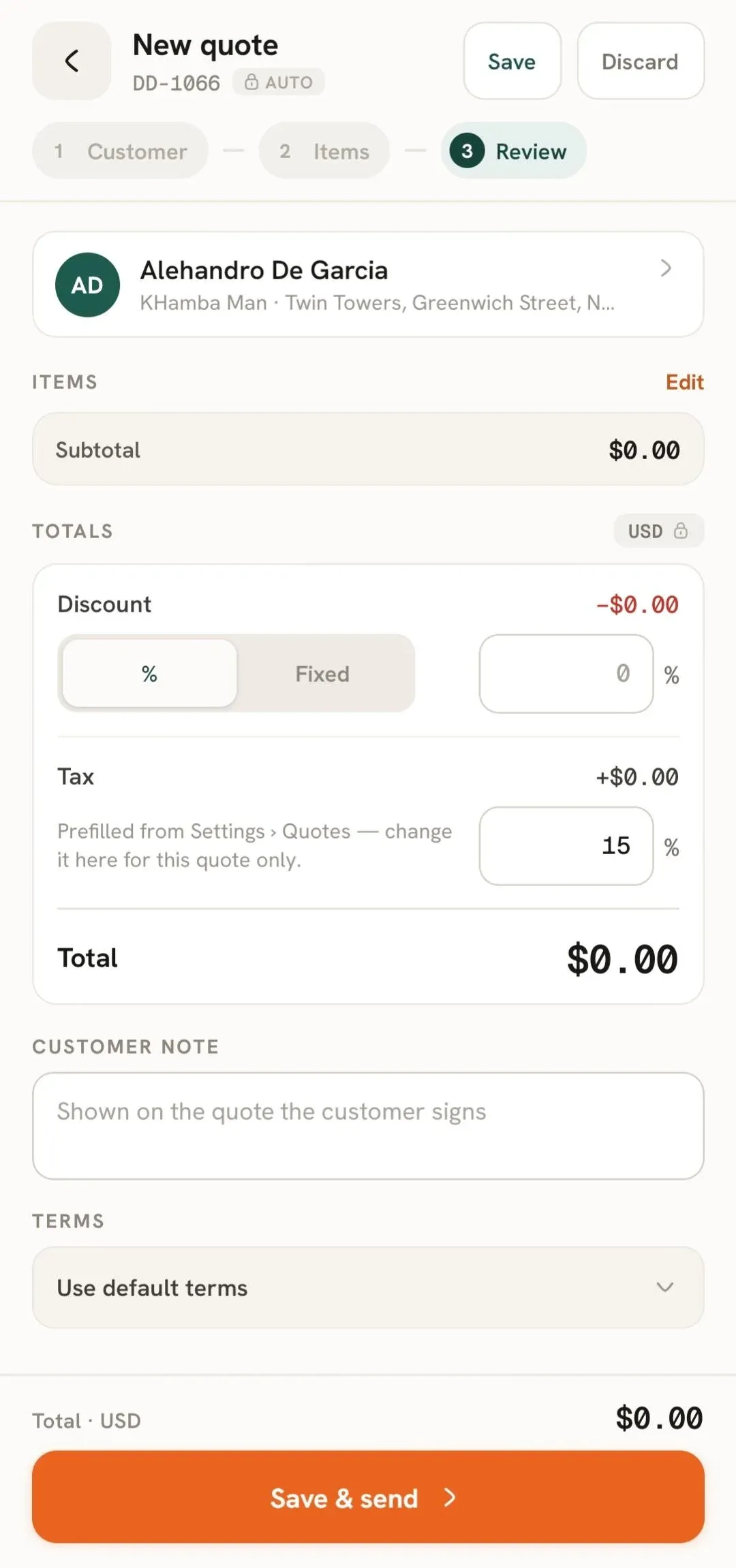
From here, you can review the selected Customer and Items and adjust the Quote's totals.
You can apply a discount using either:
You can enter the applicable Tax rate.
The tax shown is prefilled from your Quote settings, but it can be changed for the individual Quote.
You can add a Customer Note that will be shown on the Quote for the customer.
You can select the Terms to use for the Quote, including your default terms.
After reviewing the Quote, tap Save & Send to save and send it.
You can also use Save at the top of the Quote to save your progress without sending it, or Discard the Quote if you no longer need it.
If you are interested in learning how to edit the quotes you made, you can read this help guide. To learn how you can delete a quote, you can read this help guide.
Manage dispatch, route plan, techs, quotes, invoices, and more in GHL, the only dedicated field service app for HighLevel home service businesses and contractors.
The complete FieldTask sitemap: quick links to all pages.
Learn how FieldTask supports HIPAA compliance for home health and field service teams—encryption, BAAs, access controls, and audit logging.