The HighLevel Home Service Business Management Software
Manage dispatch, route plan, techs, quotes, invoices, and more in GHL, the only dedicated field service app for HighLevel home service businesses and contractors.
No image available
Learn how to use the FieldTask Dashboard to get an overview of your Organization’s jobs, revenue, attendance, sales, and customer activity.
When you log in to your FieldTask account, you will be taken directly to the Dashboard. The Dashboard brings together important information about your Organization so you can quickly understand how your business is performing.
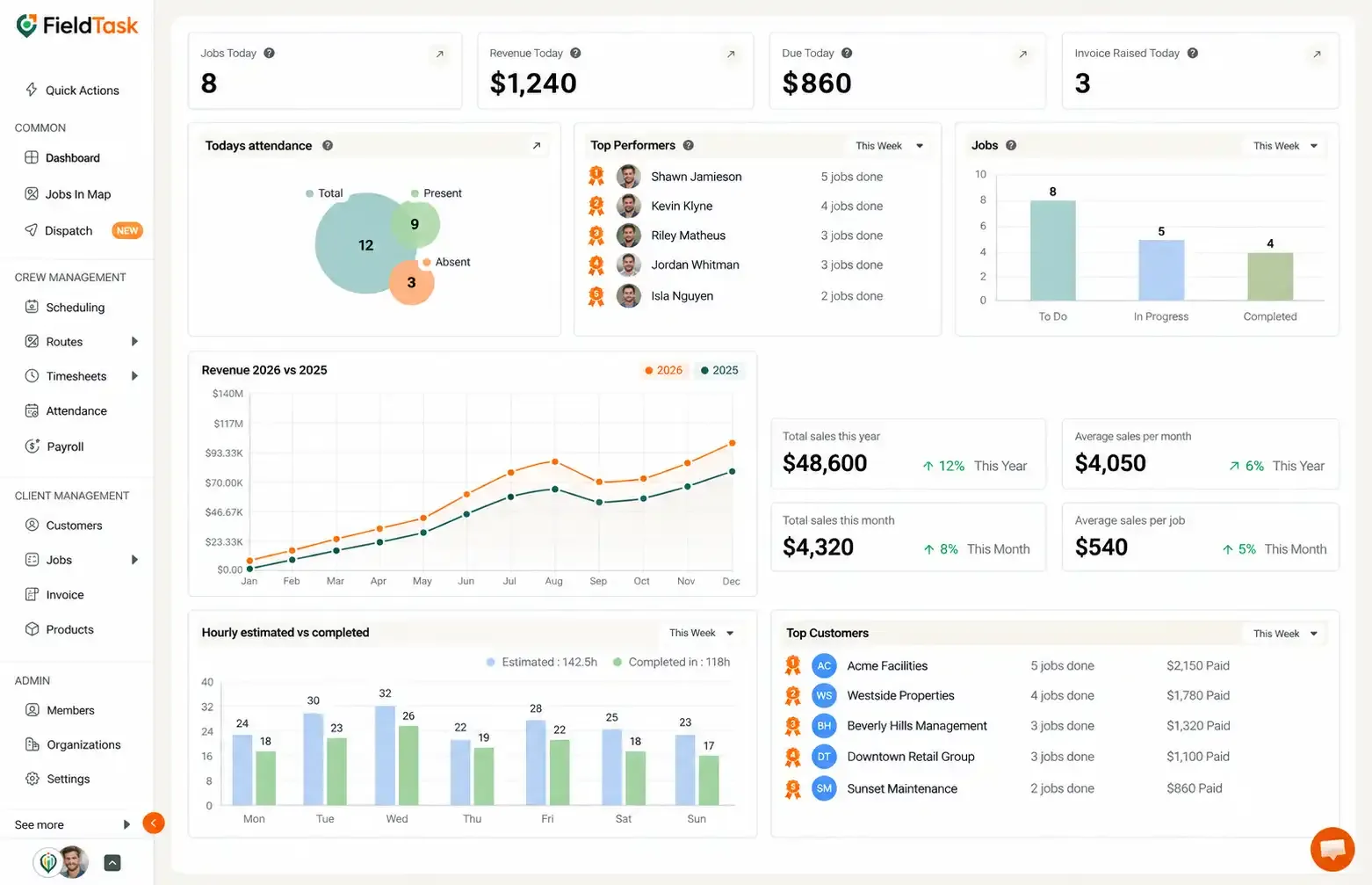
The Dashboard is divided into several sections:
The daily overview gives you a quick look at your Organization’s activity for the day, including:
The Top Performers section shows your highest-performing Members across different time periods:
The Dashboard also gives you an overview of your Jobs based on their current status:
This allows you to quickly understand how many jobs are currently being worked on, still need to be completed, have already been completed, or were missed.
FieldTask also provides several revenue and sales metrics to help you understand your Organization’s financial performance.
These include:
These figures give you a broader view of your sales performance and the potential revenue lost from missed jobs.
The Dashboard allows you to compare the Estimated Hours for completing jobs against the Hours Needed to Complete Jobs.
You can view this comparison for:
This helps you understand how the time spent on jobs compares with the time originally estimated.
The Top Customers section shows your highest-value or most active customers across different periods:
Together, these Dashboard sections give you a quick overview of your Organization’s daily activity, job performance, sales, employee performance, and customer activity.
Manage dispatch, route plan, techs, quotes, invoices, and more in GHL, the only dedicated field service app for HighLevel home service businesses and contractors.
The complete FieldTask sitemap: quick links to all pages.
Learn how FieldTask supports HIPAA compliance for home health and field service teams—encryption, BAAs, access controls, and audit logging.