The HighLevel Home Service Business Management Software
Manage dispatch, route plan, techs, quotes, invoices, and more in GHL, the only dedicated field service app for HighLevel home service businesses and contractors.
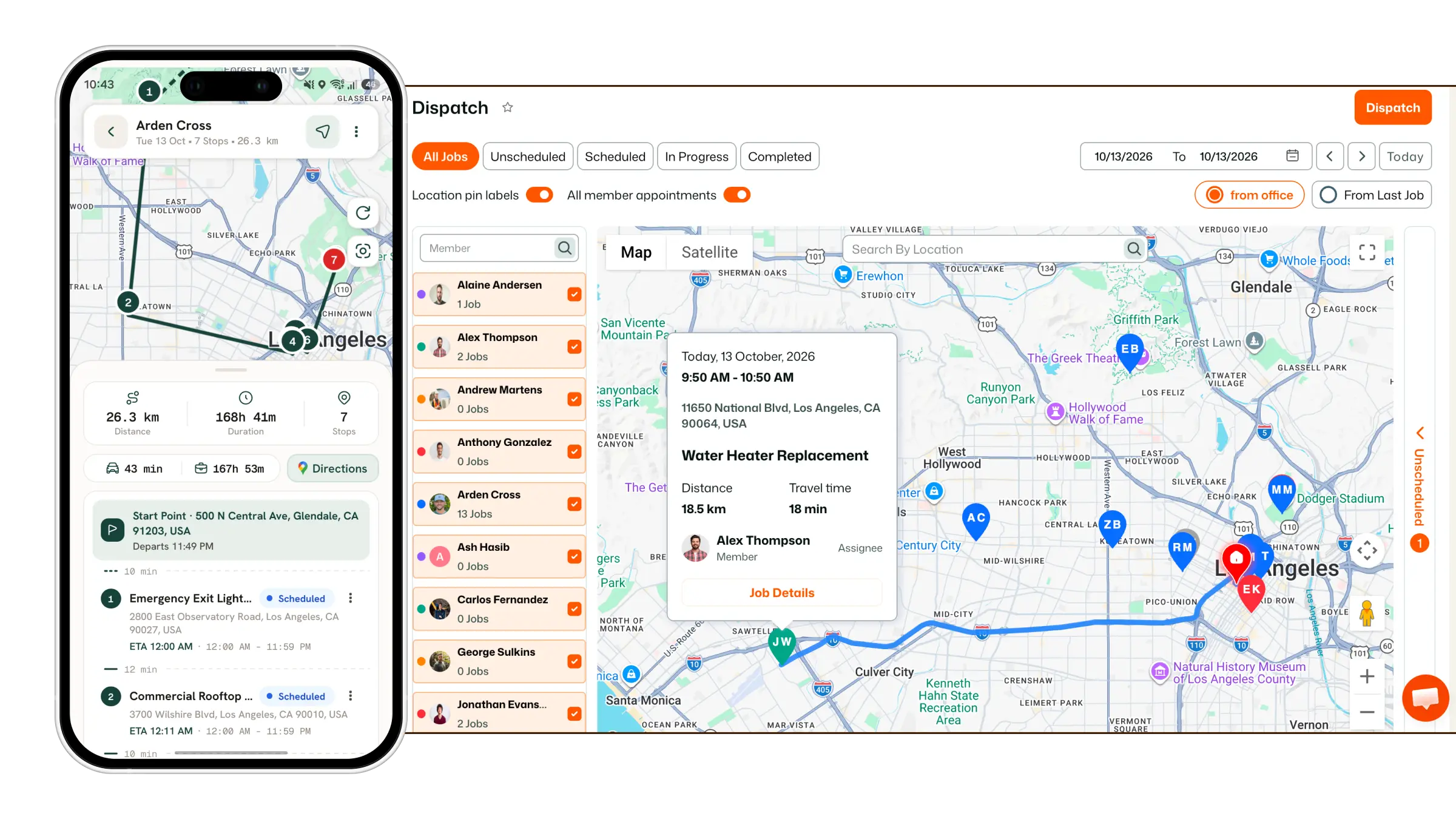
Learn how jobs sync into FieldTask from your CRM and how to assign or dispatch them to your field team.
Dispatching jobs from FieldTask is simple once the required CRM sync settings are enabled.
Before you begin, make sure both Job Sync and Pipeline Sync are turned on from your CRM to FieldTask.
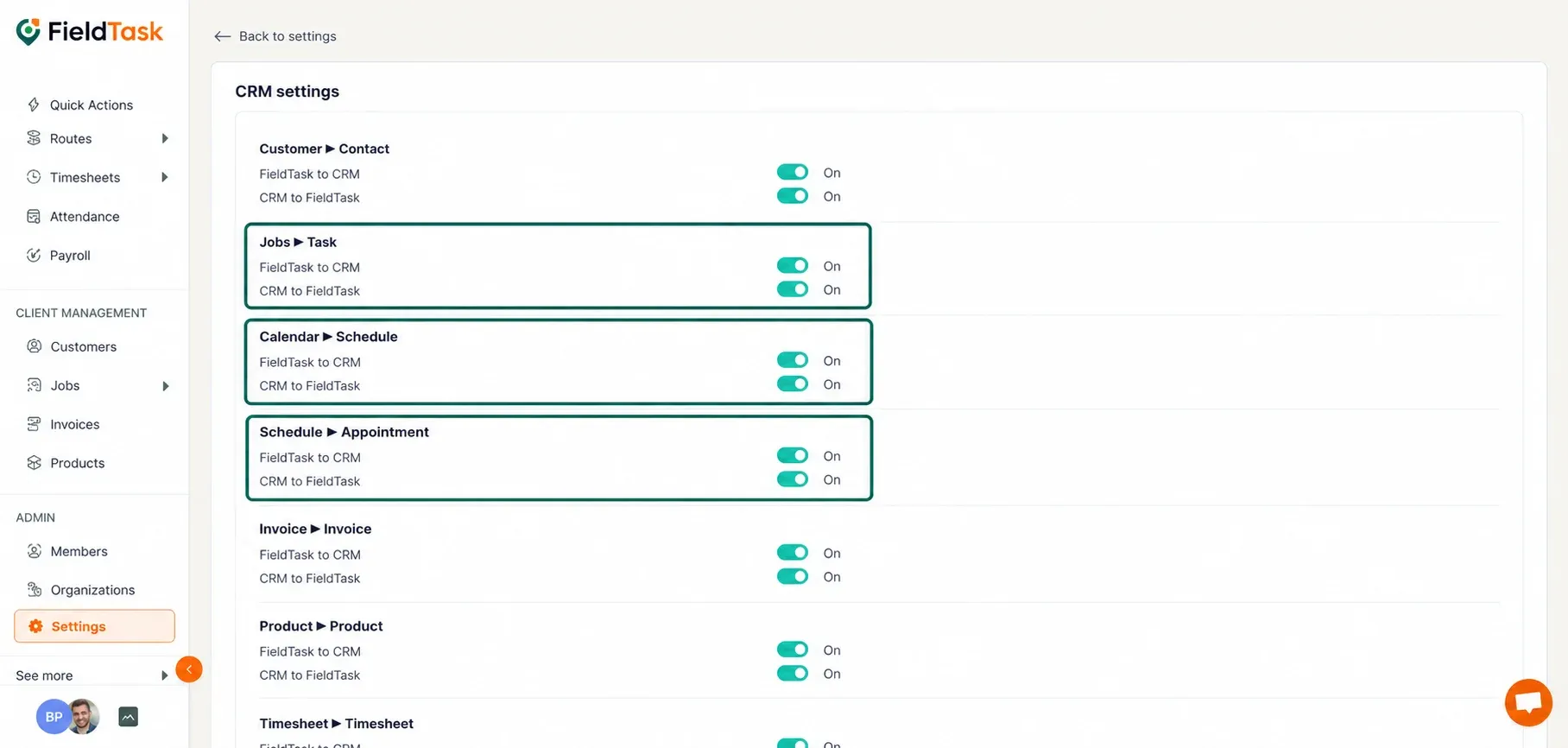
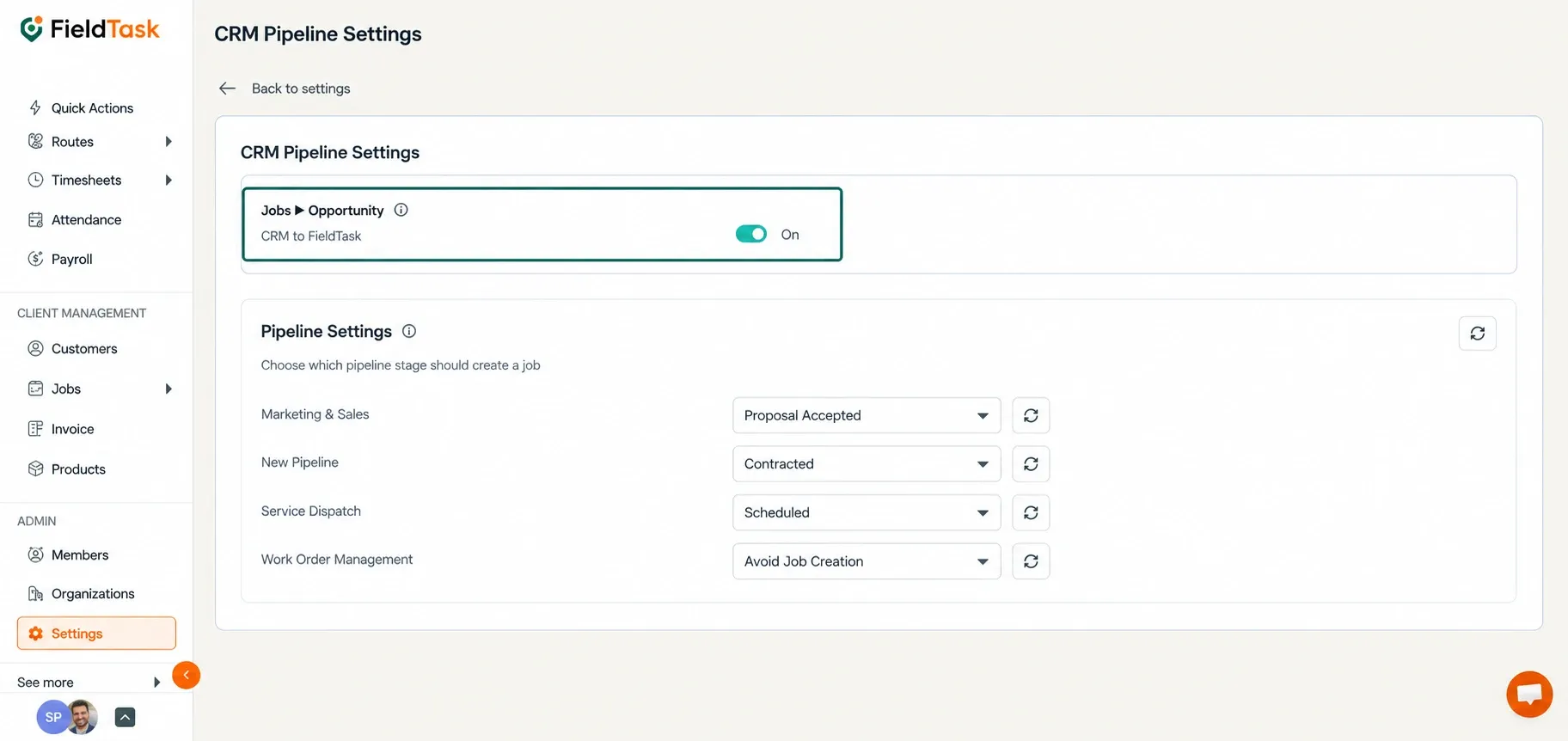
With these syncs enabled, jobs can come into FieldTask from two main CRM sources:
Jobs created from Appointments will come into FieldTask as Scheduled Jobs.
If the assigned team member already exists in both:
the job can come into FieldTask already assigned to that Member.
📌 Note: To learn how to set up calendar syncs for your FieldTask Members, follow this article.
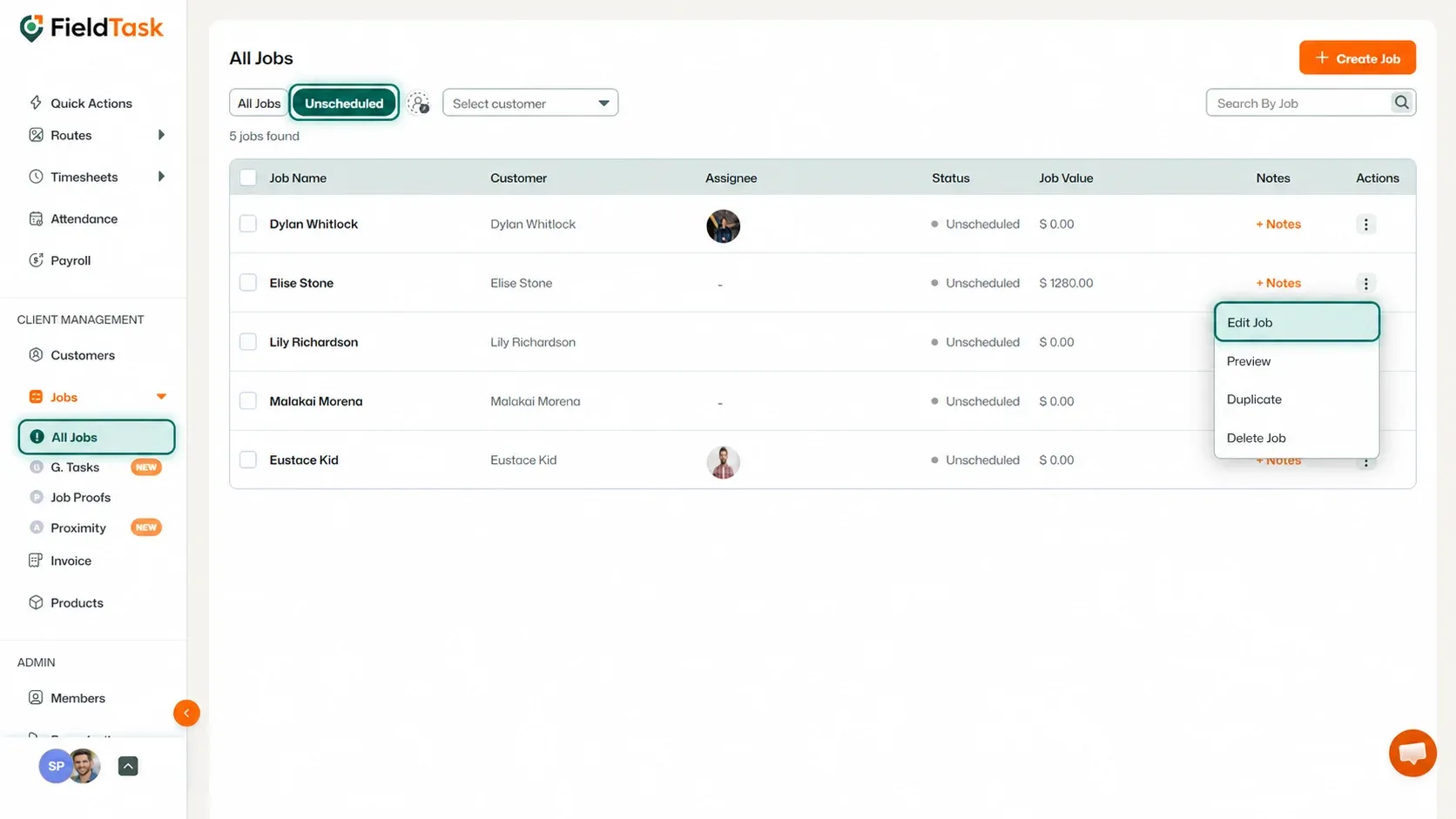
Jobs created from Opportunities will come into FieldTask as Unscheduled Jobs once they reach the Pipeline Stage you have configured.
📌 Note: To learn how to choose which Pipeline Stage sends Opportunities into FieldTask as jobs, follow this article.
Once an Unscheduled Job appears in FieldTask, you can assign or dispatch it in several ways.
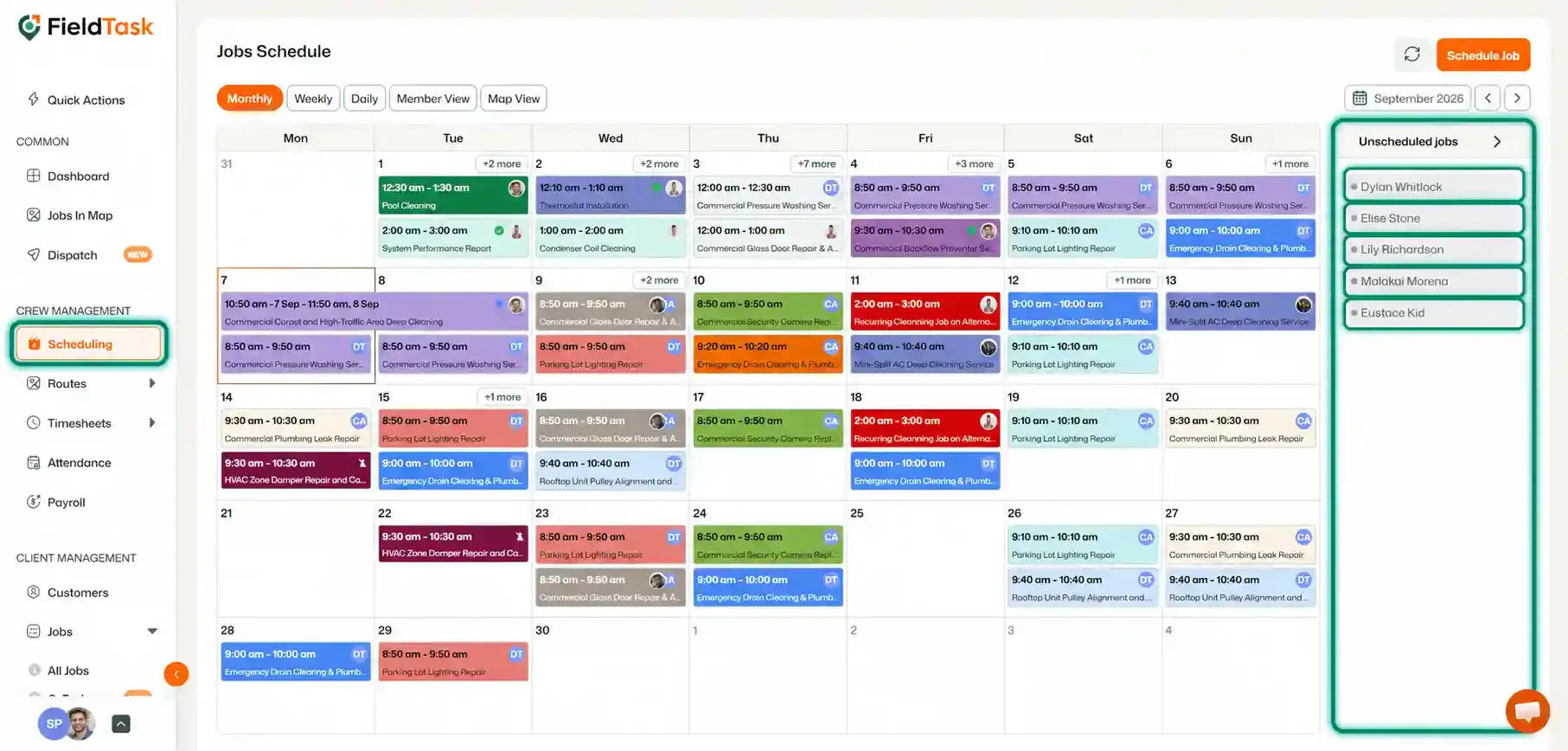
You can also assign an Unscheduled Job directly from the Scheduling page.
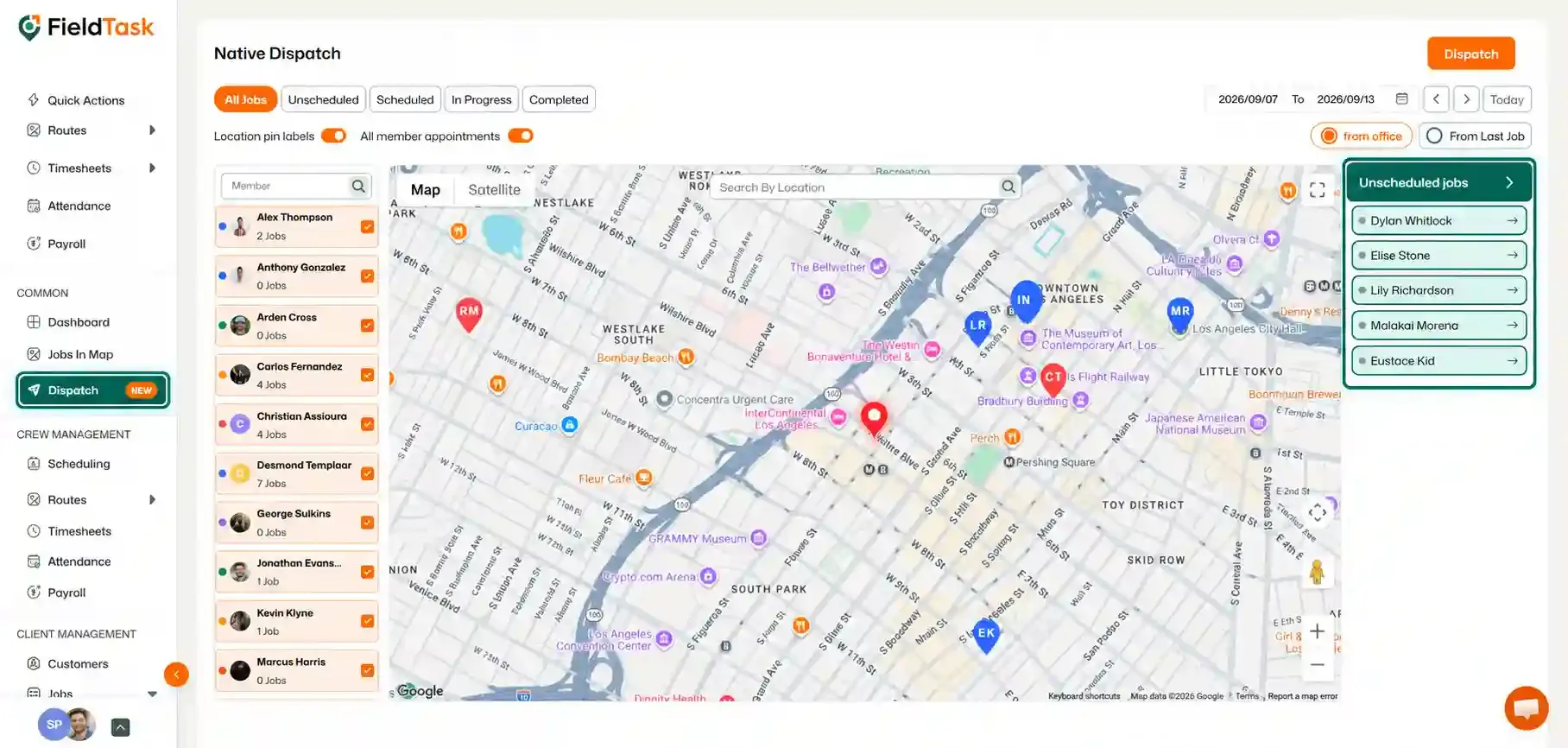
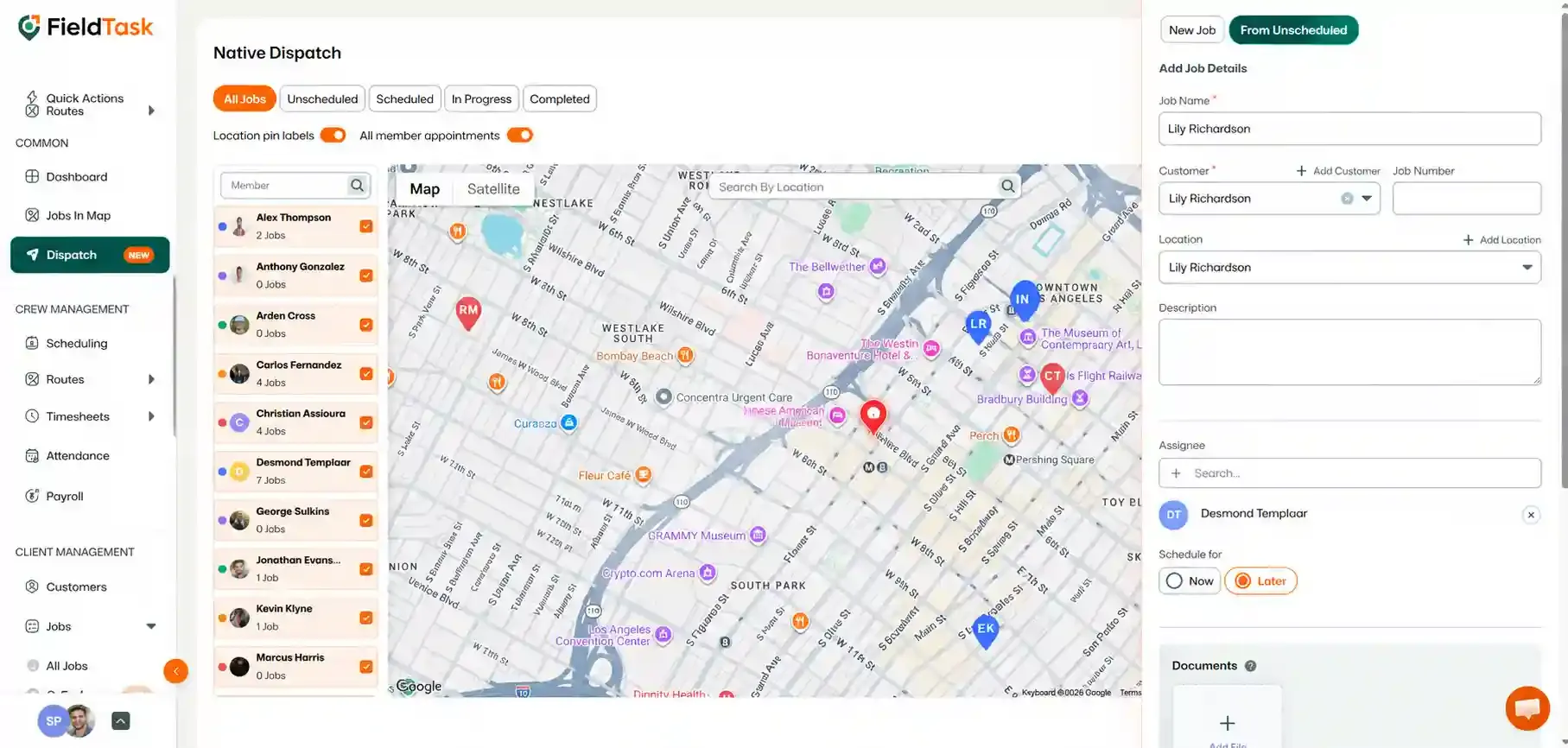
You can also dispatch the job directly from the Dispatch page.
Jobs can also come into FieldTask through Estimates sent from your CRM.
These jobs:
❗ Please Note: Estimate-based jobs do not have a separate sync option that needs to be enabled. They are brought into FieldTask automatically.
Manage dispatch, route plan, techs, quotes, invoices, and more in GHL, the only dedicated field service app for HighLevel home service businesses and contractors.
The complete FieldTask sitemap: quick links to all pages.
Learn how FieldTask supports HIPAA compliance for home health and field service teams—encryption, BAAs, access controls, and audit logging.