The HighLevel Home Service Business Management Software
Manage dispatch, route plan, techs, quotes, invoices, and more in GHL, the only dedicated field service app for HighLevel home service businesses and contractors.

Learn how to edit a Quote and understand which details can and cannot be changed.
To edit a Quote:
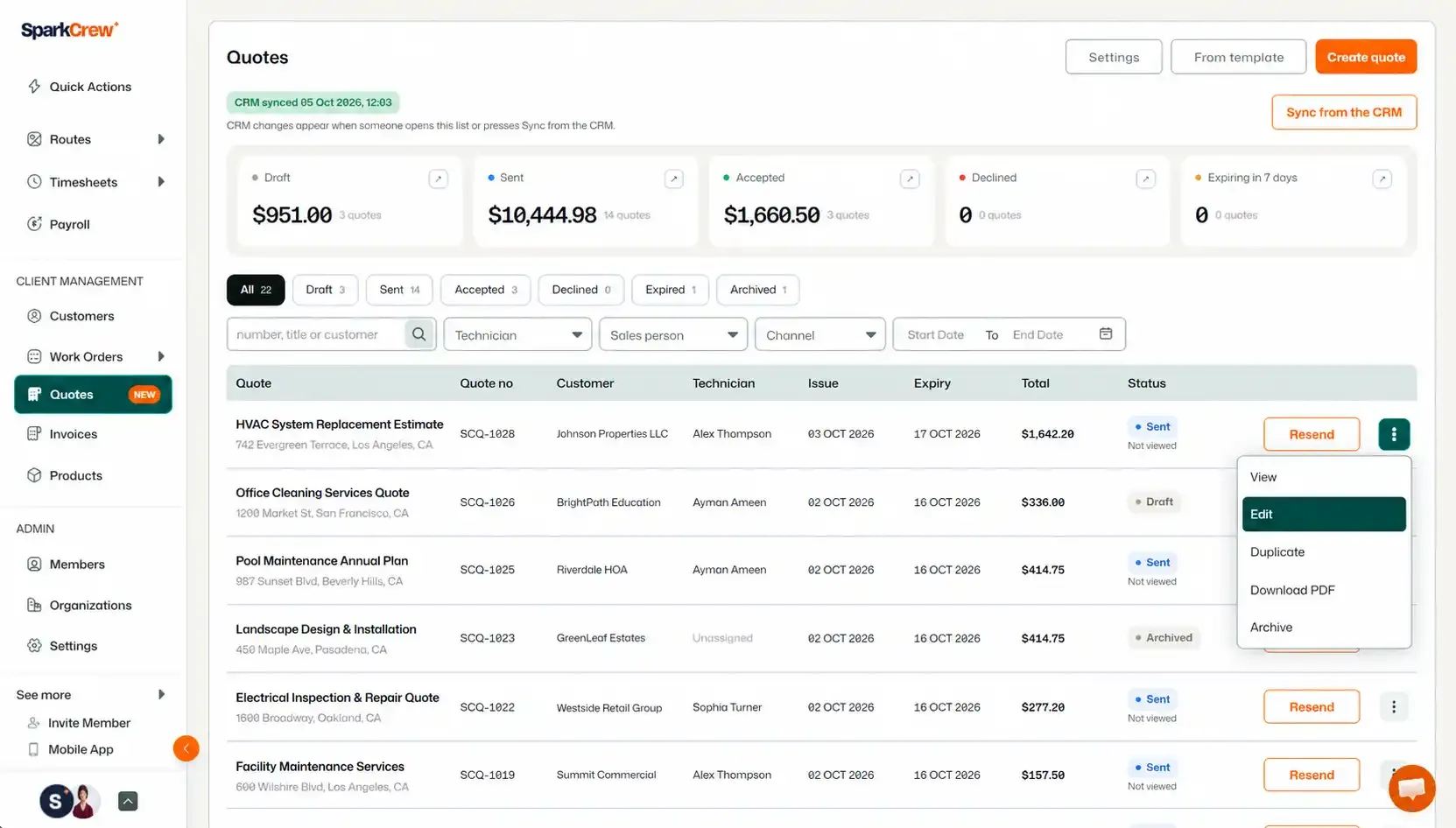
You will be taken to the Quote Edit page, where you can make changes to the Quote.
The following Quote details cannot be changed:
You can edit:
📌 Note: If you edit a Sent Quote, you will need to resend it after making your changes.
If you want to know how to delete or archive a quote, you can read all about it here. And if you want to know how to create one, you can read about it here.
Manage dispatch, route plan, techs, quotes, invoices, and more in GHL, the only dedicated field service app for HighLevel home service businesses and contractors.
The complete FieldTask sitemap: quick links to all pages.
Learn how FieldTask supports HIPAA compliance for home health and field service teams—encryption, BAAs, access controls, and audit logging.