HIPAA Compliance & BAA | FieldTask
Learn how FieldTask supports HIPAA compliance for home health and field service teams—encryption, BAAs, access controls, and audit logging.
No image available
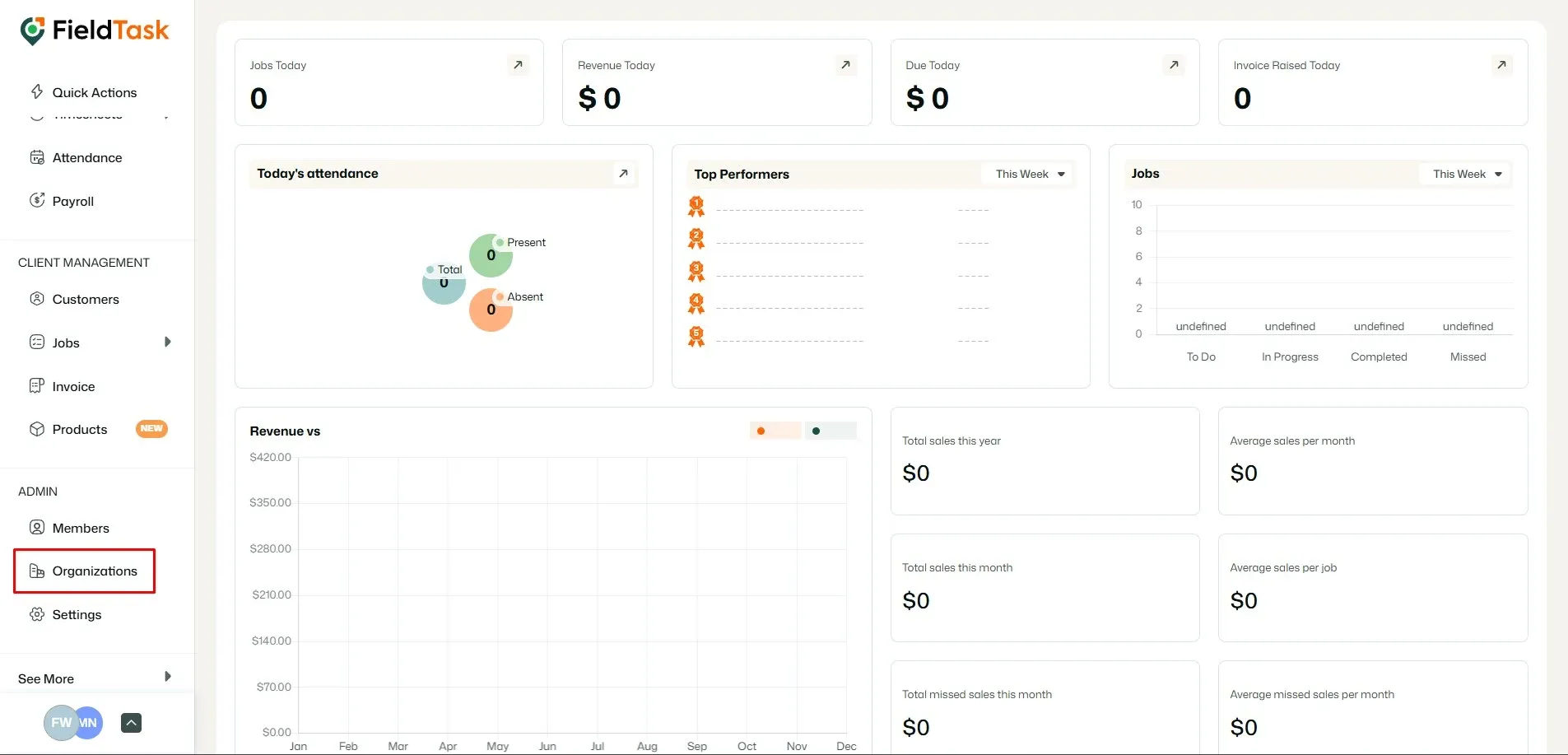
To delete your organization, go to Organizations from the left sidebar.
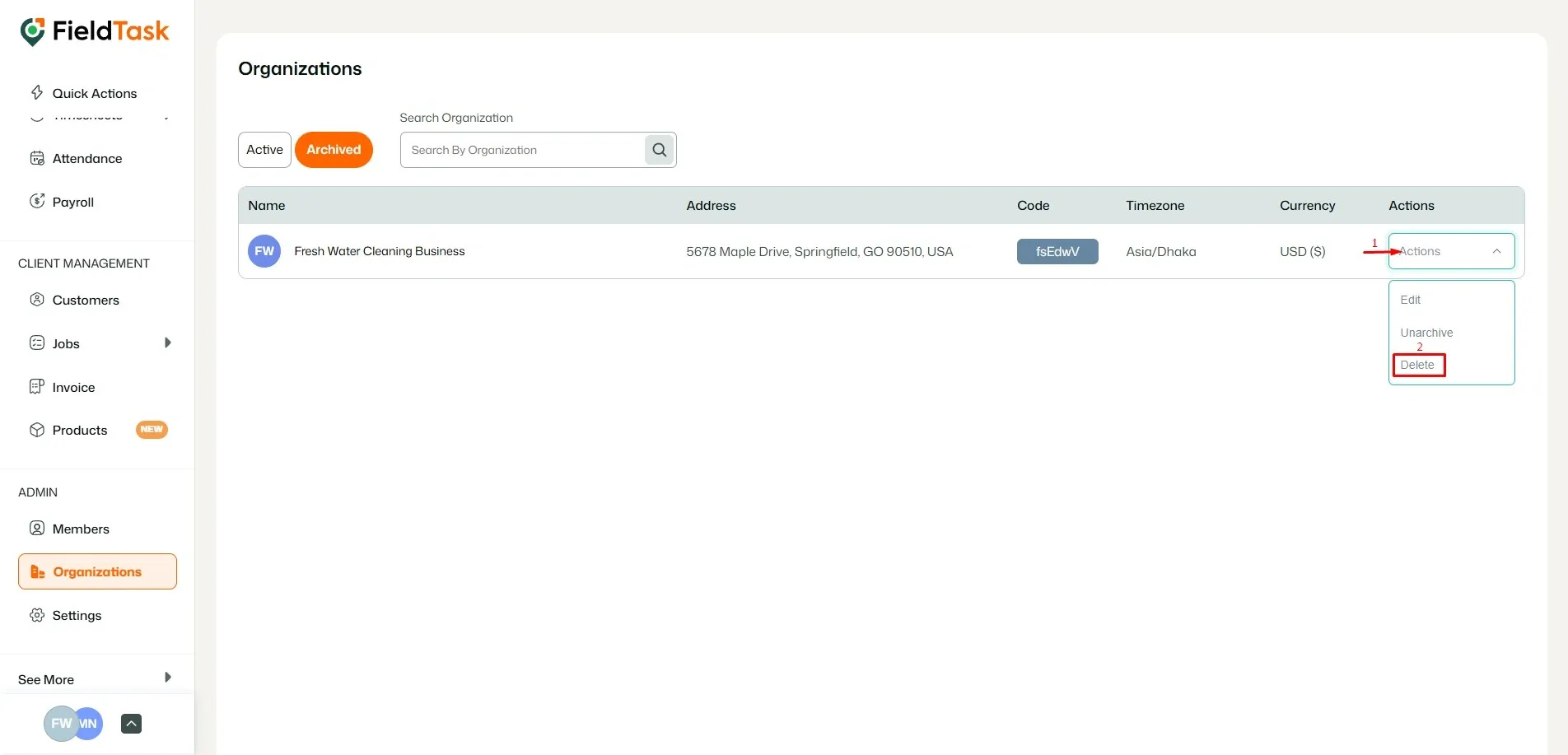
Locate the organization you want to delete and click on Delete under the actions drop-down.
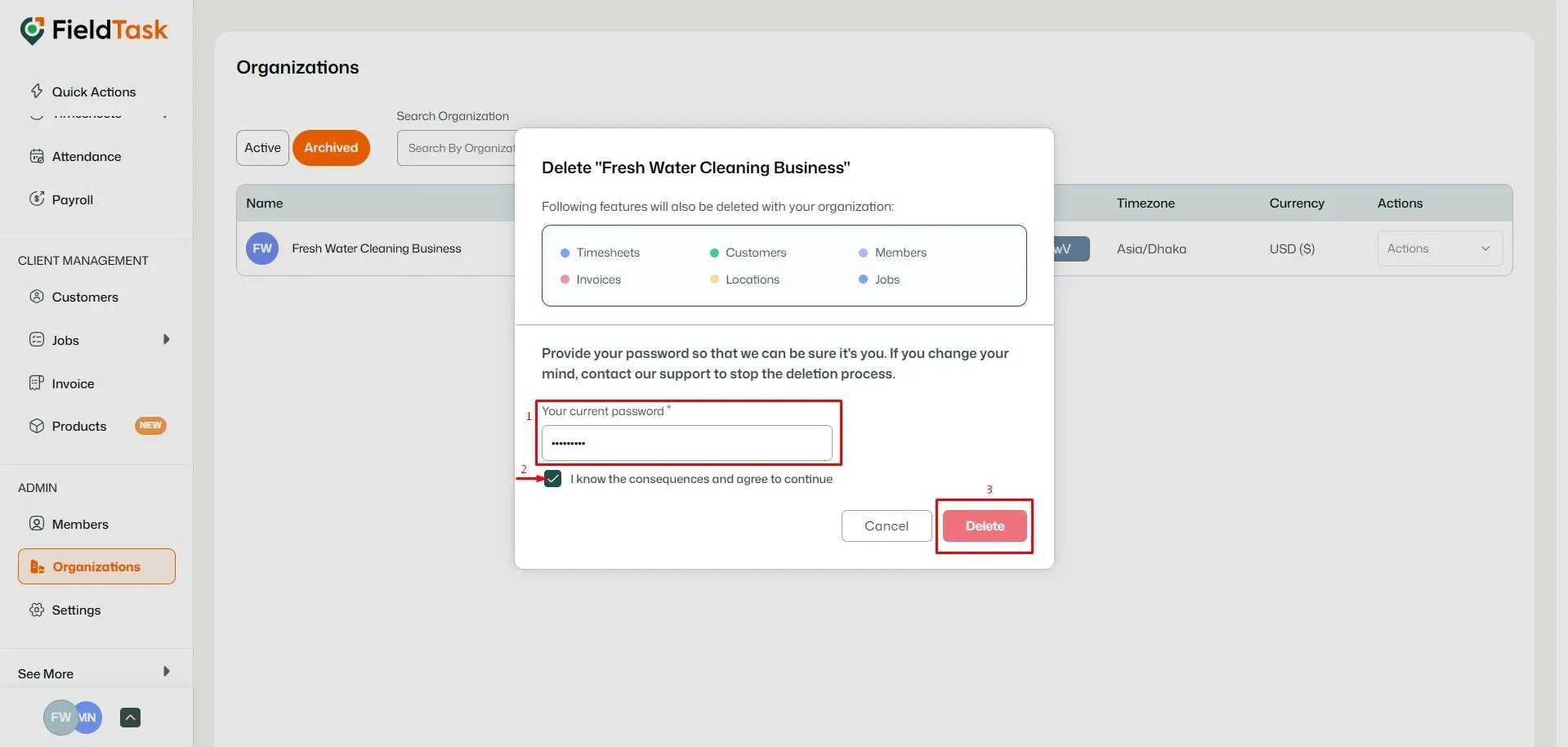
Provide your password, check the confirmation box under it, and click on Delete to confirm.
Learn how FieldTask supports HIPAA compliance for home health and field service teams—encryption, BAAs, access controls, and audit logging.
Explore how FieldTask connects with HighLevel. Learn about two-way syncing, automation, and how to turn HighLevel into a complete field service management solution.