The HighLevel Home Service Business Management Software
Manage dispatch, route plan, techs, quotes, invoices, and more in GHL, the only dedicated field service app for HighLevel home service businesses and contractors.

Learn how FieldTask connects directly with HighLevel and manage the data shared between both platforms.
FieldTask offers a direct CRM sync with HighLevel (GHL) without relying on third-party applications.
This integration allows data to move seamlessly between FieldTask and HighLevel, helping you manage your field operations while keeping your CRM data updated.
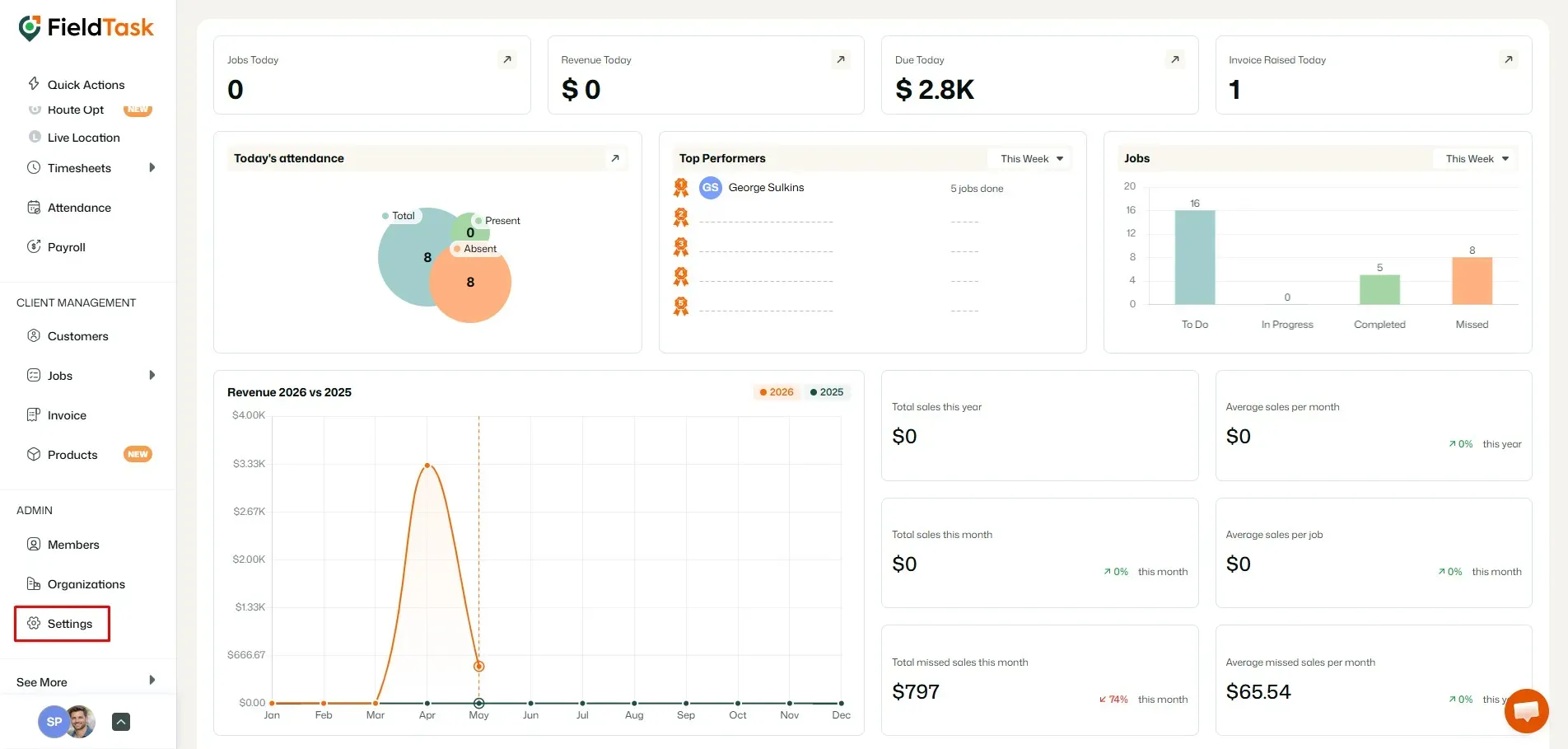
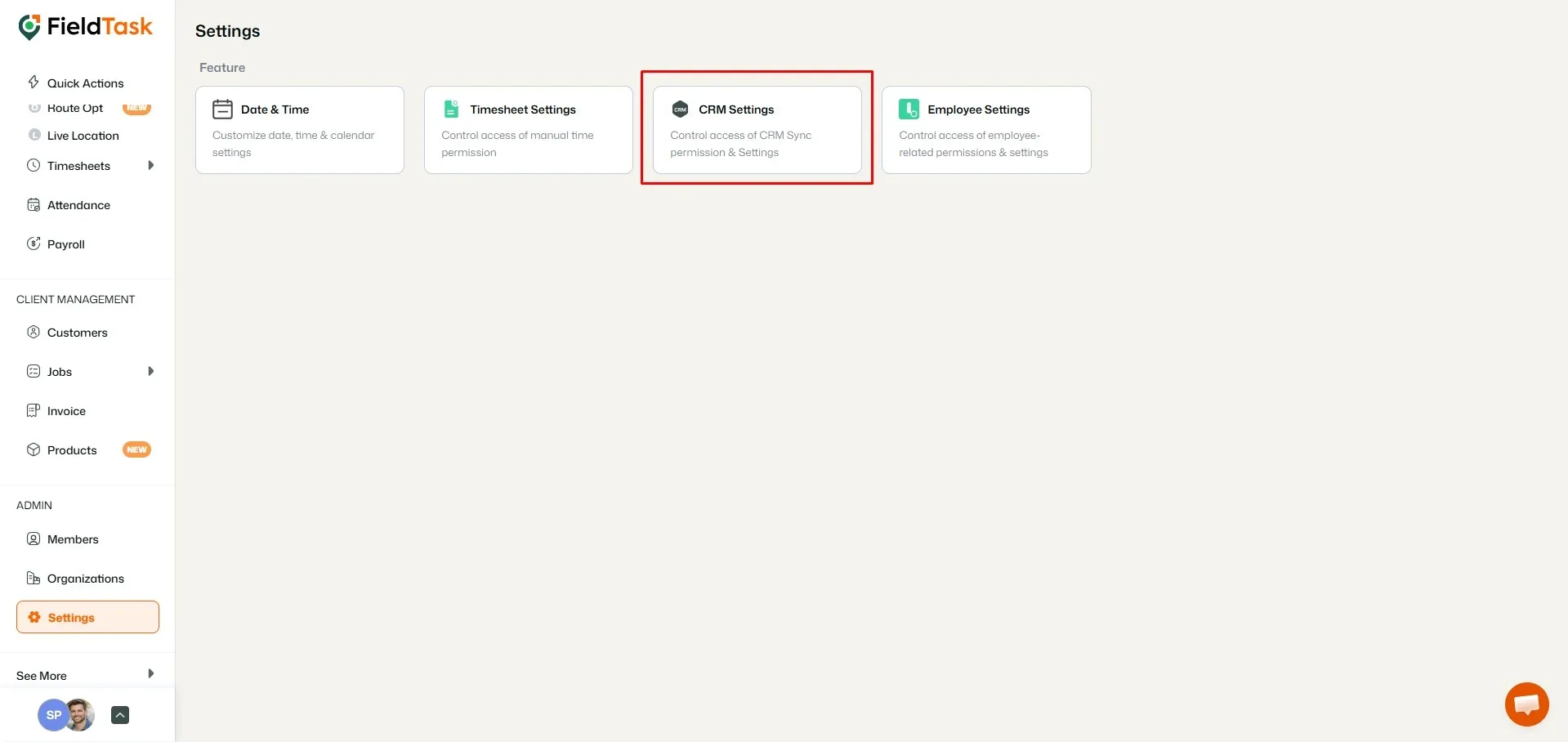
To view your CRM integration settings:
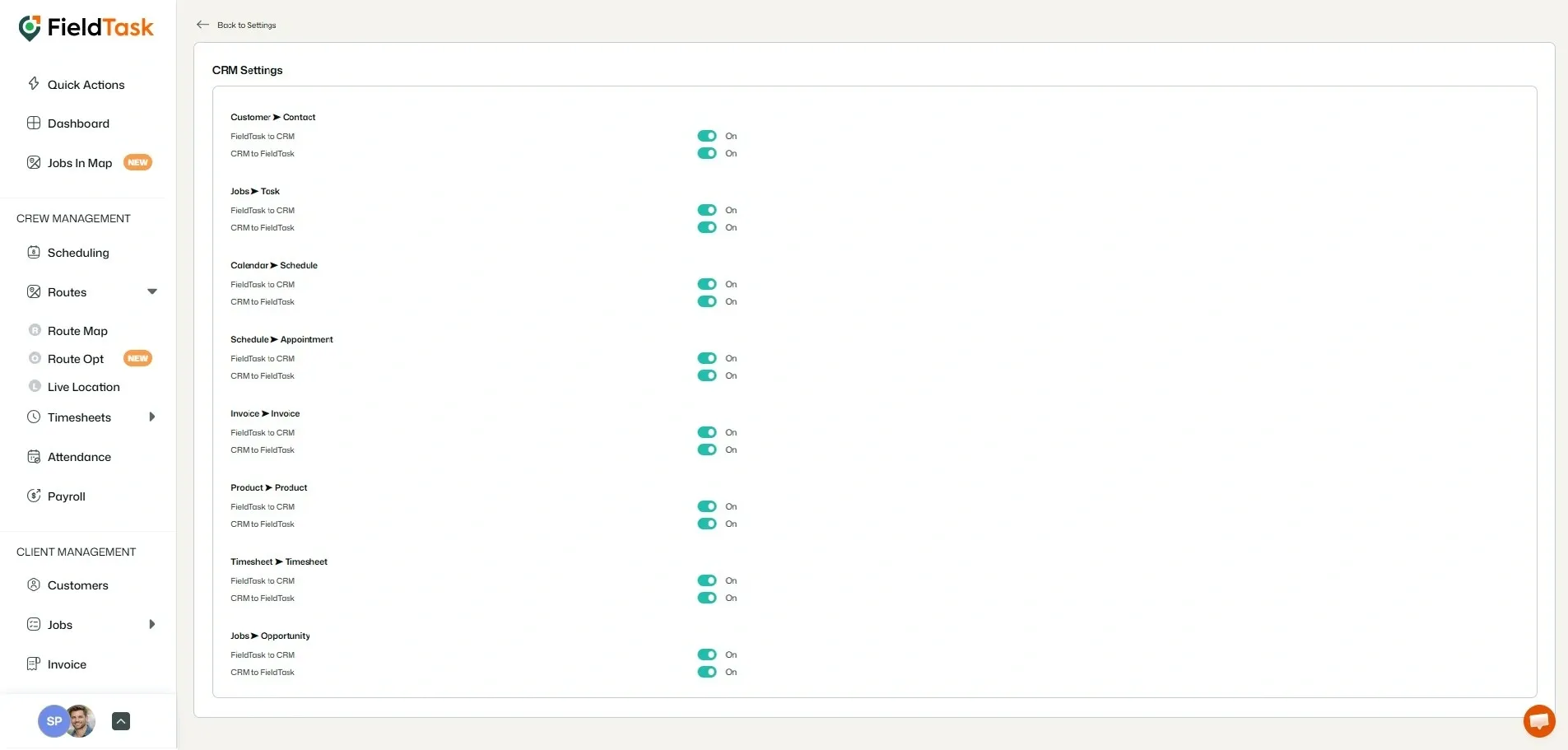
To ensure your data transfers properly between FieldTask and HighLevel:
❗ Please Note: Sync options must be enabled for data to move between HighLevel and FieldTask automatically.
📌 Note: If you want to learn more about how FieldTask integrations work in detail, follow this article.
Manage dispatch, route plan, techs, quotes, invoices, and more in GHL, the only dedicated field service app for HighLevel home service businesses and contractors.
The complete FieldTask sitemap: quick links to all pages.
Learn how FieldTask supports HIPAA compliance for home health and field service teams—encryption, BAAs, access controls, and audit logging.