Fundamentals
How do I invite my team to FieldTask?
Updated on 2 May 2026

Learn how to invite your team members to your FieldTask Organization and add them to your Member List.
You can add your team members to FieldTask by sending invitations manually or syncing members from your connected CRM.
Invite Members Through Sync
To invite members through sync:
- From the left sidebar, go to Members.
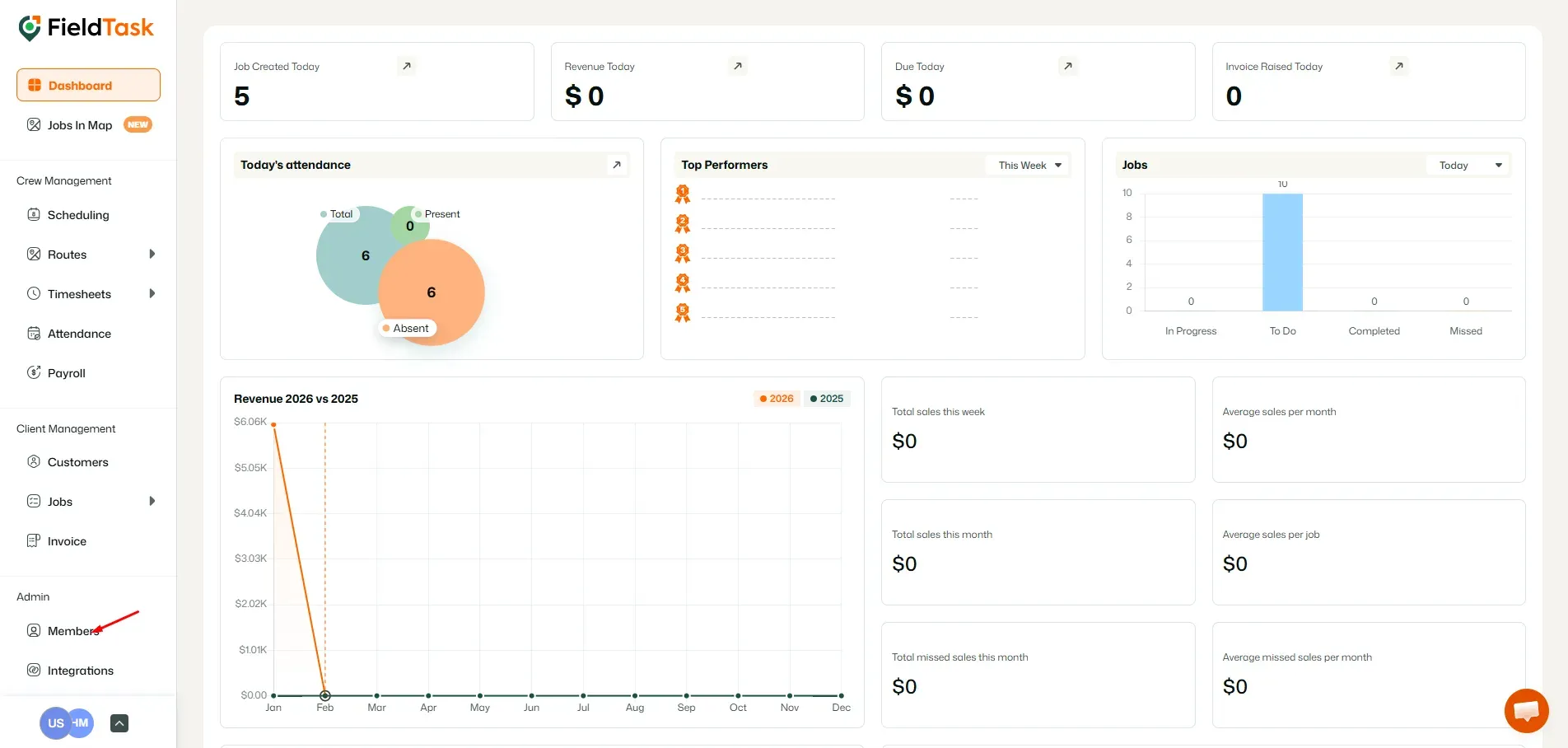
- Click the Sync button.
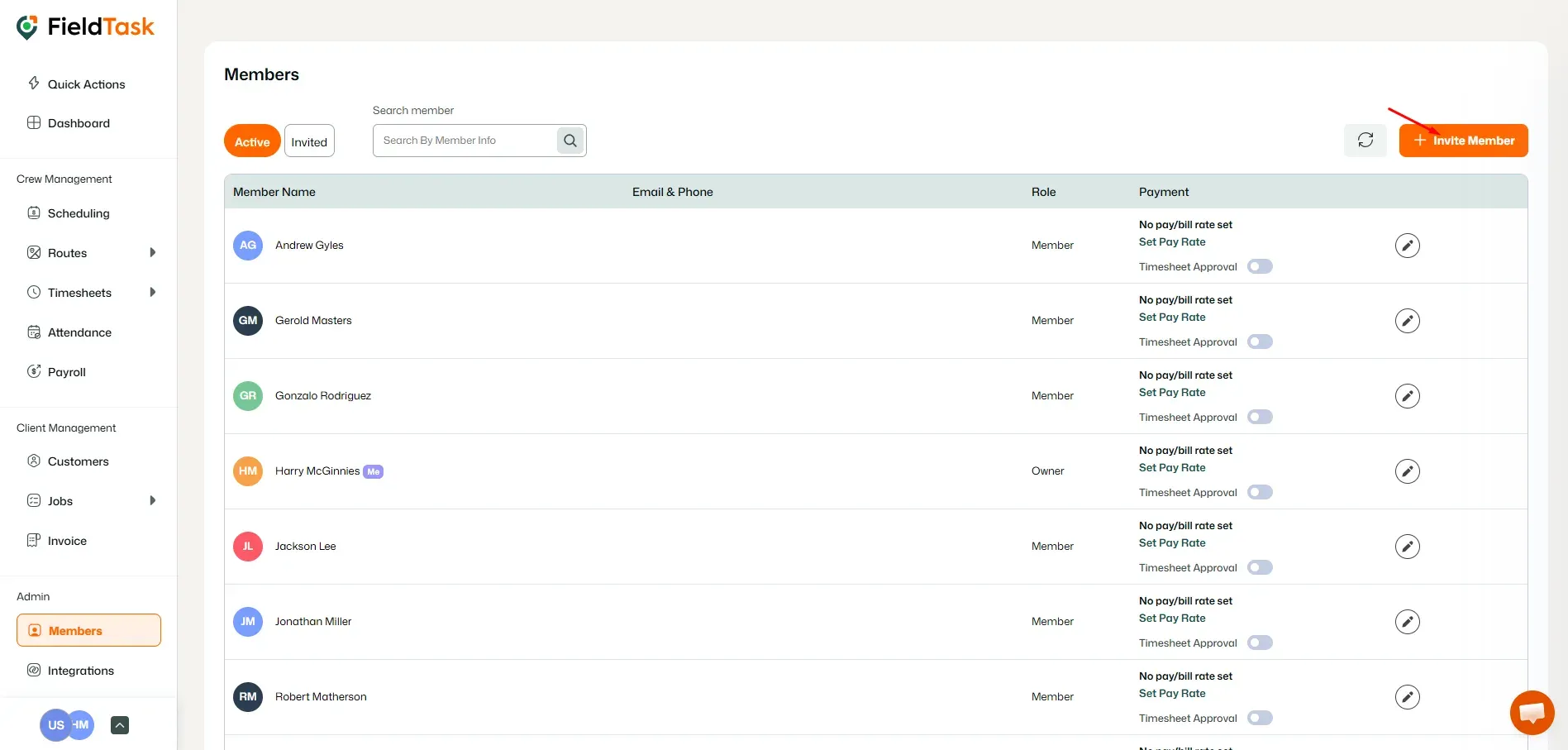
- Select the team members you want to bring into your FieldTask Organization.
- Click Send Invite.
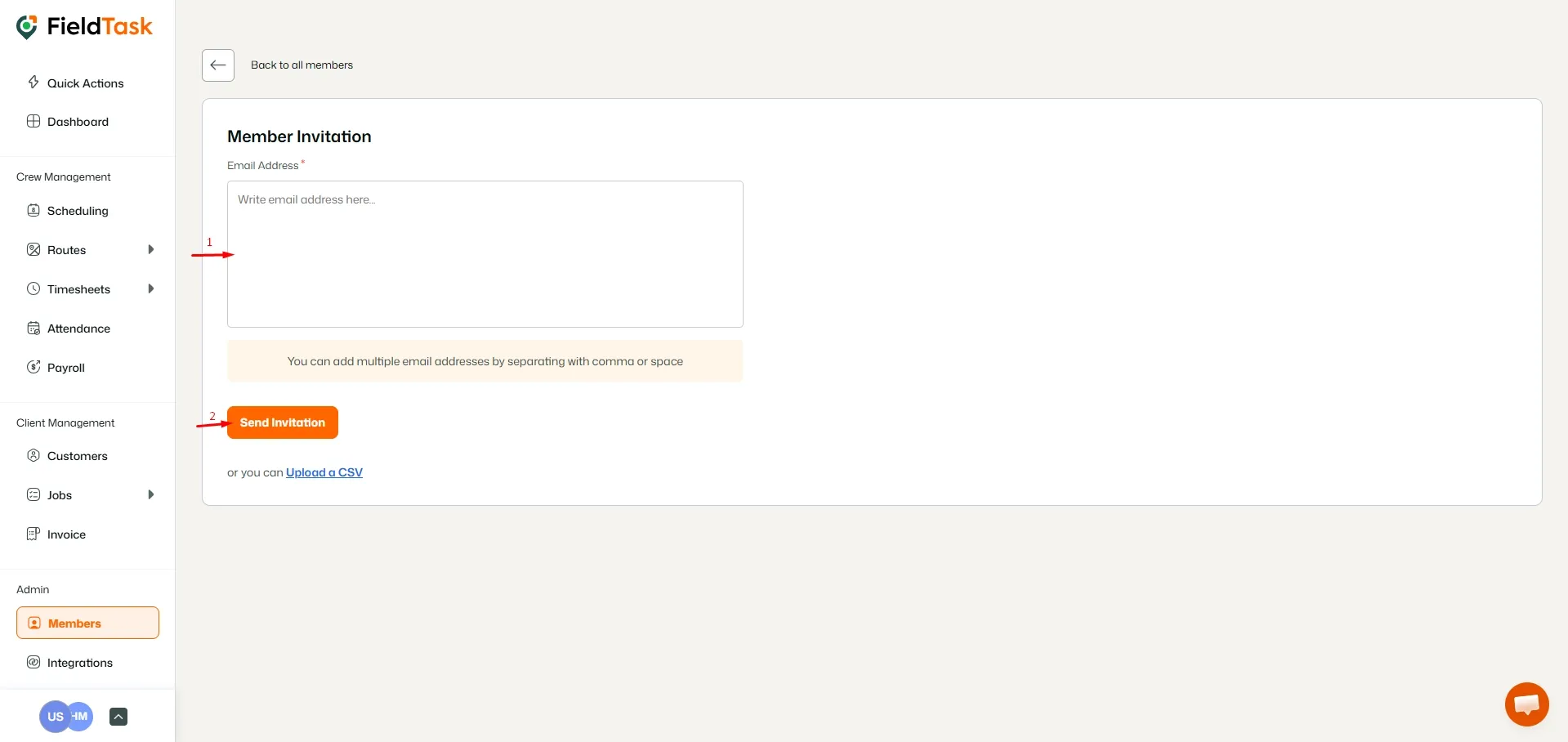
Invite Members Manually
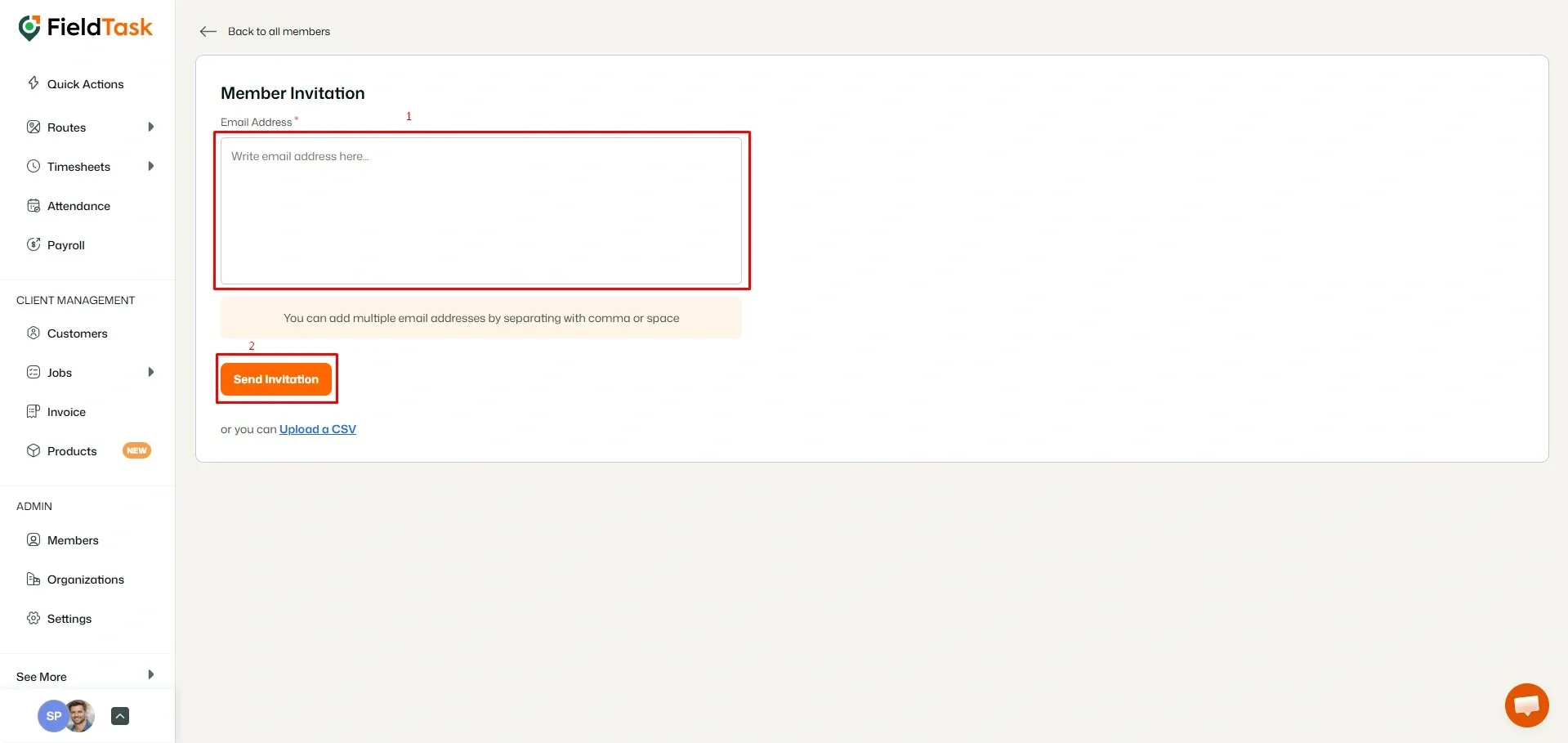
You can also invite team members directly using their email addresses.
To send a manual invitation:
- Click Invite Member.
- Enter the email addresses of your team members.
- Click Send Invite.
Upload Members Using a CSV File
If you have multiple members to add, you can upload them using a CSV file.
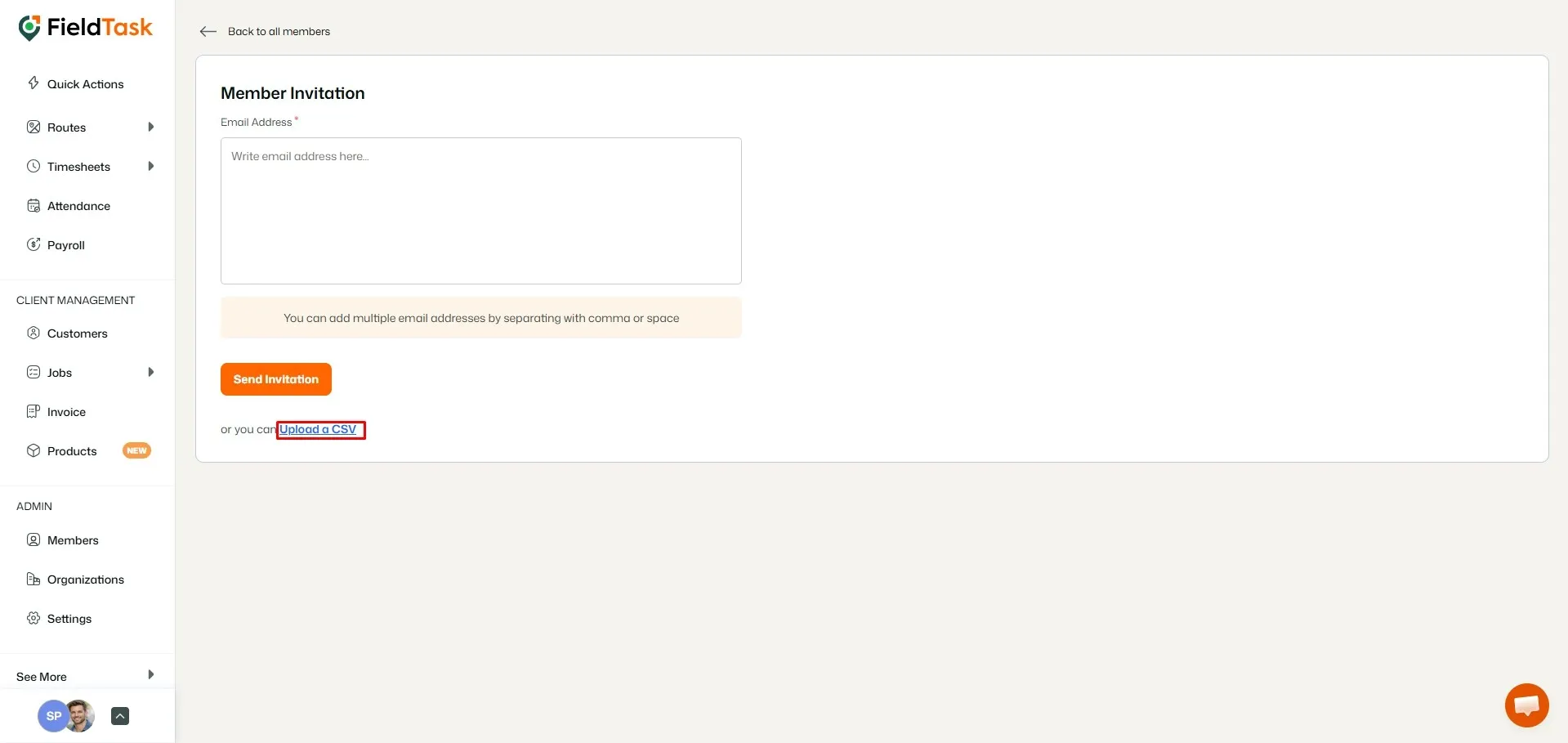
To upload members through CSV:
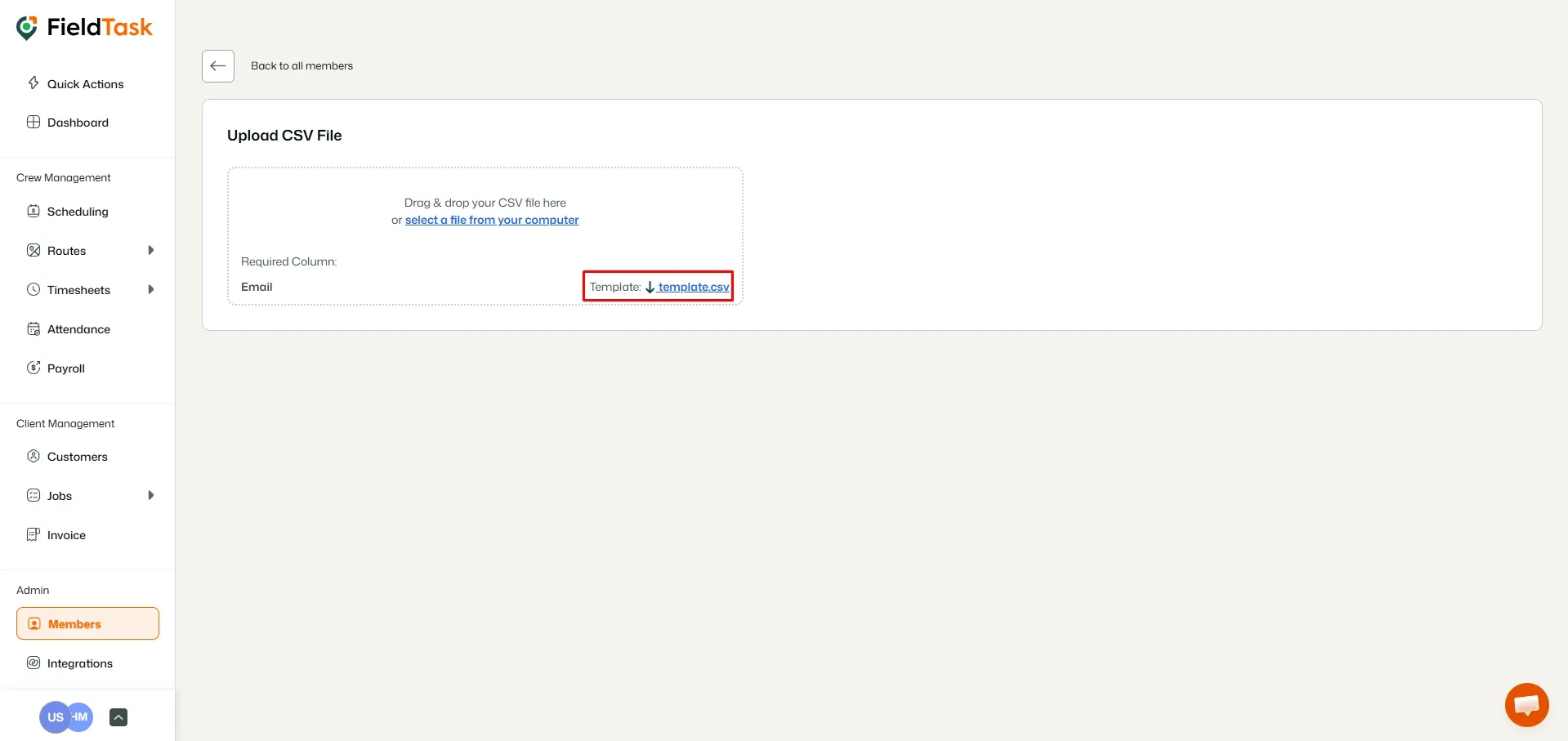
- Click Upload a CSV.
- Download the FieldTask CSV template.
- Fill in the template with your Member information.
- Upload the completed CSV file.
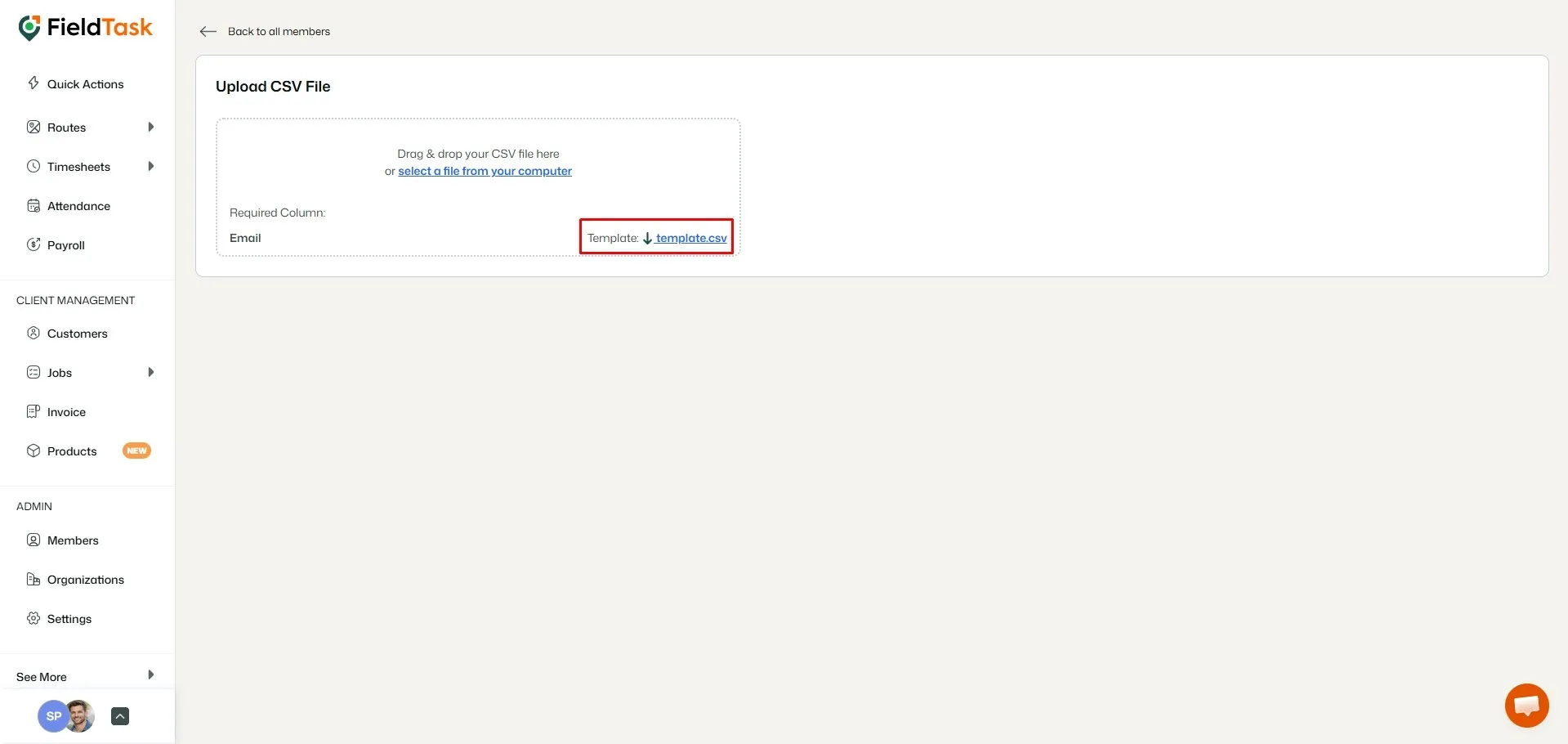
This allows you to add multiple team members to your FieldTask Organization at once.
What to read next
No articles found at the moment.