HIPAA Compliance & BAA | FieldTask
Learn how FieldTask supports HIPAA compliance for home health and field service teams—encryption, BAAs, access controls, and audit logging.
No image available
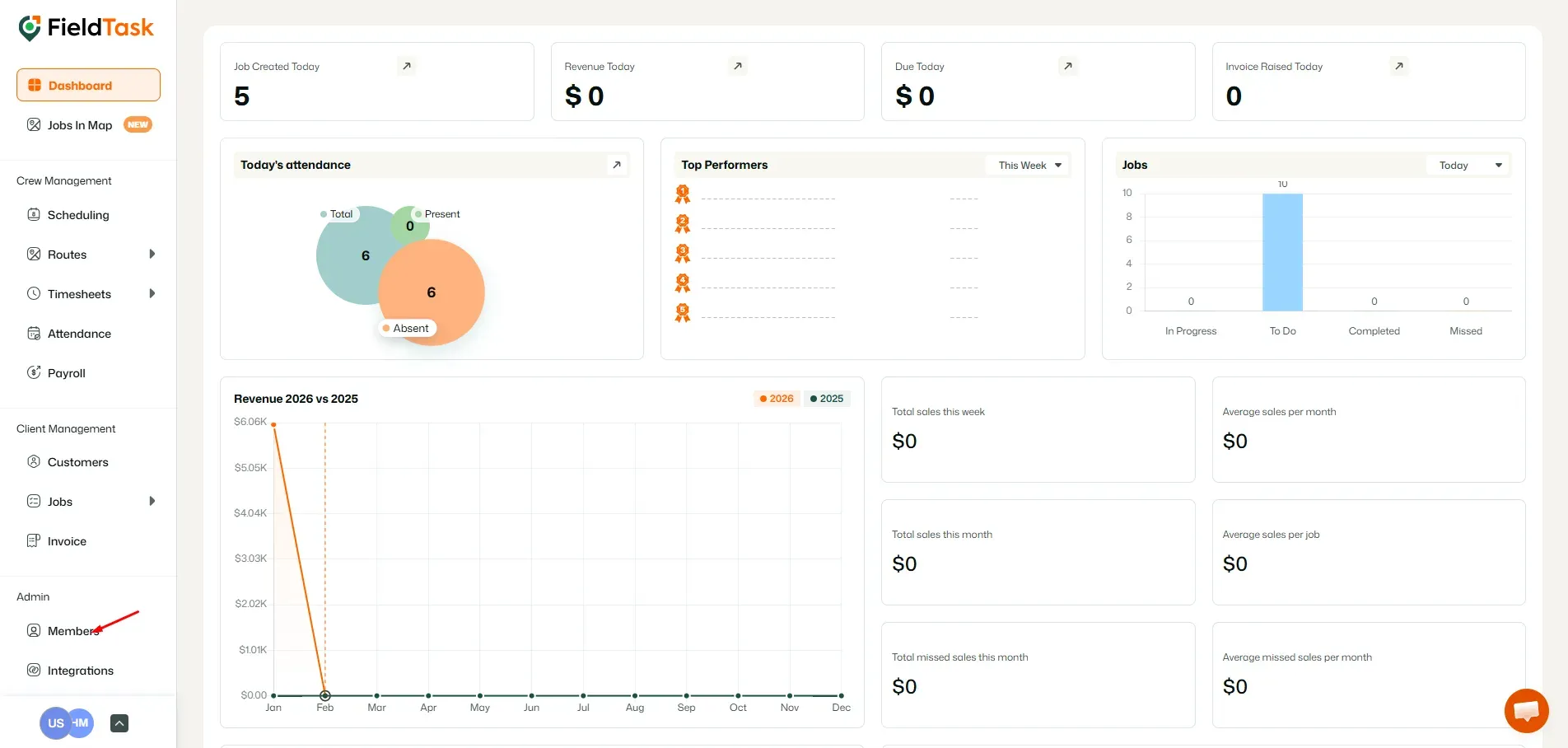
To invite your team to your FieldTask account, go to Members from the left sidebar.
You can invite your GHL Staff into your FieldTask Organization from here.
A side menu will come up. All you need to do is choose the staff you wish to bring into your FieldTask Organization.
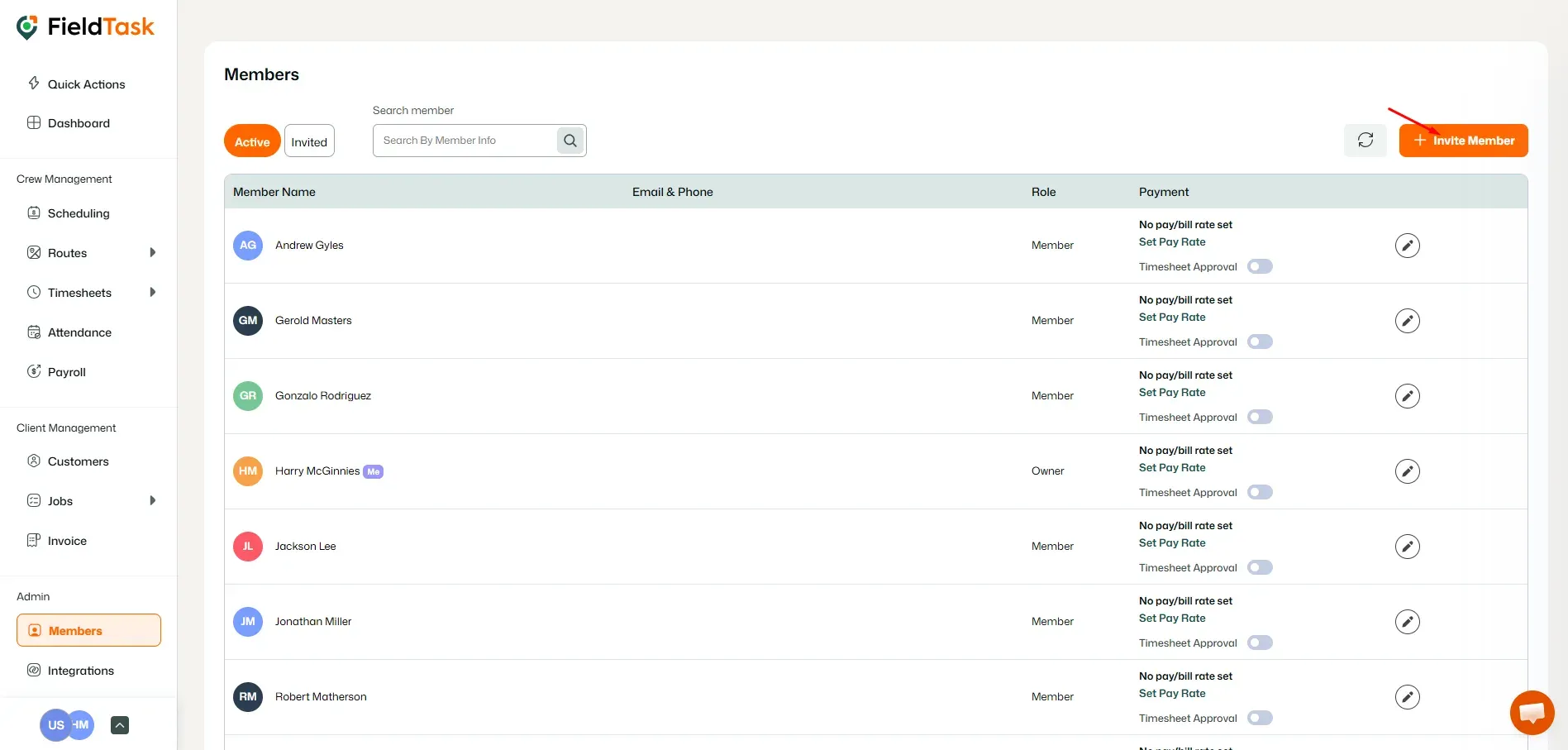
But to invite members not in your GHL Staff, click on the Invite Staff button on the top right of the members page.
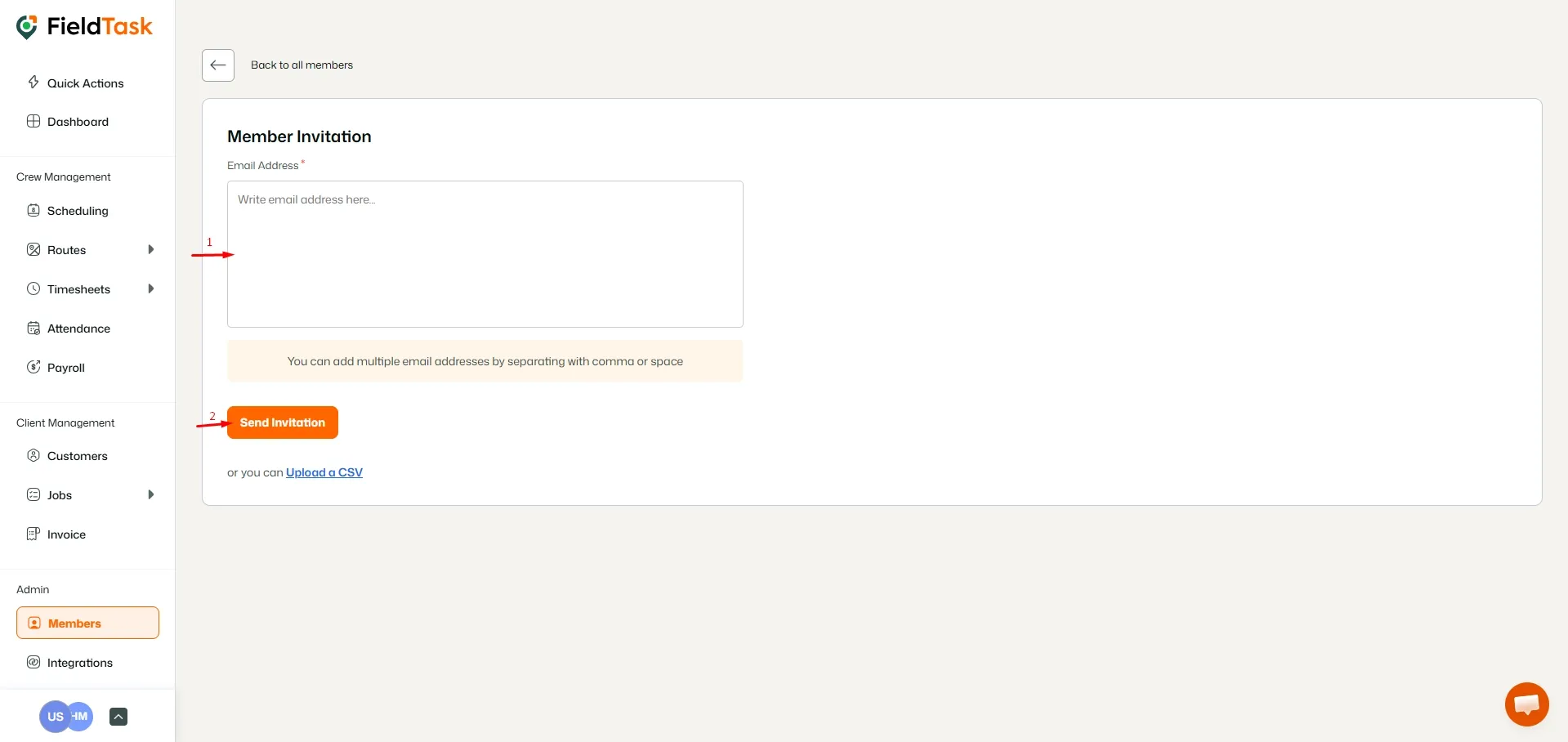
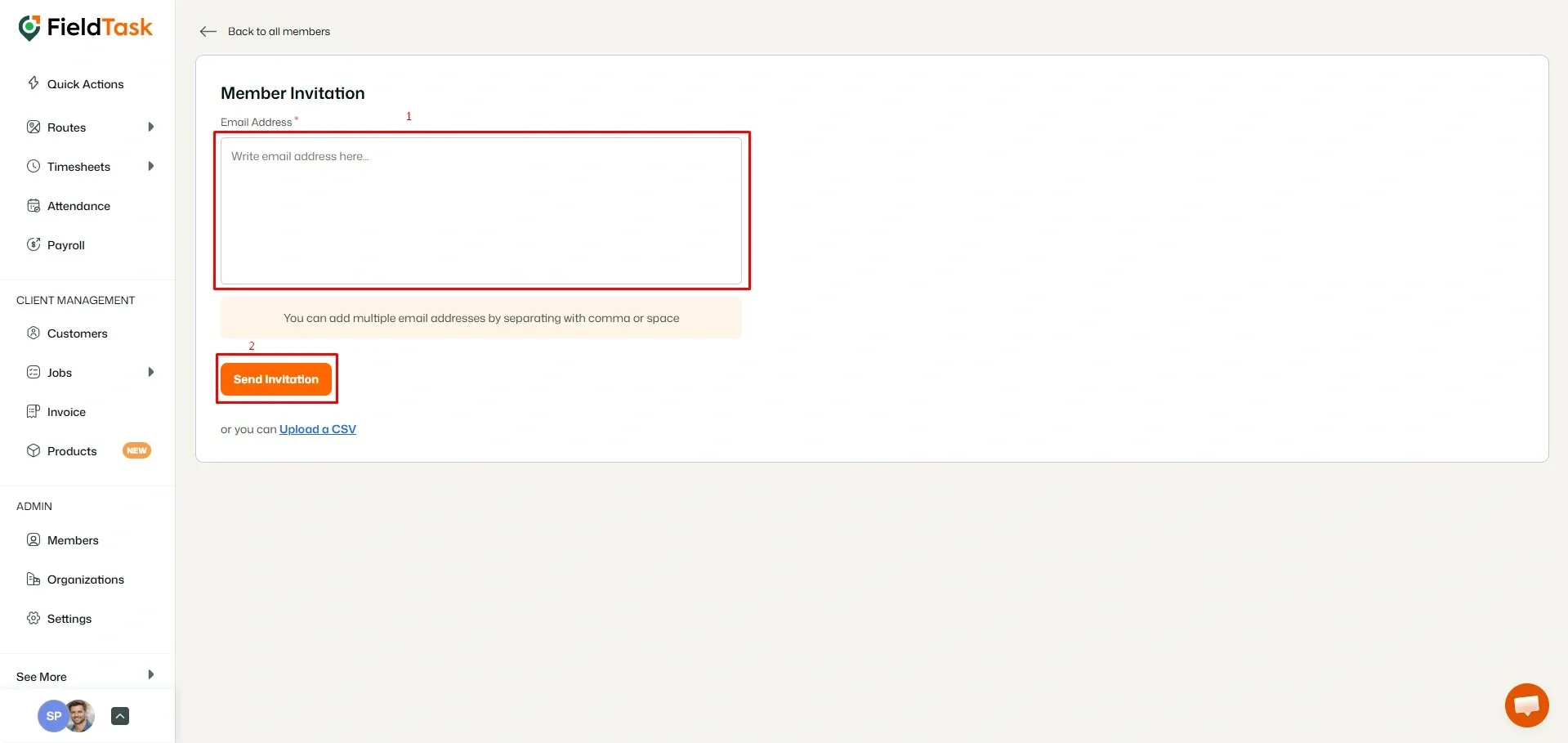
When the invite page loads, all you need to do is enter the email addresses of your members and click Send Invitation.
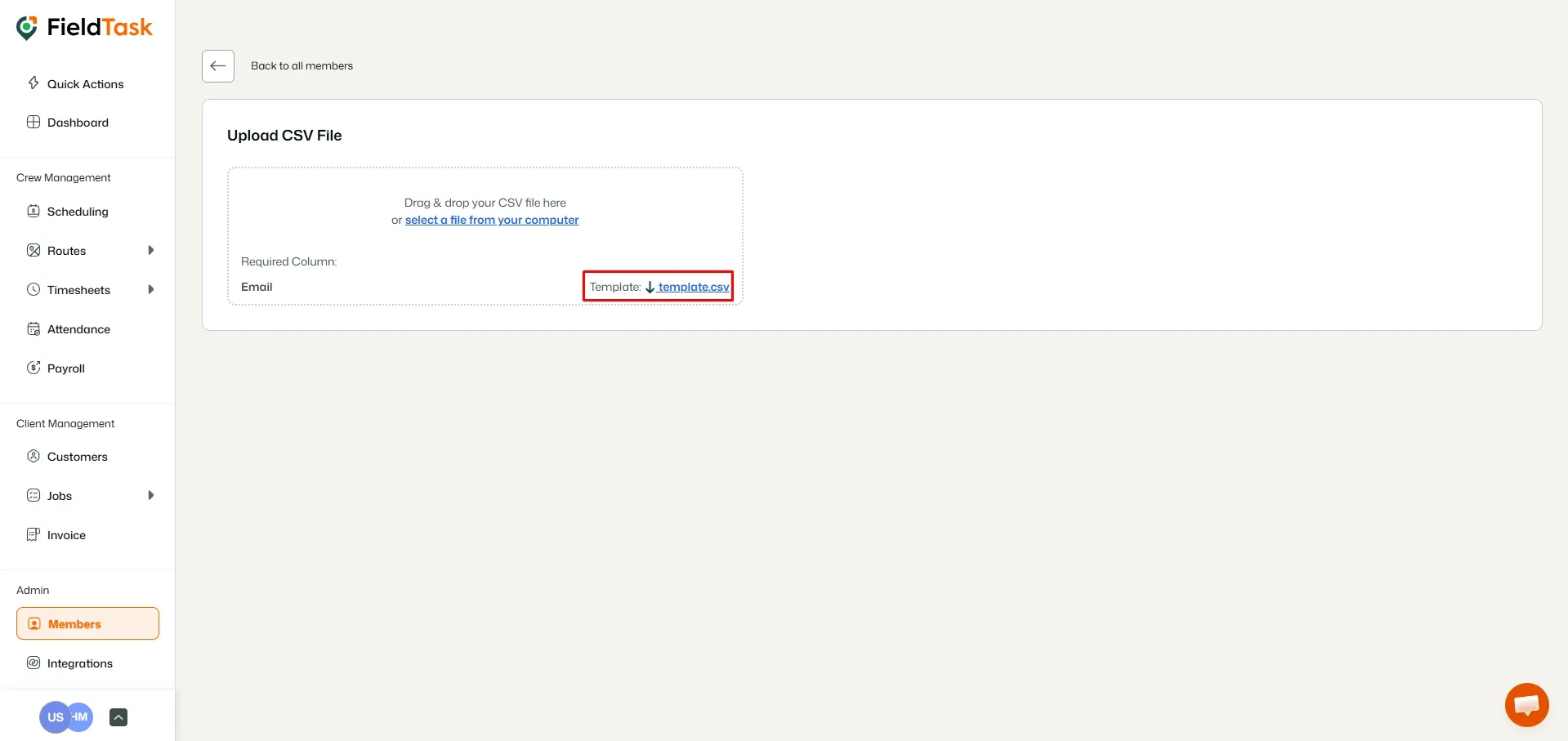
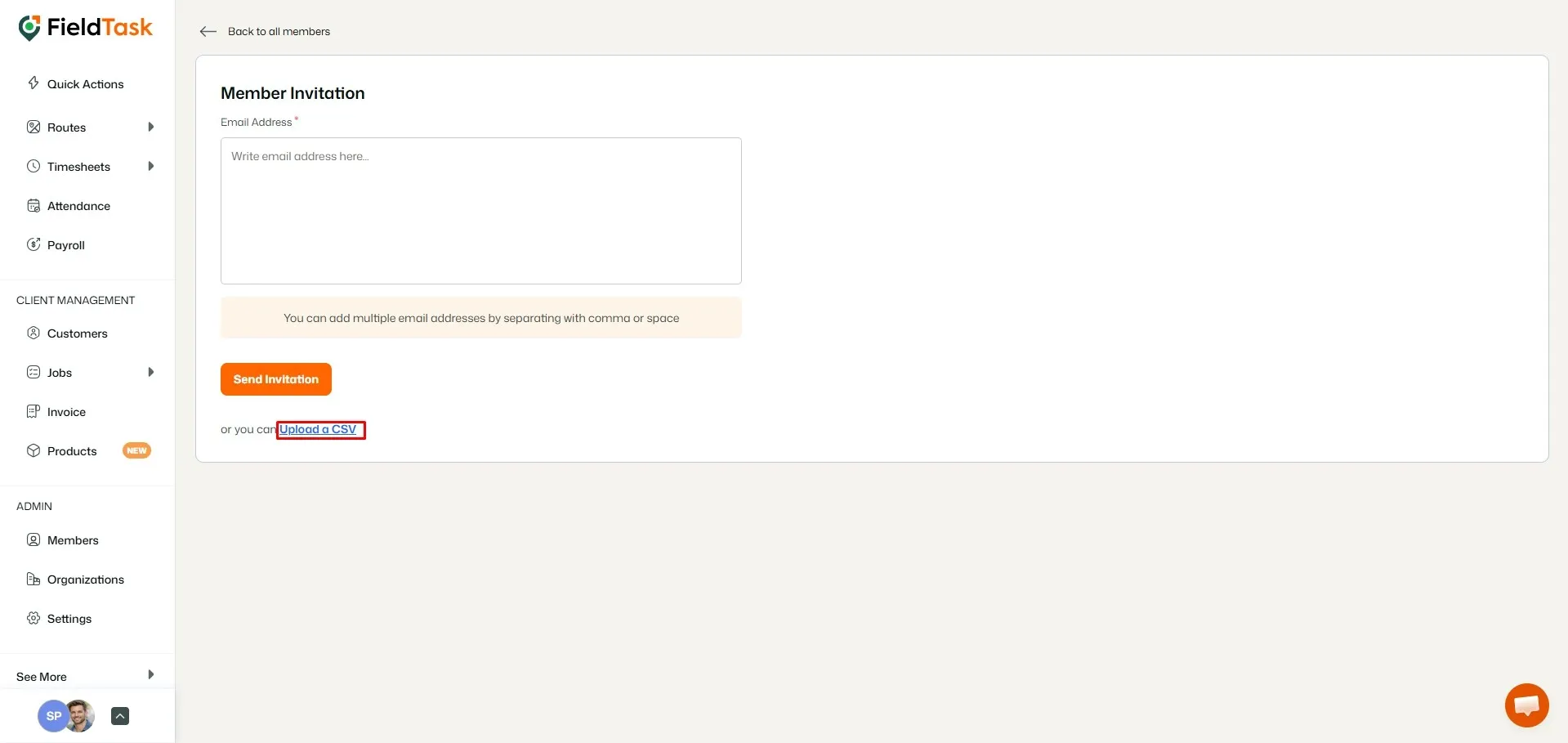
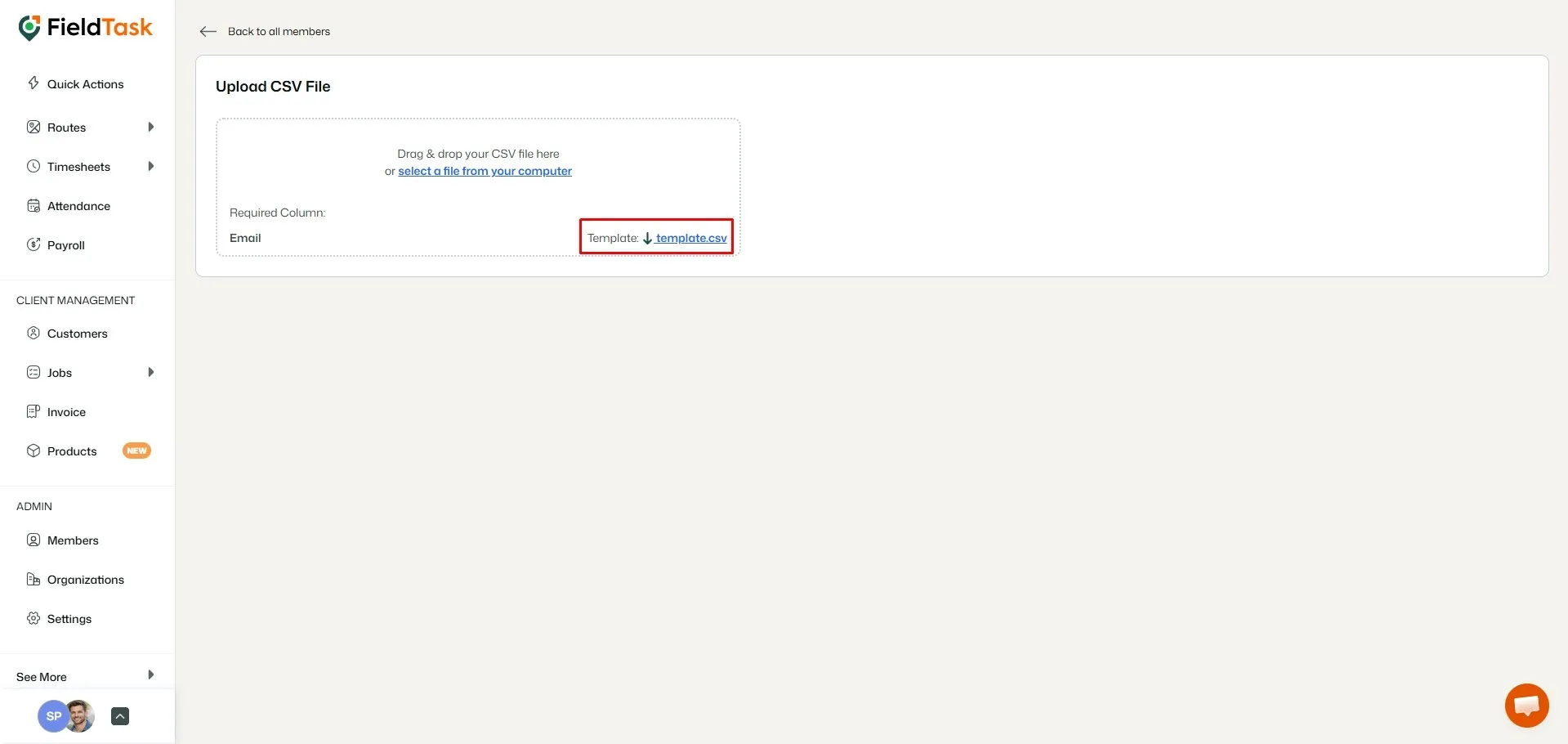
You can also upload your members through the Upload a CSV option. But to do that, you need to download our template first.
Learn how FieldTask supports HIPAA compliance for home health and field service teams—encryption, BAAs, access controls, and audit logging.
Explore how FieldTask connects with HighLevel. Learn about two-way syncing, automation, and how to turn HighLevel into a complete field service management solution.