The HighLevel Home Service Business Management Software
Manage dispatch, route plan, techs, quotes, invoices, and more in GHL, the only dedicated field service app for HighLevel home service businesses and contractors.
No image available
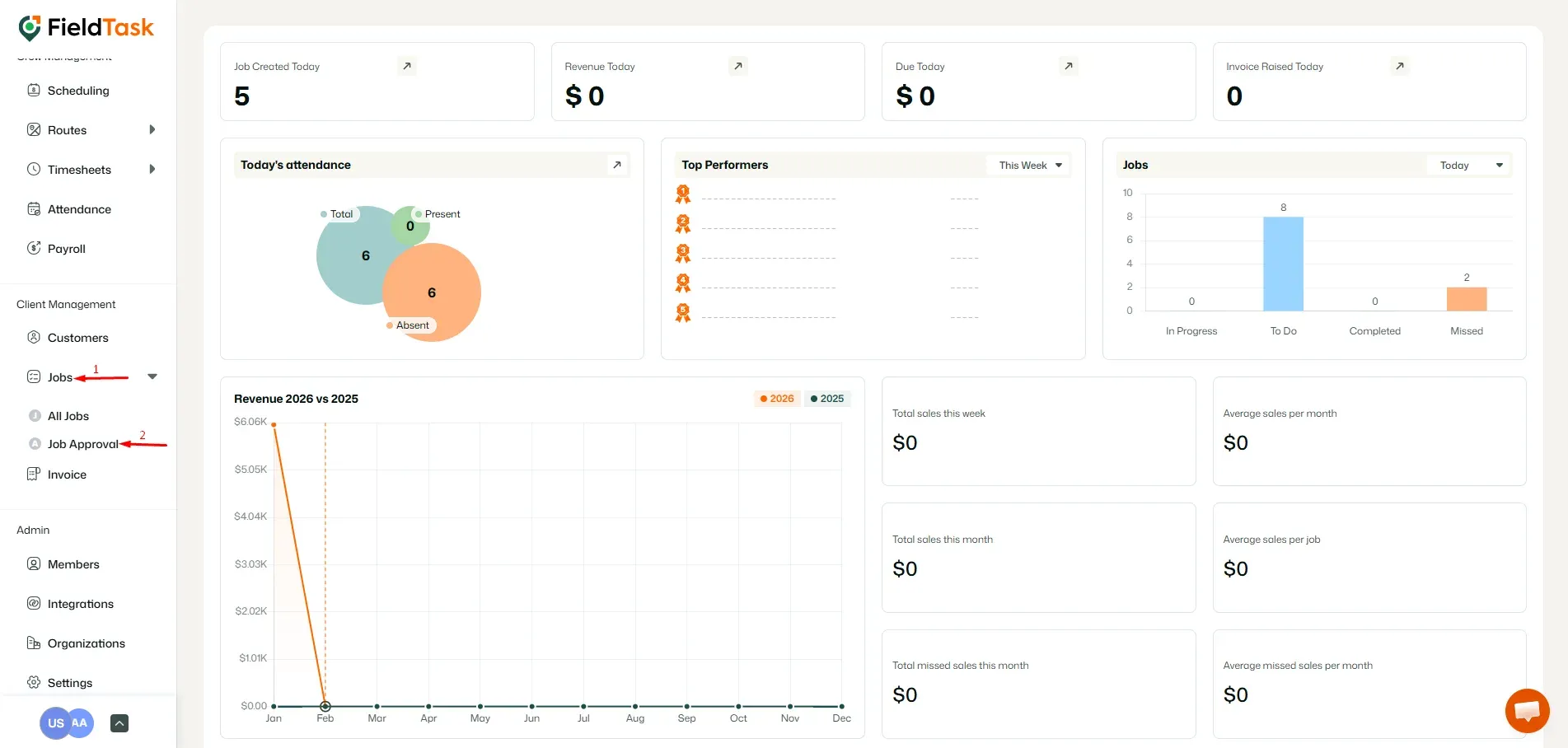
To approve jobs completed by your field technicians, you will need to go to Job Evidence from under Jobs.
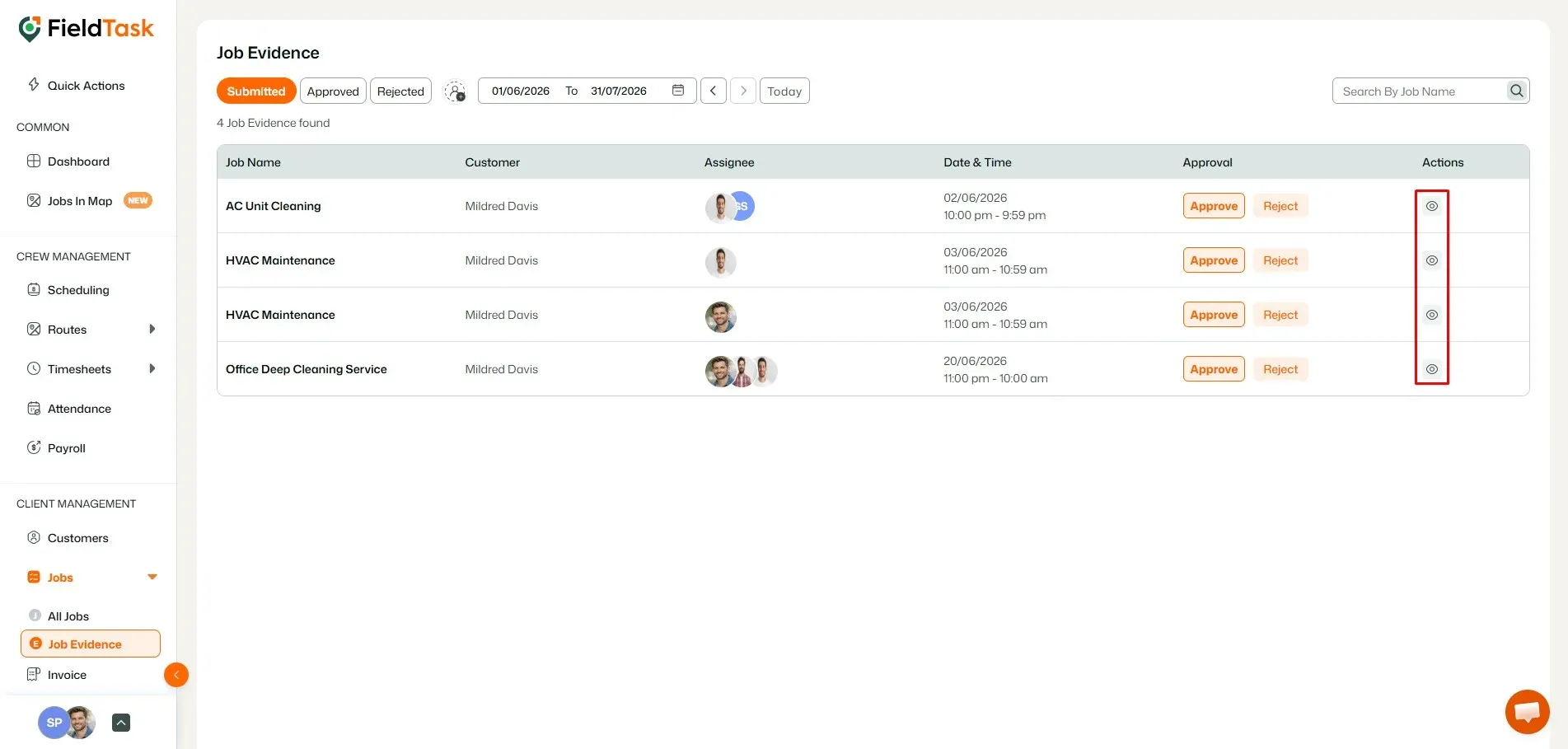
On this page, you can view the list of jobs awaiting approval. Select the job you wish to approve and click on the view option to see the evidence.
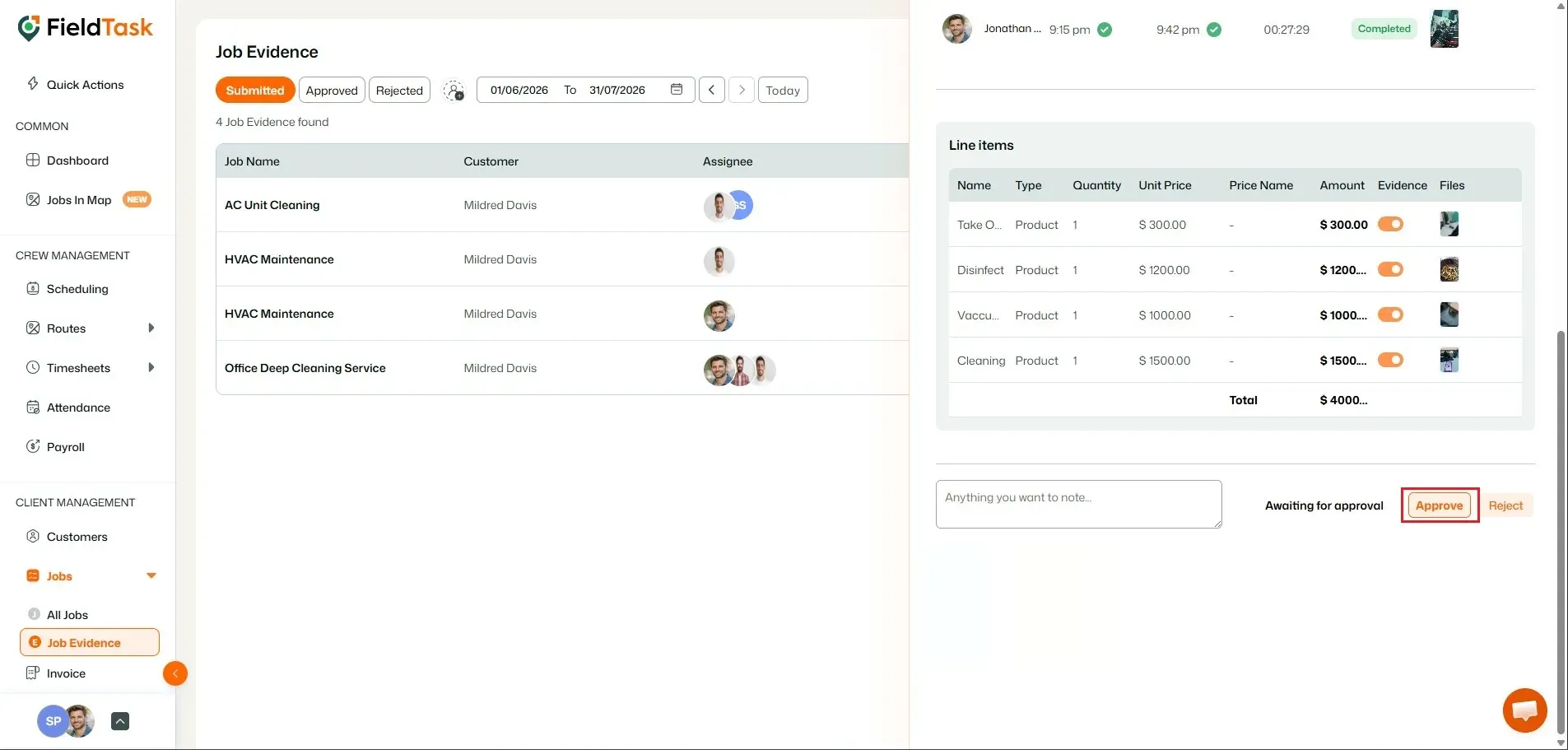
A side section will open to show you:
If all is okay, click on the Approve button on the bottom right.
Manage dispatch, route plan, techs, quotes, invoices, and more in GHL, the only dedicated field service app for HighLevel home service businesses and contractors.
The complete FieldTask sitemap: quick links to all pages.
Learn how FieldTask supports HIPAA compliance for home health and field service teams—encryption, BAAs, access controls, and audit logging.