The HighLevel Home Service Business Management Software
Manage dispatch, route plan, techs, quotes, invoices, and more in GHL, the only dedicated field service app for HighLevel home service businesses and contractors.

Learn how to schedule a job that spans across multiple days in FieldTask.
FieldTask allows you to create jobs that continue across multiple days. The process is similar to creating a regular job, with one key difference: you need to define both the Start Date and Time and the End Date and Time.
You can create a multi-day job from three locations:
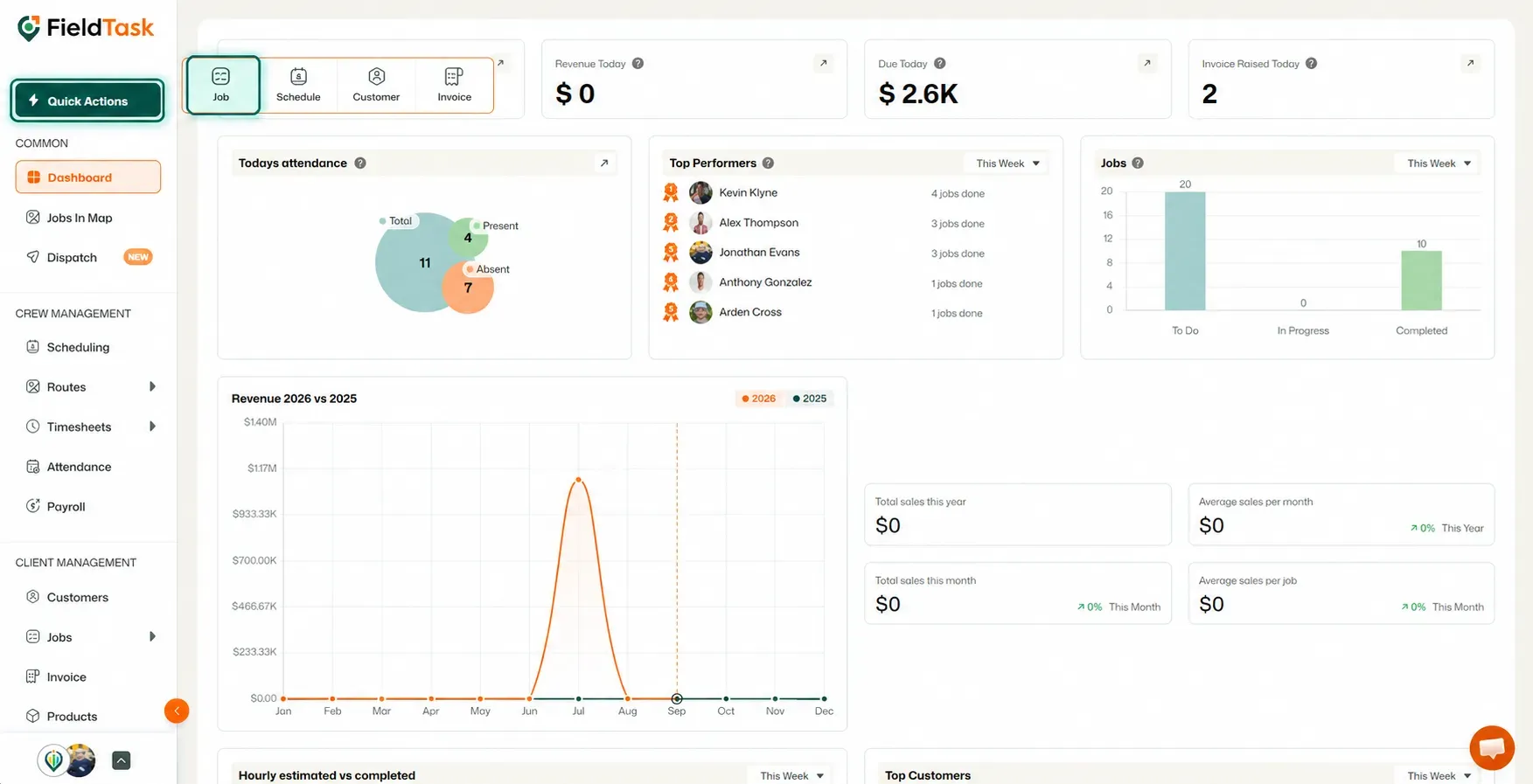
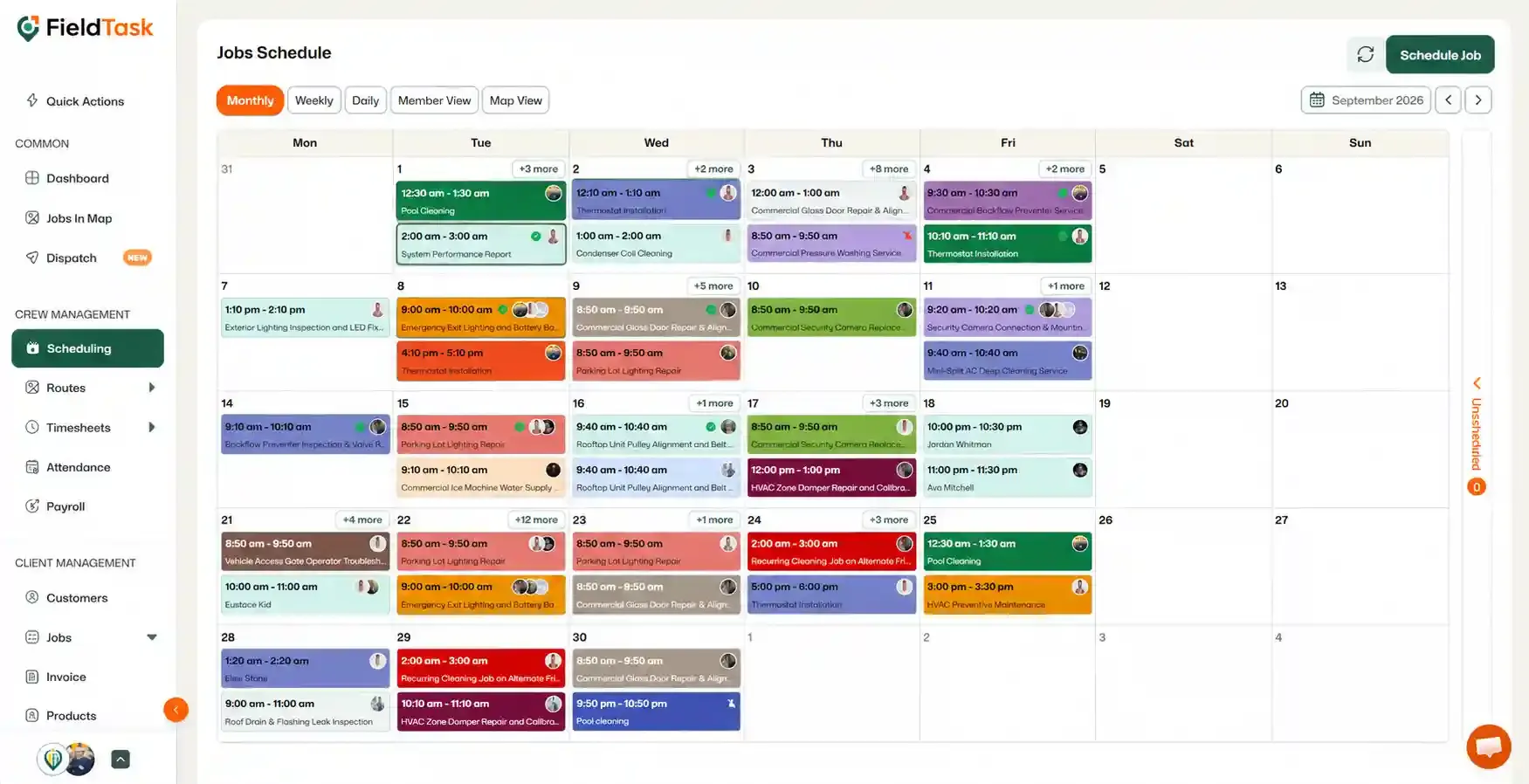
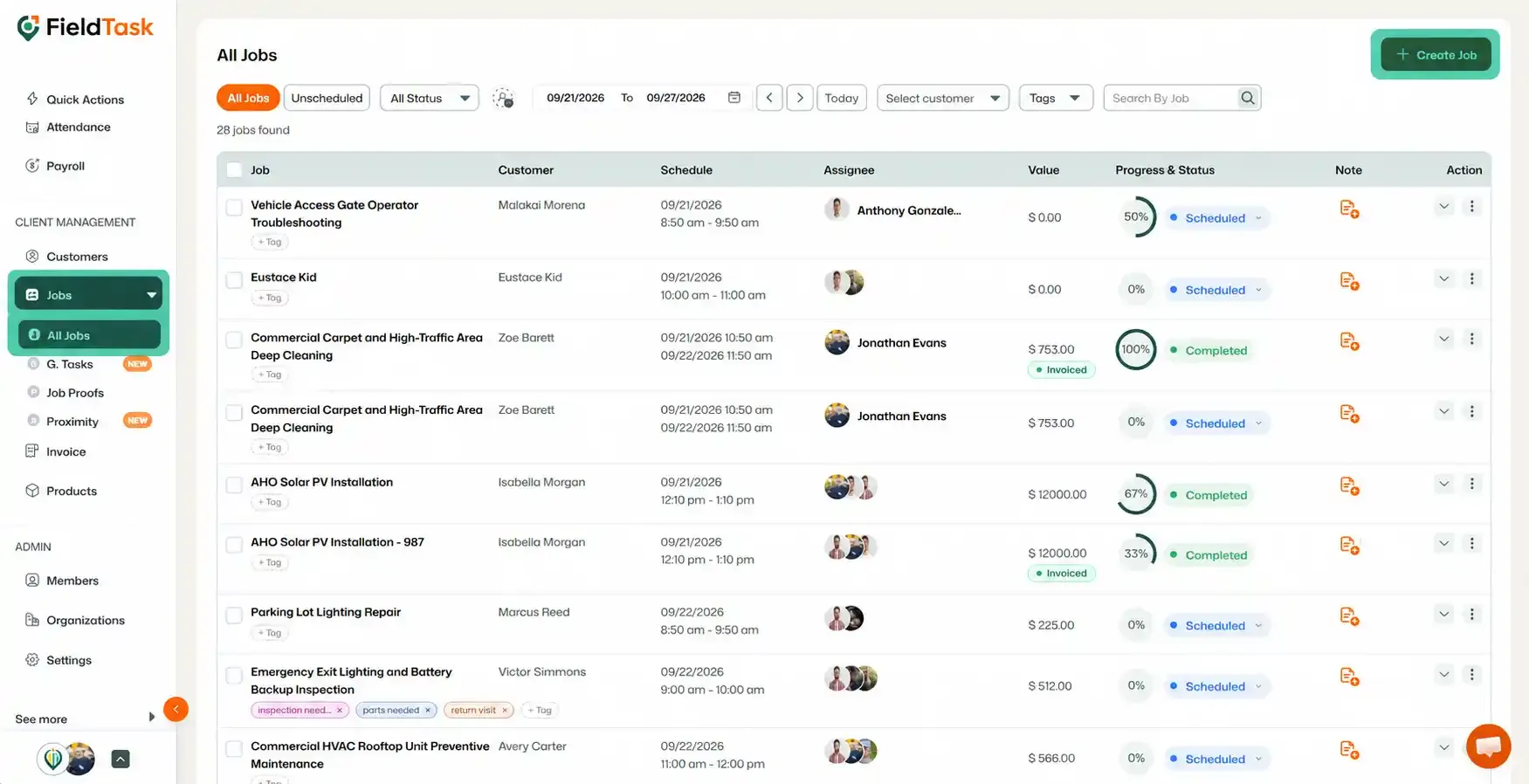
Regardless of where you start, you will be taken to the same Job Creation form.
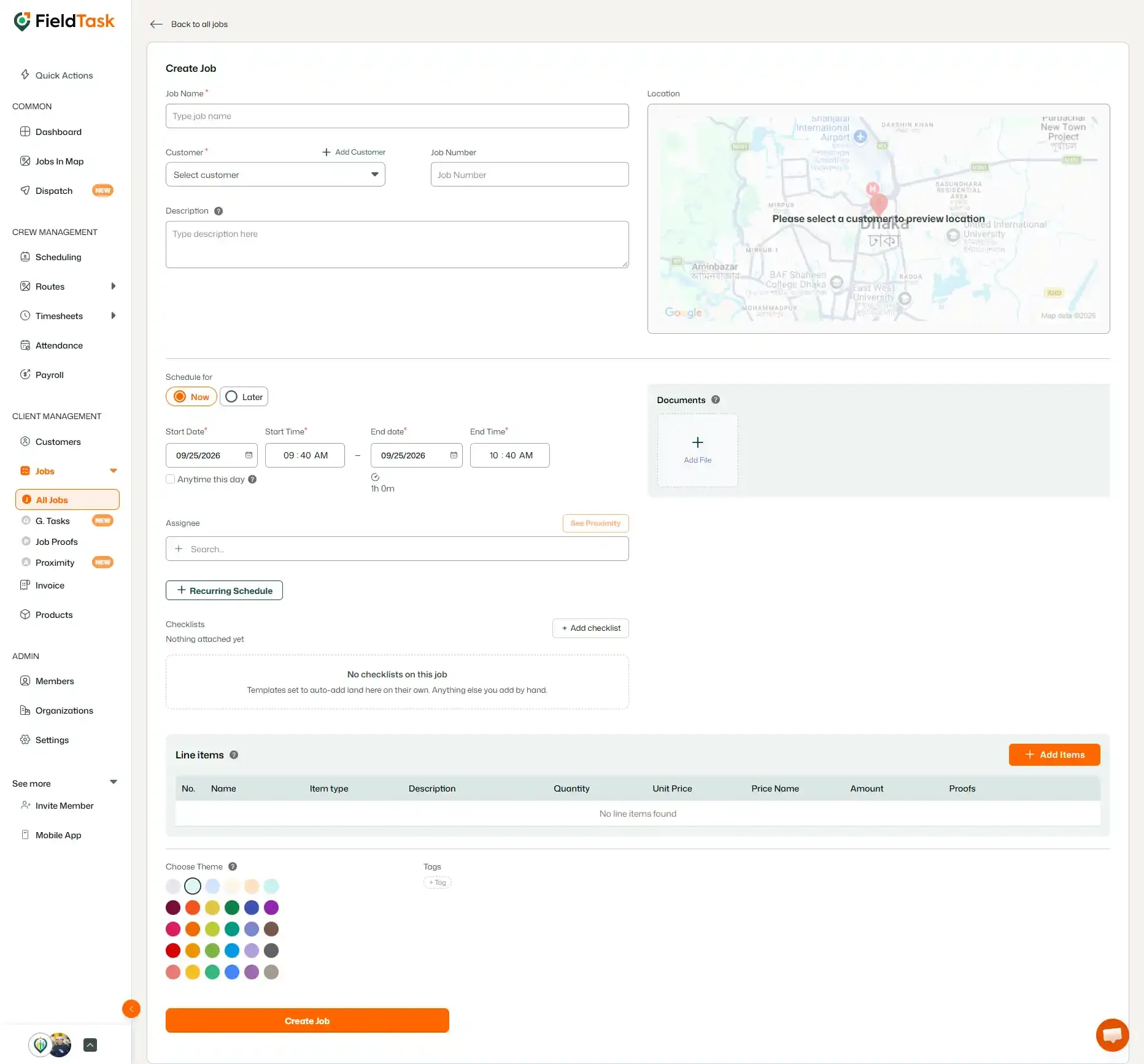
Fill in the job details as you normally would.
When setting the schedule, provide:
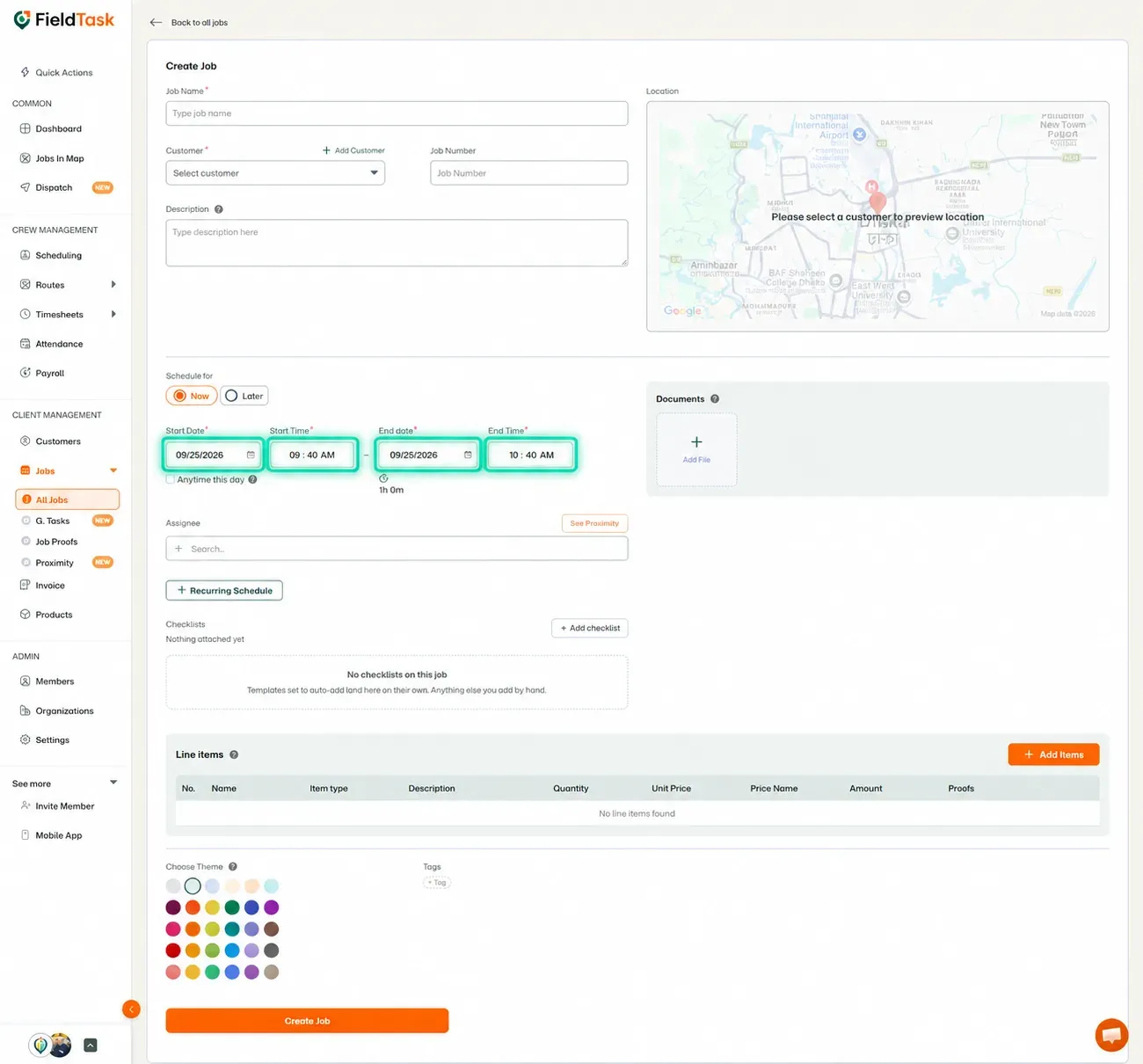
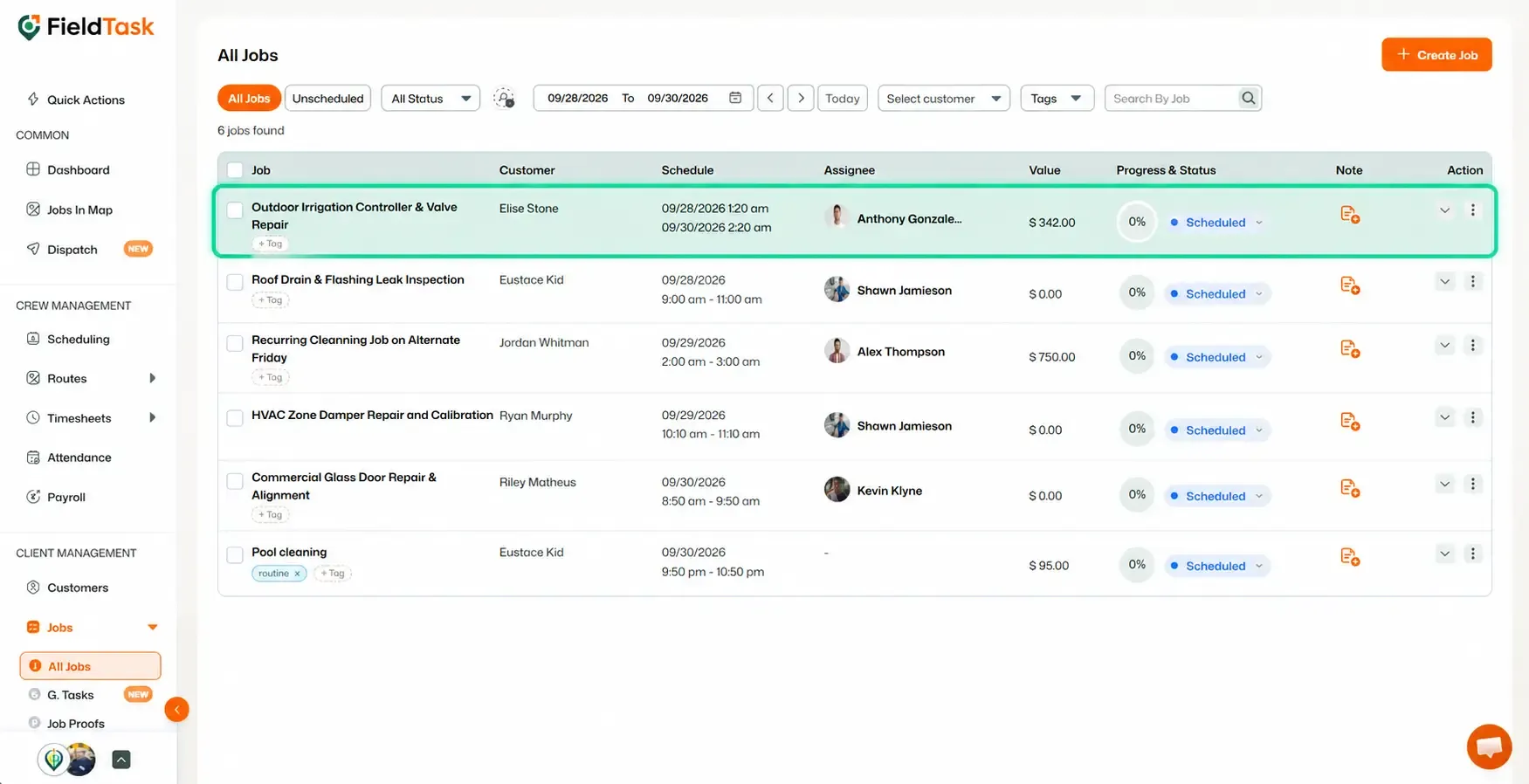
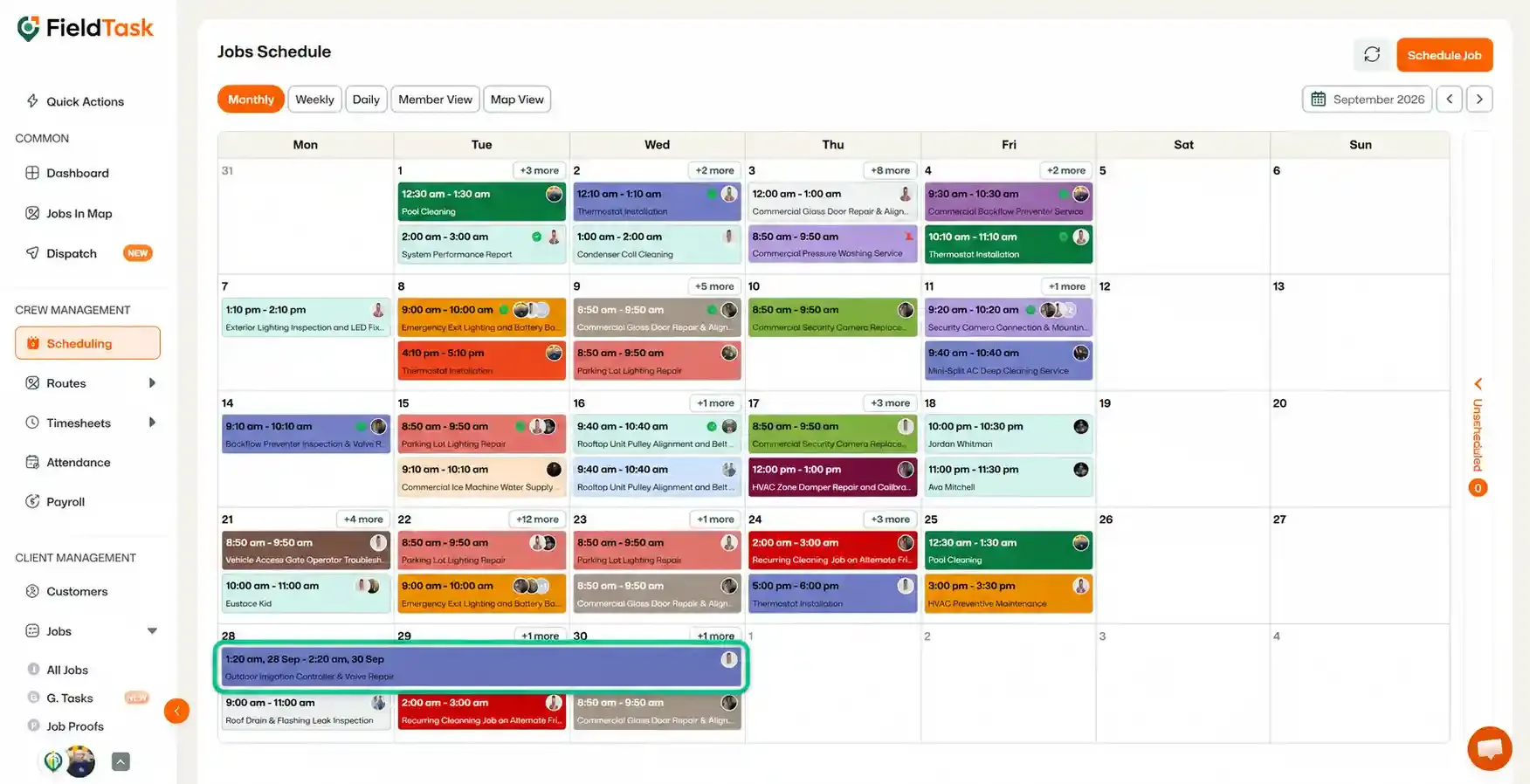
Once created, FieldTask will recognize the job as a multi-day job and display it accordingly.
You can also create multi-day jobs from the FieldTask Mobile App.
📌 Note: Selecting a time on the current day will not allow you to create a multi-day job. To create a multi-day job, choose a start date and time that allows the job to extend beyond the current day.
Manage dispatch, route plan, techs, quotes, invoices, and more in GHL, the only dedicated field service app for HighLevel home service businesses and contractors.
The complete FieldTask sitemap: quick links to all pages.
Learn how FieldTask supports HIPAA compliance for home health and field service teams—encryption, BAAs, access controls, and audit logging.