The HighLevel Home Service Business Management Software
Manage dispatch, route plan, techs, quotes, invoices, and more in GHL, the only dedicated field service app for HighLevel home service businesses and contractors.

Learn how to set employee Pay and Bill Rates and use them for payroll calculations in FieldTask.
FieldTask allows you to set Pay Rates and Bill Rates for your Members. These rates help you manage employee costs and calculate payroll based on tracked work time.
To set up Pay and Bill Rates:
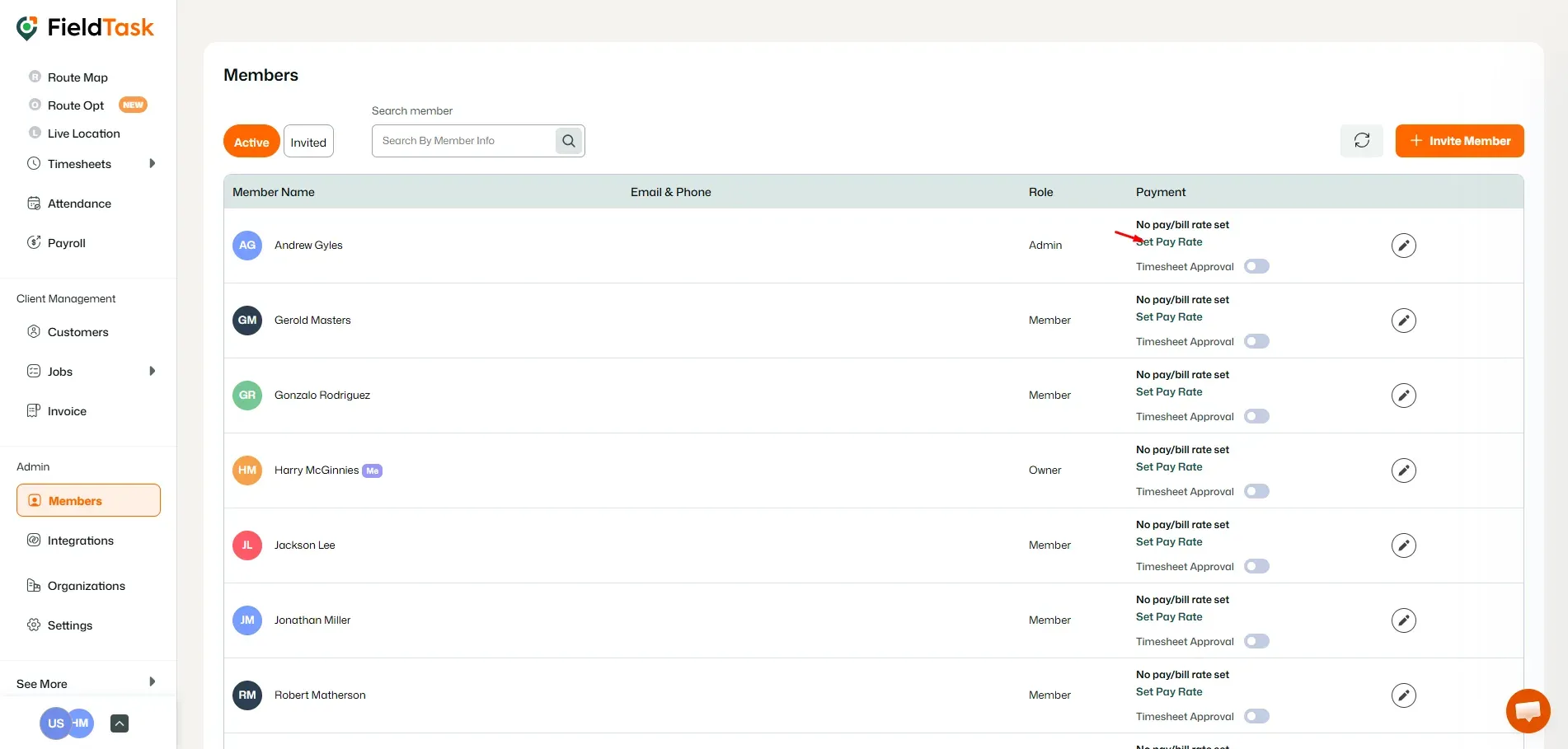
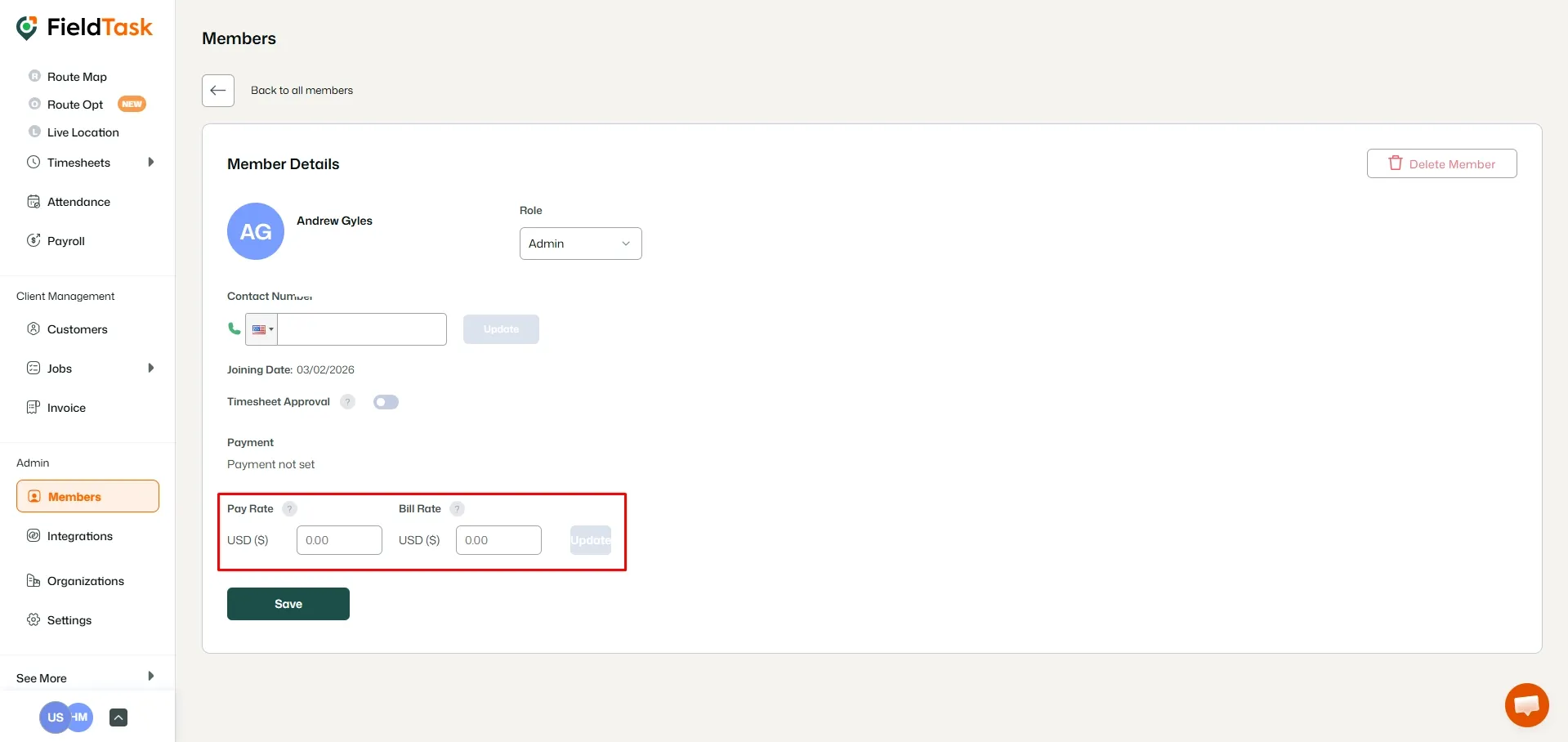

Once saved, the employee’s rate information will be displayed on the Members page.
📌 Note: The Pay Rate you set is used when calculating employee payroll based on their tracked work time. Make sure your rates are configured correctly to ensure accurate payroll calculations.
Manage dispatch, route plan, techs, quotes, invoices, and more in GHL, the only dedicated field service app for HighLevel home service businesses and contractors.
The complete FieldTask sitemap: quick links to all pages.
Learn how FieldTask supports HIPAA compliance for home health and field service teams—encryption, BAAs, access controls, and audit logging.