The HighLevel Home Service Business Management Software
Manage dispatch, route plan, techs, quotes, invoices, and more in GHL, the only dedicated field service app for HighLevel home service businesses and contractors.

Learn how to use Proximity to find the closest available Member to a job and assign work more efficiently.
The Proximity feature helps you see which of your assignees is closest to the job you are trying to assign.
You can access Proximity from two places:
The Proximity module allows you to assign Members to jobs that do not already have an assignee.
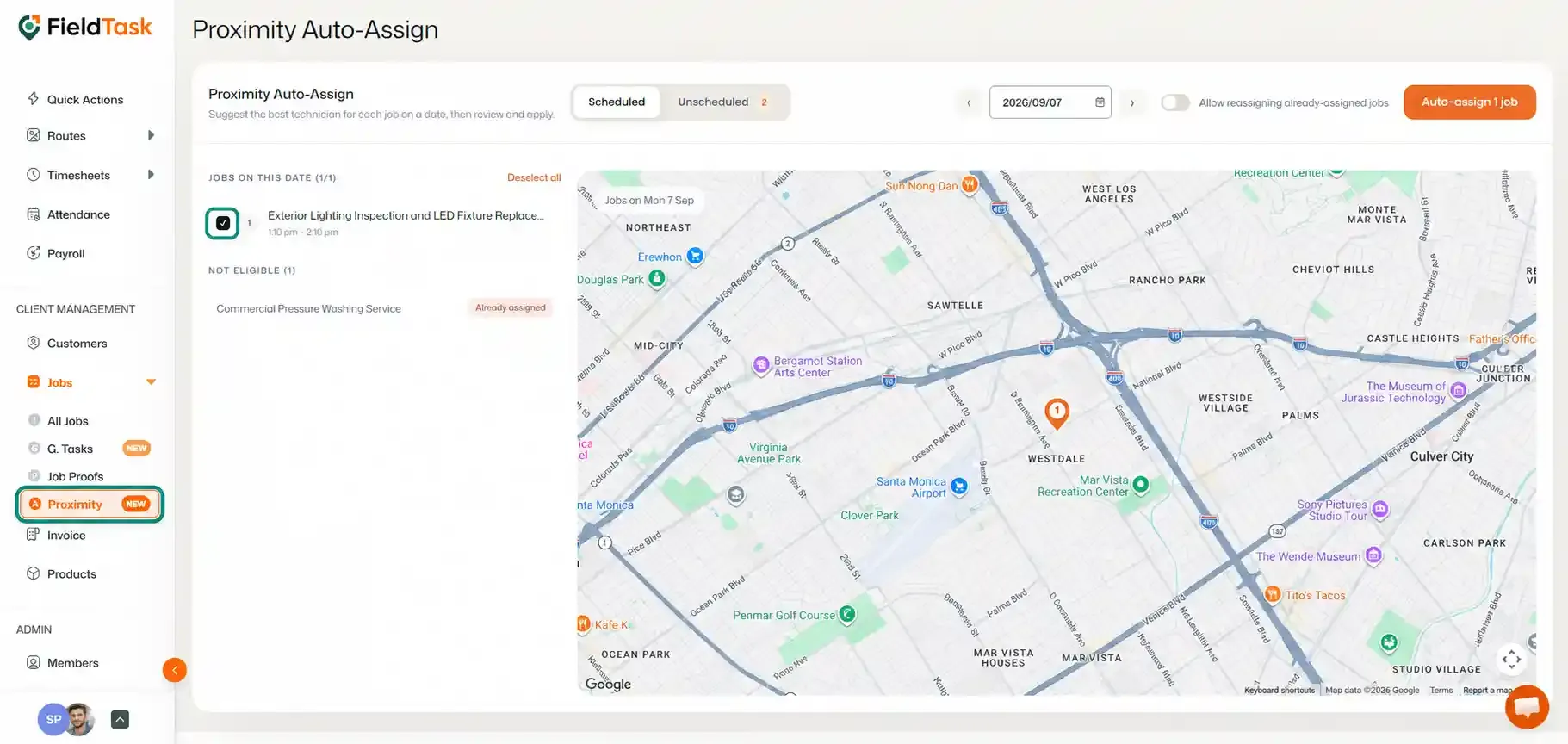
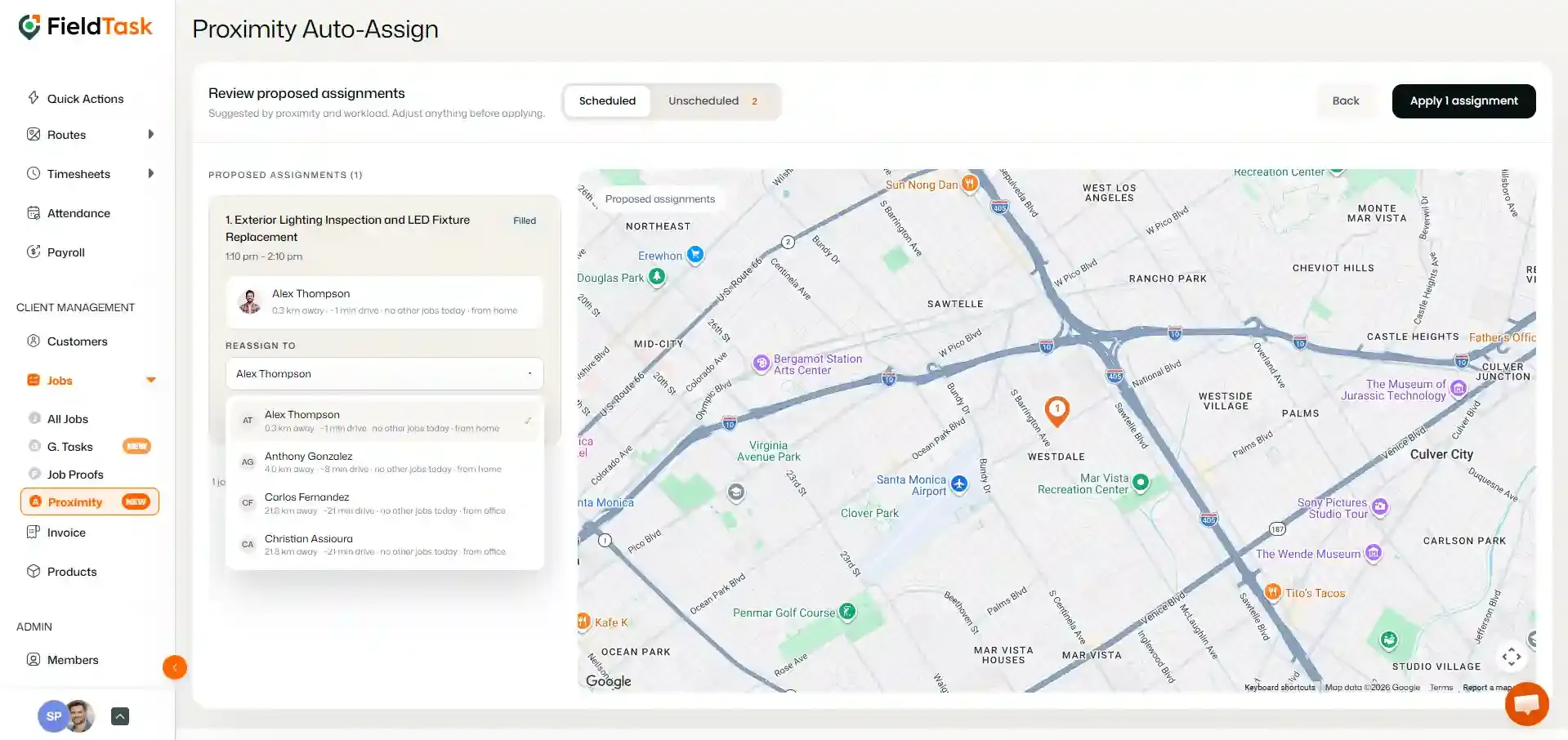
If you also want to use Proximity for jobs that already have an assignee, turn on Allow reassigning already-assigned jobs.
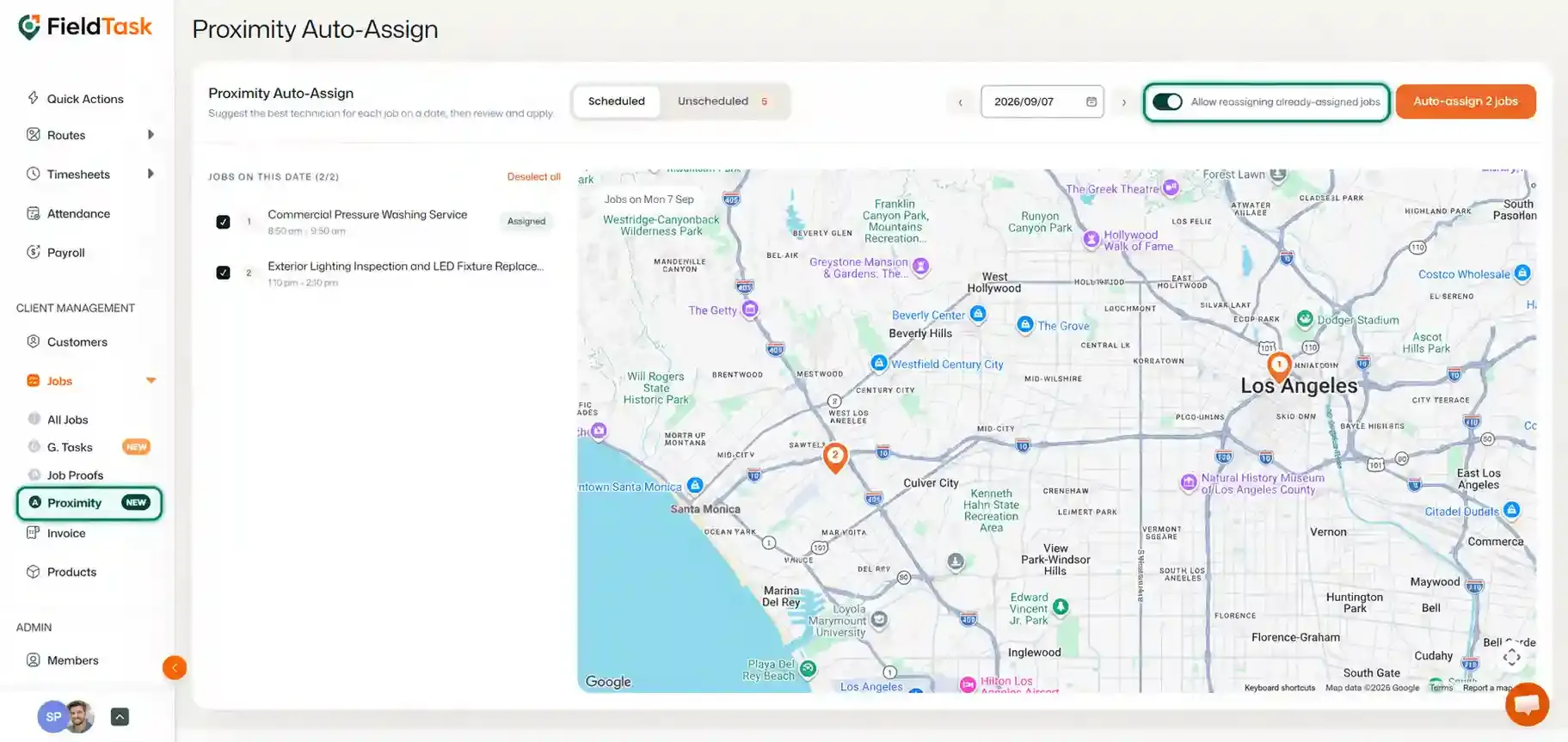
Once enabled, you will be able to reassign already-assigned jobs based on the proximity of your Members to the job location.
You can also use Proximity while creating a new job.
Before the Proximity option becomes available, you must first select the Customer for the job. FieldTask needs the job location to determine which Members are closest.
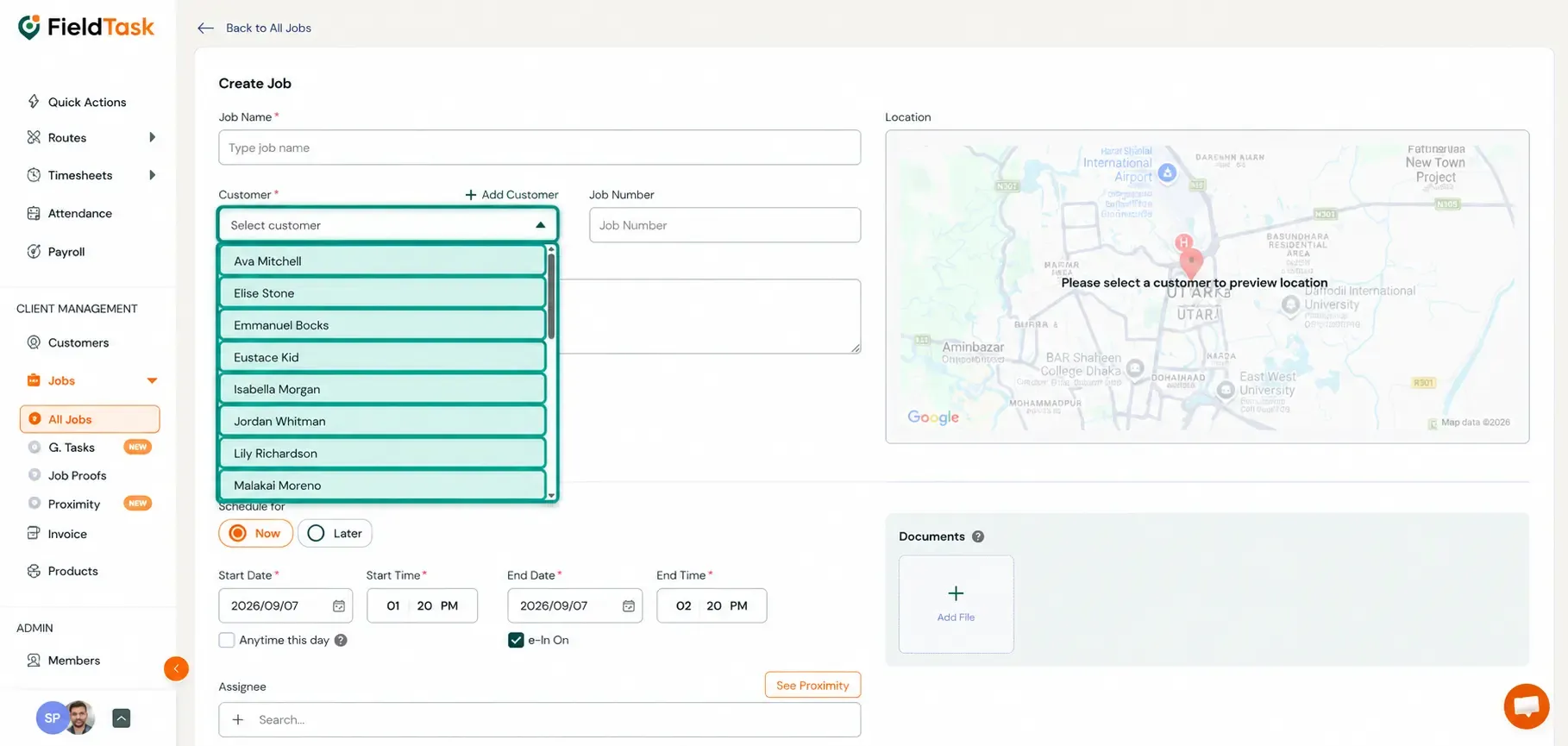
Once the Customer and location have been selected:
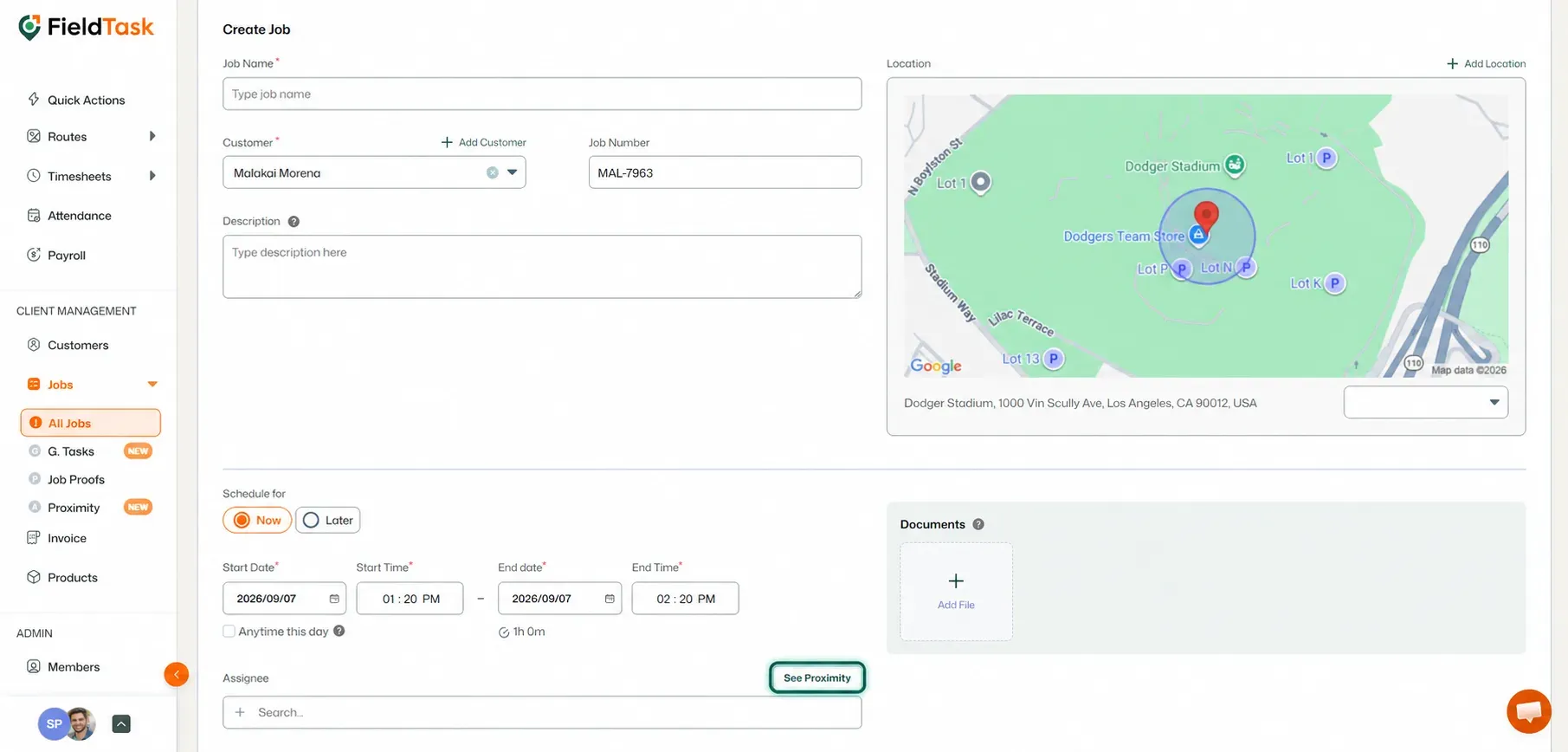
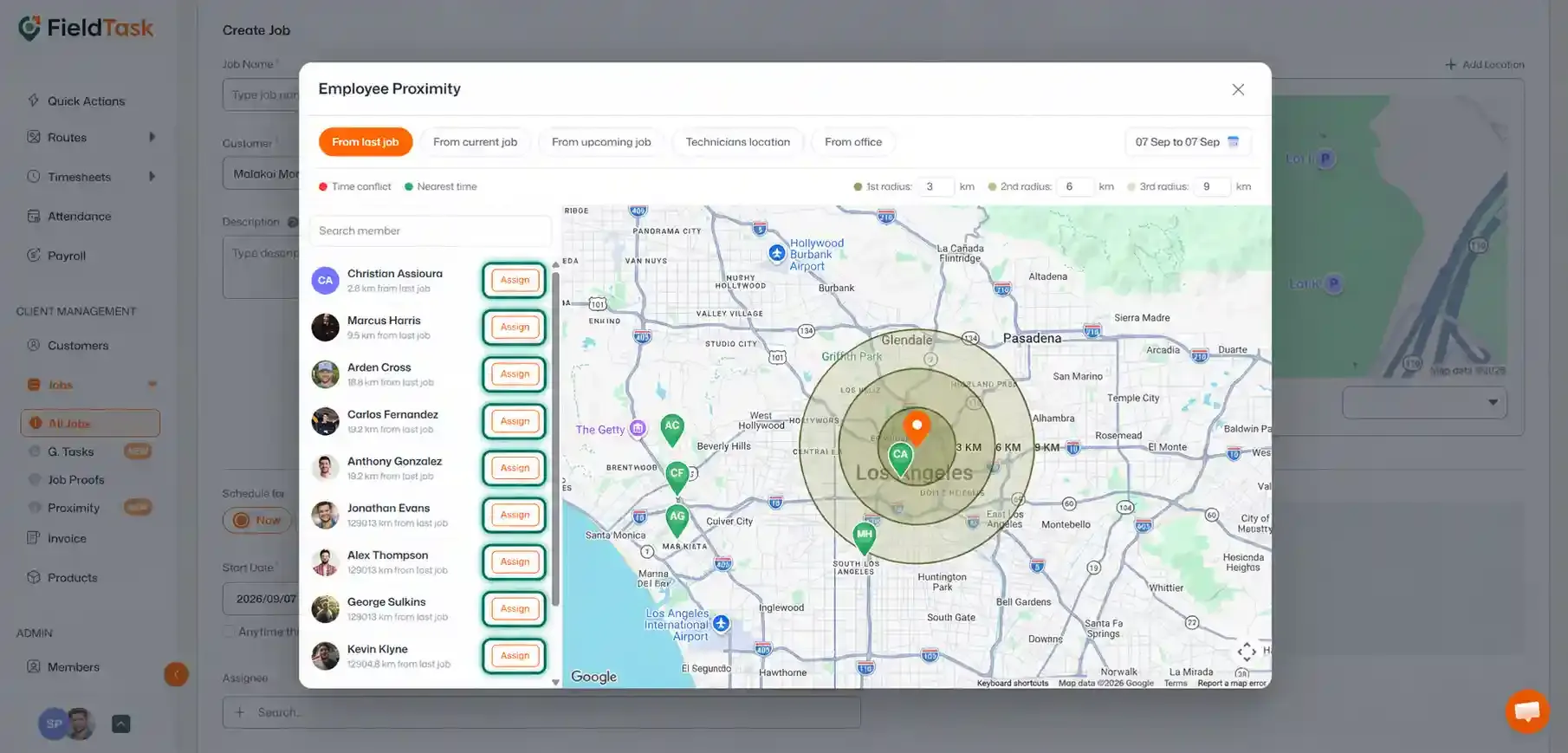
This allows you to quickly identify and assign the closest Member while creating the job.
Manage dispatch, route plan, techs, quotes, invoices, and more in GHL, the only dedicated field service app for HighLevel home service businesses and contractors.
The complete FieldTask sitemap: quick links to all pages.
Learn how FieldTask supports HIPAA compliance for home health and field service teams—encryption, BAAs, access controls, and audit logging.