The HighLevel Home Service Business Management Software
Manage dispatch, route plan, techs, quotes, invoices, and more in GHL, the only dedicated field service app for HighLevel home service businesses and contractors.

Learn how to view and edit the settings that control how Quotes work in FieldTask.
You can access Quote Settings from two places:
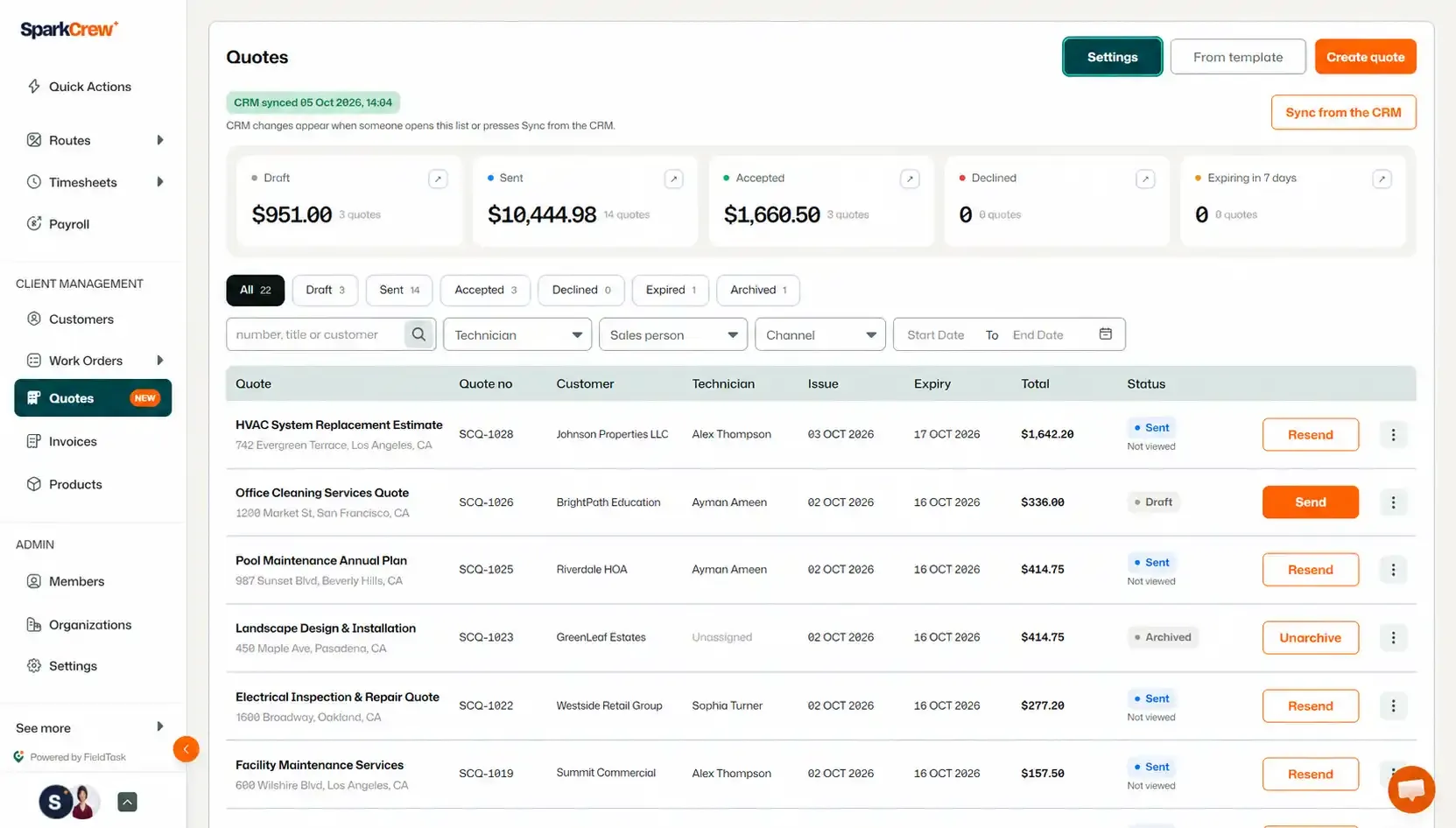
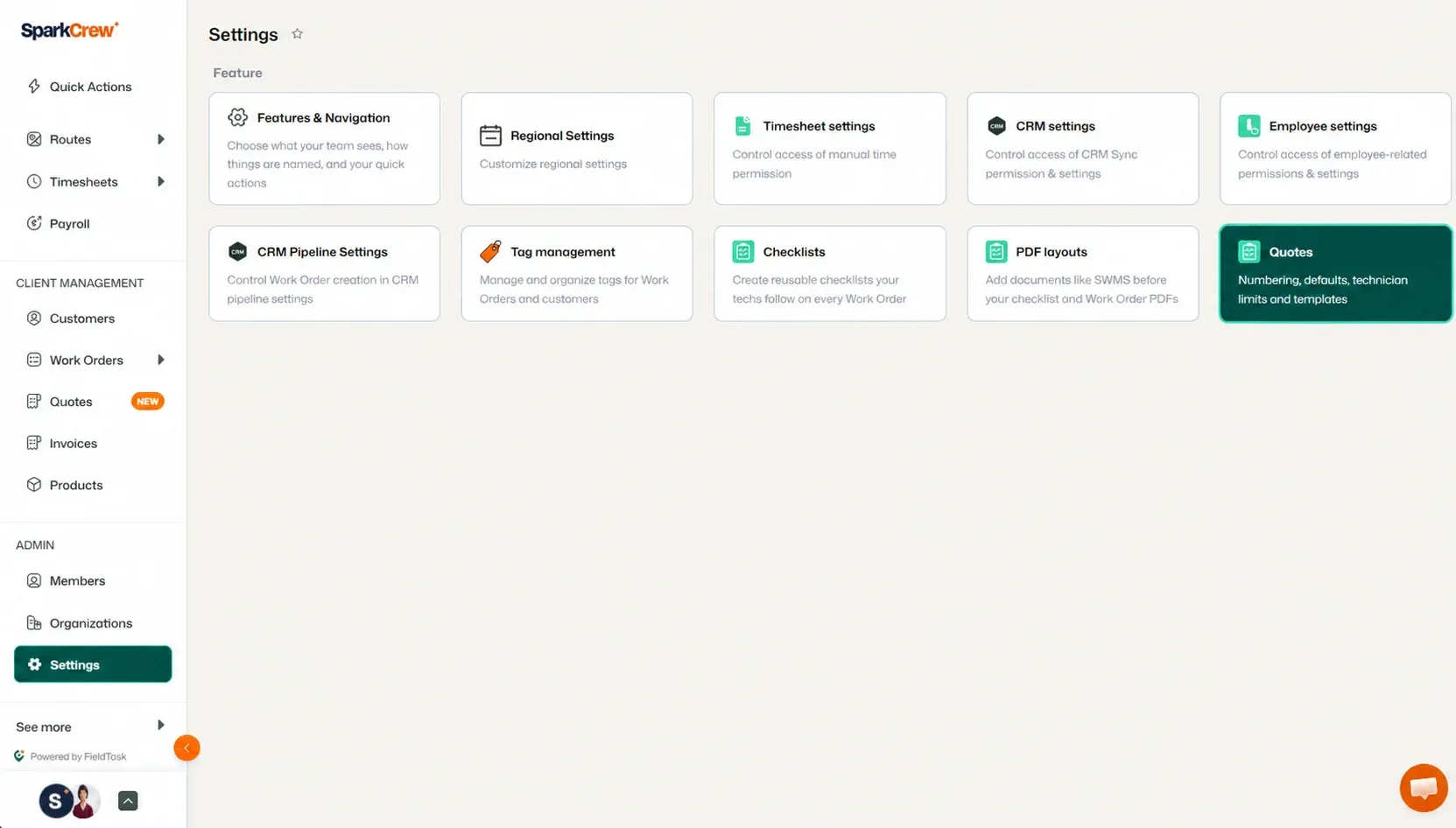
Regardless of which option you choose, both will take you to the same Quote Settings page.
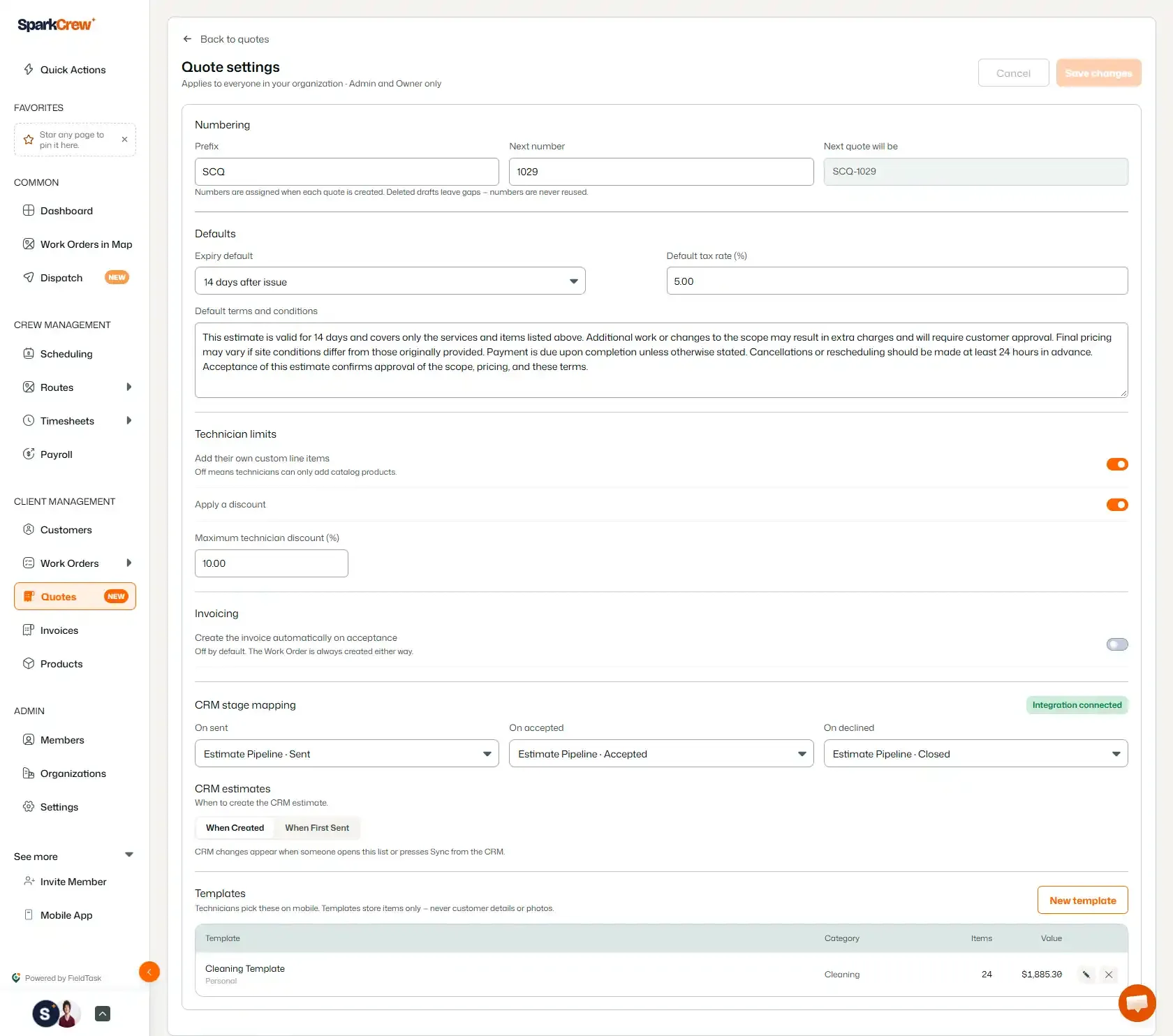
From this page, you can view and edit the following Quote settings:
Manage how your Quotes are numbered:
Set the default values used when creating Quotes:
Control technician discount limits:
Manage the available Invoicing settings for Quotes.
Configure how Quote events map to stages in your CRM:
You can also manage and create your Quote Templates.
These settings allow you to customize how Quotes are numbered, presented, processed, and connected with your CRM.
Manage dispatch, route plan, techs, quotes, invoices, and more in GHL, the only dedicated field service app for HighLevel home service businesses and contractors.
The complete FieldTask sitemap: quick links to all pages.
Learn how FieldTask supports HIPAA compliance for home health and field service teams—encryption, BAAs, access controls, and audit logging.