The HighLevel Home Service Business Management Software
Manage dispatch, route plan, techs, quotes, invoices, and more in GHL, the only dedicated field service app for HighLevel home service businesses and contractors.

Learn how to remove a scheduled job from the Scheduling Calendar or move it back to your Unscheduled Jobs.
You can either delete a job from the schedule or move it back to the Unscheduled section if you want to keep it for scheduling later.
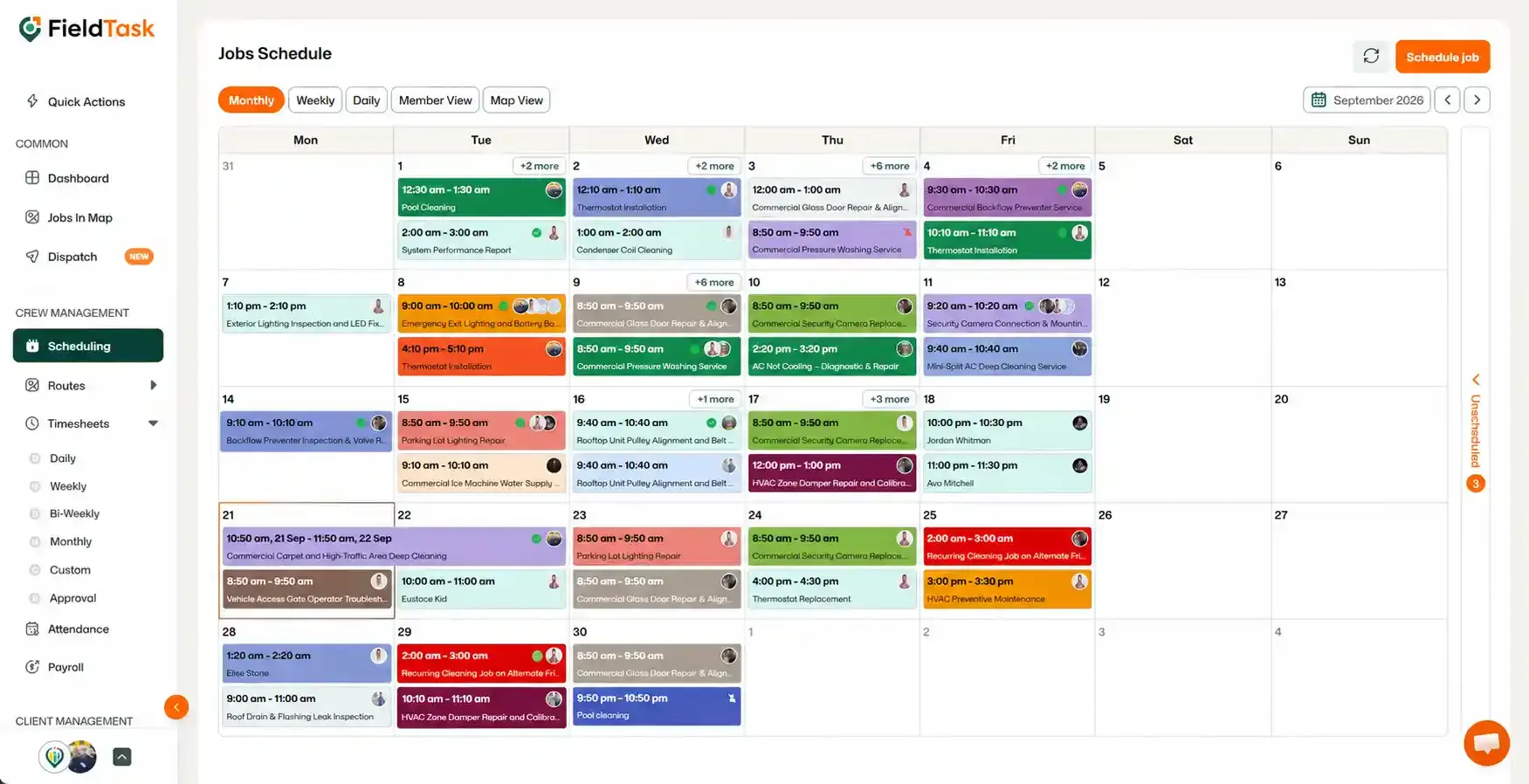
To remove a job from the schedule:
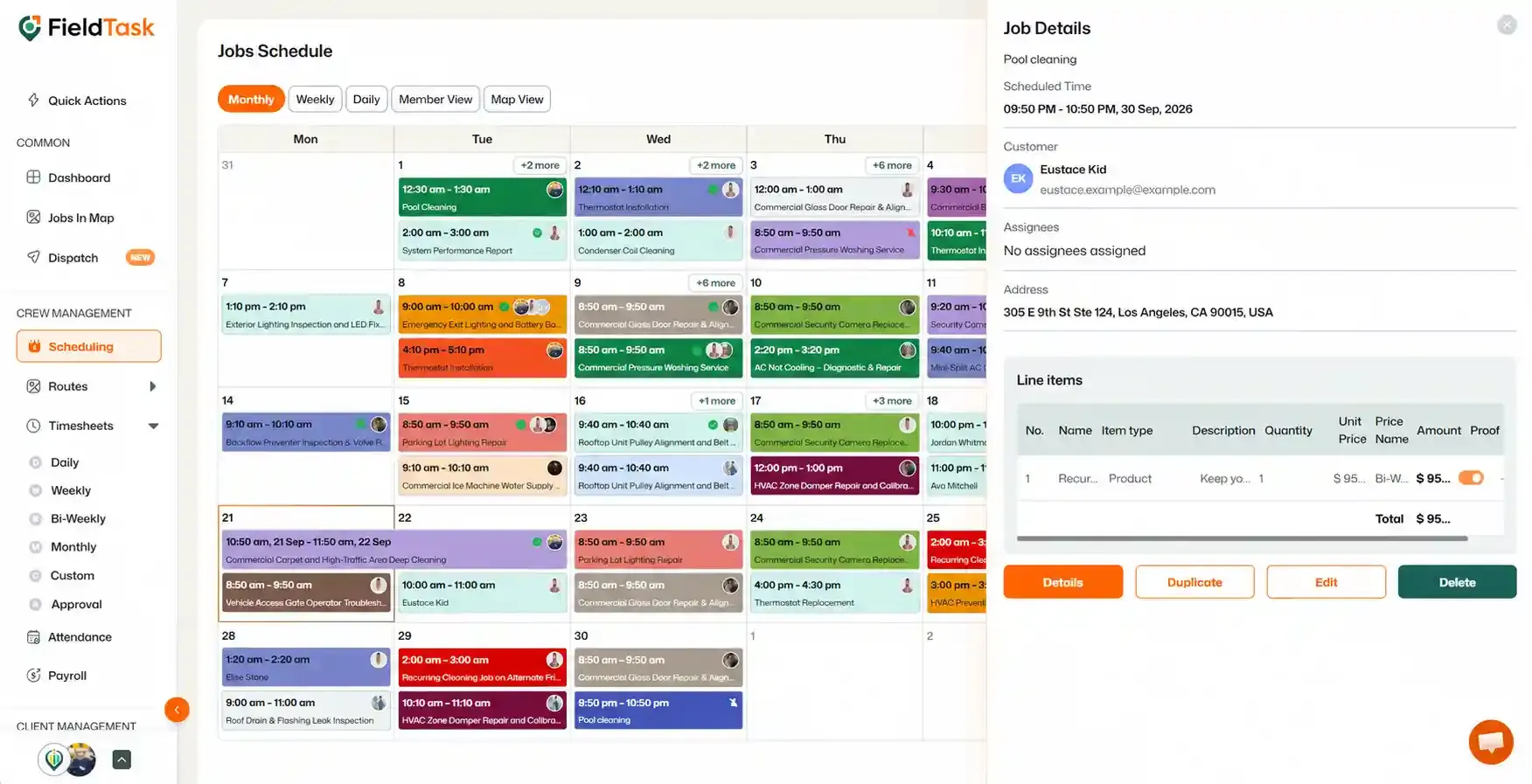
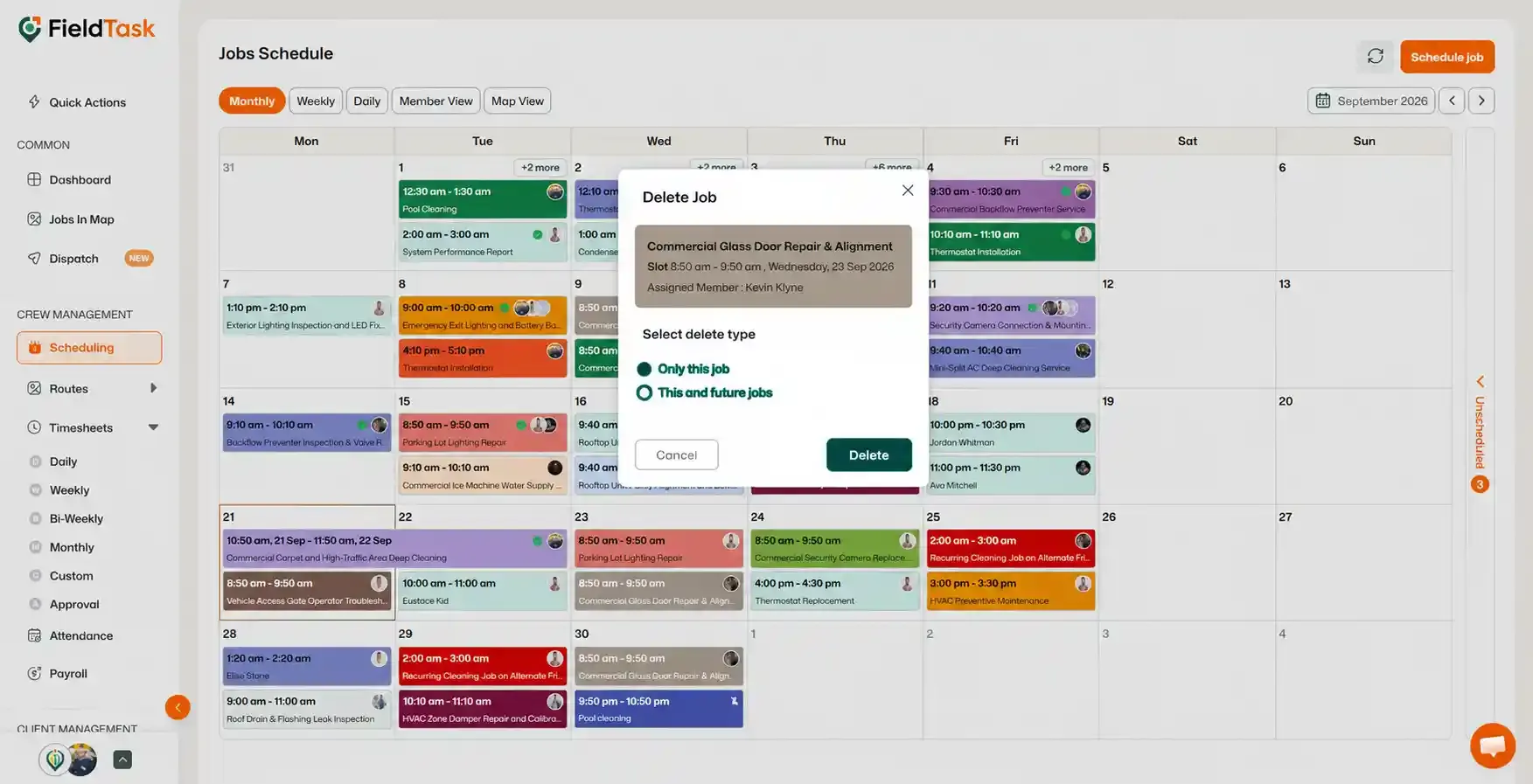
If the job is part of a recurring schedule, FieldTask will allow you to choose whether you want to:
If you do not want to delete the job and would rather keep it available for scheduling later:
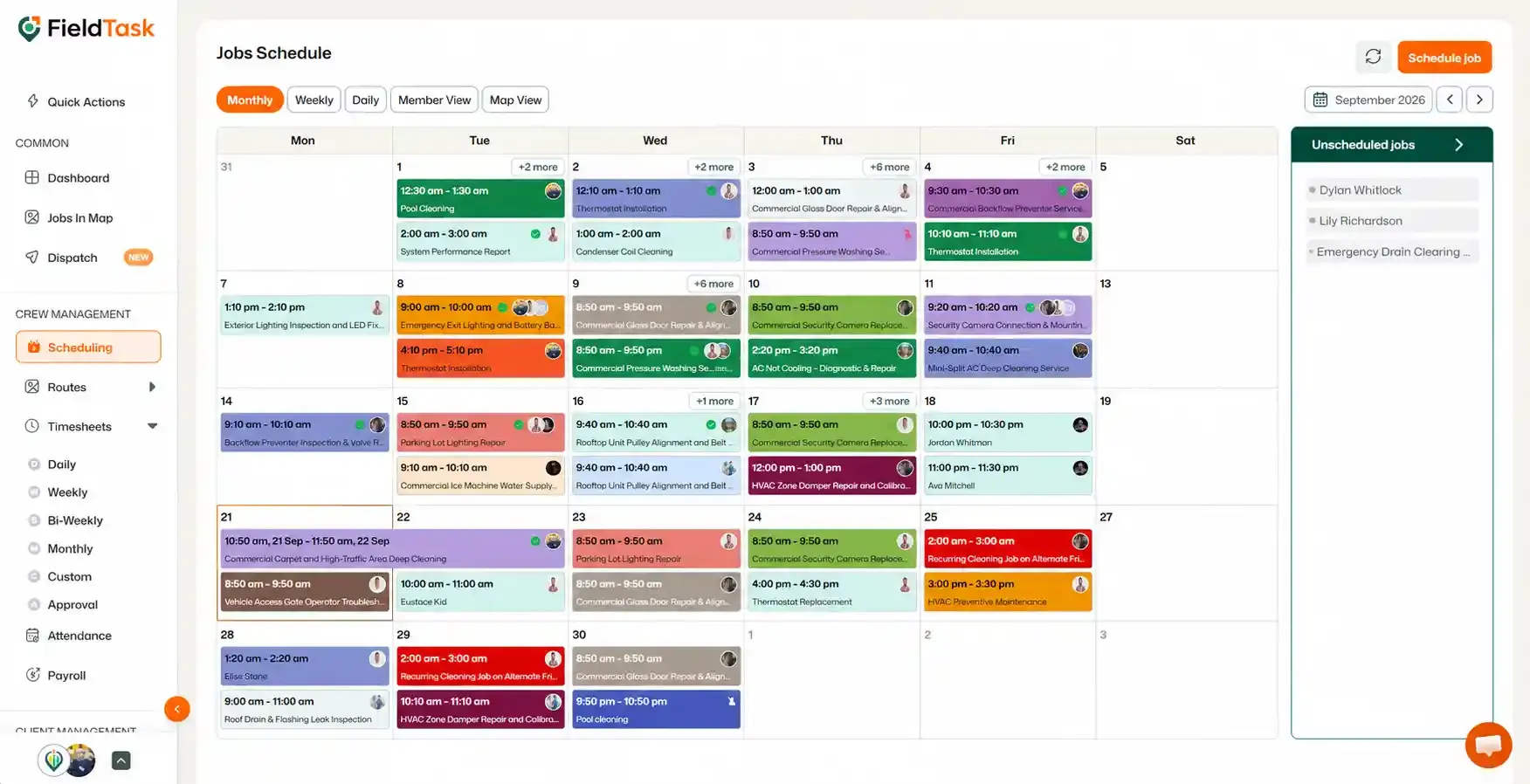
The job will then be removed from the current schedule while remaining available to schedule at a later time.
📌 Note: You can only delete or unschedule jobs that have not passed their start date. Older jobs cannot be deleted or removed from the schedule.
Manage dispatch, route plan, techs, quotes, invoices, and more in GHL, the only dedicated field service app for HighLevel home service businesses and contractors.
The complete FieldTask sitemap: quick links to all pages.
Learn how FieldTask supports HIPAA compliance for home health and field service teams—encryption, BAAs, access controls, and audit logging.