The HighLevel Home Service Business Management Software
Manage dispatch, route plan, techs, quotes, invoices, and more in GHL, the only dedicated field service app for HighLevel home service businesses and contractors.
No image available
Learn how to submit Job Proof when checking out of a job and how to add Proof to Line Items.
Job Proof can be required when you finish a job and want to mark it as Completed. When Proof is required, FieldTask will prompt you to submit it before the job can be completed.
📌 Note: Proof submission can be optional if your Organization has configured Job Proof as non-mandatory.
To submit Proof when completing a job:
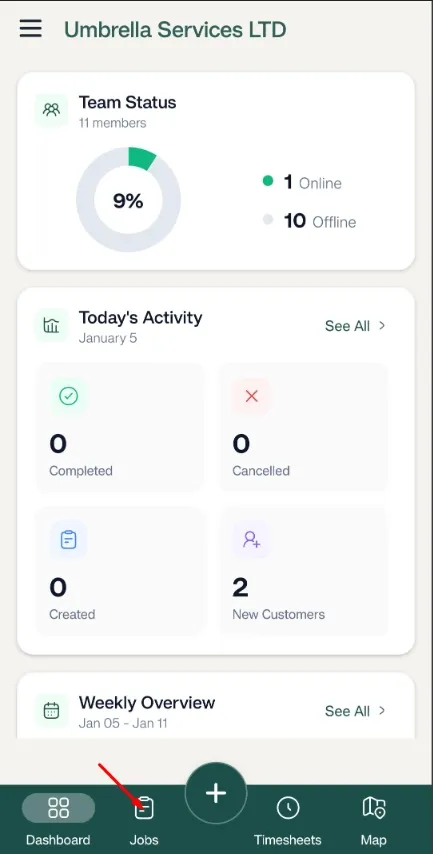
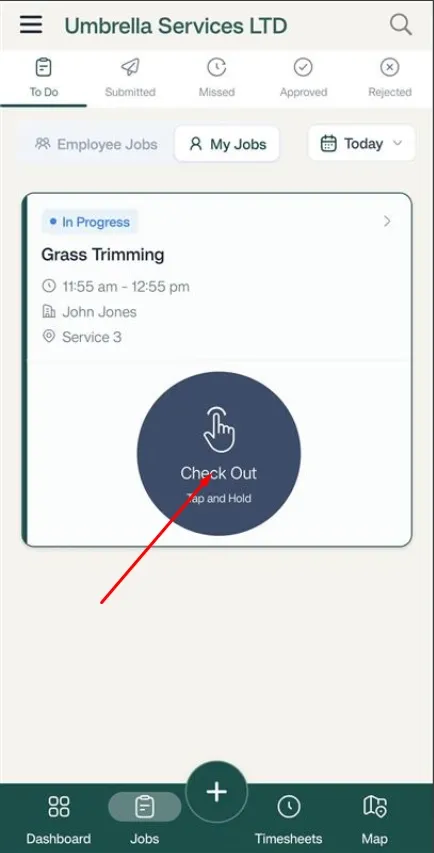
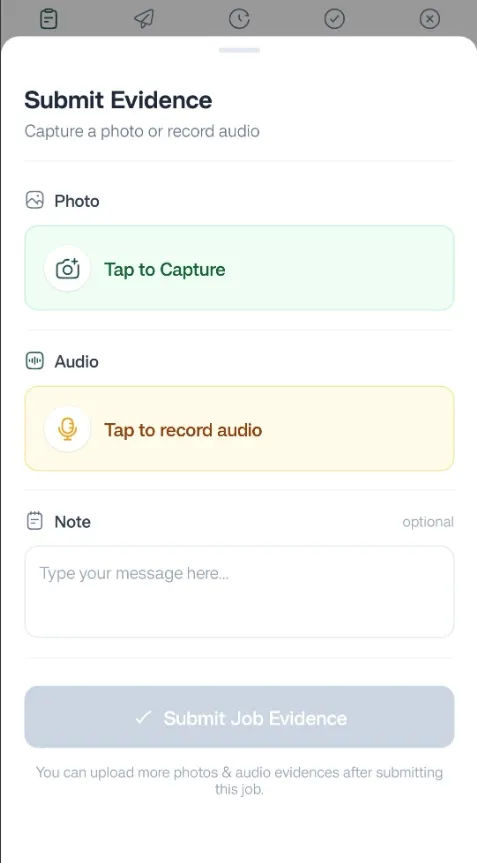
The Proof Submission form will appear.
From here, you can add:
You can also submit Proof for individual Line Items.
However, Proof will only be required for a Line Item if the person who created the Job has marked that Line Item as requiring Proof.
To submit Proof for a Line Item:
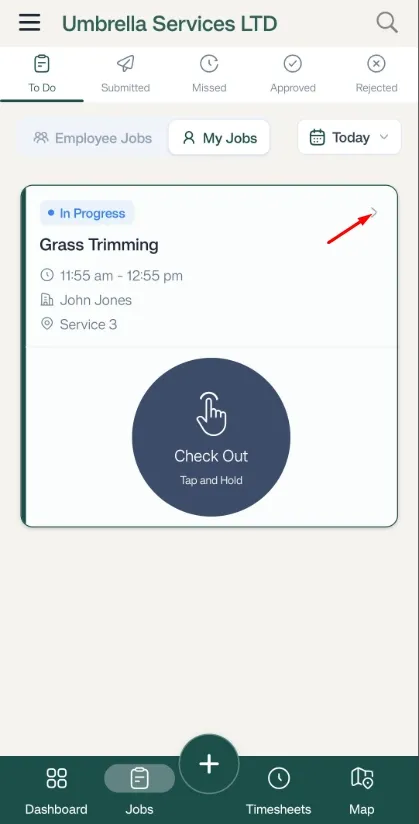
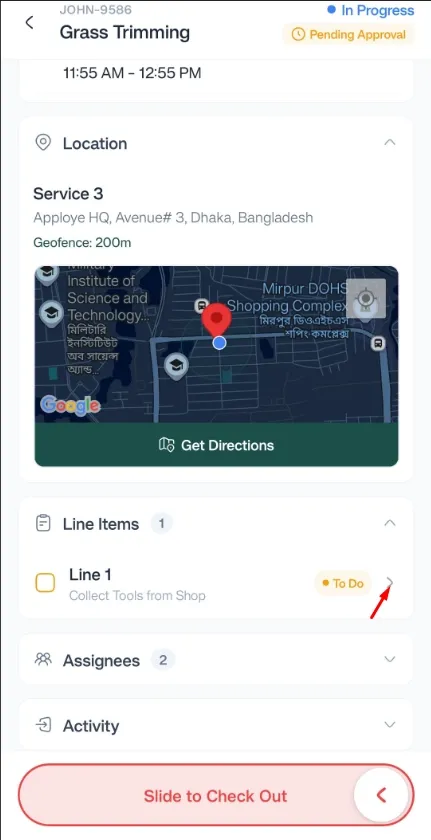
If the Line Item has been configured to require Proof, the Proof Submission form will immediately appear.
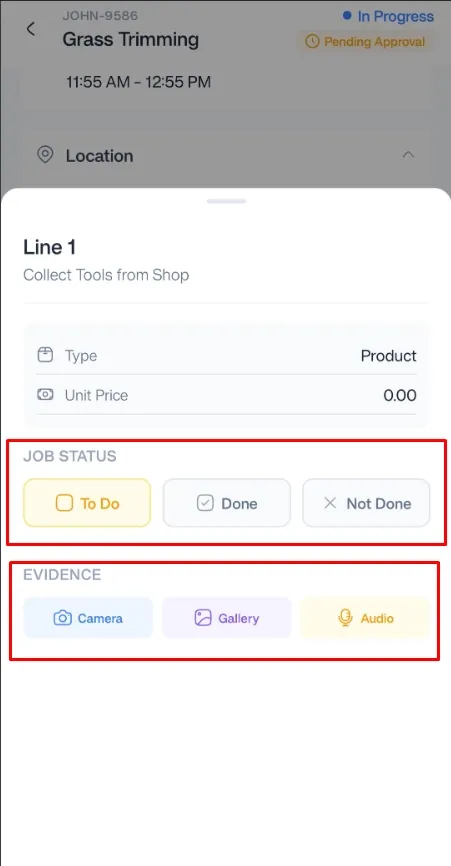
Once the required Proof has been submitted, you can complete the Job according to the configured Job Proof settings.
Manage dispatch, route plan, techs, quotes, invoices, and more in GHL, the only dedicated field service app for HighLevel home service businesses and contractors.
The complete FieldTask sitemap: quick links to all pages.
Learn how FieldTask supports HIPAA compliance for home health and field service teams—encryption, BAAs, access controls, and audit logging.