The HighLevel Home Service Business Management Software
Manage dispatch, route plan, techs, quotes, invoices, and more in GHL, the only dedicated field service app for HighLevel home service businesses and contractors.

Learn which languages FieldTask supports and how to change your preferred language on both the Web App and Mobile App.
FieldTask supports multiple languages to make the platform easier to use for teams working across different regions and countries.
Each user can choose the language that works best for them, helping make everyday tasks, navigation, and job management easier to understand.
Currently, FieldTask supports:
You can change the display language directly from the FieldTask Web App.
To change the language on the Web App:
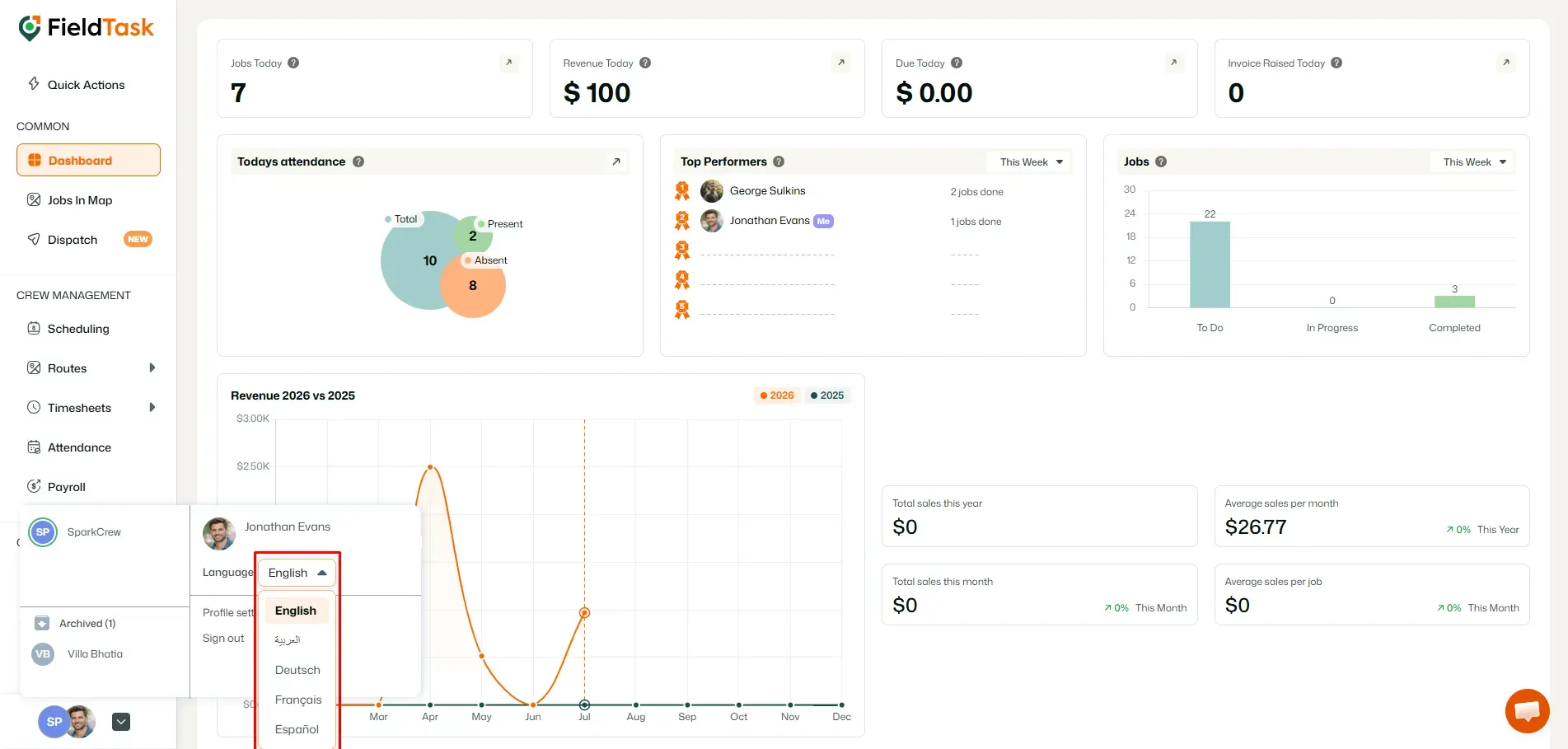
Once selected, the FieldTask interface will update to use the language you chose.
This makes it easier to navigate the platform, manage jobs, review information, and use FieldTask in the language you are most comfortable with.
You can also change the language directly from the FieldTask Mobile App.
To change the language on the Mobile App:
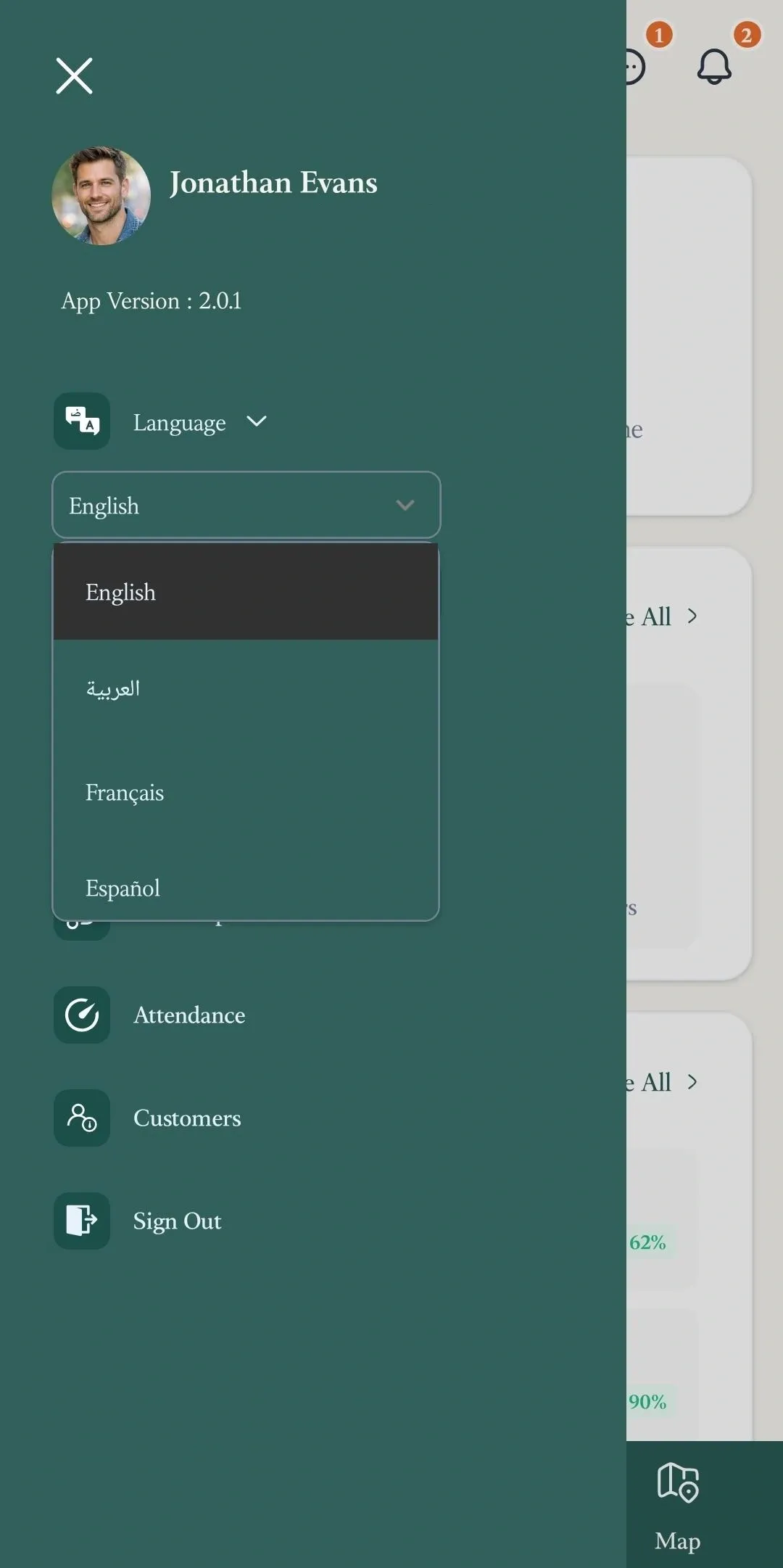
The Mobile App will then display FieldTask in the language you selected.
Language preferences can help teams with members who are more comfortable working in different languages.
For example, an Organization may have Field Technicians working in different regions or with different language preferences. Each user can select the language that makes FieldTask easier for them to navigate and understand.
This can help make common actions such as viewing jobs, checking job details, navigating the app, and managing day-to-day field work more straightforward.
📌 Note: The language option changes how the FieldTask interface is displayed for the user selecting it.
Manage dispatch, route plan, techs, quotes, invoices, and more in GHL, the only dedicated field service app for HighLevel home service businesses and contractors.
The complete FieldTask sitemap: quick links to all pages.
Learn how FieldTask supports HIPAA compliance for home health and field service teams—encryption, BAAs, access controls, and audit logging.