The HighLevel Home Service Business Management Software
Manage dispatch, route plan, techs, quotes, invoices, and more in GHL, the only dedicated field service app for HighLevel home service businesses and contractors.

Learn how to view all your jobs from different sections in FieldTask.
FieldTask provides multiple ways to view your jobs, allowing you to manage them through maps, calendars, or lists depending on how you prefer to organize your workflow.
The Jobs on Map section allows you to view all your jobs geographically.
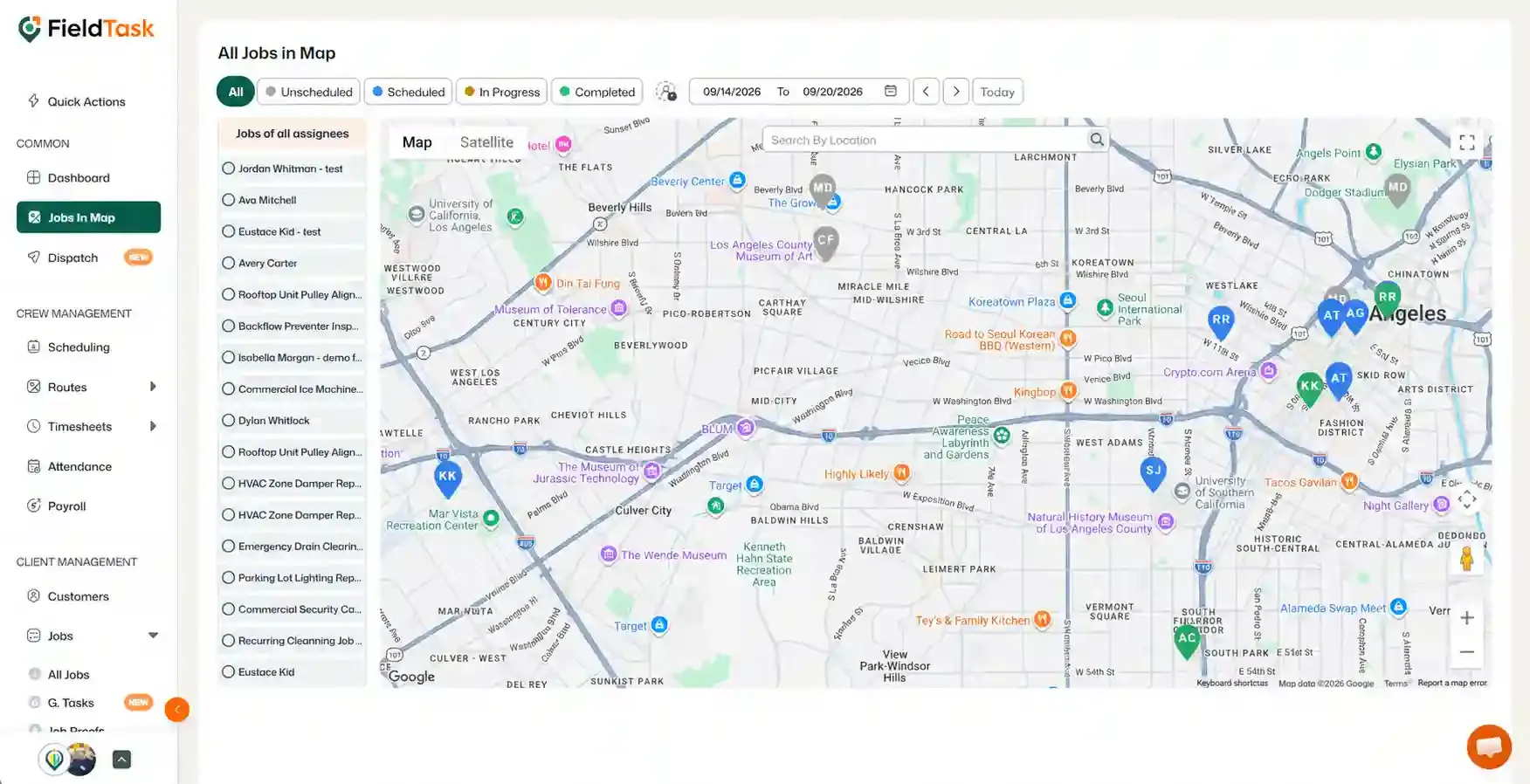
The jobs will appear on the map according to their assigned locations.
The left side of the page displays an interactive list of your jobs.
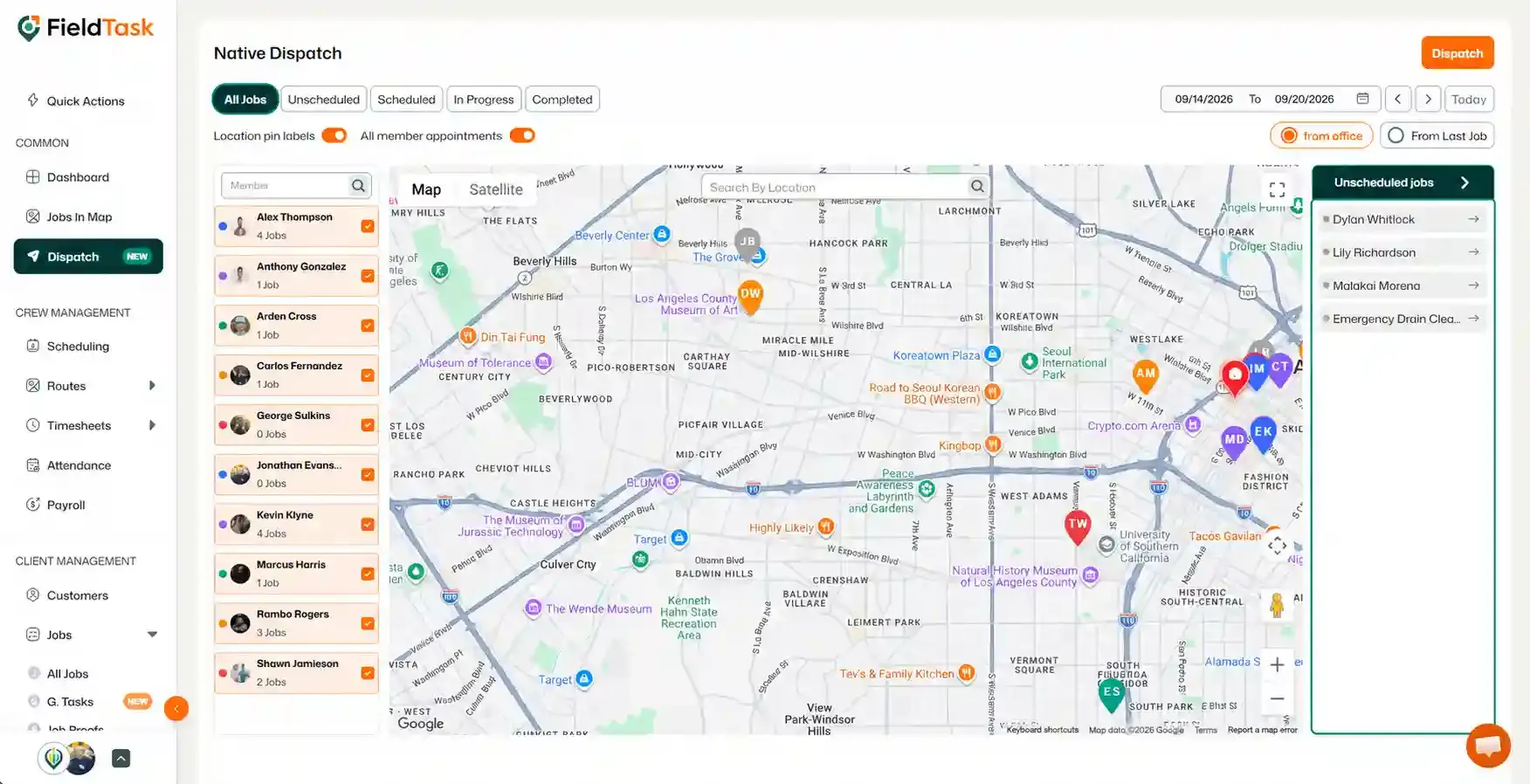
The Dispatch page also allows you to view all jobs on a map.
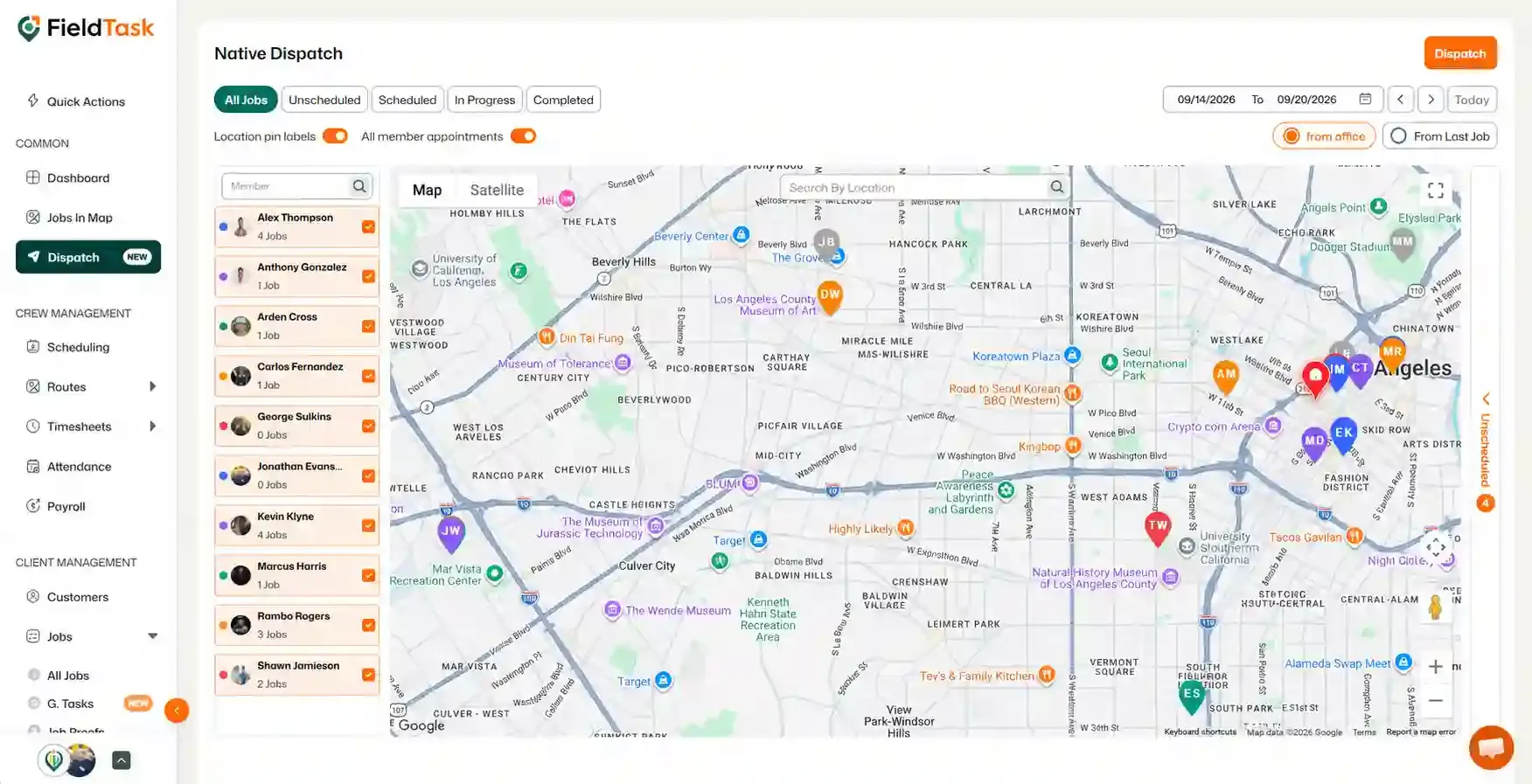
The right side has the Unscheduled jobs. Click on it to see those as well.
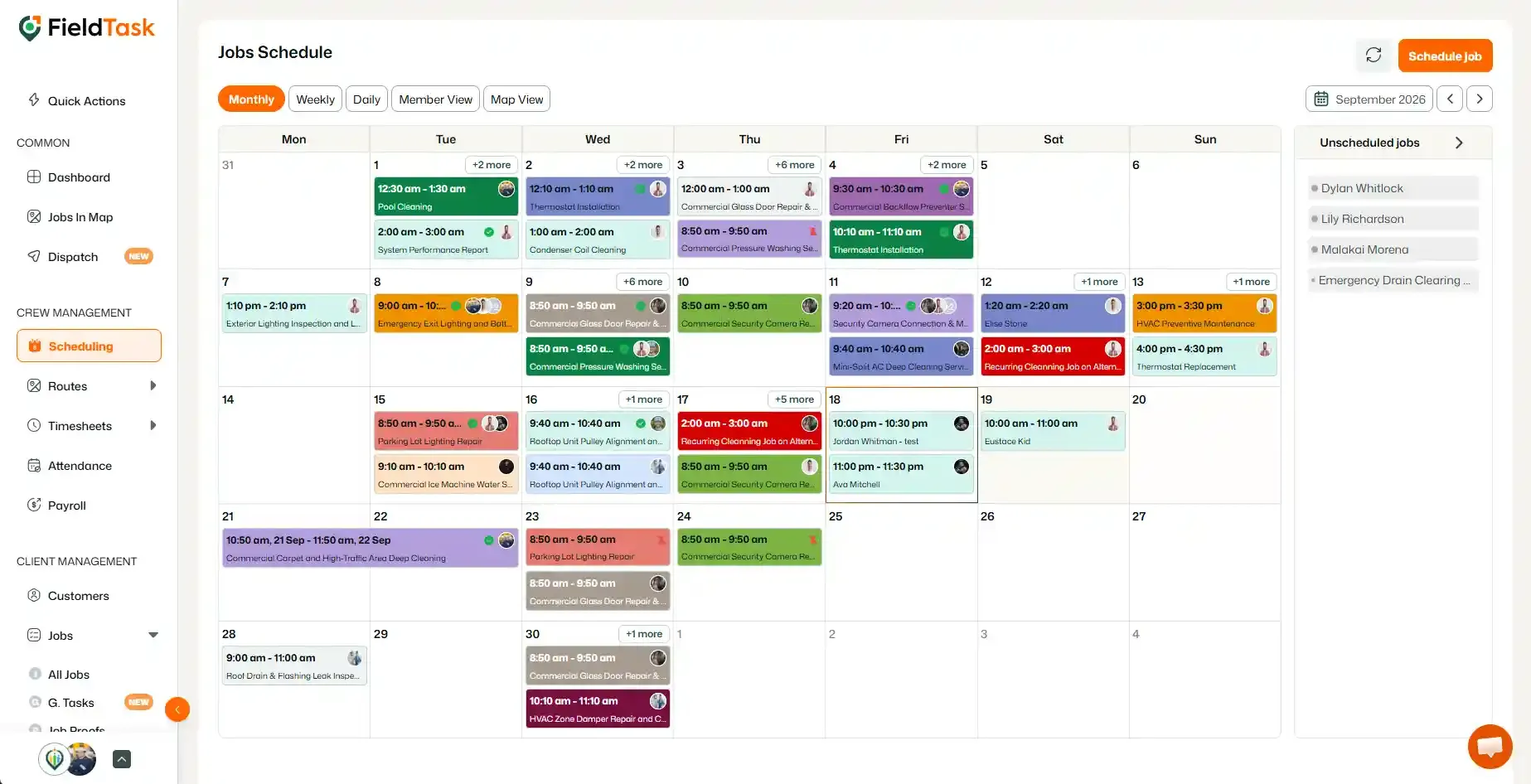
The Scheduling page provides a calendar-based view of all your jobs.
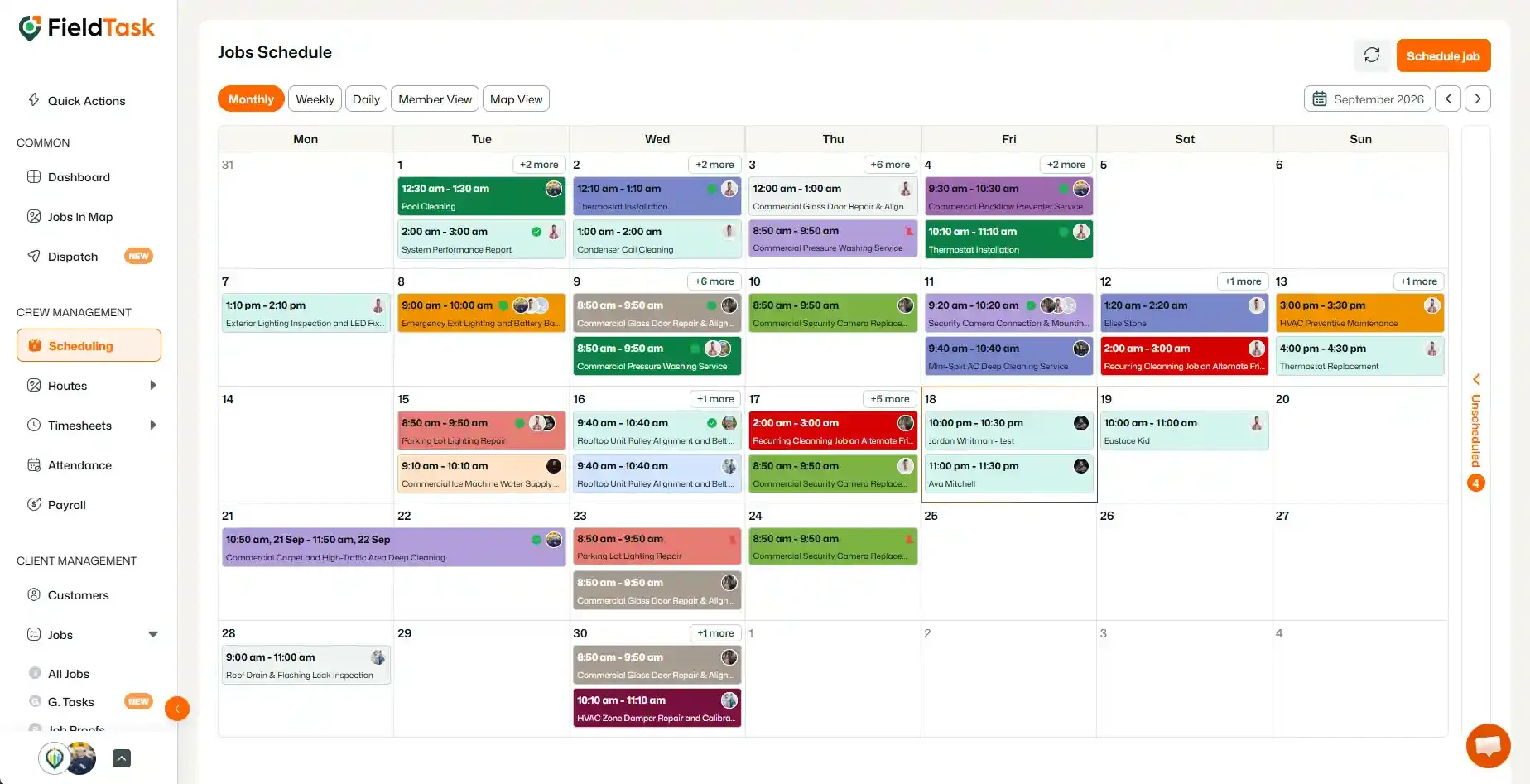
All jobs will be displayed as job cards on the calendar, allowing you to review your schedule visually.
The right-side drop bar, once clicked, will show your Unscheduled jobs.
You can also view all your jobs from the All Jobs section under Jobs.
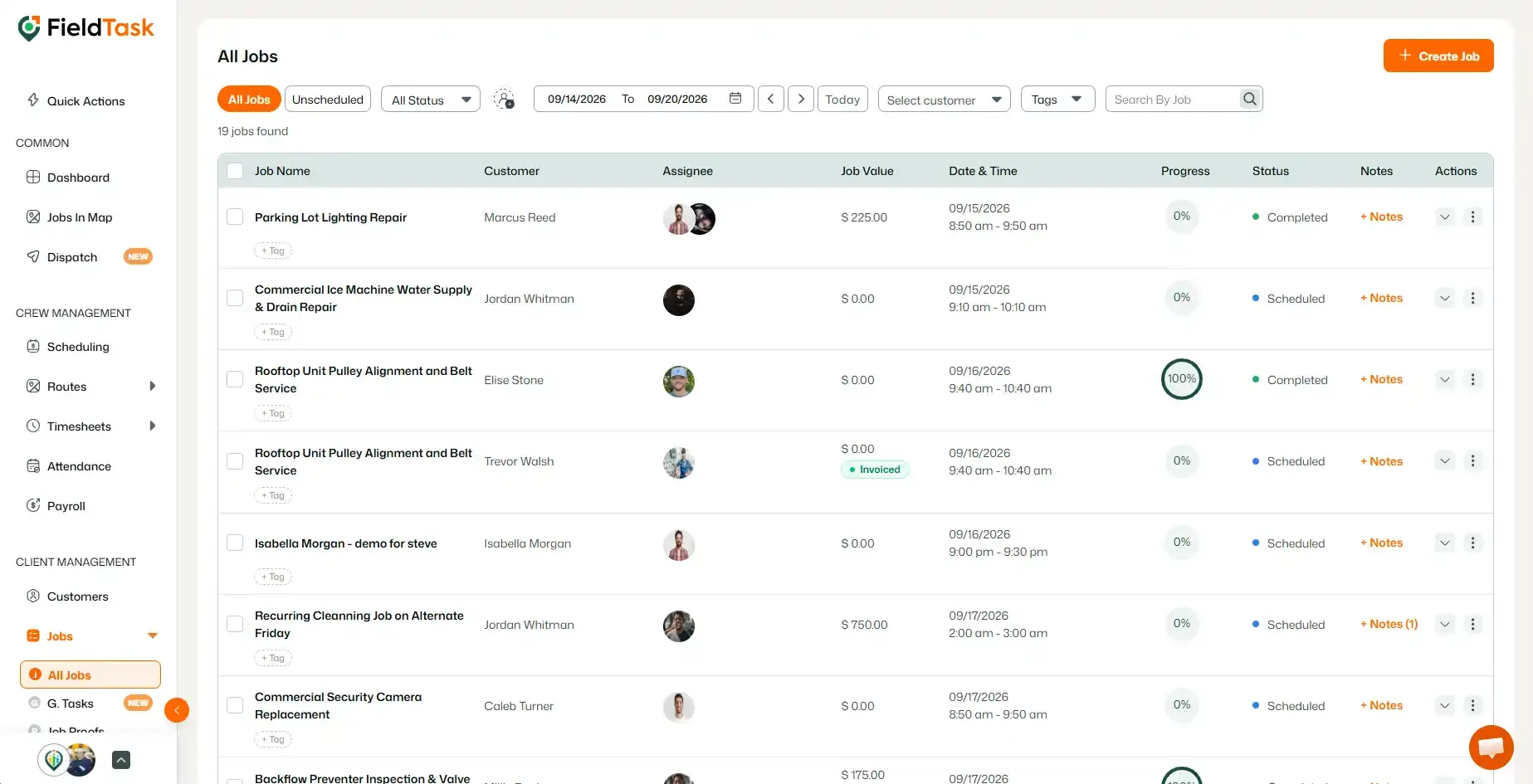
This allows you to quickly find and manage jobs from a list view.
Manage dispatch, route plan, techs, quotes, invoices, and more in GHL, the only dedicated field service app for HighLevel home service businesses and contractors.
The complete FieldTask sitemap: quick links to all pages.
Learn how FieldTask supports HIPAA compliance for home health and field service teams—encryption, BAAs, access controls, and audit logging.