The HighLevel Home Service Business Management Software
Manage dispatch, route plan, techs, quotes, invoices, and more in GHL, the only dedicated field service app for HighLevel home service businesses and contractors.

Learn how to view your scheduled jobs using the different scheduling views available in the FieldTask Mobile App.
To view your job schedule from the FieldTask Mobile App:
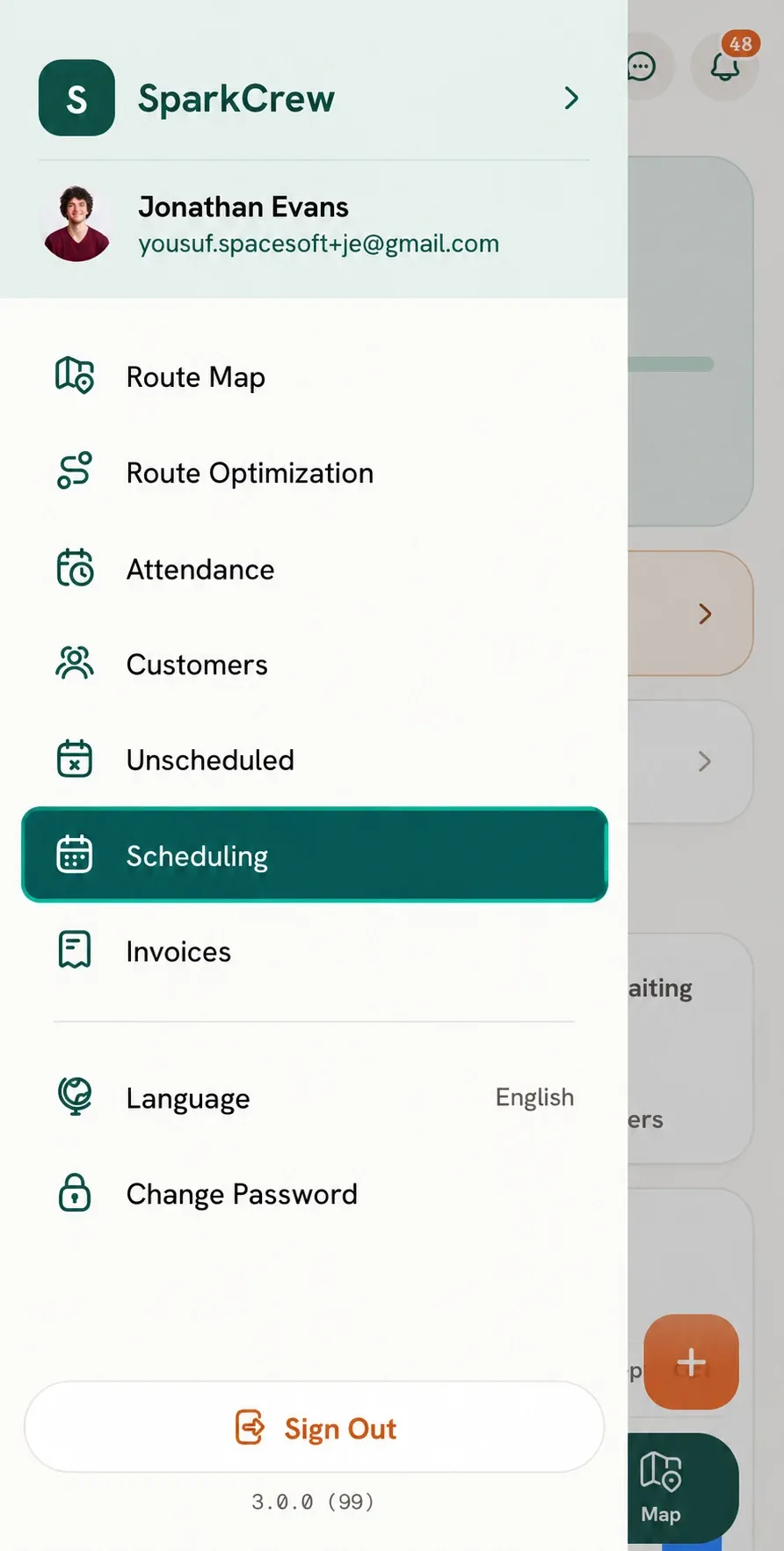
The Scheduling page can be viewed in different formats using the tabs at the top of the screen:
Each view provides a different way of looking at your organization's scheduled jobs.
When you open the Scheduling page, you will be presented with your scheduled jobs in the selected calendar view.
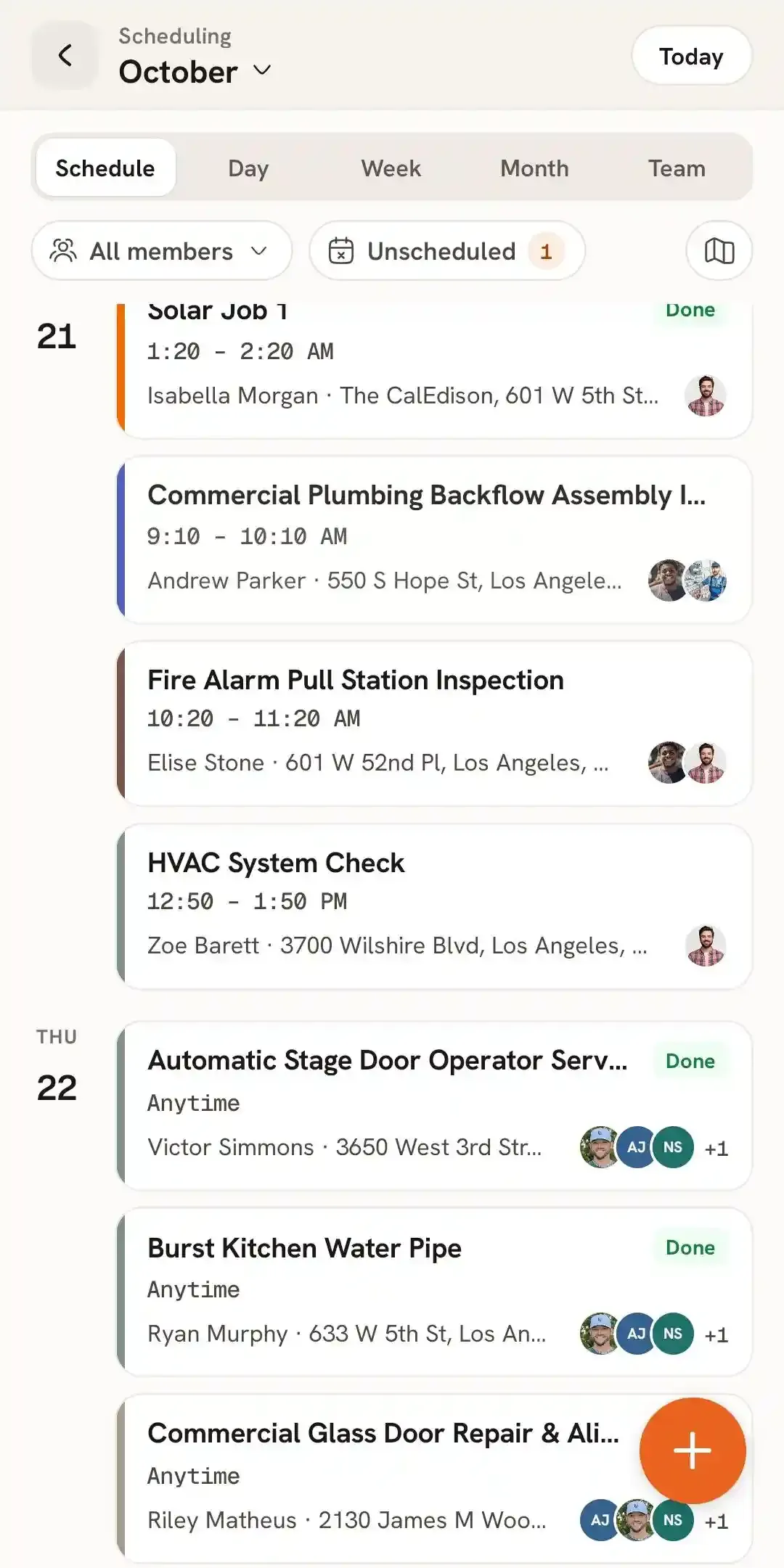
From here, you can move between the different scheduling views using the tabs at the top of the screen and review the jobs scheduled for the selected period.
The Daily view provides a detailed look at the jobs scheduled for a specific day.
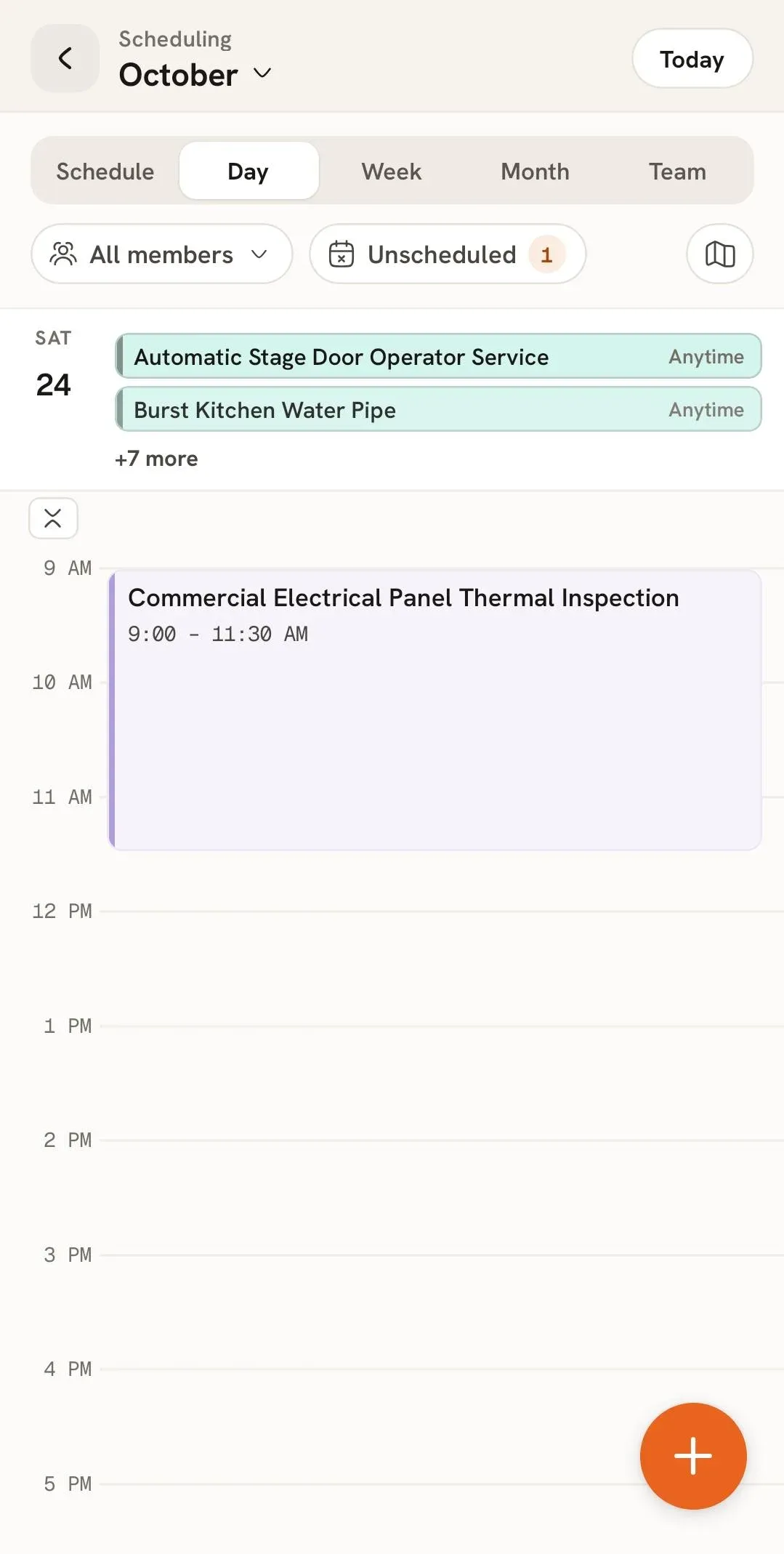
This view allows you to see the jobs planned for the selected day along with their scheduled times, making it easier to understand what work is planned throughout the day.
The Weekly view provides an overview of your schedule across an entire week.
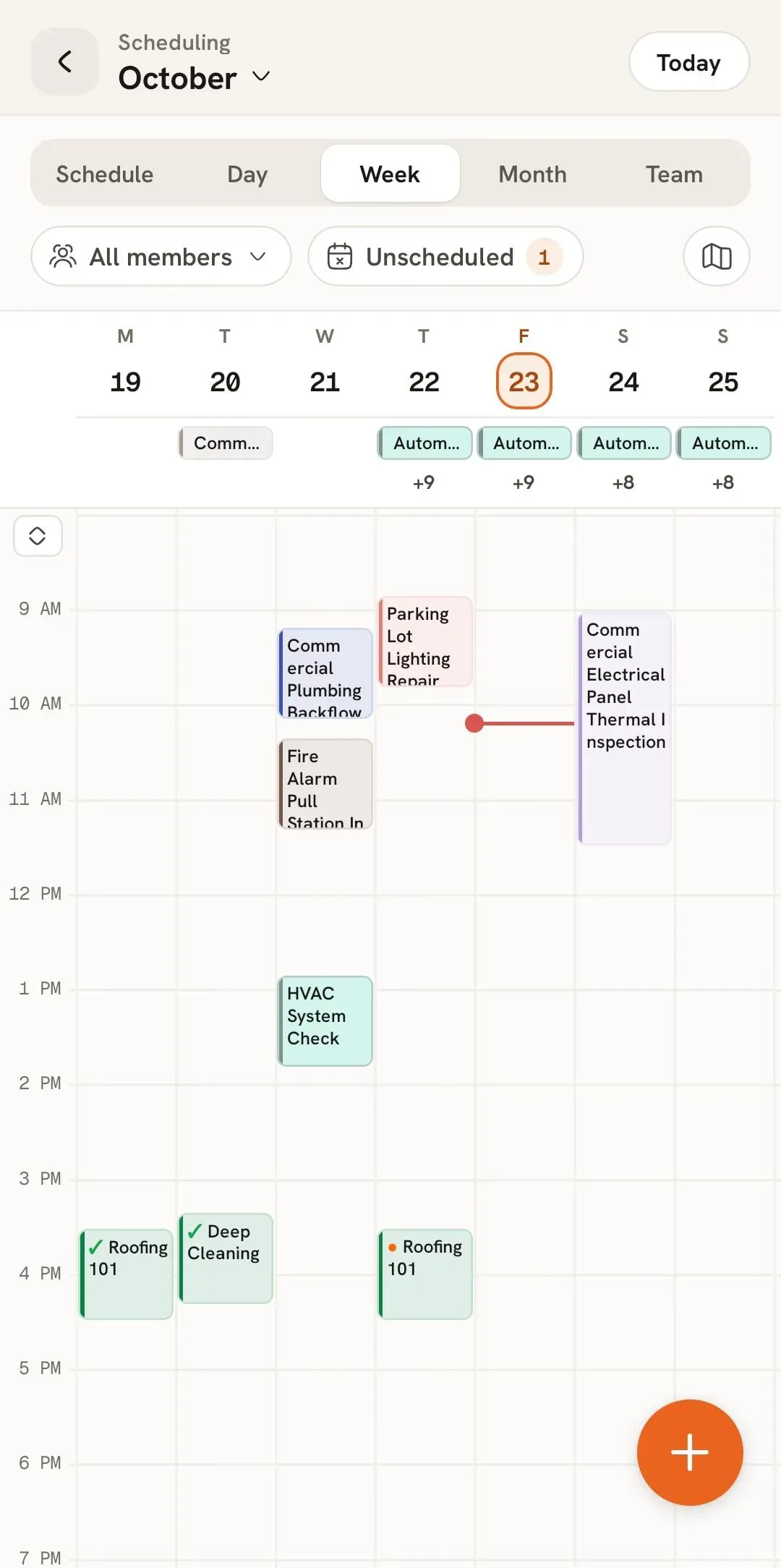
This allows you to see how jobs are distributed throughout the week and get a broader view of the work scheduled across different days.
The Monthly view provides a wider overview of your schedule across an entire month.
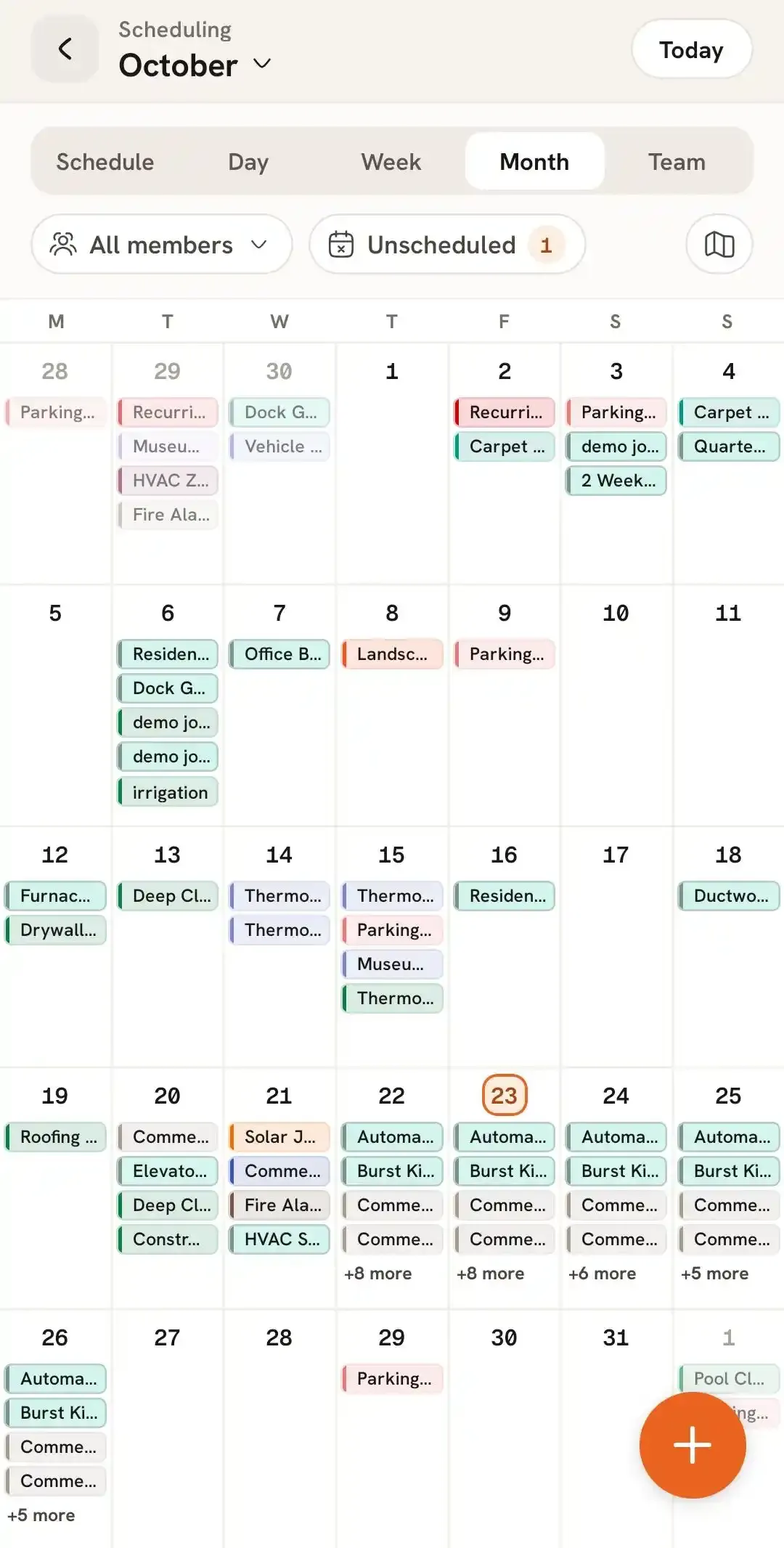
This view makes it easier to see how jobs are distributed throughout the month and identify which days have scheduled work.
The Team view lets you look at the schedule based on your organization's team members.
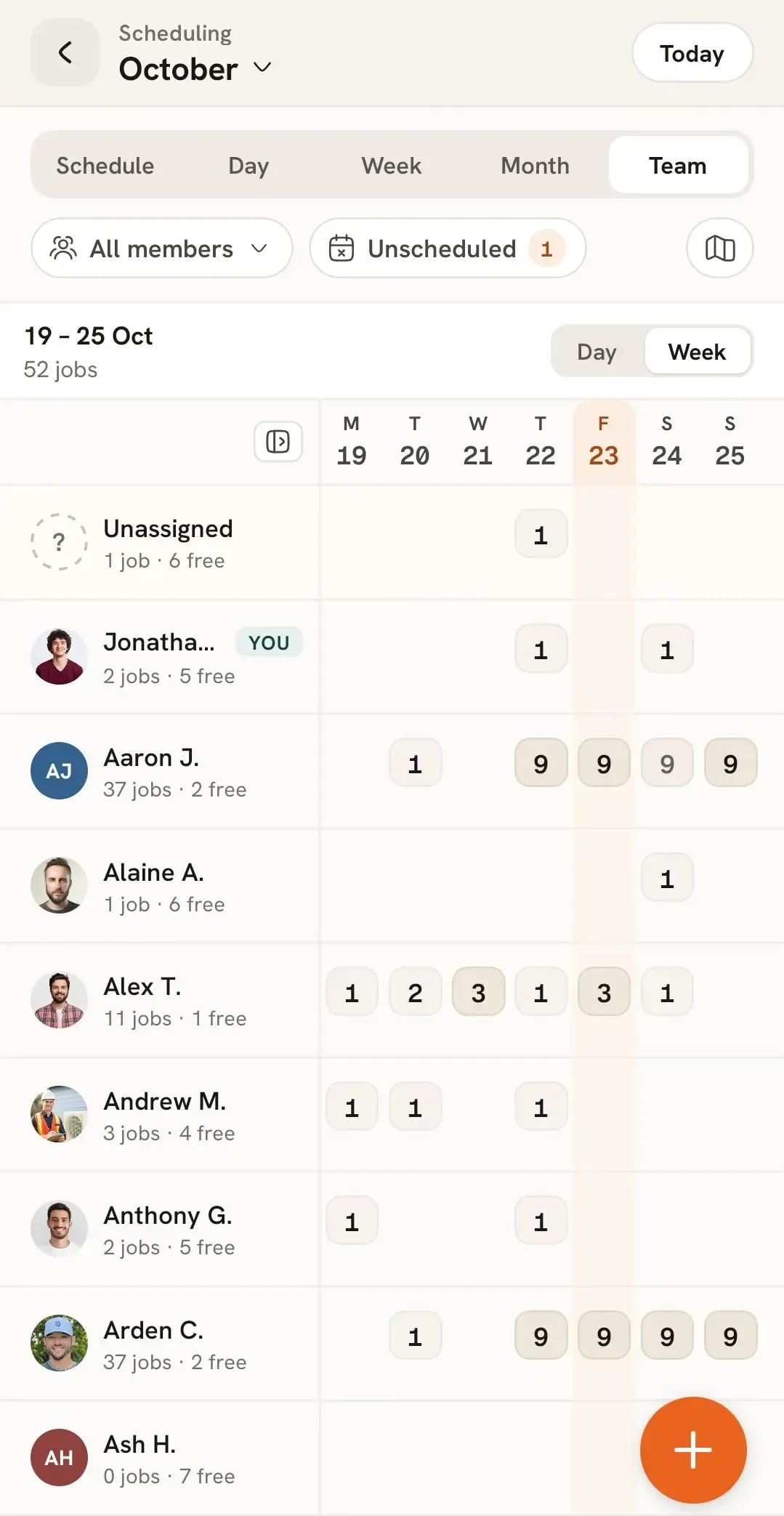
The Team view can be displayed in either:
This allows you to see how jobs are distributed among your team members for a particular day or across the week.
You can also create a new job schedule directly from the Scheduling page.
To learn how to create a scheduled job, follow the Create a New Job Schedule help article.
Manage dispatch, route plan, techs, quotes, invoices, and more in GHL, the only dedicated field service app for HighLevel home service businesses and contractors.
The complete FieldTask sitemap: quick links to all pages.
Learn how FieldTask supports HIPAA compliance for home health and field service teams—encryption, BAAs, access controls, and audit logging.