FieldTask Sitemap
The complete FieldTask sitemap: quick links to all pages.
No image available
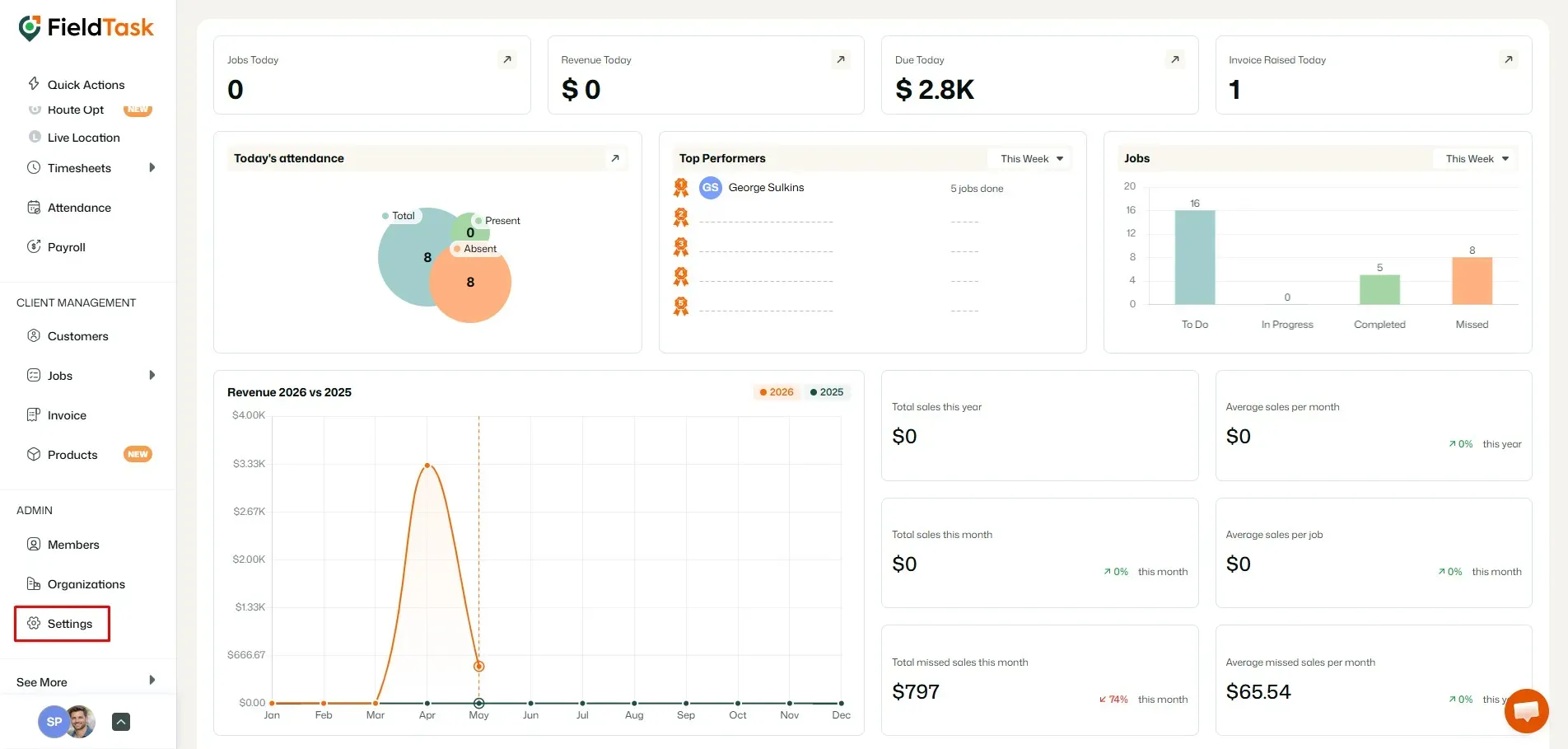
Data syncs directly between FieldTask and GHL, unlike most other field service management applications on the platform. To see which data are synced in, go to Settings from the left sidebar.
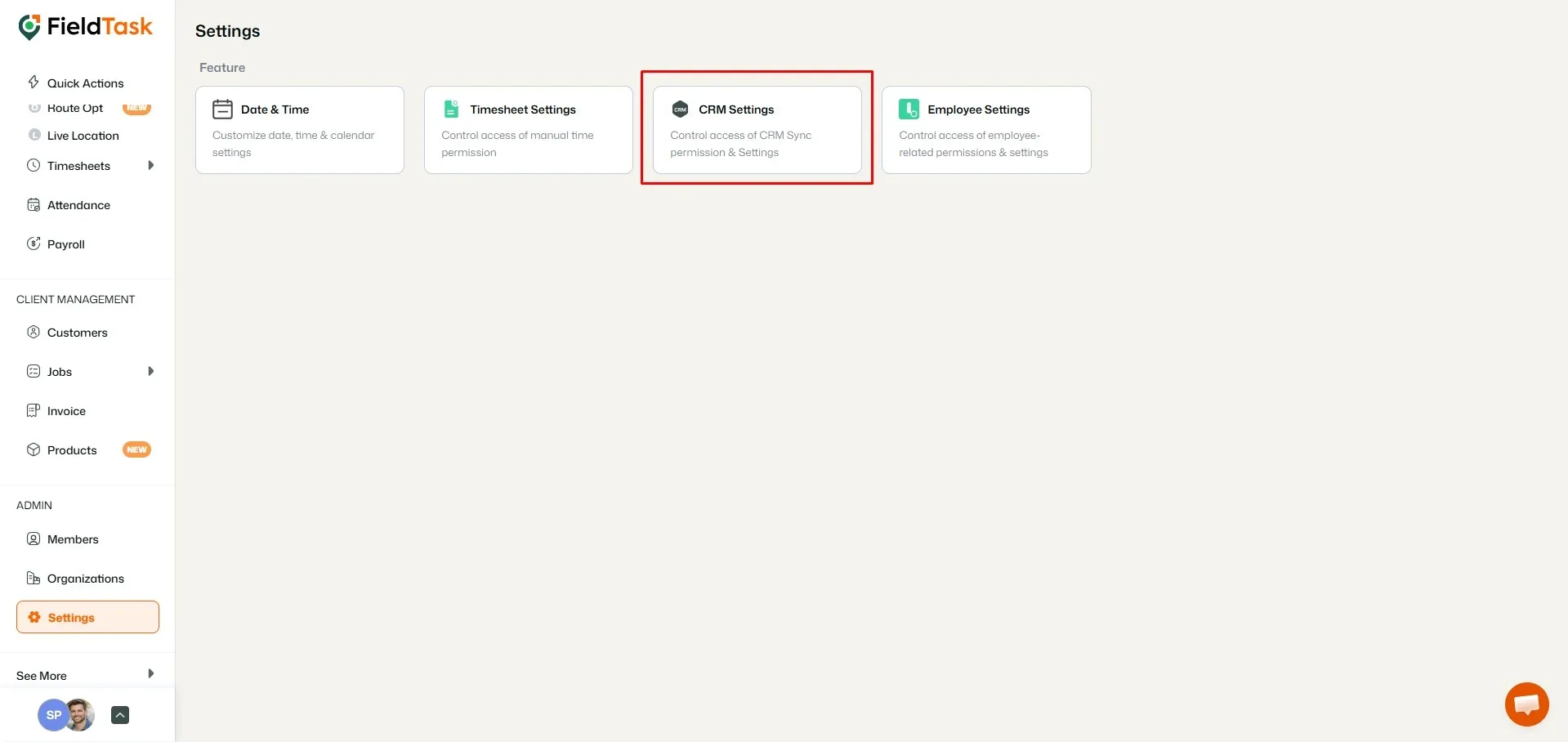
Click CRM Settings.
The page that loads will show you which data is shared between FieldTask and GHL.
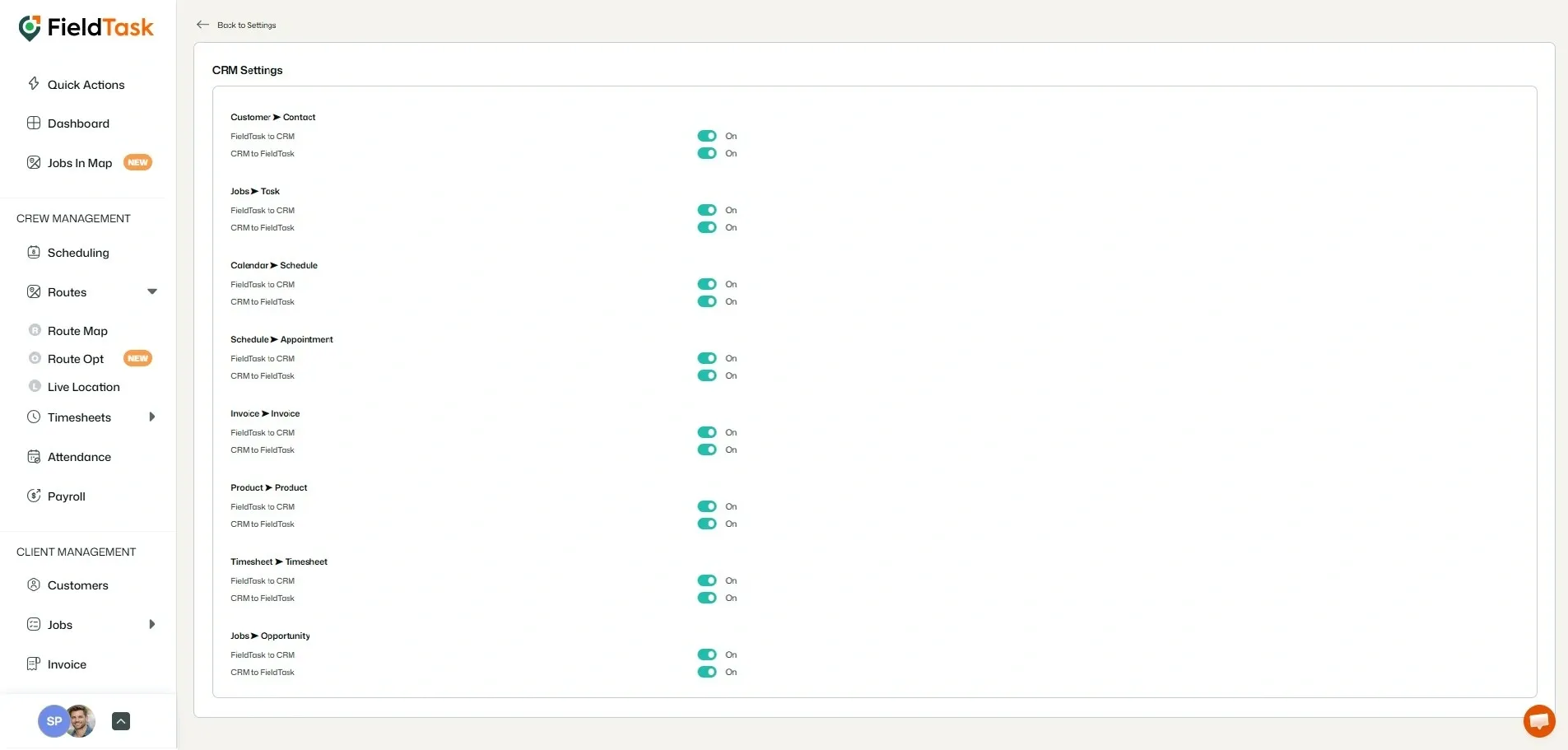
n.b: Remember to toggle the buttons so your data passes between GHL and FieldTask seamlessly.
The complete FieldTask sitemap: quick links to all pages.
Learn how FieldTask supports HIPAA compliance for home health and field service teams—encryption, BAAs, access controls, and audit logging.
Explore how FieldTask connects with HighLevel. Learn about two-way syncing, automation, and how to turn HighLevel into a complete field service management solution.