The HighLevel Home Service Business Management Software
Manage dispatch, route plan, techs, quotes, invoices, and more in GHL, the only dedicated field service app for HighLevel home service businesses and contractors.
No image available
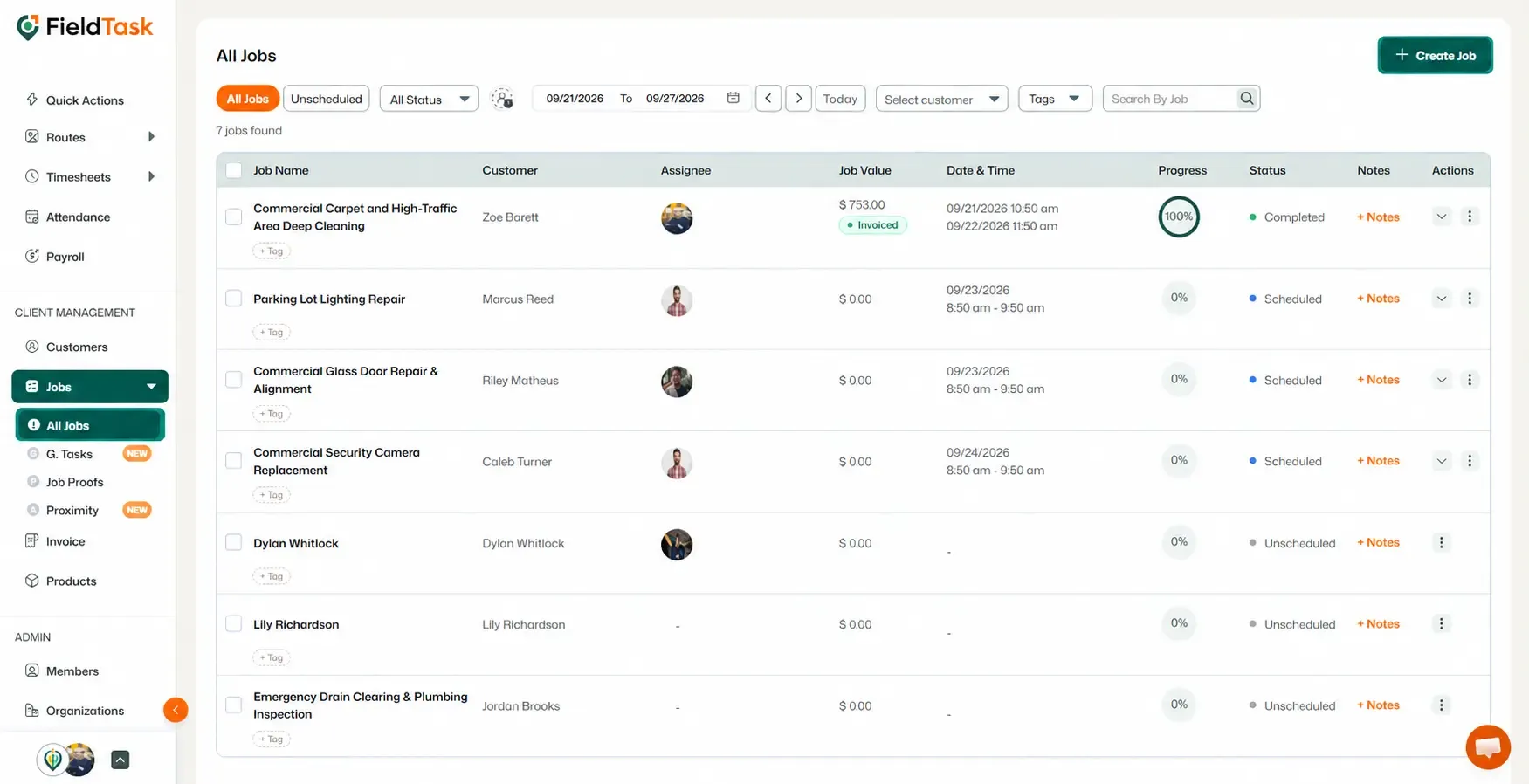
Sync job and appointment data directly. Learn how to create a new job in FieldTask without creating it through HighLevel (GHL).
FieldTask allows you to create jobs directly from the platform without relying on GHL. Once a job is created, it can also sync with GHL when the relevant sync options are enabled.
To create a new job directly in FieldTask:
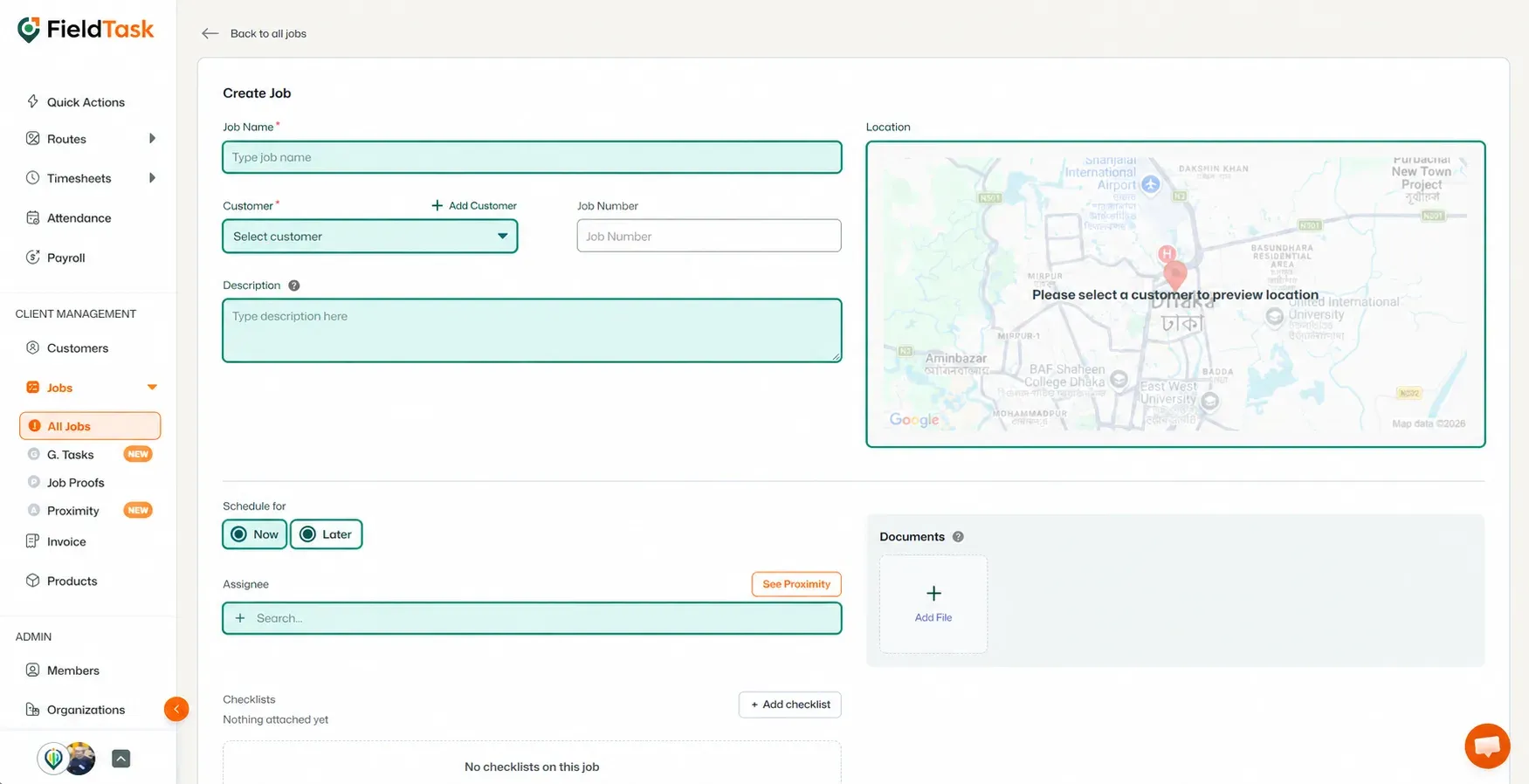
The Job Creation page will open. Provide the following information:
📌 Note: Job Number is auto-generated when Customer is chosen. But you can still edit it if you want.
If the job is scheduled for Now, provide:
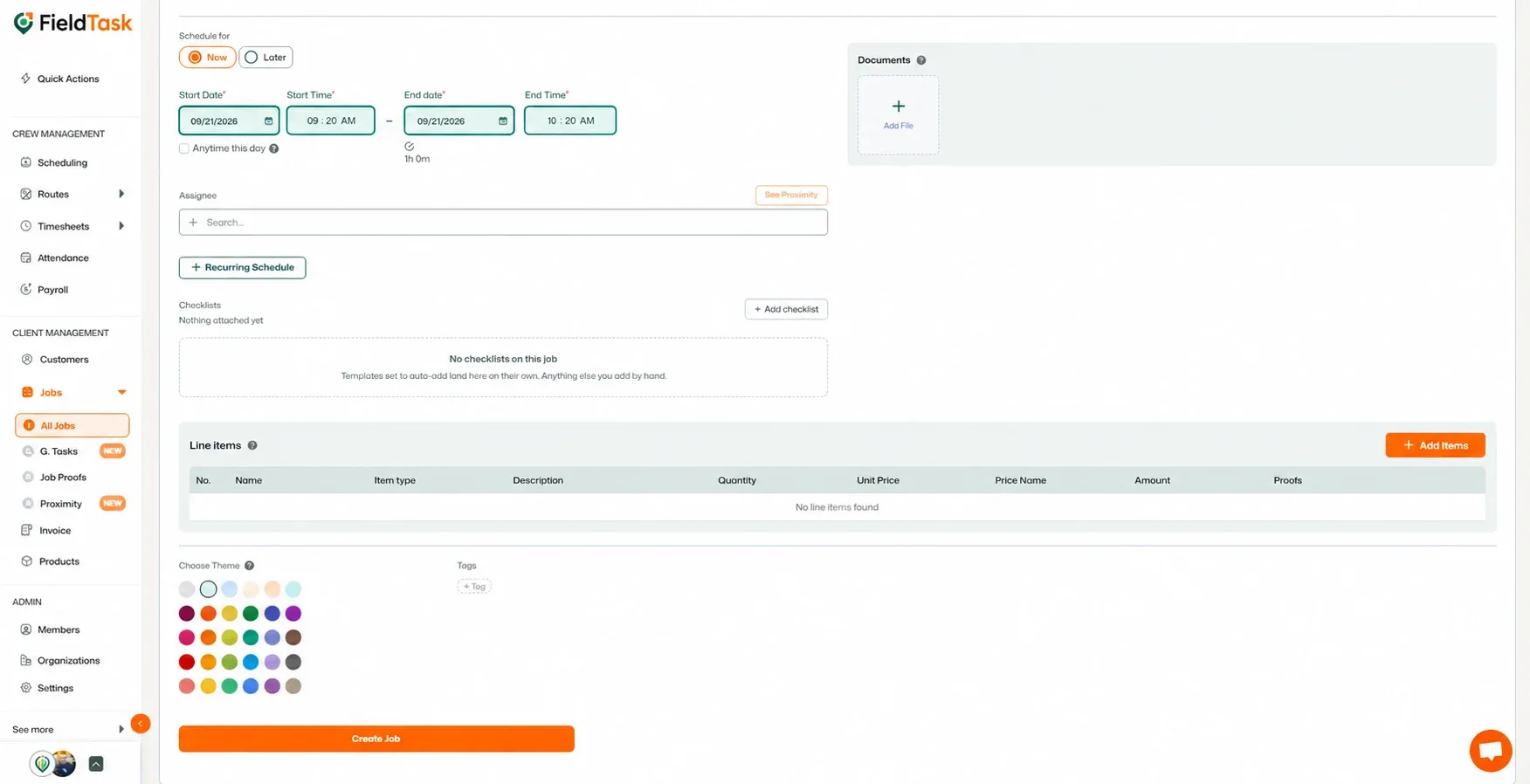
You can also configure the job with:
If the job is scheduled for Now, continue with the scheduling options provided in the Job Creation form.
If the job needs to repeat, enable the Recurring Job option and choose:
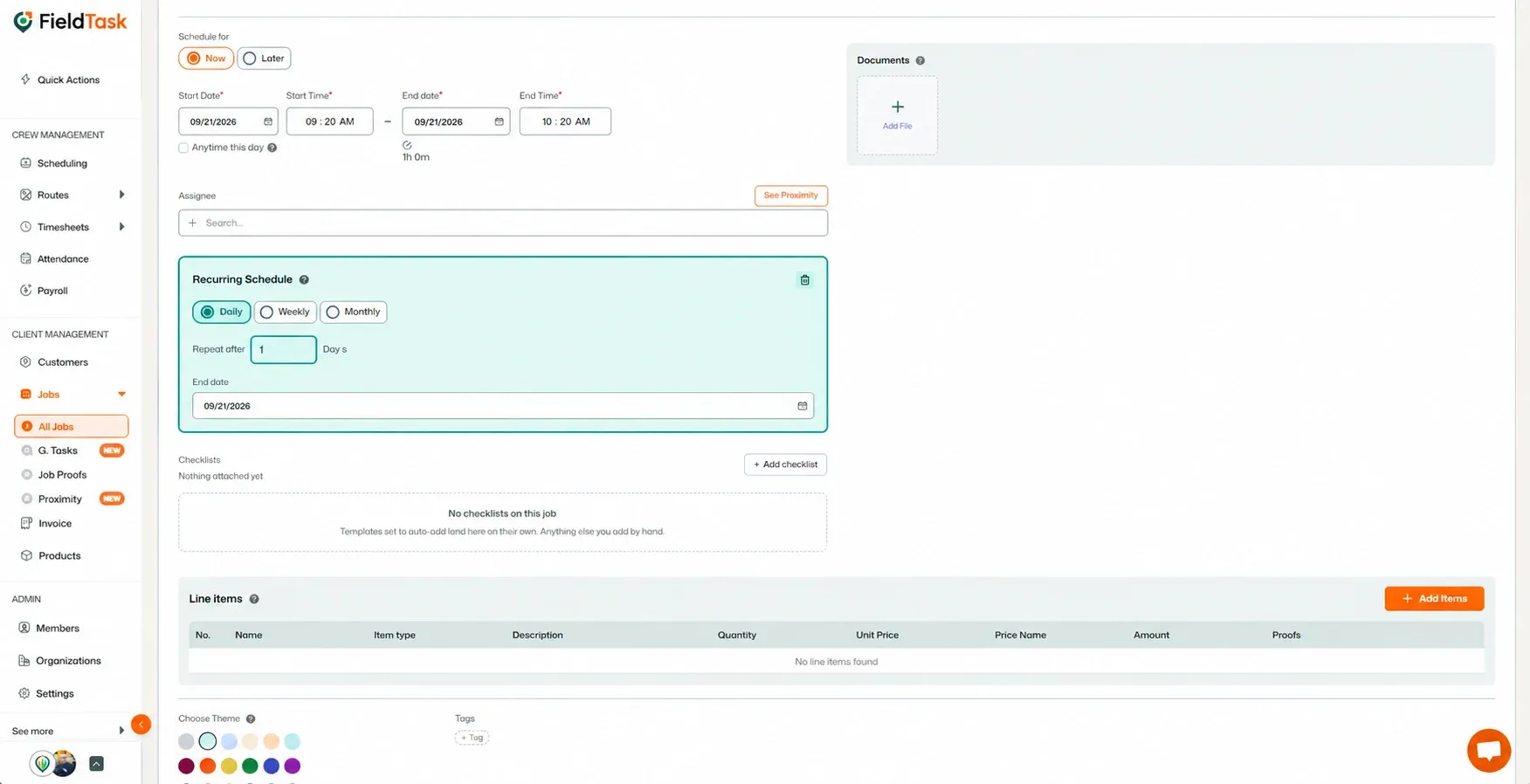
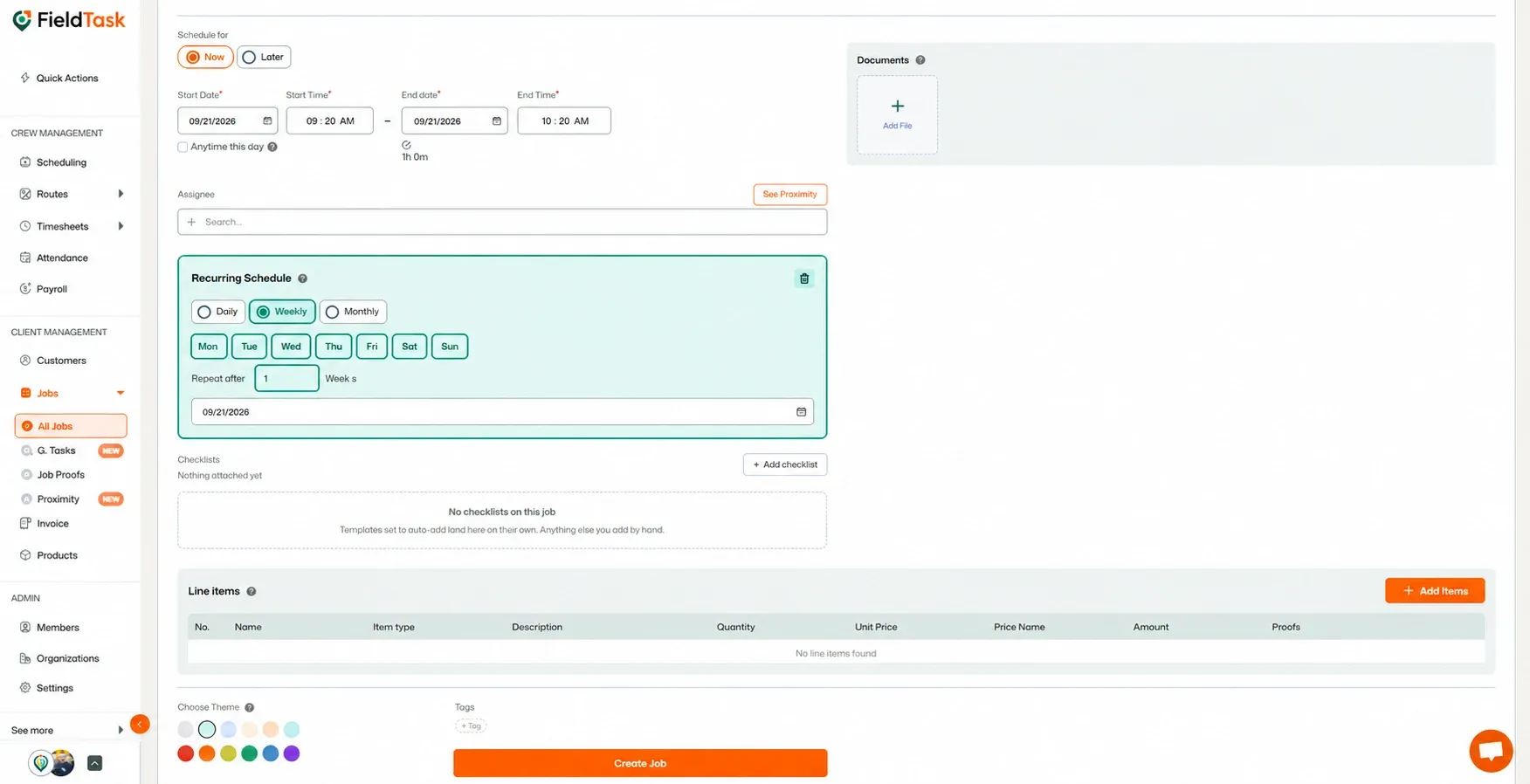
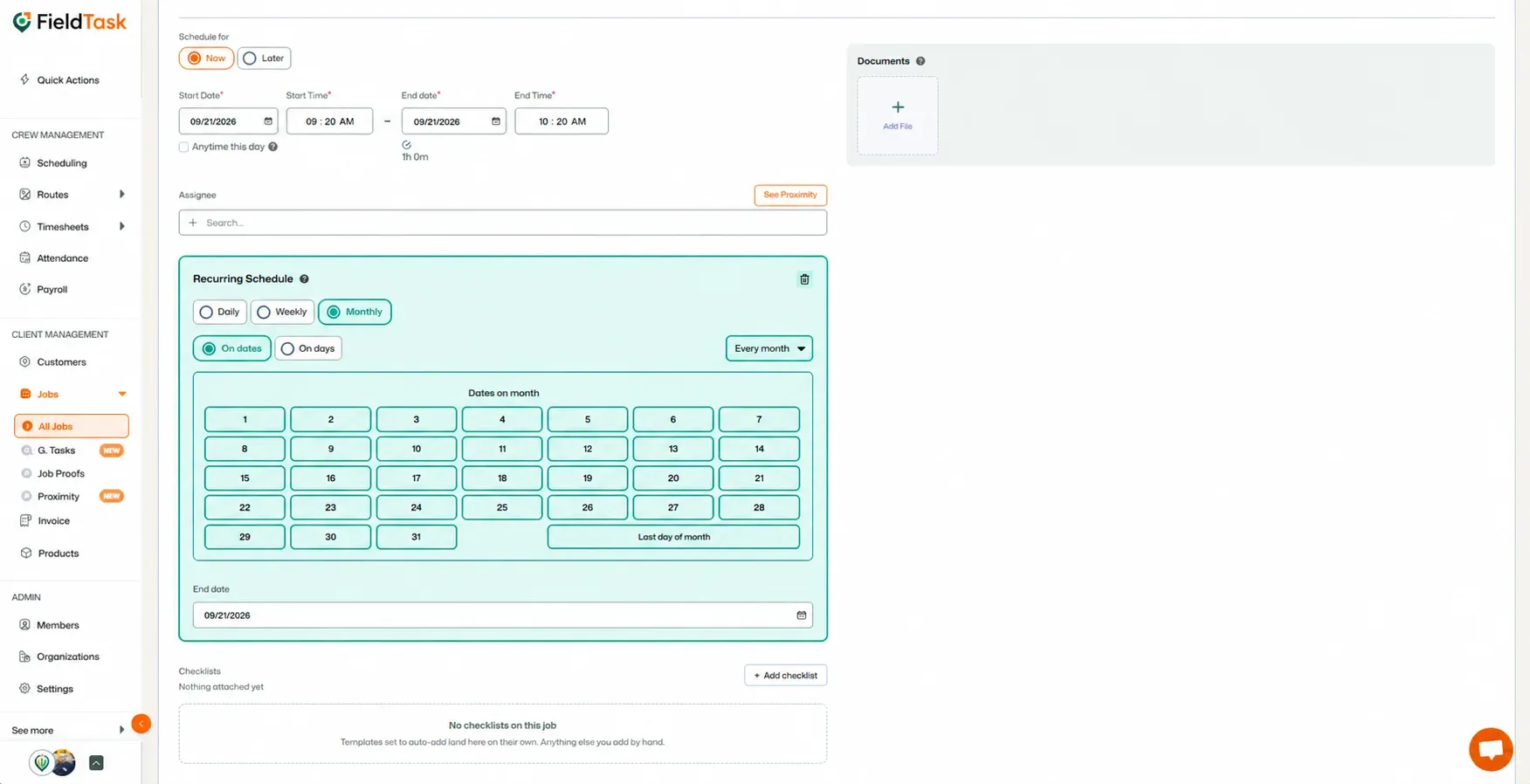
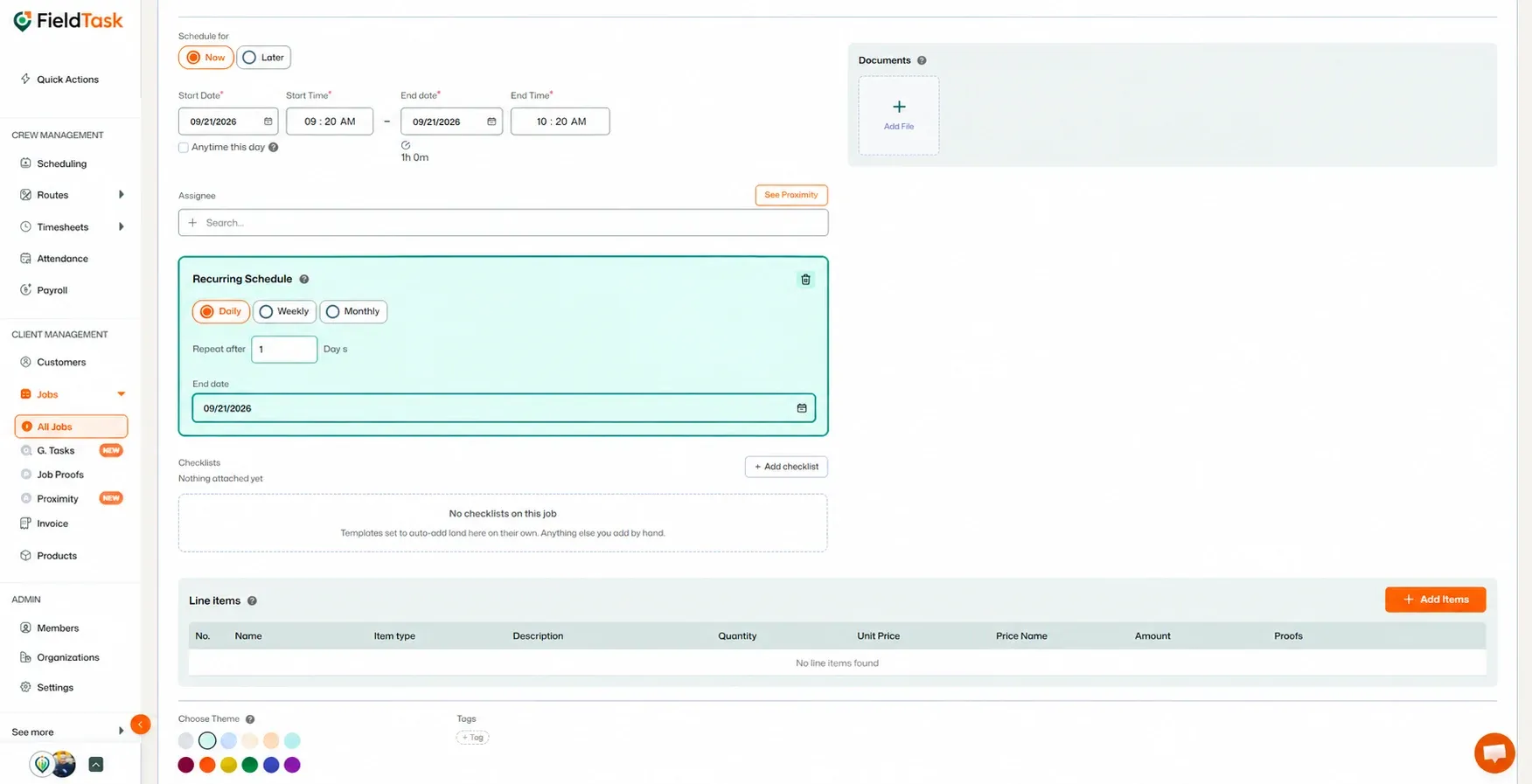
You can add additional information to your job if needed:
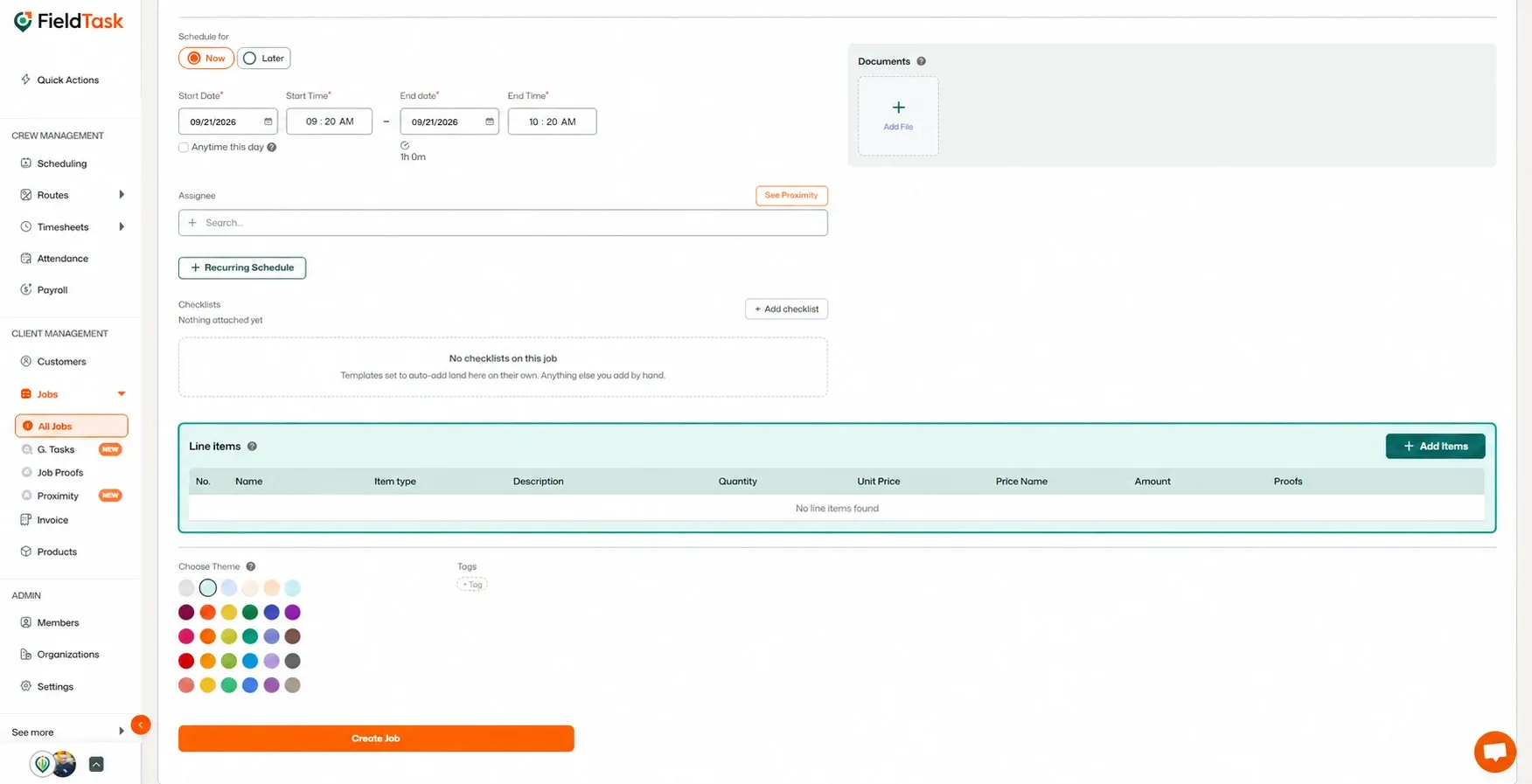
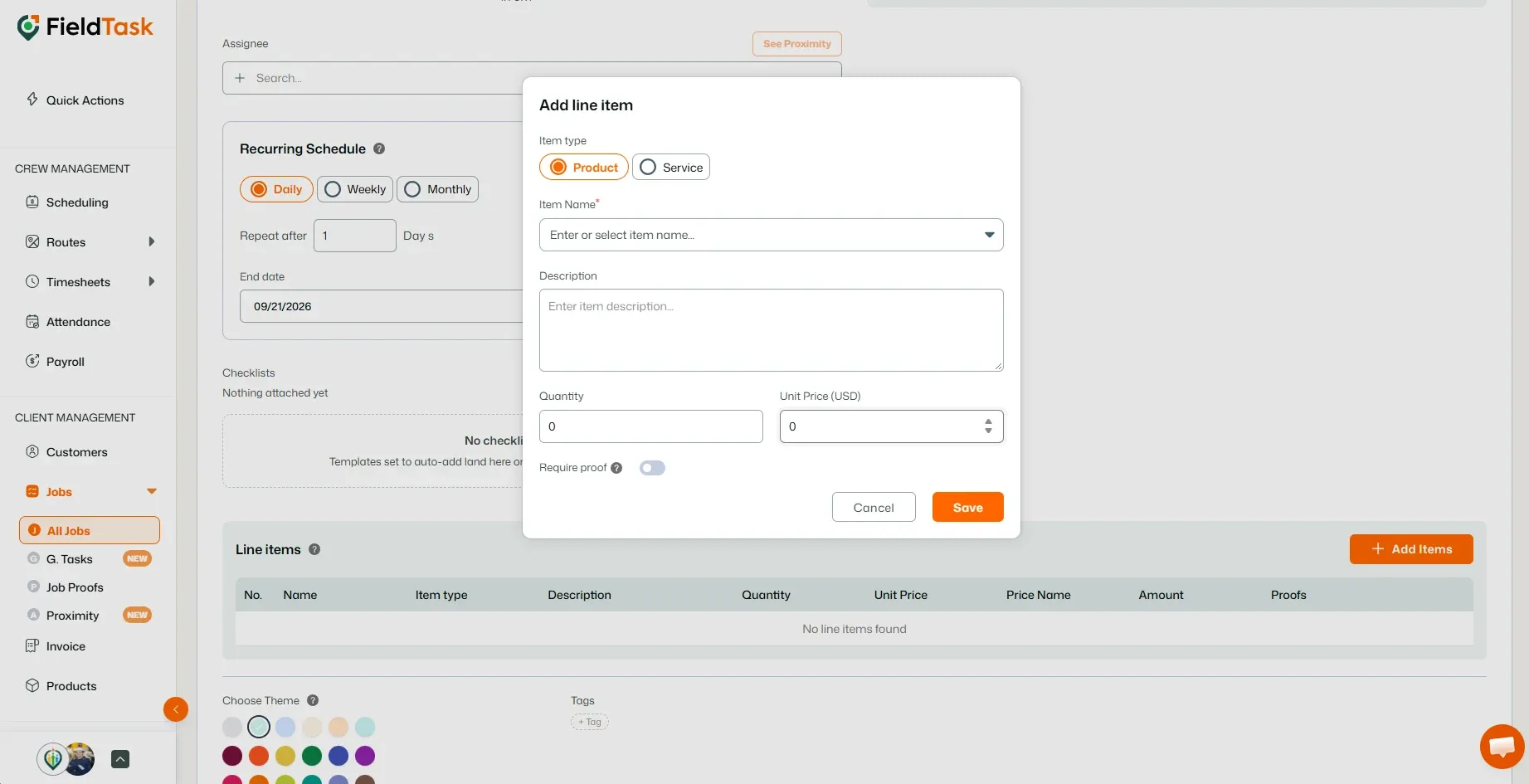
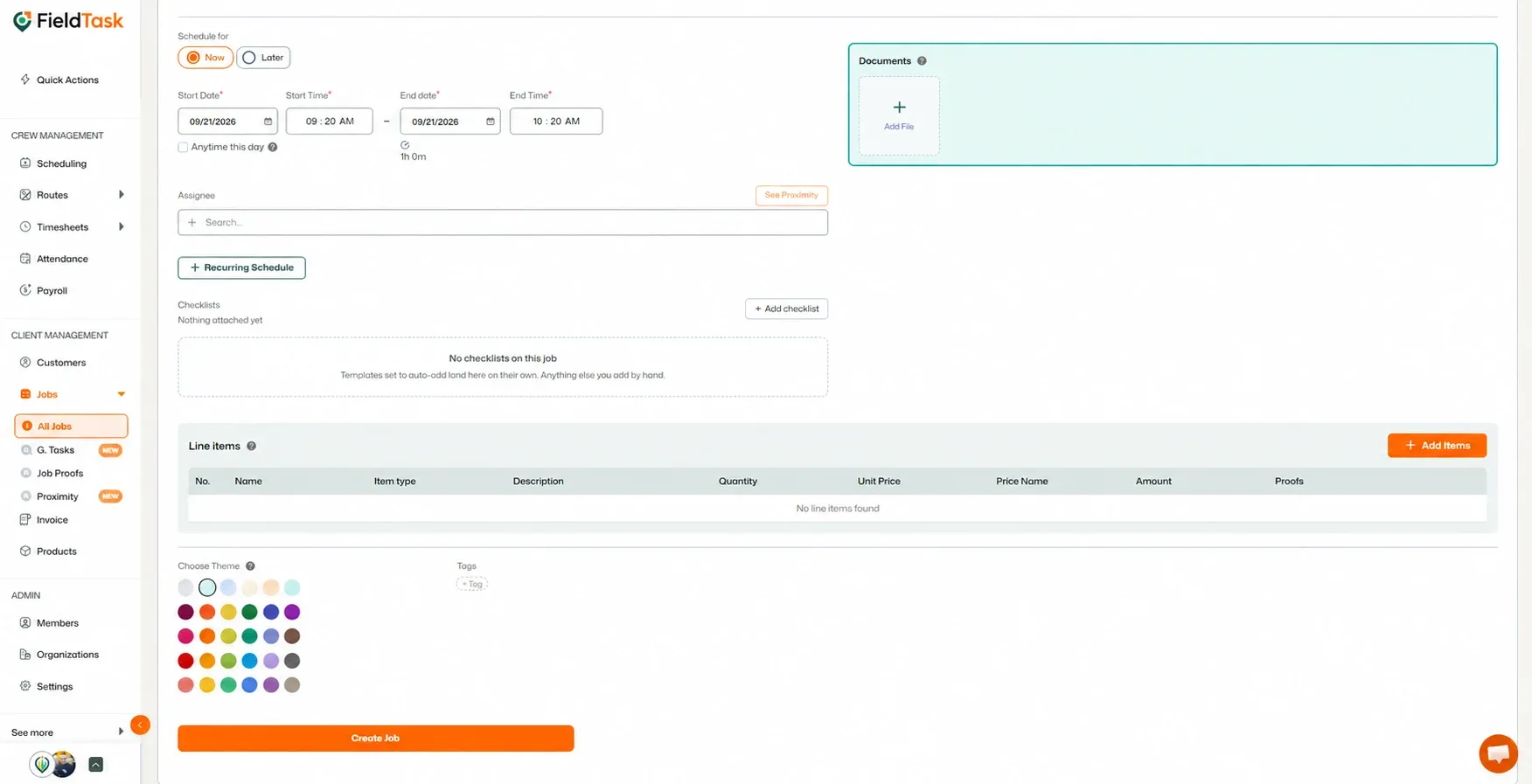
Once you have entered all the required information:
After the job is created, you can find it in:
If the relevant GHL and FieldTask sync options are enabled, the job will also appear on your GHL Calendar. FieldTask and GHL sync job and appointment data directly between the two platforms.
📌 Note: To learn more about the available sync options between GHL and FieldTask, follow this article.
Manage dispatch, route plan, techs, quotes, invoices, and more in GHL, the only dedicated field service app for HighLevel home service businesses and contractors.
The complete FieldTask sitemap: quick links to all pages.
Learn how FieldTask supports HIPAA compliance for home health and field service teams—encryption, BAAs, access controls, and audit logging.