The HighLevel Home Service Business Management Software
Manage dispatch, route plan, techs, quotes, invoices, and more in GHL, the only dedicated field service app for HighLevel home service businesses and contractors.
Learn how to view service requests submitted by your customers through the FieldTask Customer Portal and take action on them.
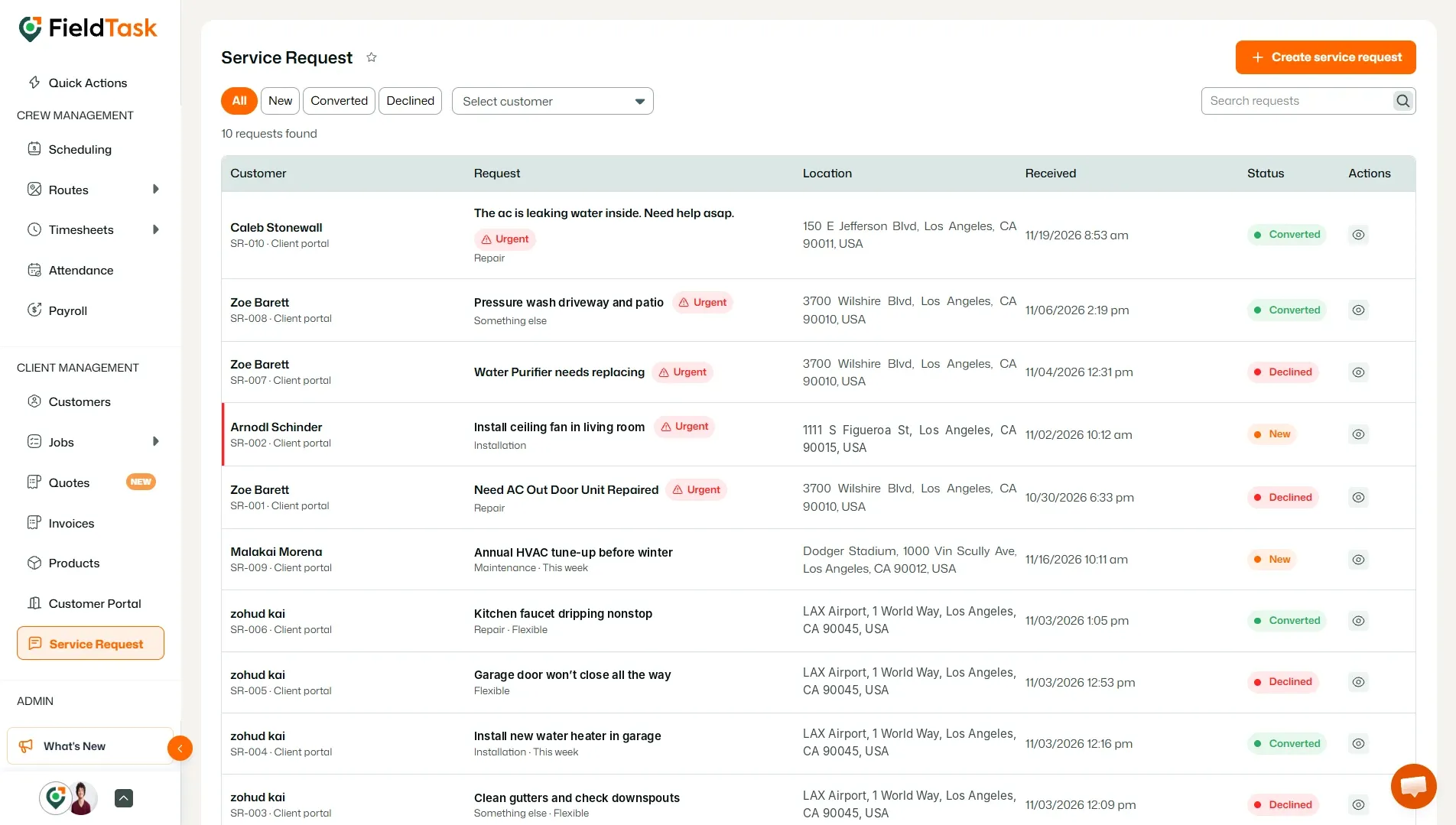
From the left sidebar, go to Service Request.
The Service Request page displays the requests submitted by your customers through the Customer Portal.
You can use the tabs at the top of the page to filter requests by status:
You can also filter requests by customer or search for a specific request.
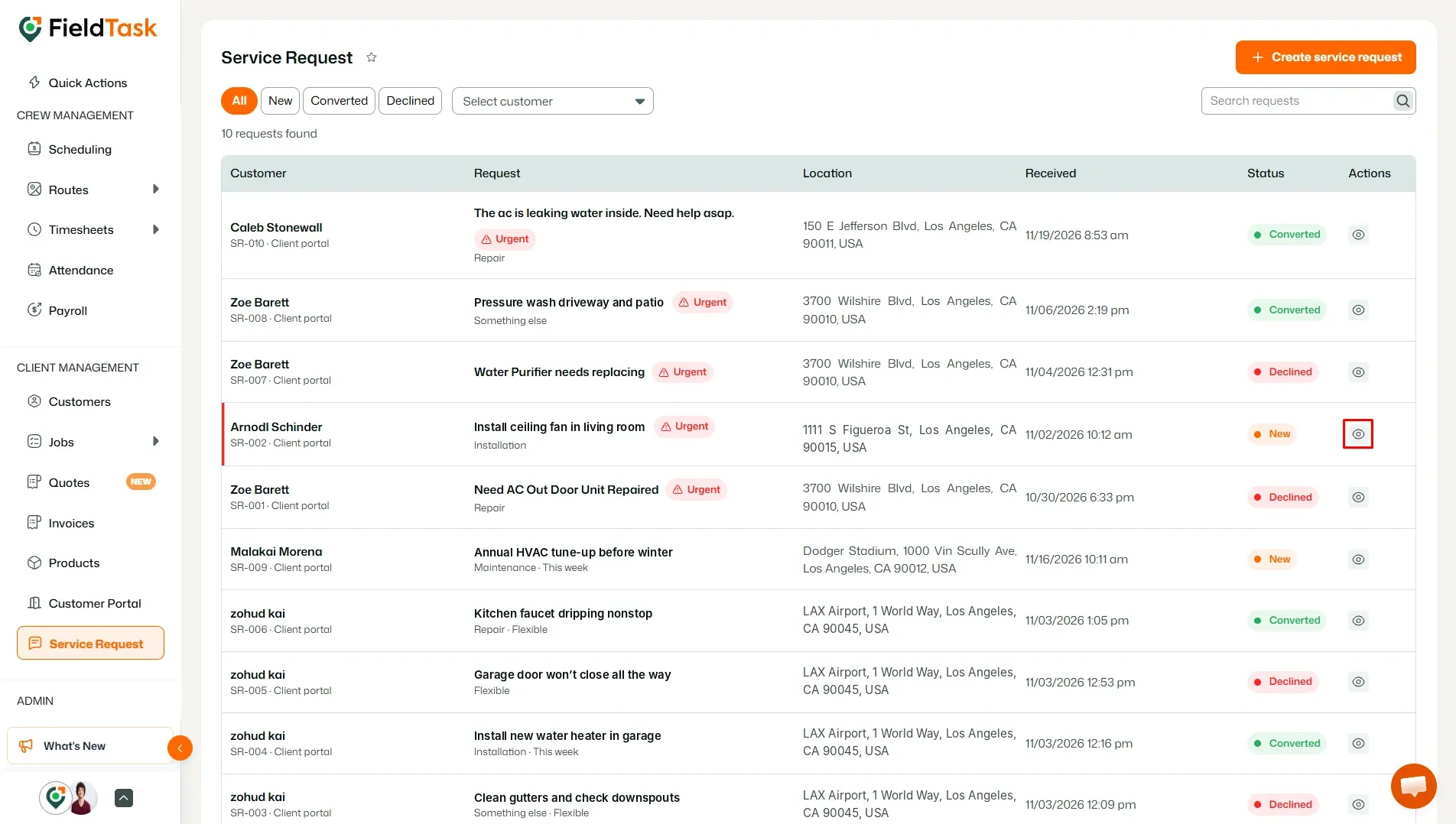
To view the details of a service request, click the View icon under the Actions column for the request you want to review.
A panel will open showing the details submitted by the customer, including:
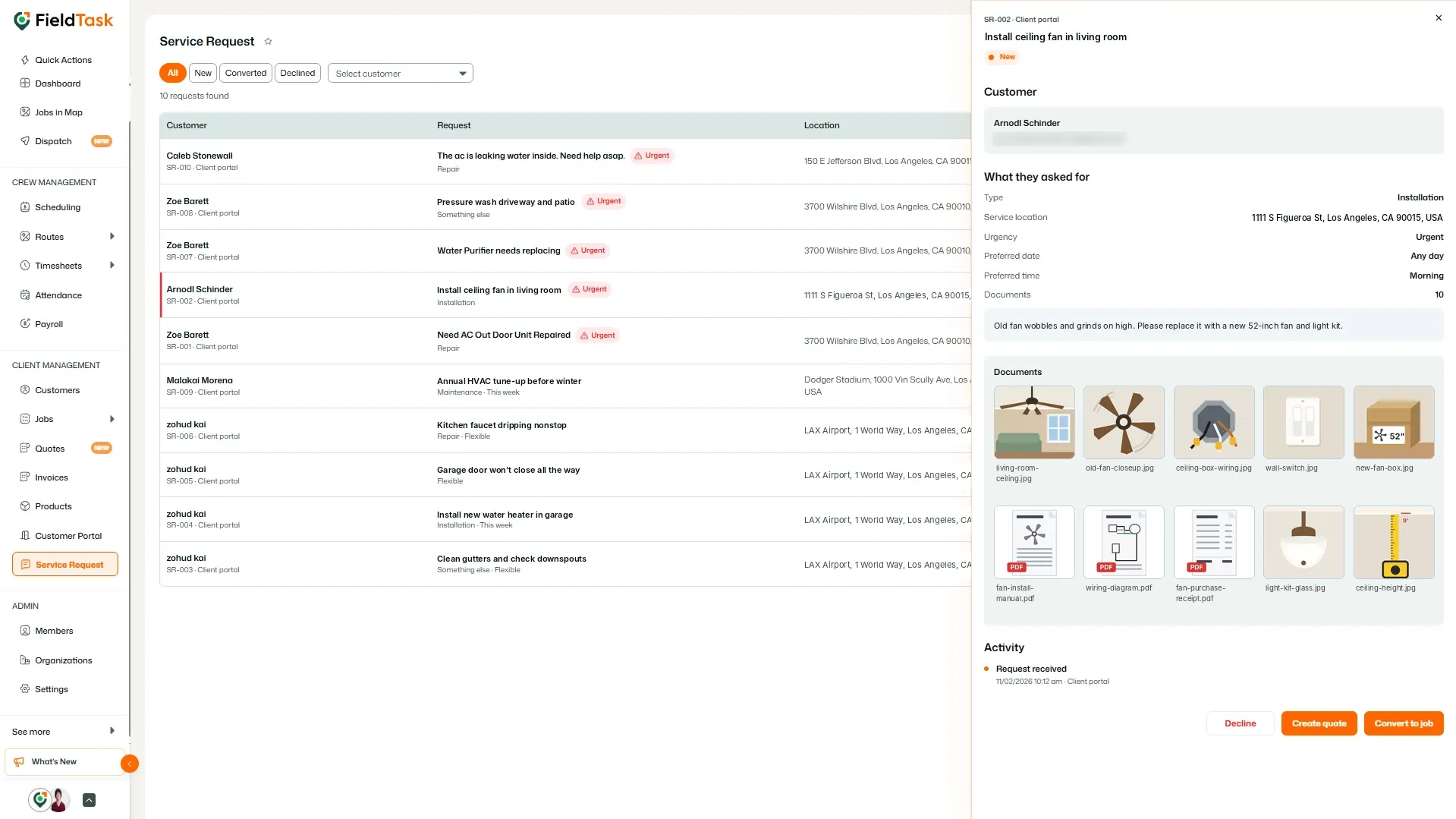
This allows you to review exactly what the customer has requested before deciding how to proceed.
After reviewing the request, you can take action directly from the request details panel.
You have two options:
If the request is not something you want to proceed with, you can also choose Decline.
Once a request is converted into a Job, its status will be shown as Converted on the Service Request page.
Manage dispatch, route plan, techs, quotes, invoices, and more in GHL, the only dedicated field service app for HighLevel home service businesses and contractors.
The complete FieldTask sitemap: quick links to all pages.
Learn how FieldTask supports HIPAA compliance for home health and field service teams—encryption, BAAs, access controls, and audit logging.