HighLevel vs Jobber: I Compared Them from First Lead to Final Invoice.
HighLevel vs Jobber: I’d pair HighLevel Starter with FieldTask to win leads, dispatch crews, and run jobs without upgrading to HighLevel Founder or Jobber's expensive plans.

Jump to
HighLevel shows an exceptional edge over Housecall Pro in terms of CRM and lead follow-up. At the same time, Housecall Pro is unequivocally the auto choice as a stand-alone field or home service software.
Having said that, I’d still choose HighLevel and FieldTask over any of these standalone tools. FYI, FieldTask is a dedicated app that brings the complete field service management suite inside HighLevel.
See, Cost and simplicity are the two major factors that lead me to this option. It’s super easy for people already on HighLevel to get on board from their existing plan. And for those who are not subscribed to HighLevel, it is an extremely economical choice for any field or home service business, regardless of the business size.
| What You Need | HighLevel | Housecall Pro | HighLevel plus FieldTask |
|---|---|---|---|
Lead follow-up | Forms, sales pipelines, and rules for follow-up. | Lead forms, a Pipeline add-on, and campaigns. | Keeps the HighLevel sales process. |
Job scheduling | Native field services with jobs and visits. | Calendar, crew assignments, and arrival windows. | Job sync, crew schedules, and dispatch map, jobs on map, arrival windows. |
Work in the field | Mobile visits, checklists, and time logs in beta. | Mobile estimates, photos, job time, and payments. | Photo-verified job check-in, timesheets, jobsite photos, on-the-go estimation, geofencing, live job tracking on the map. |
Dispatch and routes | Native tools include a calendar, map, service areas, and route optimization. But only available in the $497 Founder plan. | Scheduling and dispatch are included in Basic. Routes and optimization require a higher subscription plan with more money. | Dispatch map, assignees ranked by proximity, and optimized routes with chosen start and end points. No hidden or extra charge needed. |
Estimates and invoicing | Core payments and invoices: the native tools connect requests, estimates, jobs, and billing. | Quotes can offer choices and convert into jobs. Invoices and payments stay within the service workflow. | FieldTask handles estimates and invoices. Supported invoice changes sync with HighLevel when configured. |
Customer self-service | The native field service client portal is listed as upcoming. | Customers can see appointments, approve estimates, pay invoices, and request appointment changes through the portal. | Customers are able to view the details of schedules, review and approve estimates, pay invoices, and request new services from FieldTask’s client portal. |
Best fit | Teams that want more control over sales. | Businesses that just want one field service platform. | Businesses that want dedicated sales and a full-blown field service management app. |
Housecall Pro has a real sales process. Its Pipeline add-on has boards for leads, estimates, and jobs. The office can use it to track open quotes and send follow-ups.
HighLevel gives me more ways to act before I send a quote. I can build a sales pipeline around the steps my team uses and set rules for what happens next. An If/Else step can split a workflow based on what the lead tells us or does.
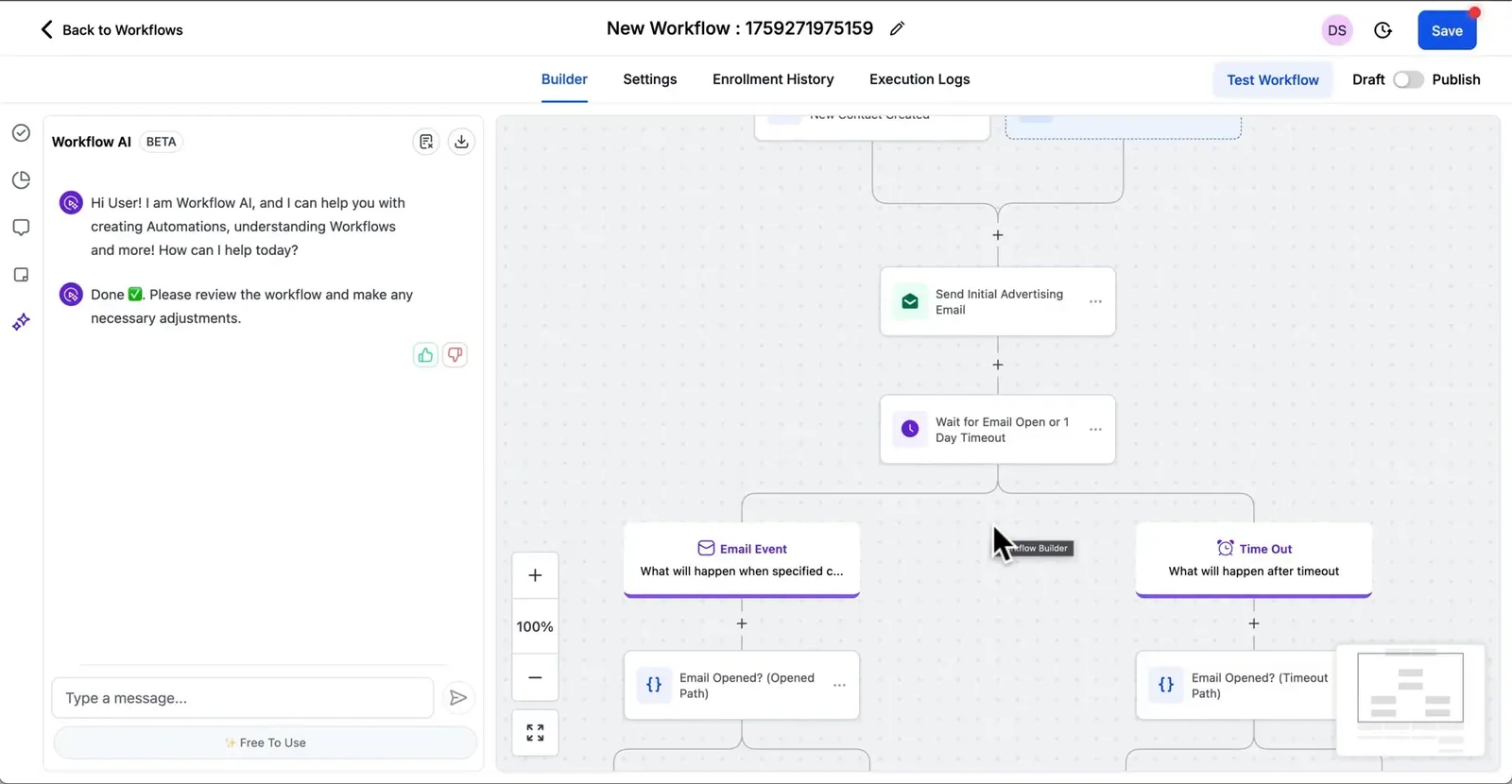
For an AC repair lead, I’d ask for the ZIP code and the type of fault on the form. A lead in range could go to the office for a call. A lead asking about a new unit could get a link to book a quote visit.
Housecall Pro can run its own email and text sequences, too. I like it for tasks tied to work the office already knows about, such as checking in after a job or following up on a quote the client turned down. HighLevel gets my vote when those rules start with the first lead and vary by service.
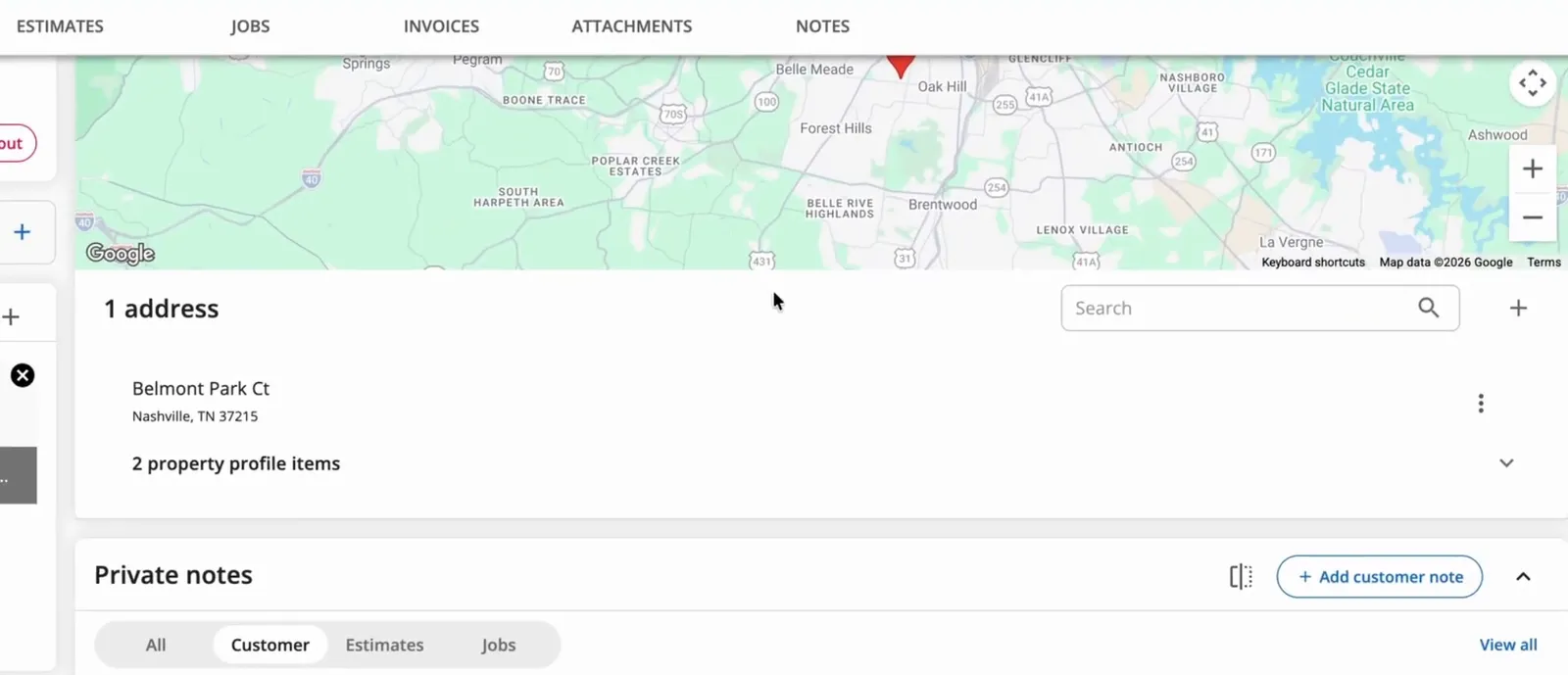
I like how much a dispatcher can see on a Housecall Pro customer profile. The tabs pull together past jobs, open estimates, invoices, photos, and notes. The main view shows what’s booked next.
Say a landlord calls about a unit you worked on last month. You can keep more than one service address on the profile and look up the work tied to each site. A private note can also tell the crew which gate to use on the next visit.
The Property Profile can store the make, model, and serial number of a unit at that address. I like having that on the job when a tech needs to look up a part for an AC the agency put in last year.
I’d spend more time with a new lead in HighLevel's Conversations screen. It keeps the message thread next to the contact record. A team member can see what the lead asked for before they reply by text or email.
Housecall Pro gives a local business a clear path from a service page to a booked visit. A site can show the services, take a booking, and give customers a way to log in. Housecall Pro also offers a service that builds the site for you.
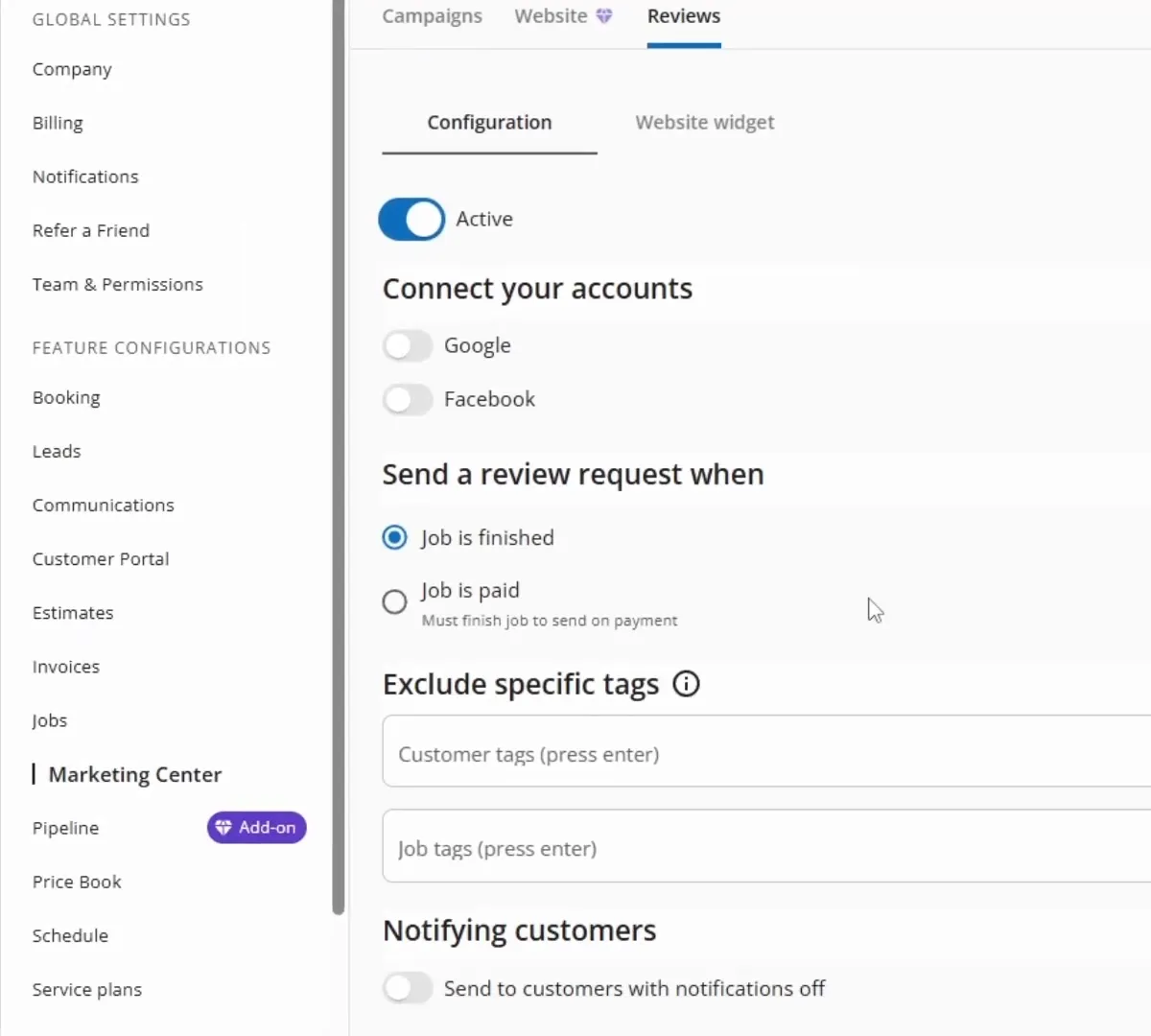
The review setting is one of my favorite details. The office can ask for a review when it marks the job done or when the customer pays in full. That choice makes sense when the office wants to close out the bill first.
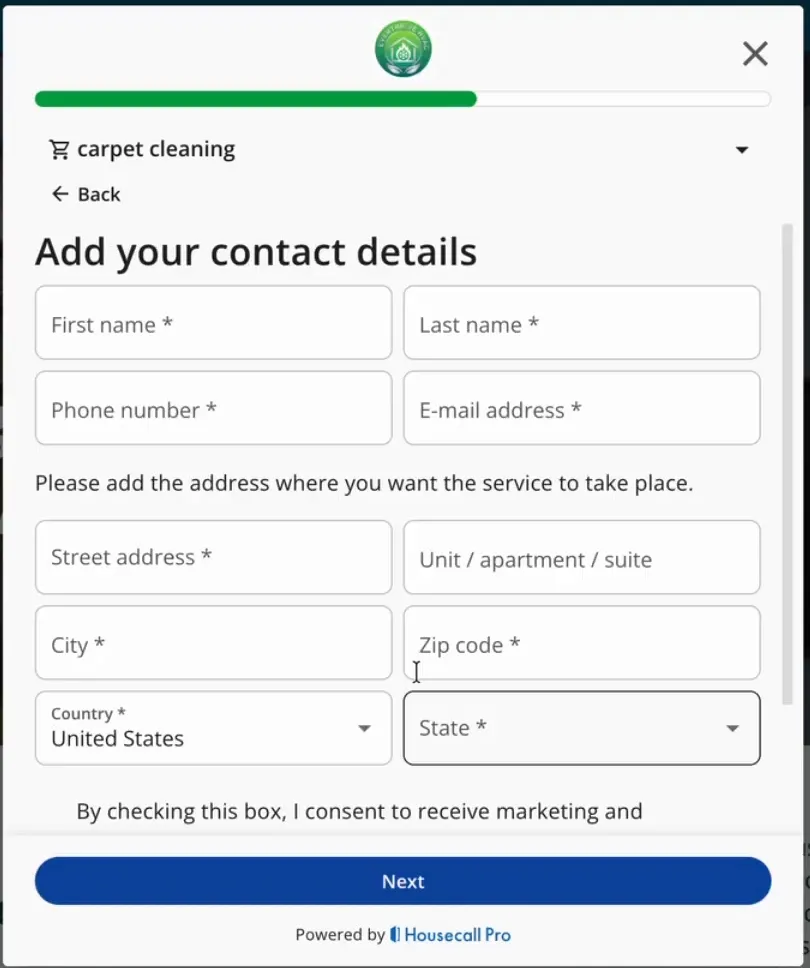
HighLevel is my pick if I need to build my own landing pages, test offers, and give each form its own follow-up. A tune-up offer can have a short booking form. A new system quote can ask more questions and send the lead to a sales rep.
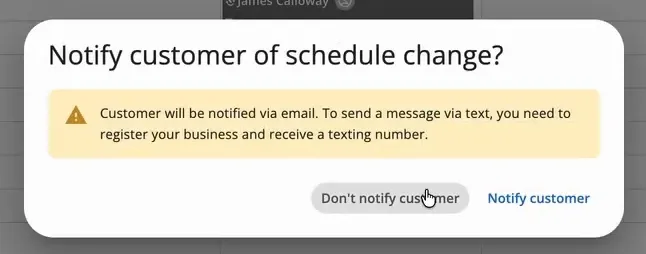
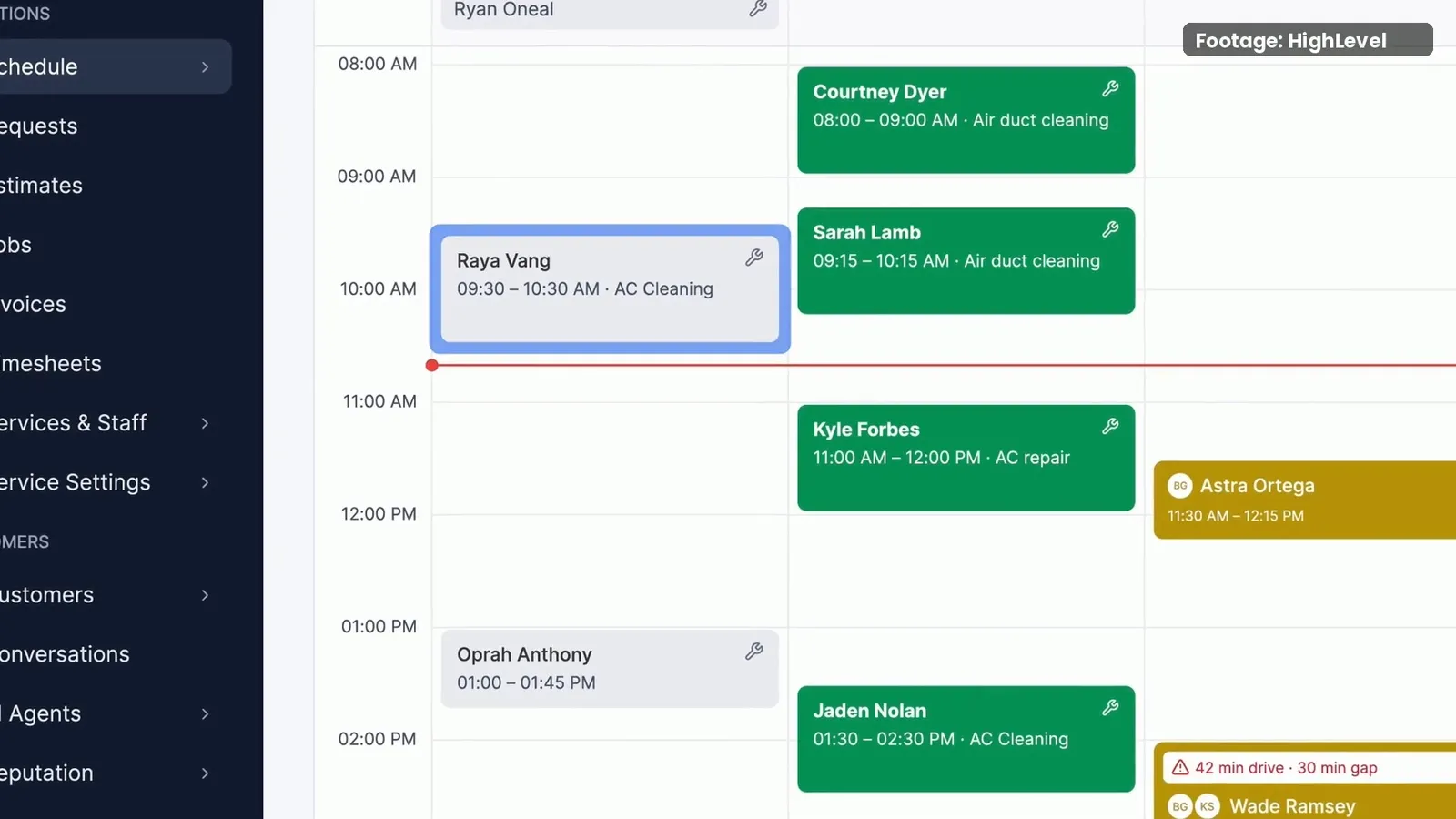
Housecall Pro keeps unscheduled jobs beside the calendar. A dispatcher can drag one into an open slot or move a booked visit. When a visit moves, the app can ask if the office wants to tell the customer.
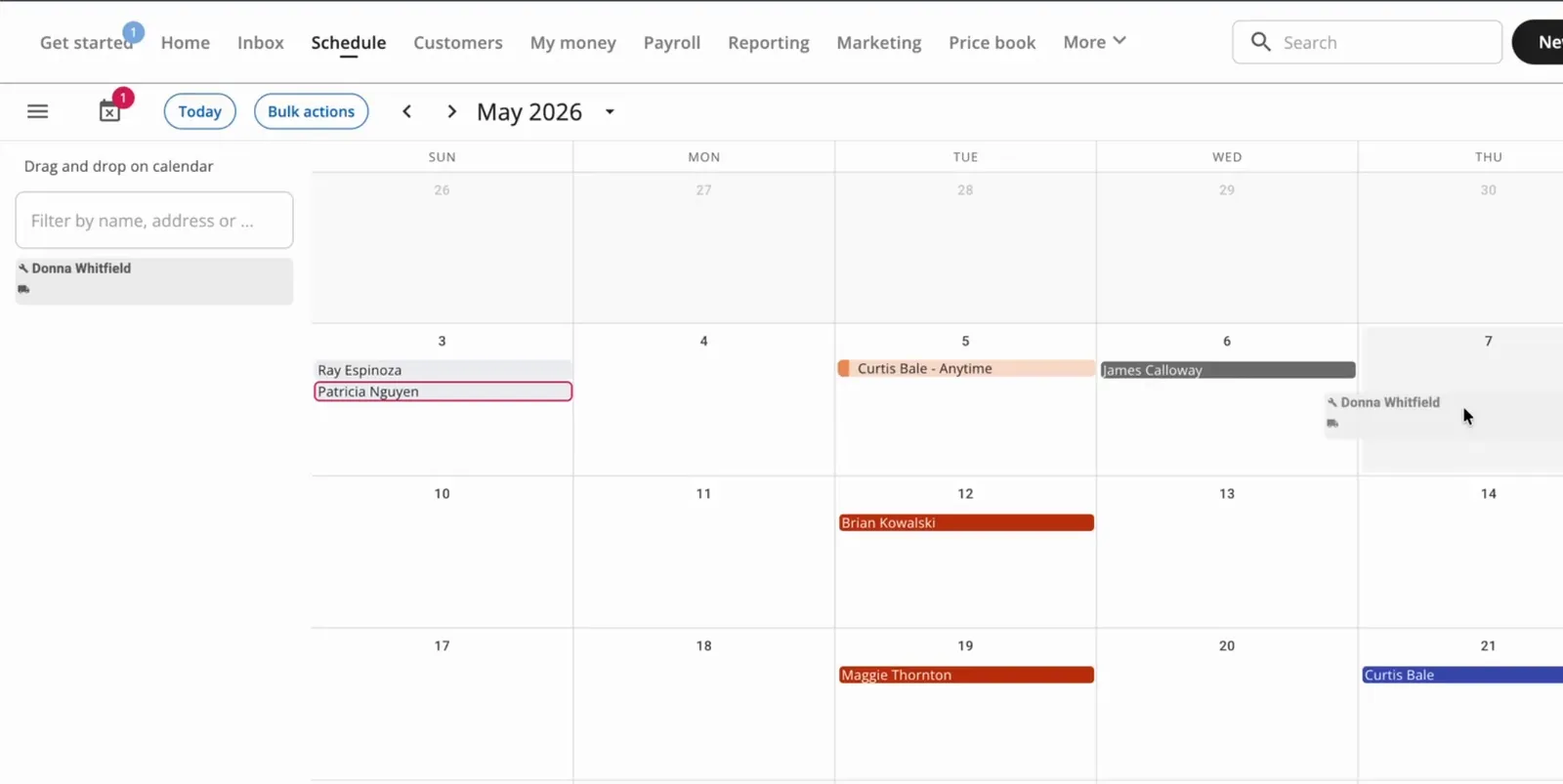
I like that prompt more than a long list of calendar views. If the first repair runs late, I can see the next visit that needs to move and deal with the customer update while I’m on the schedule.
HighLevel’s native Field Services can also put several visits on one job. It can look for a slot based on who does that type of work and which area they cover. I’d use that to book a return visit with a tech who serves the same ZIP code.
Housecall Pro makes it easy to see what the customer said yes to. A quote can offer a post light or a floodlight, each with its own list of work and parts. Once the customer picks one and signs, the office can copy that choice into a job.
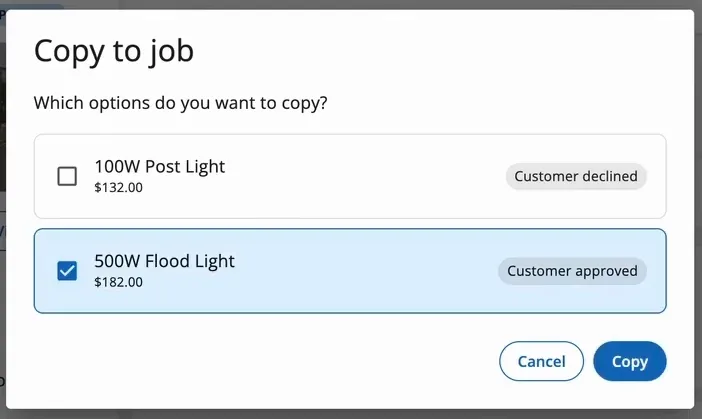
The way it handles repeat visits is also practical. Two trips for the same install can share a job and an invoice. If the office needs a bill for each phase, it can use job segments to track and bill each part.
Housecall Pro puts the next stop, job notes, and work status on the phone. The tech can send an On My Way text, start the job, take photos, and finish the visit. The same job screen has options to invoice and take payment.
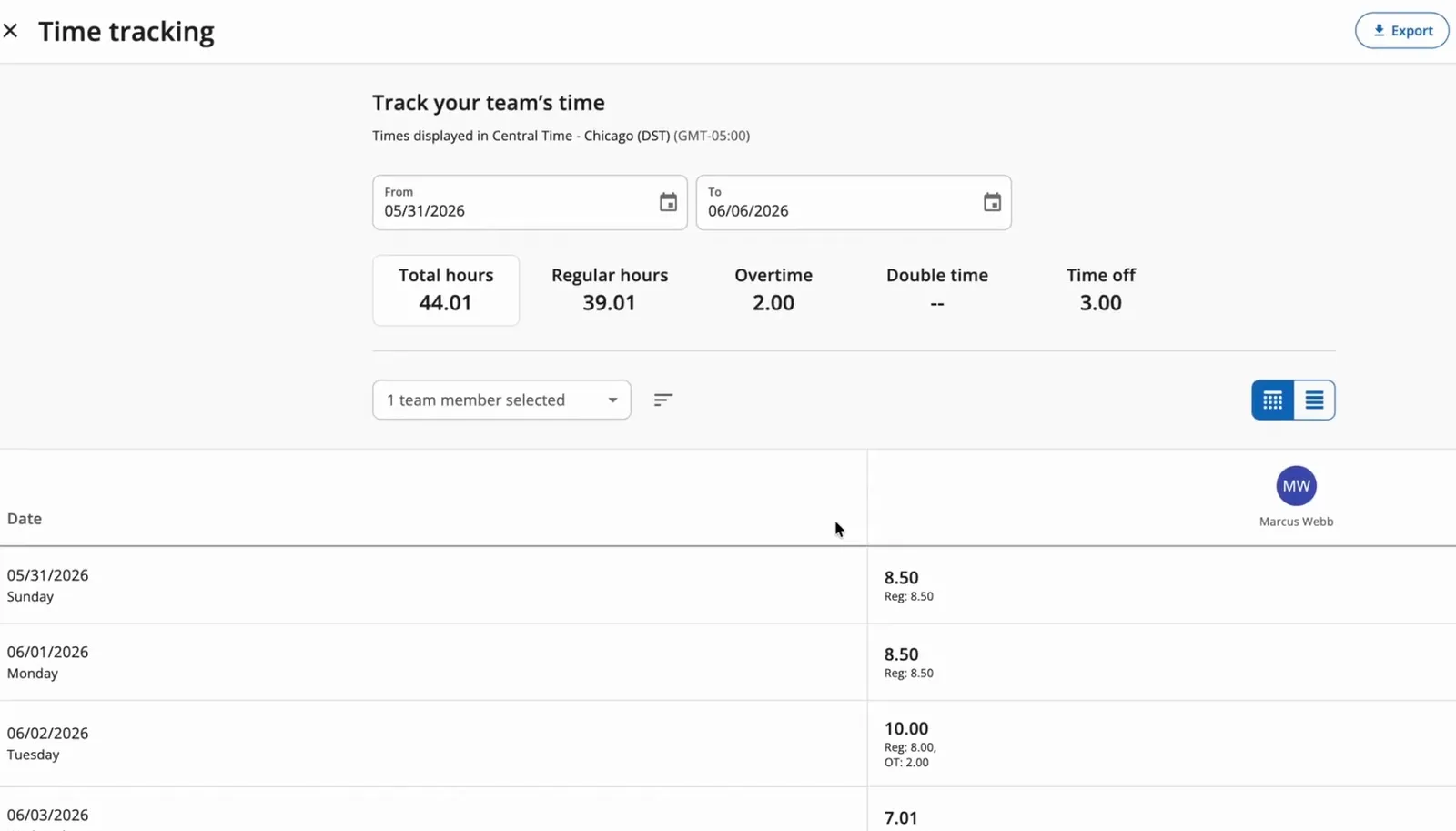
The time tools track two things I want to see. The shift clock logs the workday, while the job timer tracks travel and time at the stop. A tech can pause the job timer and add a reason, such as a trip to get a part.
The office can filter the hours by tech and date, then export the timesheets. That helps when I need to check a week’s hours for one person before payday.
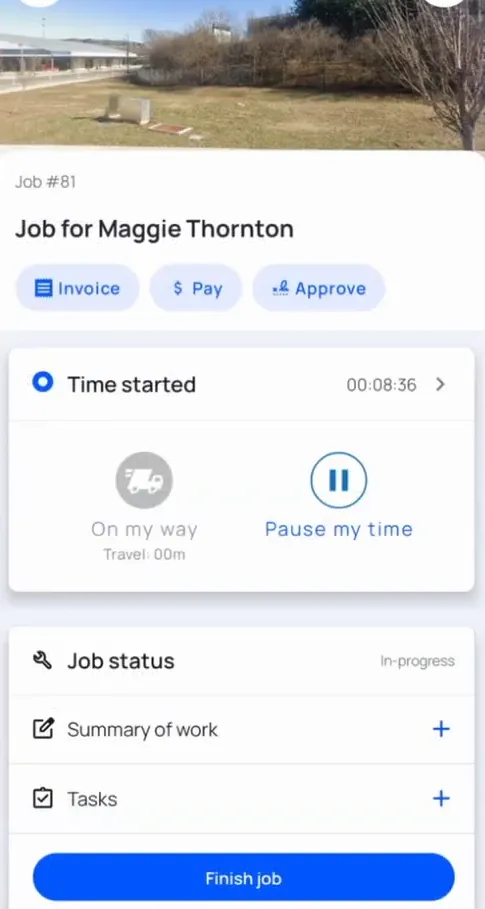
Housecall Pro can require a checklist before a tech finishes a job. It can also track labor and parts costs so the owner can see the margin on the work. I’d value that on a repair with a lot of parts or a job that ran long.
The Customer Portal gives a homeowner a link to see their visits and pay the bill. I like that it gives the office one less reason to resend an invoice when a customer calls.
HighLevel’s private beta covers the core flow from request to invoice. It has jobs, visits, checklists, route tools, and time logs. The beta guide still lists job and visit reports, sales pipeline integration, and a field service client portal as upcoming.
I’d choose Housecall Pro over the native beta for a team that needs to run jobs today. The quote choices, job costs, time records, and portal give the office more ways to handle the work around each visit.
FieldTask makes sense when the business already likes how HighLevel handles leads. Even if they don’t already have HighLevel, it still gives a better return for their money. It adds tools for dispatch, routes, time, and job proof through the HighLevel Marketplace. The crew gets a field app while the office keeps the CRM it knows.
The appointment sync is the feature I’d set up first. With the sync on, a HighLevel booking can bring the time, site, and assignee into FieldTask. Jobs made in FieldTask can also show on the linked HighLevel calendar.
Here’s how I’d use it. An office rep books a tune-up on the HighLevel calendar. The dispatcher can pick up the job in FieldTask with its time and address in place.
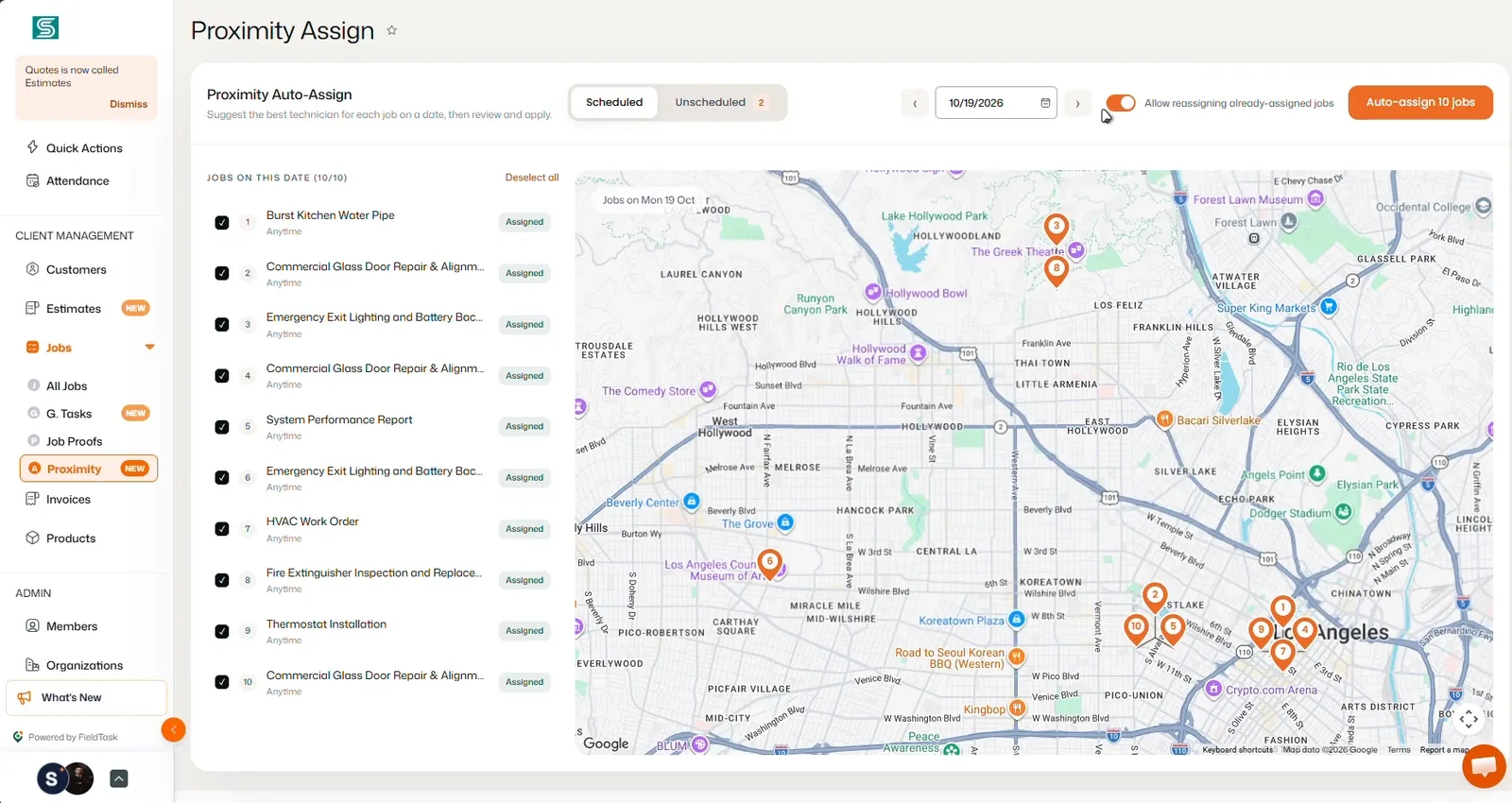
FieldTask can rank techs by how close they are to the job. I’d check that list when a repair comes in during the day, then look at who has time and the right skills. The office can also build a route for a tech’s stops.
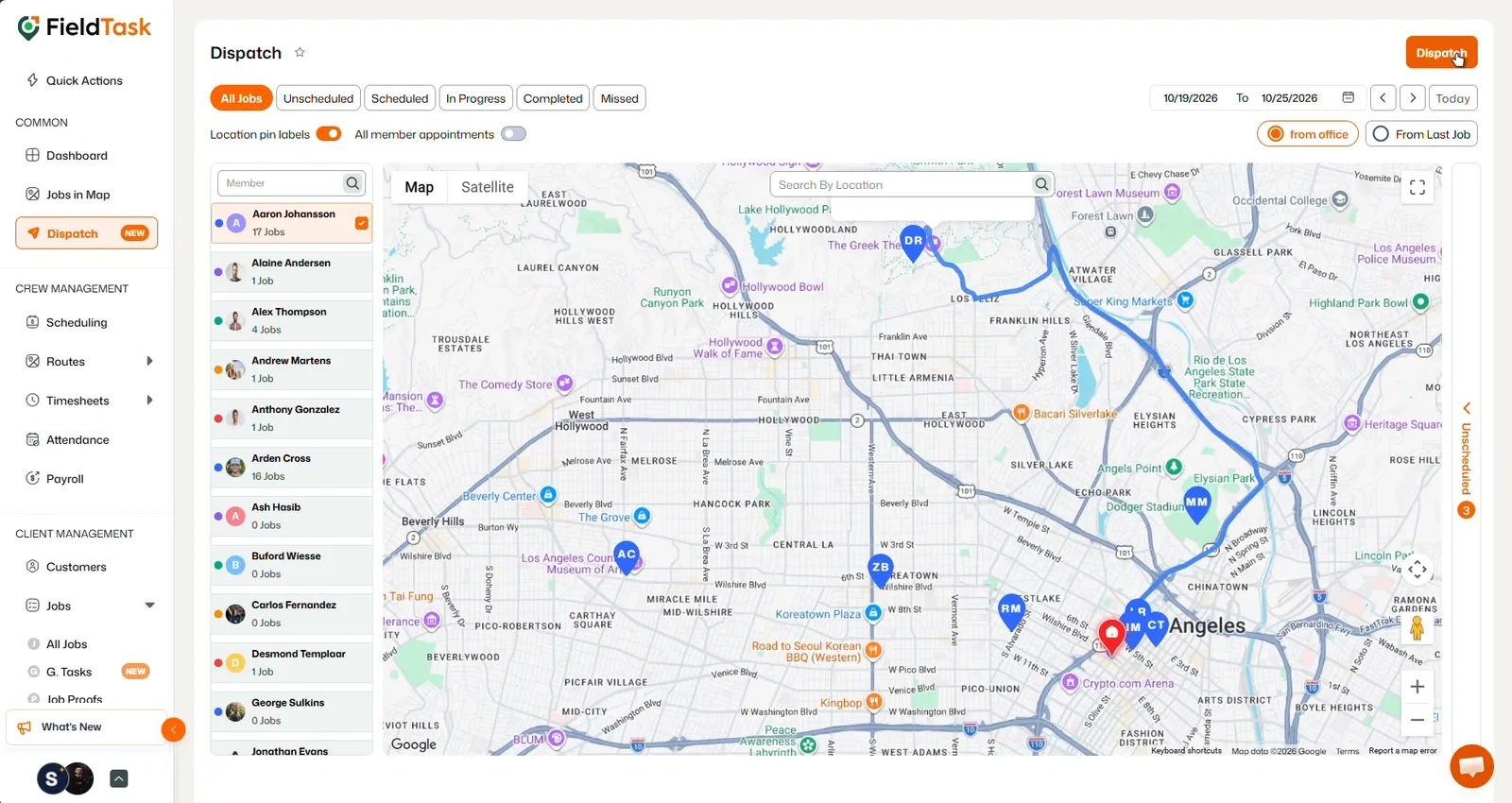
Housecall Pro also has route tools. Its Optimize by Drive Time feature on MAX puts a tech’s stops in a new order and lets the office lock visits that need to stay put. With FieldTask, I can plan routes and assign work while keeping the booking tied to HighLevel.
FieldTask can ask a tech to check in within a set area around the job site. When the rule is on, the check-in starts the work timer. I like that for a crew with several short jobs at sites that look alike.
The job can ask for proof on specific items. On a filter change, for instance, I’d ask for a photo of the new filter in place. The office can check the proof before it signs off on the work.
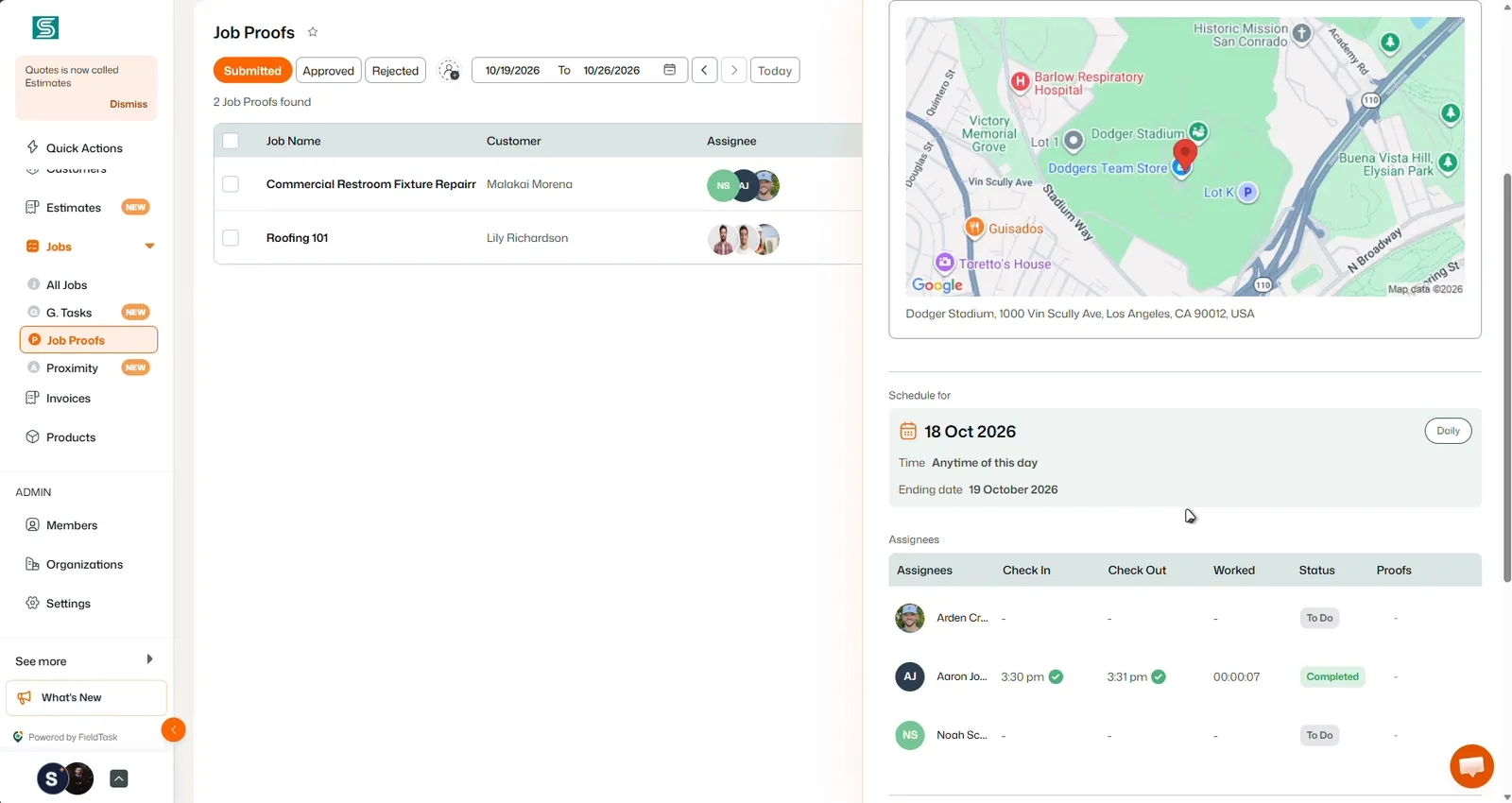
FieldTask can sync invoices back to HighLevel when the office sets up the link. The crew can work from the job while the office can find the bill in the CRM it uses for the customer.
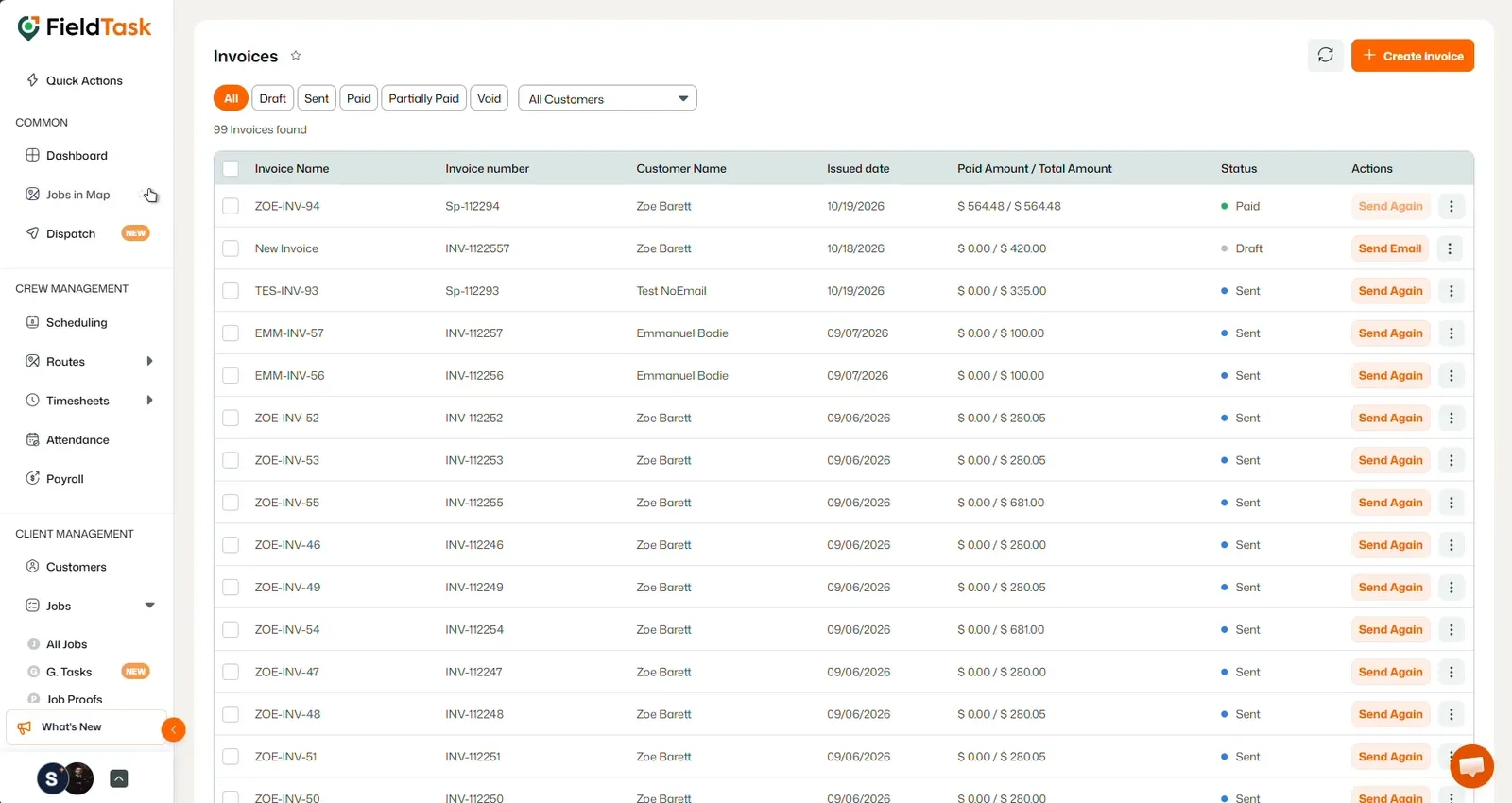
For a company that gets work through ads, forms, and follow-up, I prefer HighLevel plus FieldTask to Housecall Pro alone. The business shapes its sales process and still gives the crew a full set of job tools. I’d give Housecall Pro more weight if its portal, job costs, or payroll tools are central to the way the organization runs.
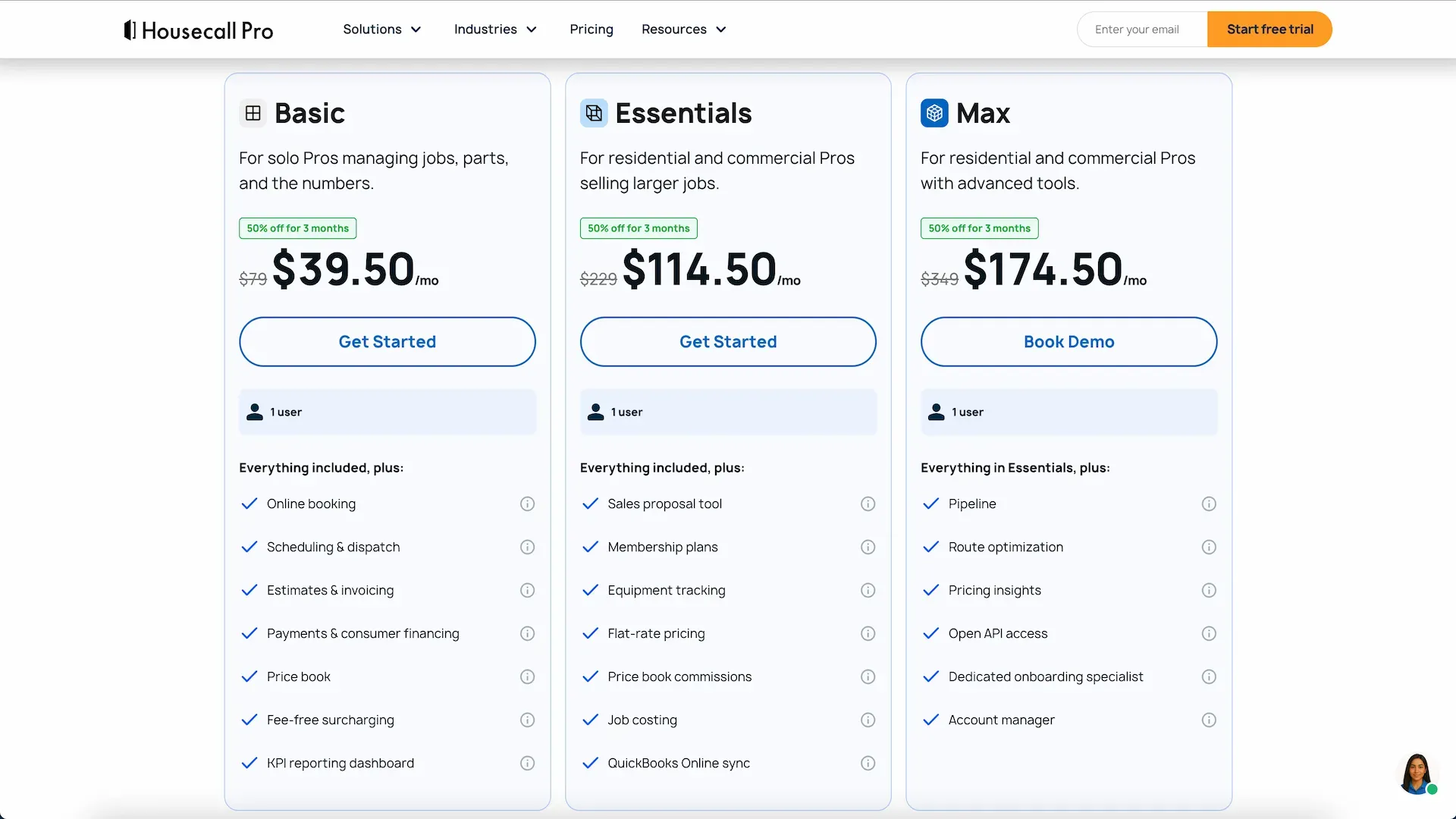
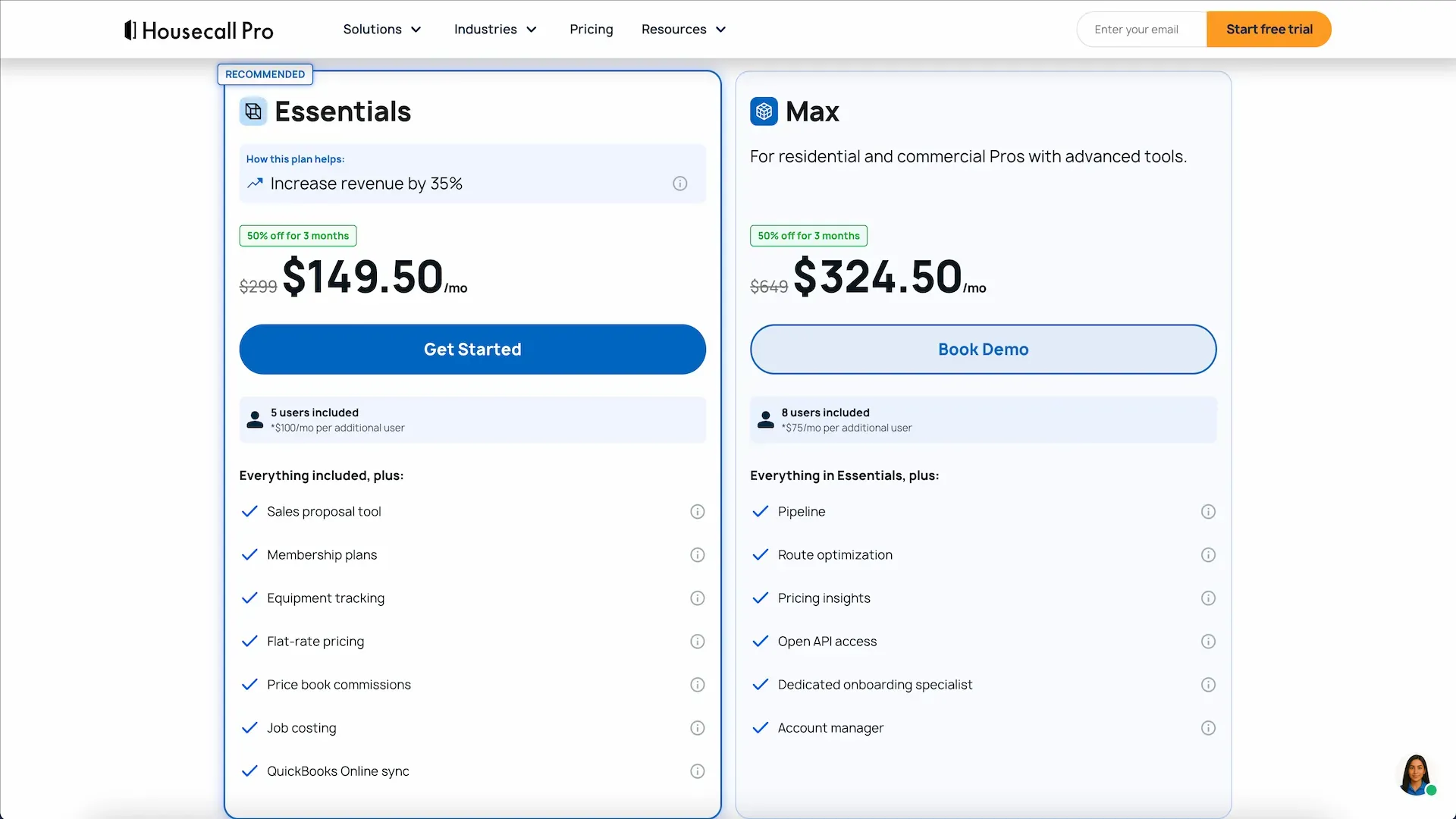
Housecall Pro posts base prices for Basic, Essentials, and MAX. The prices below are in US dollars and use standard rates. Add-ons, extra seats where offered, and trade packages can change the total.
| Housecall Pro Plan | Individual | Teams | Extra Team Users |
|---|---|---|---|
Basic | $79/month · 1 user | $79/month · 1 user | Not listed |
Essentials | $229/month · 1 user | $299/month · 5 users | $100/user/month |
MAX | $349/month* · 1 user | $649/month · 8 users | $75/user/month |
However, Housecall Pro’s price chart does not paint the full picture. And it can be very misleading for many users.
Individual Subscription
The Basic plan is not comparable to what you get with a HighLevel + FieldTask setup. Only the MAX plan goes directly head-to-head. And for many people, that can be a deal-breaker due to the higher subscription cost. And it grows even further as you add more than 8 members. Each additional user after 8 must pay an extra $35/month.
Teams Subscription
For service businesses where multiple people need to have access, the price kind of skyrockets. The MAX plan comes at a staggering $649/month. It comes with a user limit of 8. After that, $75 will be billed each month for every additional user.
HighLevel lists its native home service tools only under Founder at $497 per month. Starter $97 nor the Unlimited $297 plan has these features available.
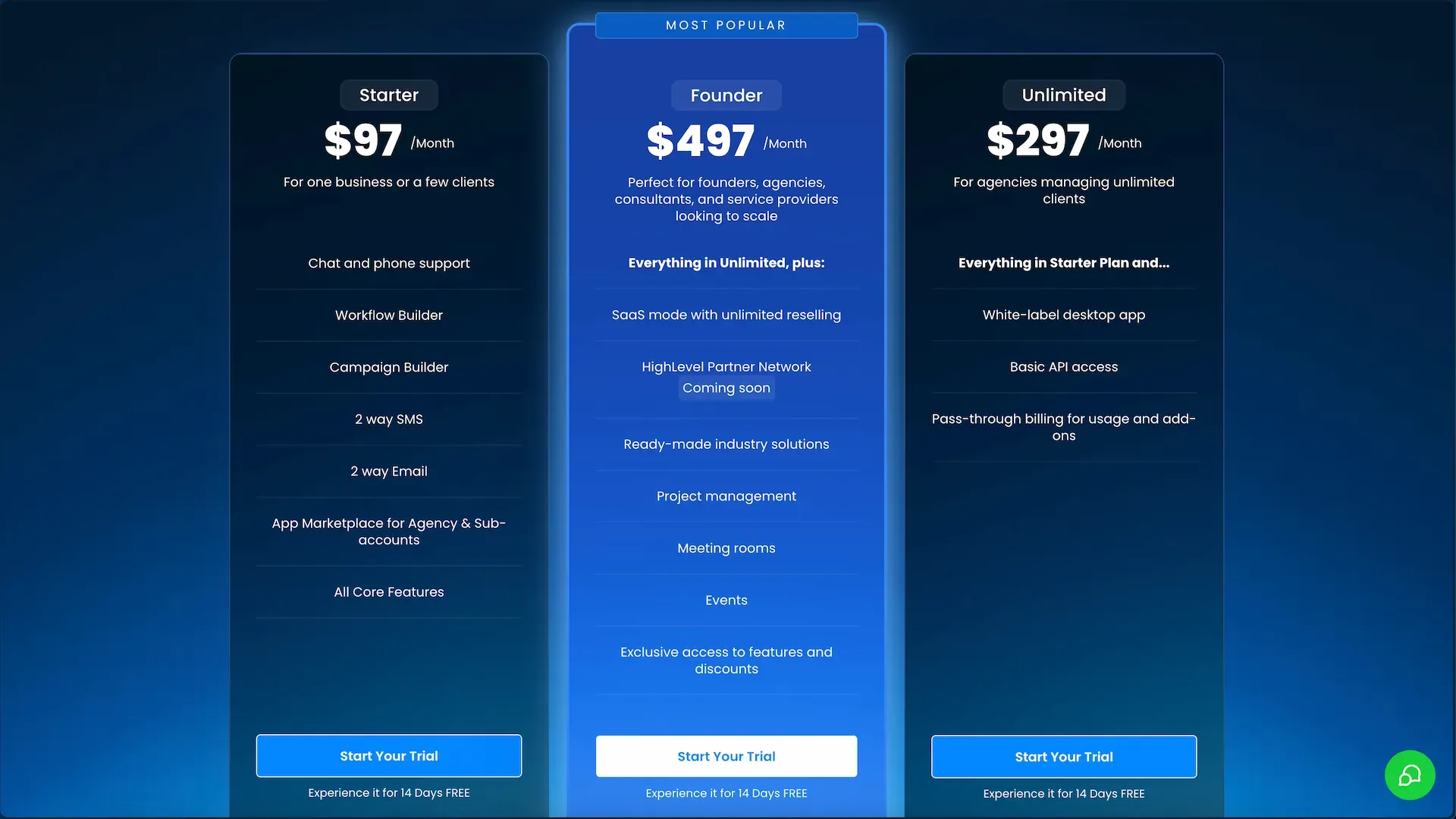
FieldTask works with HighLevel Starter at $97 per month and has a separate fee based on the package. It basically changes with the number of users you add.
Just so you know, Starter puts the HighLevel part of the bill at $400/month, below Founder. It is incredibly cheaper compared to Housecall Pro as well.
Although FieldTask doesn’t publicly announce its price, I can assure you that you can enjoy every leading-edge FSM tool at a fraction of the cost.
To be on the safe side, I recommend you first get a quote or price from them before committing.
For a five-person team on monthly billing, Housecall Pro MAX is $329. Subtract the $97 HighLevel Starter fee, and there’s $232 per month left. If the FieldTask quote is below $232 for the same team, the two subscriptions cost less than MAX before add-ons and usage.
If your business already pays for HighLevel, I’d compare the cost of adding FieldTask with the cost of adding a separate field service subscription. I’d also check the full bill for texts, payment fees, and any tools the office needs on top of the plan.
HighLevel plus FieldTask is where I’d start if the business wants both. It fits a team that runs its marketing in HighLevel and wants the crew to get booked jobs, routes, and work details without typing the booking again.
HighLevel Starter is my pick when the office needs a CRM to catch more leads and follow up. Housecall Pro is my pick when the main job is to quote, send the crew, bill, and give the customer a portal.
Nevertheless, given how HighLevel performs as a dedicated marketing and sales platform, I pick it anyway. Adding FieldTask just turns that platform into a complete field service management platform. This is the ultimate home service business solution without compromise. You get the best of both worlds.
To me personally, having Housecall Pro only felt like it was holding me back in terms of marketing and sales. This is where HighLevel shines. Similar to this, HighLevel’s native field service tools are just underwhelming. It made me stick to the platform for my home service business only after I used FieldTask. Everything is seamless, easy, and intuitive. And comes with no compromises!
Yes, if your CRM needs to run lead forms, sales pipelines, and follow-up rules. Housecall Pro does a good job of keeping service addresses, job history, estimates, and invoices on the customer record.
Yes. It only comes with the $497 Founder Plan. It covers requests, jobs, visits, dispatch, and invoicing for accounts with access. Compared to any dedicated field service app, it is missing many features.
No. FieldTask works with HighLevel Starter. It adds its own job, dispatch, and field tools through the HighLevel Marketplace.
HighLevel vs Jobber: I’d pair HighLevel Starter with FieldTask to win leads, dispatch crews, and run jobs without upgrading to HighLevel Founder or Jobber's expensive plans.